Combining:
http://drupal.org/project/ckeditor
http://code.google.com/p/ckeditor-syntaxhighlight/wiki/Installation
http://drupal.org/project/syntaxhighlighter
Install instructions, Drupal 7.2 + CKEditor 3.6 + syntaxhighlight 3.0.83
Install drupal-modules:
1) http://drupal.org/project/ckeditor
Download ckeditor 3.6 extract all files in /sites/all/modules/ckeditor/ckeditor (/ckeditor.js)
2) http://drupal.org/project/syntaxhighlighter
Download syntaxhighlight 3.0.83 and extract all files in /sites/all/libraries/syntaxhighlighter_3.0.83 (/index.html)
** do not forget to configure the module and input filters. Read Module doc **
Install ckeditor-syntaxhighlight plugin.
3) Download http://code.google.com/p/ckeditor-syntaxhighlight/downloads/list and extract all files.
Be careful with the file path. It should be
/sites/all/modules/ckeditor/ckeditor/plugins/syntaxhighlight/ (plugin.js)
4) I add this lines in /sites/all/modules/ckeditor/includes/ckeditor.lib.inc after line 314 'plugins section'
  if (file_exists($editor_path . 'plugins/syntaxhighlight/plugin.js')) {
      $arr['syntaxhighlight'] = array(
          'name' => 'syntaxhighlight',
          'desc' => t('Syntaxhighlight plugin'),
          'path' => base_path() . $editor_path . 'plugins/syntaxhighlight/',
          'default' => 'f'
      );
  }
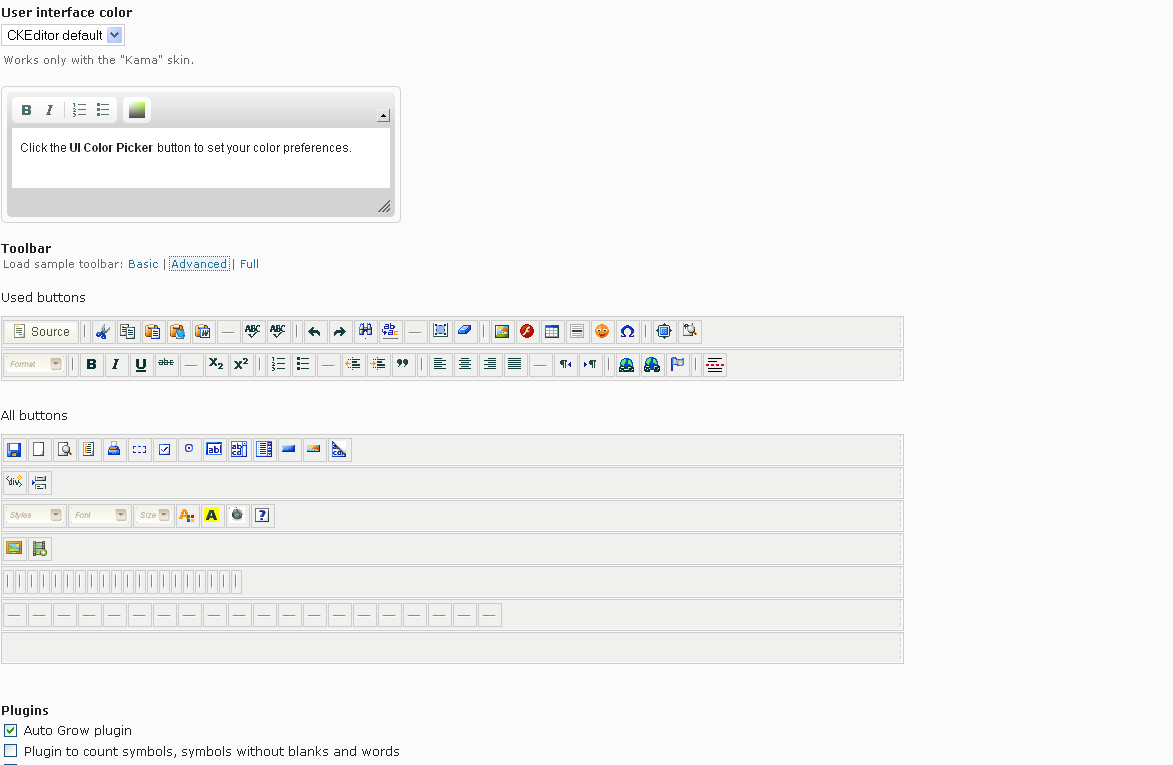
Configure a modified drupal-module in admin/config/content/ckeditor/edit/Full (or Advance) => Editor Apparence =>
a) Toolbar:
[
  ['Source'],
  ...
  ['DrupalBreak', 'DrupalPageBreak','Code']
  ...
];
b) Plugins
Turn On "Syntaxhighlight plugin"
SAVE! and test.


Comments
Comment #1
dczepierga commented@_marcos_, really thx for good work and tutorial.
In step 4 in last DEV version u can upload plugin to the plugins dir in ckeditor module and it will be detected automatically.
Greetings
Comment #2
mkesicki commented@_marcos_ try use the way as @dczepierga wrote and give a note if everything works as expected.
Adding plugins to CKEditor module in latest DEV version is much simpler than before.
Comment #3
mkesicki commentedComment #5
deme18 commentedhave anyone gotten the button to show up in CKEditor 7.x-1.6. when in the edit area it no CKEditor longer shows the text arrays instead it show button icons, however the Syntax highlighter icon is not listed.
Comment #6
mkesicki commented@deme18
as quick workaround please use source plugin.js file from Syntax highlighter plugin.
Than you should see plugins button.
Comment #7
mkesicki commentedI commited small change to this : #1350382: [D7] Improve regex pattern to find plugins for CKEditor. Workaround from http://drupal.org/node/1187558#comment-5261284 should not be necessary now.
Comment #8
tejaspmehta commentedHello,
I have still same problem as http://drupal.org/node/1187558#comment-5258554. I am not able to see options of plugin.
i am using version of ckeditor module 7.x-1.x-dev (2012-Jan-10).
Need guidance here.
Thank you
Tejas Mehta
Comment #9
tejaspmehta commentedi had figured out what exact problem was. It was code which we have to write in ckeditor.lib.inc file
new code is
pay attention that there is no $editor_path variable available and also path to plugin was wrong.
Hope this will be helpful to someone who is configuring this.
Thank you
Tejas Mehta
Comment #10
eme commentedWorks fine with the last dev release (just need to put the syntaxhighlight plugin into ckeditor/plugin, check the corresponding profile and drag/drop the icon).
Comment #11
ikeigenwijs commentedI can not get this to work whit above instructions.
changed to
ckeditor module dev
latest version of everything
modified code to #1 than #9
cleared drupal and browser cache between every attempt
tried settings in config.js and ckeditor.config.js
I dont see the new plugins to enable them
ckeditor(program) is located in /sites/all/lib instead of /sites/all/modules/ckeditor/ckeditor
What worked, but not for all plugins (htmlbuttons)
When native plugins of ckeditor are placed in /sites/all/modules/ckeditor/plugins they are detected
button apears in configuration page
But ... ckeditor dissapears then so nothing works any more
--> script errors
SyntaxError: illegal character
[Afbreken op deze fout]
Something wit E L F cant copy here the rest of the post disappears
TypeError: u is null
-> solution: add in front of the script of synthaxhiglight plugin.js
( function() {at the end
} )();this worked for a moment
disabled Plugin file: syntaxhighlight undid every change ckeditor works again.
pleas advice