

Closed (fixed)
Project:
Feeds
Version:
7.x-2.x-dev
Component:
Code
Priority:
Normal
Category:
Bug report
Assigned:
Unassigned
Reporter:
Created:
7 Jun 2012 at 20:14 UTC
Updated:
30 Apr 2016 at 08:34 UTC
Jump to comment: Most recent, Most recent file


Comments
Comment #1
franzI work a lot with CSV files, never seen this error. Can you provide your importer config and your CSV file(s) so we can reproduce?
Comment #2
smiletrl commentedWhen add a new node, whose node type is attached to feeds, title for this node should be provided manually by user.
If there are two records in the csv file, three nodes will be produced, including two nodes automatically created through the csv file and a new node you just manually created. That node manually created should have a title entered by user in the node add page.
Hope this solve your question.
Comment #3
rdeboerYep, mastermindg's original issue from way back in June 2012 is still an issue in the latest dev snapshot (7.x-2.0-alpha7+19-dev).
It's like smiltr says. To reproduce this is simple. Here are the detailed steps
Create a node type that has (some) fields that you want to populate from your .csv file.
Go to Structure >> Feed Importers (admin/structure/feeds) and edit the Node Importer to specify your mappings.
Create your CSV-to-ContentType mappings. Make sure "Title" is mapped to a column in your CSV.
Under the Basic Settings, if we select "Use standalone form" nothing happens when we then visit /import (is this another bug or desired behaviour, i.e. to do nothing and produce no error).
So instead of "Use standalone form" we pick our content type.
If we now go to /import and pic the importer that has the name of our content type, we get redirected to /node/add/ourcontenttype where we're invited to Choose our CSV.
Press Save. Voila! Error: "Could not retrieve title from feed."
Ok, so maybe fill out the Title field as a minimum and press Save. This still doesn't import anything, just creates and saves a node by this content type as you'd expect on the node creation form!
However after saving, in addition to the View and Edit tabs we now have an Import tab. And guess what? You click that and you can start your CSV import on the next page! Hooray!
So, in order to start an import you have to create one dummy node first, just so you get access to that Import tab!
After that you can delete the node.
I hope you don't mind me saying that is not very intuitive.
Can't wait for the UI improvement. Other than that, this module is great!
Comment #4
acpji commentedHi
I have the same problem. Any solution to it?
thanks
Comment #5
franzWait a minute. Why in heavens are you both attaching and creating nodes from the same node type? They are never supposed to be the same, unless you want some crazy circular functionality. Have you read the docs? They should explain how to use both functionalities, and what are they meant for. For Standalone mode, in /import you should have a link to your importer, from which you can import new nodes.
You only need to attach the importer to a node type when you want to have multiple sources for the importer, for example: importing news from several sources. Have a content type named "New source" and another name "News". Attach importer to News source (each node of that type must have a title to identify it), then map imported content to News. Otherwise, use Standalone and you should never need to create a "dummy node".
Comment #6
rdeboer@franz, #5
Repeating this phrase from #3:
Under the Basic Settings, if we select "Use standalone form" nothing happens when we then visit /import (is this another bug or desired behaviour, i.e. to do nothing and produce no error).
We were only driven to our "mad" behaviour because normal operation doesn't seem to work...
Comment #7
franzSorry, I never had such "empty" standalone.
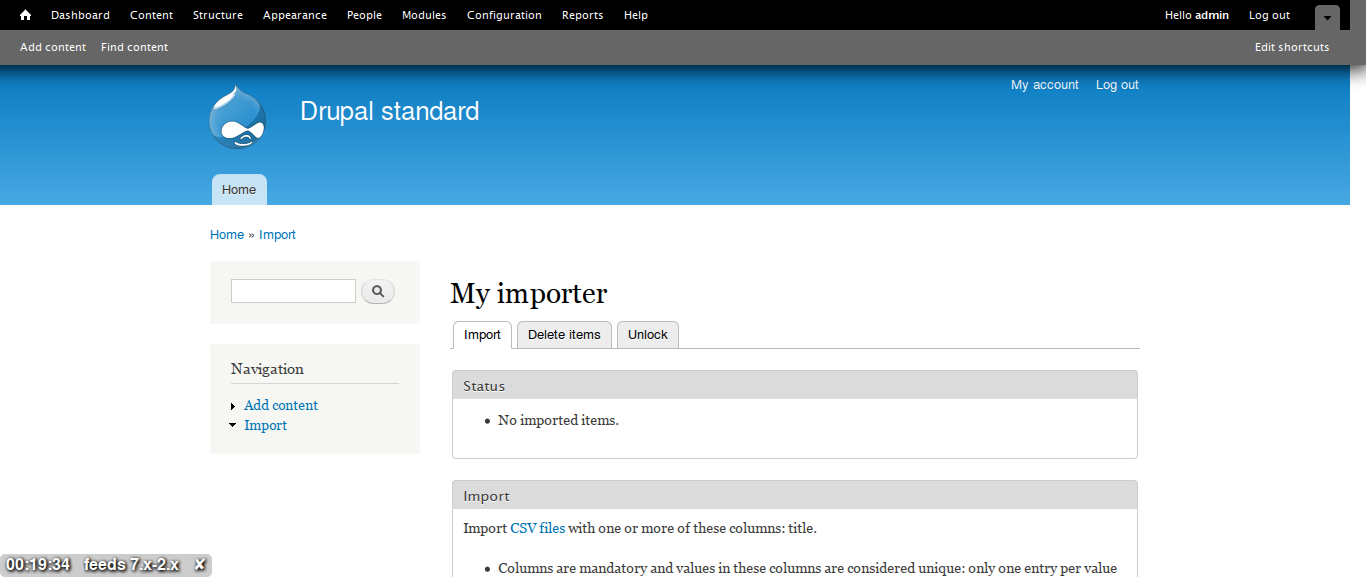
I just installed a sandbox 7.x-2.x and the /import shows fine, as you can see on those screenshots.
Comment #8
megachriz@RdeBoer, acpji
Have you tried to reproduce the issue on a clean install with only the modules enabled that Feeds needed to function? Test this to clear out the possibility that the issue is caused by a module conflict.
Have you tried to reproduce the issue with one of Drupal's core themes (for example Bartik, Seven)? Test this to clear out the possibility that the importer is hidden with CSS (which is unlikely, cause you do see an importer on /import when the importer is attached to a node type).
Unlikely, but it can it be that you accidentally disabled the importer on the Feeds Importer list page (/admin/structure/feeds)? The importer should be grayed out then.
Comment #9
twistor commentedThis is pretty simple.
A quick search for "Could not retrieve title from feed" will tell you what's happening.
Basically, Feeds is making the title of the Source node NOT required. It's trying to be clever and get the title from the feed. CSV files do not have a title, so it is giving you this error. Simply put in the title on your node edit page.
Comment #10
twistor commentedActually, we should show the standard error message about a required title. That would make things less confusing.
Comment #11
twistor commentedI changed my mind on this.
What we should do is add a method parsers, something like, hasTitle(), so that we can know if a title is even possible.
Comment #12
dunecat commented@twistor thanks for the insights on the error.
I just solved the problem of "Could not retrieve title from feed".
In my case the cause of it was the replacement of title by title_field everywhere. As I changed titles back to title, it imported content properly.
Would it be possible to integrate this module with title_field module? as it gives much more flexibility over titles especially in multilingual sites. At least in our case.
Thanks for your effort.
Comment #13
socialnicheguru commentedI second the feature request
Workaround for now:
https://www.drupal.org/node/1987134#comment-9032005
Comment #14
megachrizChanging issue title to make the difference with #2645074: Could not retrieve title from feed - support Title module more clear.
Comment #15
megachrizThis patch adds a method called
providesSourceTitle()to FeedsParser. Parsers should override this method if they can delivery a title from the source.The patch also adds two tests:
Comment #16
megachrizI added a draft change record for this issue.
Comment #18
megachrizCommitted #15 with minimal changes in the wording and word wrap.