
Converting an Existing Site to Use an Install Profile
This assumes your current site is running Drupal 7. If you are still using Drupal 6, upgrade the Drupal 7 using the normal upgrade process.
Once a site is running D7, follow these steps:
- Install and enable Profile Switcher
- Download the distribution
- Replace the sites directory in the install profile w/ your Drupal 7 site's site directory.
cp -R sites ../cm_starterkit_moderate - Use Profile Status Check to see which modules from sites/all/modules are overriding the version included in profiles/cm_starterkit_[VERSION]/modules
- Follow steps to Remove Overrides When Possible
If you've already implemented CiviCRM, you'll need to follow the steps for moving CiviCRM to a new location.
If everything is correct, you should see Community Media Starter Kit (Moderate) (cm_starterkit_moderate-7.x-1.xx) in admin/reports/status.
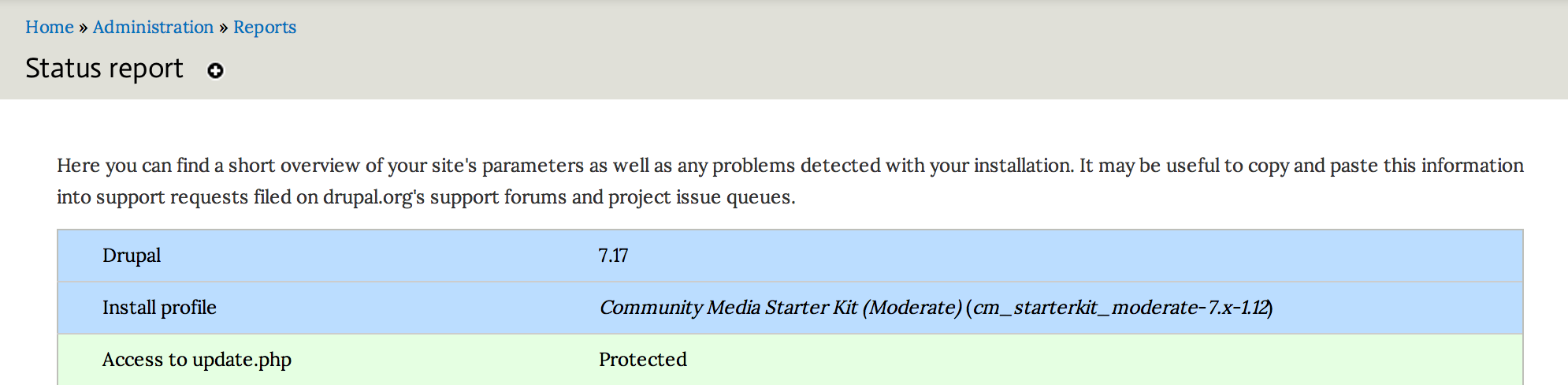
If you only see cm_starterkit_moderate- there is a good chance the install profile has been disabled in the system table for some reason. This will also generate errors in admin/reports/dblog about Notice: Undefined index: name in system_requirements(). To resolve this, reset the status of cm_starterkit_moderate to 1 in the system table and run drush rr.

When configured correctly, the profile will check for bug fixes and security updates along with the other modules. Once you've converted to a kit as the base of your site, use the Steps for Updating the Community Media Starter Kit to update Drupal, CiviCRM, and the modules included in the distribution.
Help improve this page
You can:
- Log in, click Edit, and edit this page
- Log in, click Discuss, update the Page status value, and suggest an improvement
- Log in and create a Documentation issue with your suggestion
