I did some playing around and made a small taxonomy tree based on animal species. So I had:
cats
- wild
-- lion
-- tiger
- tame
--tabby
--siamese
dogs
-wild
--dingo
--hyena
-tame
--rottweiller
--bulldog
--husky
Added this to node type: page and sure enough, was presented with options to choose an animal type when I went to create a new page, but I looked in the html source and saw that all the terms were pre-loaded.
On a small test like mine, having 10 or so terms pre-load is not a problem. What happens when I use HS for something like location and there are 5000 towns and states. Is this pre-loading configurable.
thanks...great module!


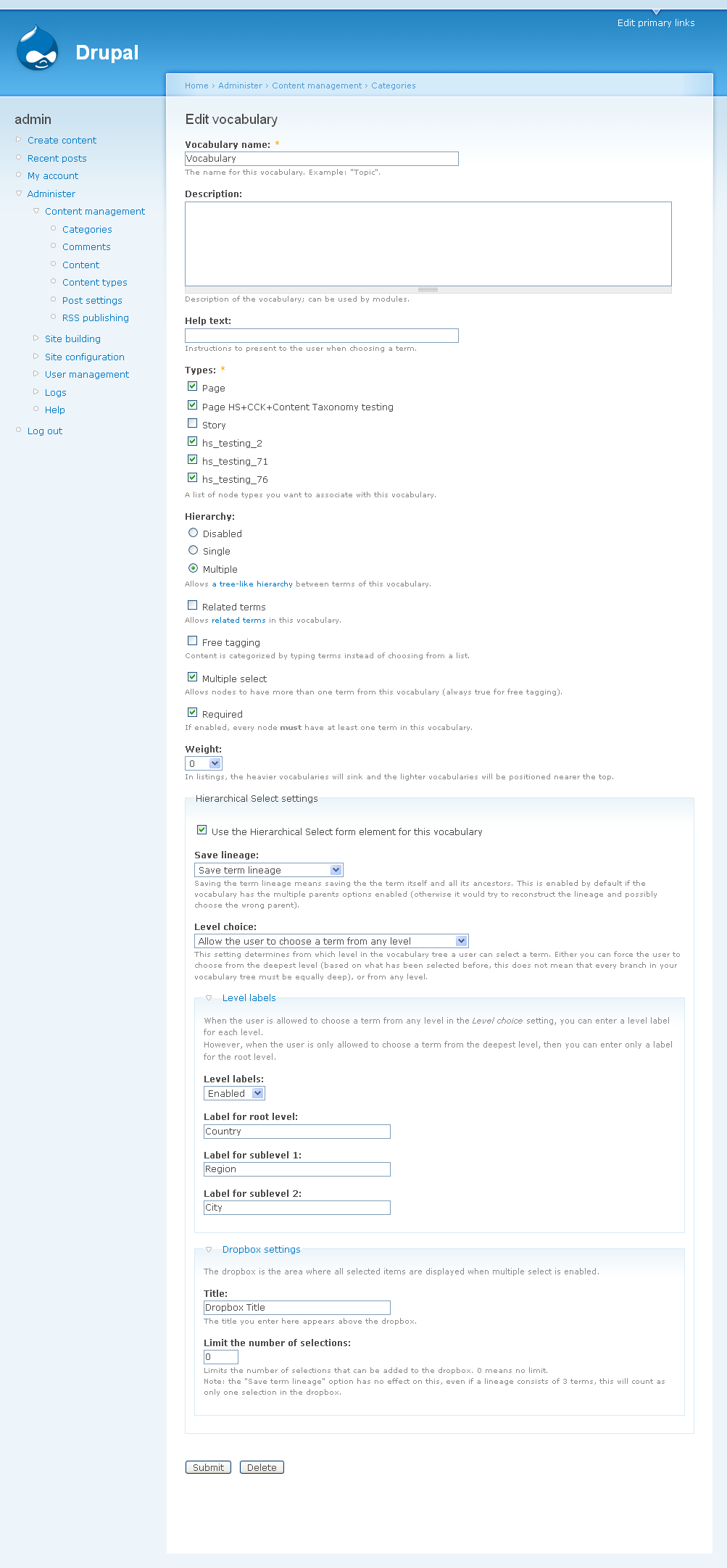


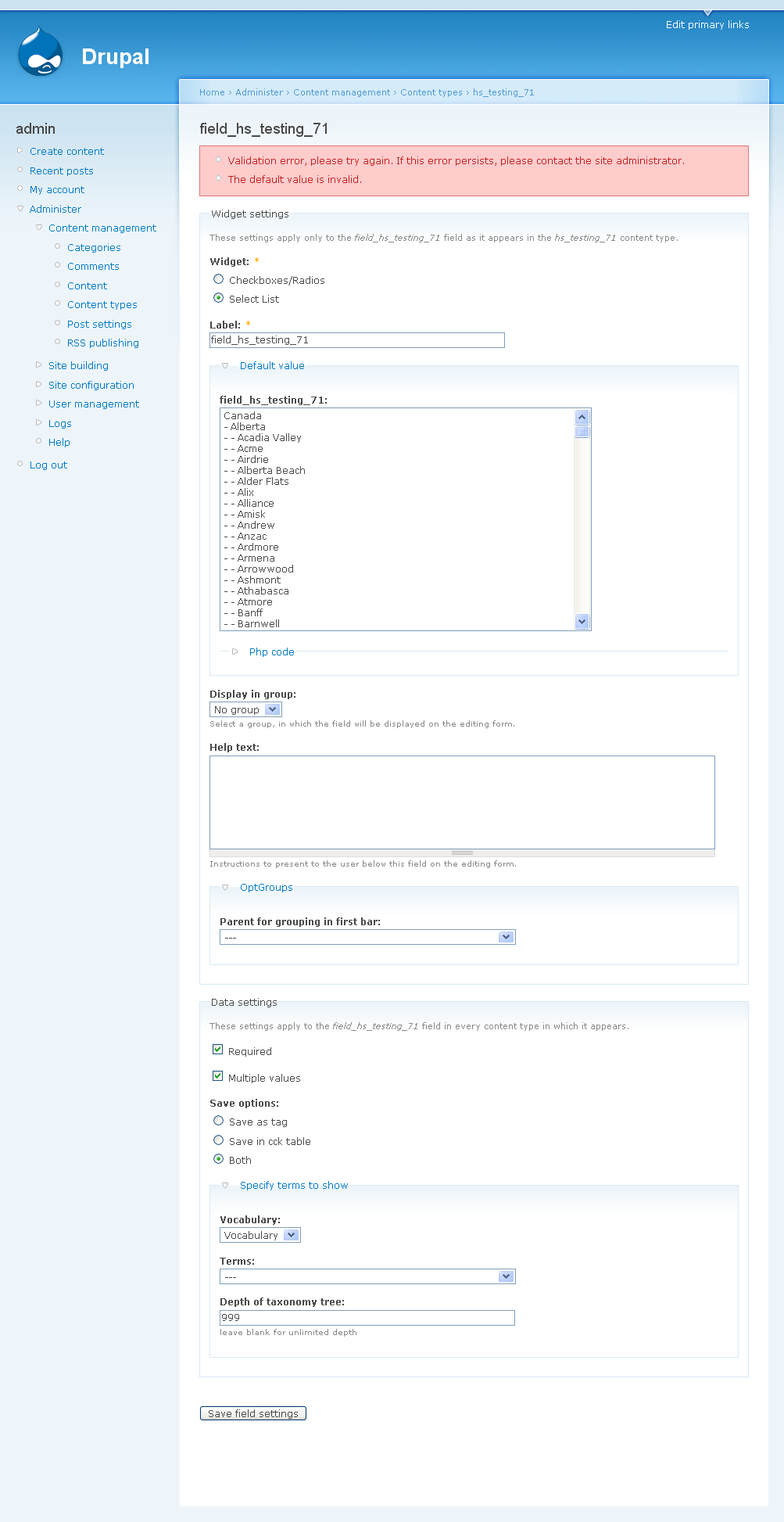









Comments
Comment #1
wim leersThis is not preloading. This is for graceful degradation: when JS is disabled, that normal select is what you will see. Just give it a try ;)
And yes, that is a performance issue. But it's the default Drupal behavior, in both Drupal 5 and 6. I intend to fix this in version 3 of HS.
Comment #2
esllou commentedOK, thanks. Whether it's pre-loading or jscript degradation, it would still affect my users were I to use it for 5000 towns and states. If I had 50,000 locations in a database (quite likely), the pages would never load! :-)
I like what I see so far but I will wait for HS3 (and in Drupal 6) before using it. Thanks again.
Comment #3
wim leersTrue!
If you would like to speed up Taxonomy *today*, then look at the http://drupal.org/project/advcache module. It has a Drupal core patch to add caching to taxonomy_get_tree(), which is what's used mostly to render this.
Also, if you would like to sponsor this feature, let me know. I'll have time to work on this in 4 weeks.
Comment #4
wim leersSee http://drupal.org/node/191360.
Comment #5
wim leersBeing worked on.
See http://drupal.org/node/226067, which has to be done first.
Comment #6
esllou commentedI would be happy to sponsor this, if:
- it would allow me to use HS on 5.7
- I could use db's of 10s or even 100s of thousands of items without jscript degradation causing pre-loading to happen in the source of the page: values to be taken only from db when required
- there would be a usable way of importing these values into db without having to create them one by one in Taxonomy
if all that sounds doable Wim, I'm happy to put my money where my mouth is! :-)
Comment #7
wim leersThat's exactly what I'm working on.
- I could use db's of 10s or even 100s of thousands of items without jscript degradation causing pre-loading to happen in the source of the page: values to be taken only from db when required
Of course, that's exactly what the scalability issue is! :)
Aha. Interesting question. That would actually be something completely independent from the scalability issue. And it would also be really easy to implement.
Please post a new issue (feature request) in which you explain this in more detail. I.e. do you want a UI to manage this, or just "generic code" to do this kind of thing, or specifically for a table layout of your own? In the latter case, you can send me an e-mail instead of posting a feature request, since it would be custom code just for you.
Comment #8
esllou commentedok, I'll open up another issue on that import question later on.
what timescale are we looking at for this to be finished? Couple of weeks?
How does "sponsoring" actually work on drupal.org? I offer an amount once the work's complete? Do we see a "...brought to you by esllou" on the project page? :-)))
Comment #9
wim leersTimescale is difficult, since I'm actually on a vacation right now. But a couple of weeks would be the worst case timescale.
There's no written or unwritten protocol for attribution of sponsors. You can see how I do it at HS' project page: http://drupal.org/project/hierarchical_select; I list the sponsors chronologically, link to them and mention what feature they sponsored.
Only sponsors of major features are listed. So far, most sponsorships were for major features though, and this one would of course be a major feature too :)
As for the amount: I prefer payment by the hour. But let's deal with those details via e-mail :) You can contact me via http://wimleers.com/contact
Comment #10
francewhoaGreat news.
Subscribing
Comment #11
wim leersI've been working on this and it's working already. However, graceful degradation is *extremely* tricky. Or at least I have *no idea whatsoever* on how to do it. In Drupal 6, you have the #executes_submit_callback property for buttons, but in Drupal 5, there's no such thing.
I'm wondering if it would be acceptable to have no graceful degradation when JS is disabled?
Comment #12
wim leersI just talked to chx about this on IRC:
Posting this for my own reference and to indicate the complexity.
Comment #13
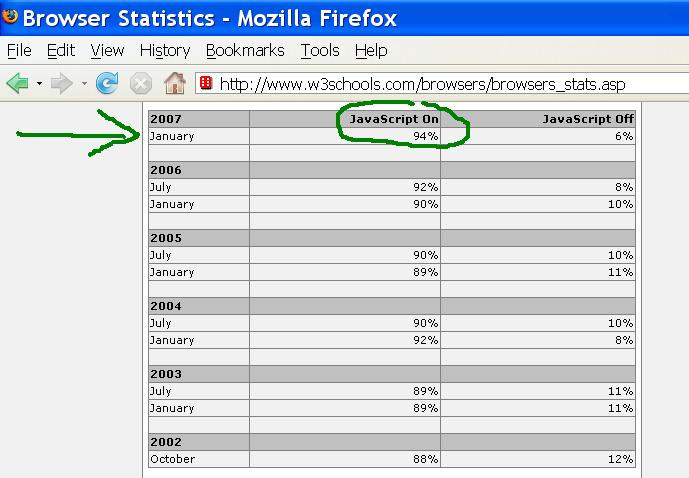
francewhoaNo graceful degradation is fine with me because 94% of the browsers have JavaScript (JS) on by default. And each year it's increasing.
According to TheCounter & w3schools statistics 94% of the most popular browsers have JS on: http://www.thecounter.com/stats/2008/March/javas.php
http://www.w3schools.com/browsers/browsers_stats.asp
To solve the 6% JS off issue I simply added a free JS detection thingy to my webpage. If the JS is off a warning message offers 2 options:
1 – A link to a tutorial called “How to activate JS on your browser”. Google example: http://www.google.com/support/bin/answer.py?answer=23852
2 – A link to “Contact the webmaster for assistance” to do the above.
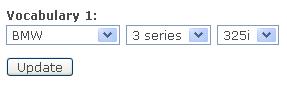
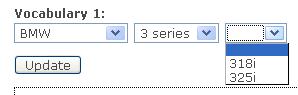
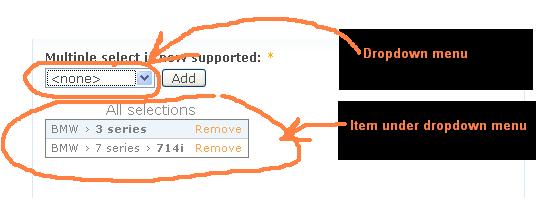
Please find attached screenshots.
Comment #14
esllou commentedyou might find parts 7 and 8 of this tutorial useful as I think mooffie got something similar working with or without javascript:
http://blue.live4all.co.il/~mooffie/cms/node/21
Comment #15
wim leersI've been working a lot of this. The link esilou gave me was somewhat helpful, but not very. When I got going, #executes_submit_callback turned out to be the least of my worries.
I'm first focusing on getting everything to work nicely when JS is disabled, since that's what's needed for the scalability improvements anyway. So I'm rewriting the rendering system of Hierarchical Select completely from scratch. Everything will be done through Forms API now, instead of custom callbacks to the server, and the server responding with HTML. That's necessary if we want to have graceful degradation.
This also means the CSS is pretty much completely rewritten.
What this effectively means, is that in my
#processcallback, I'm no longer *just* changing#typeto'select'and adding some JS, but I'm expanding the element to *a lot* of elements. This is necessary, because all selected values have to be available to Drupal via normal POSTs, not through values collected/maintained by the JS. E.g. for each selection in the dropbox, I have to add some kind of form element to pass the data back to the server. Otherwise, you'd lose all the selections in your dropbox after each update or each time you remove an item.A nice result is that >80% of the effort of porting this module to Drupal 6 is also done while working on that. Drupal 6's improved Forms API is likely to make lots of things easier to do, although I'm not 100% sure. E.g. the selections in the dropbox could simply be stored in
$form_store.When multiple select is disabled, everything already works nicely with an "Update" button when JS is disabled.
However, when multiple select is enabled (thus the dropbox is enabled), then things get much trickier. I have to do some really tricky processing with the values in
$element['#value]and check which button was clicked. Also, I can no longer use the "Remove" links for each of the selections in the dropbox, since links don't submit forms in plain HTML. So I have to make buttons out of it. But, I need unique button names to identify which one was clicked (also a Drupal 5 limitation). So I might have to turn to checkboxes in combination with a single "Remove" button.Currently, I'm working on getting the "Add" button to work properly.
And when all of that is working nicely, I'll have to pretty much completely rewrite the JS, since the inner working is completely different. There used to be *one* select that was defined using Forms API, and everything happened on that single one item. Right now, I've got these Forms API elements:
- a separate select for each level of the current hierarchical select (n items)
- a separate hidden input for each selection in the dropbox (n items)
- several wrappers to simplify the CSS and JS
- a table for the dropbox (I still want to make it FAPI-rendered)
One of the other benefits of all this work is that lots of logic will be moved from the JS to the PHP code, thus from client-side to server-side. Previously that wasn't necessary, because the degradation was much dumber (a single multiple select appeared to the user).
Sorry for the extremely long post, but lots of things have happened:
Comment #16
wim leersThe "Update" and "Add" buttons are both working perfectly. I've had to some Forms API trickery to get all of this working properly, but it's working, with no super ugly hacks (just tricks). Just the way we want it.
The server-side logic for all of this has become clean, too.
More updates to follow later.
Comment #17
francewhoaAbout the "AJAX capable dropdown menus" I found the following for you Wim. With code source & some with demo. Hope this help.
Comment #18
francewhoaAbout the "graceful degradation" (Dropdown menus working with or without javascript) I found the following.
Comment #19
wim leersThanks again, onopoc, but you really can stop providing these examples. I *know* what I have to do, and I'm working on it!
Comment #20
francewhoaWim: My intention was to help & contribute to your project. Are you saying that you DO NOT welcome help & contribution from the Drupal community?
Other question, if we found more similar projects working with and without javascript (dropdown menu with graceful degradation) such as this demo. Do you want me and esllou to stop providing them?
Comment #21
wim leersOnopoc: I appreciate that you're trying to help. However, you've posted essentially the same information as in the Location field issue queue. So it was redundant. Plus, I had already said that I understand what you're saying (*repeatedly*!), and I've said the same here again.
I do appreciate helpful comments. esilou's comment was relevant, somewhat helpful and to-the-point. Your post was relevant, not helpful (I told you many times by now that I already knew what you were saying) and extremely long (i.e. not to-the-point). These kinds of posts are con sidered "noise" by the community and thus are not welcomed with open arms. And trust me when I say that I've been answering very patiently.
So, again: thanks for your efforts, but they are in vain: I already know what you are trying to explain to me.
esilou, onopoc, others: major progress:
- the rendering is now 100% Forms API driven
- all previously available functionality is working when JS is disabled
To do: rewrite the JS. This will also be a complete rewrite, but luckily the JS will get a lot smaller, rather than bigger this time. This is because much logic that previously only existed when JS was enabled (and thus in the JS), now also works when JS is disabled (and thus in the PHP code). The only major trouble left is figuring out how to generate a part of the form (to render it, to answer requests to the server from the JS). That's probably for tomorrow.
To explain the amount of changes again through diffstat (this shows how much logic has been moved to server-side code):
Comment #22
francewhoaWim: Thanks about the “noise” definition. I learned a new term today. I’ll work on that. Next time I’m trying to clarify a misunderstanding I’ll keep it short and to-the-point. That answered my first question, thanks again.
I don’t understand the answer to my second question though, so I’ll take it as a YES: YES if we found more similar projects working with and without javascript (dropdown menu with graceful degradation) such as this demo stop providing them.
I think we have a communication problem. We both don’t understand each other.
Good luck with your project.
Kind regards,
Comment #23
wim leersIn this case, the answer to your second question is indeed "yes", as in: "yes, please stop providing AJAX dropdown examples". However, that's just because I already know what I have to do.
In general, I would gladly welcome examples. As long as you keep the describing text short and to-the-point :)
There's only one problem in the communication between us: you suffer from a "disease" I like to call "feeling-forced-to-write-down-every-detail". I suffered from that too. But it's really important, especially these days, that you can get your message across in the shortest amount of text possible. That's why advertisers have short lines.
I just found these excellent guidelines on how to write e-mails, and I think they apply here and everywhere else, too: http://webworkerdaily.com/2007/10/05/7-rules-for-communicating-clearly-a.... I will refer others to these guidelines in the future, too. Because you're not the only one :)
Comment #24
francewhoaThanks for the guidelines Wim. Excellent guidelines indeed. I have to work on the 2 first points and the third: “Write about only one thing”, “stick to one subject, with one request. Once that’s done, send a second one, to not overwhelm the recipient.”
You misunderstood my second question. My question isn’t about “AJAX dropdown examples” but about “projects working with and without javascript (dropdown menu with graceful degradation)”.
Sorry about that I should have asked only one question in this post. Once that’s done, send the second question, to not overwhelm the recipient.
Comment #25
wim leersOnopoc: you're welcome! :)
esilou, onopoc: everything is done, including 70-80% of the JS rewrite, except the AJAX refreshing (that's the remainder of the JS). I have to rebuild the form in case of an AJAX request to the server, and that's … problematic. It's simply not supported in Drupal 5. It's easy in Drupal 6. I probably need to simulate the
#multistepfeature in such a way that I can rebuild the form only when a hierarchical select occurs in that form. I'm trying to get some advice from Forms API experts right now.As soon as I know how to rebuild the form, it's about an hour of work.
Comment #26
wim leersI've been advised to contact quicksketch about this. He's the one who did the most work (correct me if I'm wrong, but he at least helped a lot) in bringing the
#ahahproperty to Drupal 6.While awaiting his response, I've decided its' better to post a patch of what I currently have, so you can already start testing. A couple of notes:
- hierarchical_select_json() in hierarchical_select.module is the only function on the server side that still needs work.
- this means *none* of the AJAX updates works currently.
- and that means that for testing of the functionality, you should disable JS for now. This way, you can also verify that the graceful degradation works as it should.
So I'm marking it as CNR. I *don't* expect code reviews (you of course may do that), only functionality testing.
I've attached both the patch and a .zip of the new module.
Comment #27
wim leersI've attached 2 screenshots: one in which JS is disabled, one in which it's enabled.
Comment #28
francewhoaI’ll do functionality beta testing and let you know when it’s done.
Comment #29
francewhoaWim: we spoke via email. I would like to sponsor a small part of those new features.
Drupal community: If others want to do a joint sponsorship you’re welcome. Wim can be contacted via his contact form at: http://drupal.org/user/99777/contact
Comment #30
wim leersI forgot to mention that you have to install the jQuery Form module, Hierarchical Select now depends on it. See http://drupal.org/project/jquery_form.
Comment #31
francewhoaWim: Here are the functionality beta testing results:
PASSED: Firefox 2.0.0.13
PASSED: Safari 3.1
PASSED: Opera 9.22
PASSED: Internet Explorer 7.0.5730.11
PASSED: 10 levels deep taxonomy with all the above browsers
All with JS deactivated and Windows XP. See attached screenshots (PASSED_3_levels.jpg & PASSED_10_levels.jpg).
The 2 fallowing aren’t bugs but proposed functionality improvement. To reproduce set:
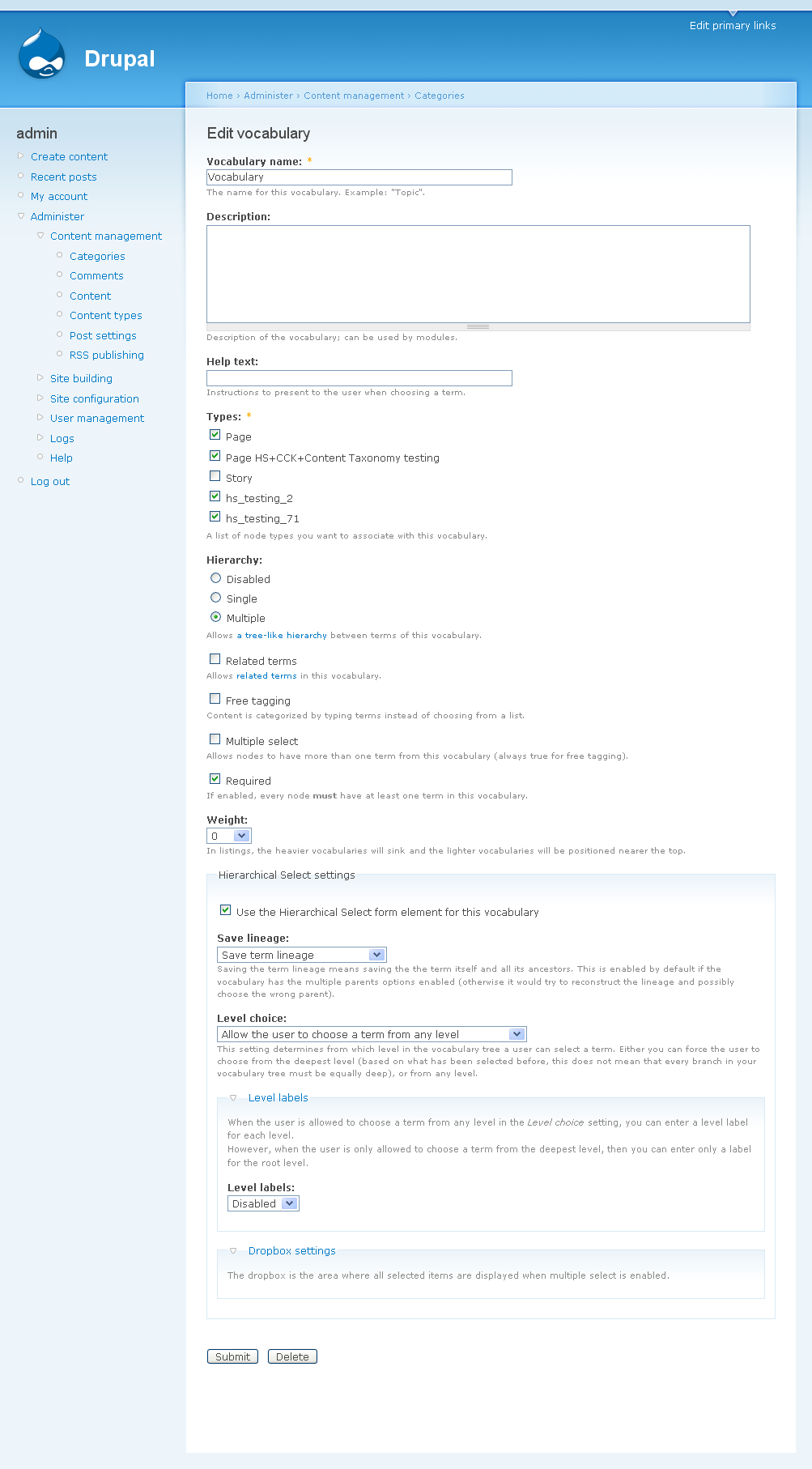
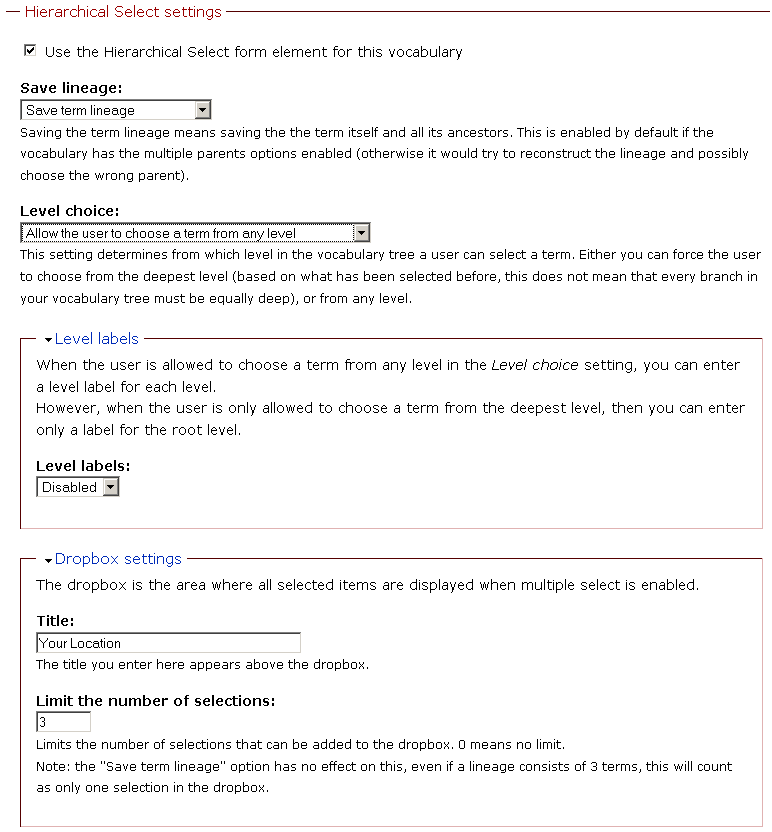
Home › Administer › Content management › Categories › Edit vocabulary > under "Hierarchical Select settings" > "Save lineage" > "save only the deepest term".
Comment #32
wim leersReproduced both. Both are indeed problematic. Thank you very much for the testing. I'll work on improving these.
Comment #33
wim leersI think I've already fixed it. The problem was that I was just taking the value of the last select. But I didn't validate the hierarchy these selects represented: I should pick the value of the last select up until which the hierarchy is valid.
I've also added the jquery_form dependency to the .info file.
Please try the new version.
Comment #34
francewhoaGreat Wim both improvements are working will all 4 browsers. You're welcome for the testing.
Comment #35
jrbeemanI've currently got a vocabulary that is 5 levels deep and contains roughly 10,500 terms. I'm obviously not using it on a prod site, but I'd really like to... which is why I'm interested in this thread. I run into critical javascript performance issues when using Hierarchical Select due to it loading every single term in the taxonomy into the page, regardless of which level you are currently browsing. The same issue occurs with Wim's patched version. I was under the impression the issue was to change that behavior - did I misread that?
Comment #36
wim leersI'm not sure what you're doing, but unless your *root level* (i.e. the first level of your vocabulary, the one that has no parents) is enormous, this simply cannot happen. As long as you keep the first level at a reasonable size, say a couple hundred maximum, and each child level also (i.e. the level below the term "foo" and below the term "foo>bar", and so on), you should no longer face any scalability issues.
Note that the JS is not yet working. You should disable JS for testing. Otherwise you'll be waiting forever for an update to happen :)
Comment #37
jrbeemanAh - this was my mistake. I hadn't correctly removed my release-version of the module before using your patched version. Sorry for the bother! This looks great, Wim, and definitely solves our use case.
Comment #38
wim leersDue to lack of reply of the Forms API masters, I started doing it my own way, and it's working. I'm pretty sure it's as clean and good as it gets in Drupal 5. It will involve installing an extra DB table, but only for storing temporary values.
The updated patch will probably land tomorrow night.
For completeness, several other issues have been solved/simplified by this patch as well:
- The option prevents scalability (http://drupal.org/node/239452): fixed
- Scrolling Select box option. (http://drupal.org/node/212014): will be super easy now
- Ability to set start value of the hierarchical select (http://drupal.org/node/229586): will be easier
Comment #39
wim leersSlightly later than planned, but here it is: the new patch. Dynamic updates are fully working, the value returned by hierarchical_select form elements are valid now and the JS code has been polished up and was tested in Safari, Firefox and Internet Explorer.
The patch is truly massive now. 92.71 KB. That's the same size as the Registry patch!
I need people to:
- verify that it works with node taxonomy forms as expected (i.e. with various settings)
- test the CSS cross-browser. It seems it works pretty well in Opera now, but now there are problems in IE: the selects don't always float to the left properly. And the dropbox table's border is absent (but that issue already existed in the previous version of HS). I'm no CSS expert, so help from cross-browser CSS wizards is most definitely welcome.
- test the JS cross-browser. I tested a lot in Safari, there it works flawlessly. Basic testing in FF and IE seem to be working as well.
I expect that there's still the necessary heap of cross-browser JS issues. Hopefully it'll be easy to fix.
Comment #40
wim leersAlmost forgot: this new patch requires HEAD of the jQuery Form module. You can either check that out via CVS yourself, or use the .zip I attached here.
Comment #41
esllou commentedI just want to check before I spend some time testing this weekend. I am using a clean test intall.
Do I have to apply that patch to the main module or is that only for those with HS already installed? Can I use the HS version in today's attachment? Same question with the jquery attachment.
Comment #42
wim leersFor both you can just use the attachment (the .zip's). I'm providing patched versions because that means less work for you guys! :)
Comment #43
jpsalter commentedWim, thanks for the massive update.
In my testing environment (18,000 terms) this works great except for three things:
1) after choosing another term -- the items fade out but do not fade back in. After a few choices the options are completely hidden.
2) when editing a node tagged with a term from the top level of the taxonomy this error is reported:
warning: end() [function.end]: Passed variable is not an array or object in /Applications/MAMP/htdocs/devsite/sites/all/modules/hierarchical_select/hierarchical_select.module on line 280.3) when saving a node (with a change in taxonomy or not) these errors are reported:
This was tested using Mac Firefox 2.0.0.13
Thanks again for an awesome module and thank you for posting the patched version of the module - this does save a lot of time.
Comment #44
wim leers1) Can you go to http://wimleers.com/demo/hierarchical-select and tell me if this happens there as well? This does not happen in Safari, Opera and IE 6.
2) Ok, should be an easy fix.
3) Now that's odd. This is one of the very things I tried to fix. Are you 100% sure that this occurred after testing with the new patch?
Comment #45
jpsalter commented1) The fade problem does not happen at http://wimleers.com/demo/hierarchical-select
2) Thanks
3) I'll double check
My development environment has been punished with a lot of testing. If these errors do not resolve I'll create a fresh environment and test again.
Thanks.
Comment #46
wim leers1) Ok thanks. Then I know this problem was introduced in the new JS. Strangely, the part of the JS that handles this was left virtually unchanged (only the selector has changed, due to changes in the HTML structure).
Comment #47
jpsalter commentedI've installed a fresh copy of Drupal 5.7,jQuery Form Plugin (HEAD), JQuery Interface Library 5.x-1.0, JQuery Update 5.x-1.0, Hierarchical Select (v3)
Created a three level taxonomy.
Problem #1 - "fade in not working" appears for Mac Firefox 2.0.0.13 but does not have a problem with Mac Safari Version 3.1 (5525.13)
Problem #2 - you're on it
Problem #3 - add node, select a term, save node - this error is reported:
Comment #48
wim leers3) Please post a screenshot of all the Hierarchical Select settings. I have been unable to reproduce this.
Thanks for taking the time to set up a new testing environment!
Comment #49
wim leersPatch updated. All problems have been solved!
Comment #50
jpsalter commentedI can confirm that in my setup all problems are solved for both Mac Firefox and Mac Safari.
Thanks Wim!
Comment #51
esllou commentedI've had problems immediately.
I downloaded the HS from #49, the jquery_form.zip from #40 and then I saw that I also needed jquery_update and jquery_interface so installed those too. Moved jquery.js from /modules/jquery_update to /misc as instructed.
set up a 3 level simple "Location" vocabulary. There is a screenshot of my HS settings at the end of this comment.
I had enabled "allow the user to choose a term from any level" so that was the first test I did. On selecting USA >> Florida and pressing "Add", the page reloaded, I got the "Title field is Required" error you see in the second screenshot and nothing got added to the dropbox.
I'm obviously doing something basic wrong. I've never installed this module before so I've almost certainly missed out a basic step. :(
Comment #52
jpsalter commentedEsllou, it looks like your javascript is not getting loaded or is turned off. View the source of your html page - you should see this file in the list of .js files:
/sites/all/modules/hierarchical_select/hierarchical_select.js
Also, try refreshing your browser to flush out old cached javascript files.
Comment #53
esllou commentedhere is my page source script section:
I've cleared browser cache too and it makes no difference. Every time I make a selection to go down into the dropbox, the page "reloads" and I get error messages about field I haven't completed. I feel such a noob! :)
Comment #54
wim leersAre you sure that you don't have a Javascript error of some sort?
Comment #55
esllou commentedI'm using Firebug in FF and the little green tick continues to show down at the bottom, so no errors at all.
what would cause the page to reload in a way that drupal thinks I've submitted the page and warns me about unfilled out fields?
Comment #56
wim leersExcellent. You've installed it properly then I think. But that doesn't help me find the solution :P
Perhaps it's only the Remove link and Add button, I've seen that happen here as well when I had firebug enabled. Do you have another computer where FF is "clean", i.e. no extensions installed? I'll have to solve it nevertheless, but that'd help narrow down the cause.
Comment #57
esllou commentedOK, I've just tried again (online, don't have it installed locally) with a clean installation.
1. Fresh install
2. Installed HS, jQuery Plugin, jQuery update, jQuery Interface Library
3. Copied jquery.js over to /misc
4. Created simple Location vocabulary, added to Page type, enabled HS for this vocab
5. go to create Page, choose deepest level, press "Add"
red error box:
* Title field is required.
* Location field is required.
how has everyone else been playing around with this, yet I can't even get the thing working? Grrrr....
Comment #58
wim leersWhich browser? FF with Firebug? Please verify that it's also failing in another browser, especially in Safari.
Comment #59
esllou commentedYes, I use FF with firebug extension.
I just did a bit more FF testing.
firstly, I took away the multiple requirement for the Location vocabulary.
HS was then working fine without the dropbox. I saved a few nodes like this and the terms got saved. When I went and edited the vocabulary again to allow multiples, going back to those saved nodes, I could see the dropbox had been put in with the "remove" link showing too. But, with multiple choices possible, I again couldn't select any.
then tried in IE (sorry, don't have Safari). The very first time I tried, I chose the country in the first dropdown, it went grey as it was loading the others and then stayed that way and the other dropdowns to the right never appeared.
after that, it seemed to work fine and I was able to add places and never saw this greying-out behaviour again. Odd.
another oddity. In IE when it was working ok
1. Went to node/1 and added two locations. City A and City B
2. went to taxonomy settings and allowed "users choose term from any level"
3. go back to node/1. Still showing City A and City B in the terms section of the page
4. go to edit..."Nothing has been selected yet". So altering the tax. settings seems to mean HS doesn't see the saved terms anymore.
Comment #60
wim leersYou can download Safari for Windows :) However you didn't try it in FF *without* Firebug either. Please test that as well, I'm sure you have some other computer somewhere.
I already suspected the problems only arise with the "Remove" link and "Add" button. I've seen that happen here as well.
It's by design that everything greys out when it's loading. That's to indicate that it's loading.
The oddity you describe, is perfectly normal. There are some pretty complex algorithms going on to construct the necessary hierarchies for the user to select. But it also validates hierarchies. So if you are changing the way the user can select a hierarchy, it's possible that terms saved with a previous configuration of HS will no longer be displayed/added, since they're no longer valid in the current settings.
Comment #61
esllou commentedOK, I uninstalled Firebug and getting the same problem with trying to select multiples. Page reloads and I get "field required" errors.
downloaded safari. Seems to work very well from the limited testing I've done. One problem I did notice.
I did get mysql error on submitting page:
8239 is Italia
8684 is Calabria
here is what I tagged content with:
Italia›Basilicata›Potenza
Italia›Calabria›Crotone›Umbriatico
Italia›Calabria›Reggio Calabria›Ardore
so it was taking it as a repetition for Italy twice and once for Calabria...my HS settings at this point were:
- save lineage
- allow users to select at any level
- limit selections:3
Comment #62
esllou commenteddon't know if this helps. I've made a little flash movie of what happens. It takes only a couple of minutes to do so if you need any more with different testing conditions, let me know.
just unzip and you'll have an html page with its accompanying swf file...just open the html page.
Comment #63
francewhoaesllou: Same thing happened to me it’s user error though. To solve this issue I type in anything in the fields “Title” & “Body”. Then I click the "Add" button.
Comment #64
esllou commentedI tried doing it with something in those fields...the page seems to reload, I don't get the error, but nothing gets put in the dropbox anyway. I'll make a flash movie of that so you can see.
Comment #65
esllou commentedhere is Firefox, no Firebug, with node field filled out. No error message but nothing is added to dropbox.
Comment #66
francewhoaWim: AJAX works. It's awesome. Super fast loading with large taxonomy.
esllou: It's a great idea to record video. Much easier and faster than screenshots. I'm using a free one from camstudio.org
Wim: Here are the HS (from post #49) beta testing results:
All with JS activated and Windows XP.
To reproduce please find attached videos & setting screenshots.
Testing with modules:
Comment #67
wim leersOk, plenty of testing now. Thanks! I'll work on this ASAP, probably tomorrow.
Comment #68
mdowsett commentedI upgraded to the HS module from #49, installed the jquery form from #40, ran update.php, didn't do the patch (that's correct right)?
And now it's not working at all. It was reporting that I didn't have JS on, but I did but then I remembered in #36 that you said JS wasn't working....is that still correct?
I turned JS off in my browser, it removed the errors of coruse but now you can't select any sub-terms....so what's the point?
I was directed here by Wim from http://drupal.org/node/243748. So I followed these instructions in hopes of a fix to my problem (even tho it wasn't mentioned/addressed here).
What should I do? Go back to the other version? Or hold tight for the next update here...?
Many thanks - I was pumped after getting as far as I did with the previous version, I'm sure it'll only get better!
Comment #69
jpsalter commentedWim. Can you please post an update to the API.txt? Specifically, the recommended structure of the form array for integrating with a taxonomy vocabulary:
This is the API suggestion
This is the code I'm trying to get to work for a two level taxonomy
I noticed that the module is now named 'content_taxonomy' and the params has a depth value - are these correct changes? All I see is the "Submit" button but no options.
Comment #70
wim leersmdowsett: please see http://drupal.org/node/243748#comment-807078.
Comment #71
wim leers@jpsalter: funny enough, I just did that without reading your request :) Only 2 things have changed:
all_optionsetting is gone.#options. Hierarchical Select now does this automatically. See "3)" in API.txt.@esilou, onopoc: the issues in Firefox and Opera have been solved!
@esilou: your MySQL error that was being caused by Hierarchical Select has been fixed as well. It was because the array of term ids was not unique.
@all: I've fixed several other issues as well:
#after_buildcallback was being added to every form instead of just the forms that contain a hierarchical_select form element.Only one problem is not yet fixed: the CSS issues in IE6 and Opera. However, that should change soon too: I've helped EclipseGc with some Drupal 6 AHAH forms issues, and in exchange he's going to give his best shot at fixing the CSS.
This will be the final testing round. You can ignore CSS issues in your testing, they will be tackled in a follow-up patch.
Comment #72
francewhoaWim: Here are the HS #71 beta testing results with SAVE ONLY THE DEEPEST TERM:
When clicking "Add" button selection aren't display into dropbox.To reproduce please find attached video & setting screenshots.
Tested with:
Comment #73
francewhoaTesting results with SAVE TERM LINEAGE, Multiple values DEACTIVATED:
To reproduce please find attached video & setting screenshots.
Tested with same as post #72.
Comment #74
francewhoaTesting results with SAVE TERM LINEAGE, Multiple values ACTIVATED:
To reproduce please find attached video & setting screenshots.
Tested with same as post #72.
Comment #75
wim leersWow, thanks for the fast testing!
#72 & #73: nice find. Both are easy fixes.
#74: this is a non-issue, it only happens if you enable the dropbox for a vocabulary which had completely different settings (e.g. dropbox disabled and save lineage disabled). There's no sane way to "fix" that. You simply have to make sure you get your settings right the first time.
New patch soon.
Comment #76
wim leersPatch updated. #72 and #73 should be fixed.
Comment #77
summit commentedSubscribing, greetings, Martijn
Comment #78
francewhoaWim: You're right #74 isn't a issue but user error. #72 & 73 are indeed fixed. Thanks Wim.
Here are the HS #76 beta testing results with SAVE THE TERM LINEAGE
SAVE ONLY THE DEEPEST TERM, Multiple values ACTIVATED:To reproduce please find attached video & setting screenshots. Video was to big so I split it in 4 parts. Files VideoSafariz01.zip, VideoSafariz02.zip, VideoSafariz03.zip must be unzip before unzipping file VideoSafari.zip.
Tested with same as post #72.
Comment #79
wim leersIt was not when "save only the deepest term" was enabled, but when "save the term lineage" was enabled. The reason: a typo. Argh!
Other than that, only one comment has been updated. So, with only this final issue remaining, I decided to commit this. You guys have done excellent testing work, making it ready to be committed really fast. Thanks for your efforts!
For the sake of completeness, I've attached the final patch and .zip for your very final round of testing. All that's left are the CSS issues, then it's ready for consumption. This will be one of the major new changes in HS3. The others major feature will be the ability to create new items in the hierarchy. And several other, smaller things, of course.
Thanks!
Comment #80
francewhoaWim: That was a quick update. You're burning rubber (joke).
I have corrected the
typoin #78. Thanks for pointing this out.You're welcome for the beta testing.
Comment #81
Daryljames commentedWow you guys are rockin...
Can't wait to try it out...
Comment #82
summit commentedHi Wim, Onopoc, Neil, thanks a lot for this great functionality!
I will implement it this week in my site used in Nepal to get rid of the performance issue.
Wim, great you are going to implement http://drupal.org/node/200285 soon after this.
This way the functionality I have right now, not performing, will be the same with HS hopefully performing!
greetings,
Martijn
Comment #83
Daryljames commentedO.k. So I've uploaded the newest release... And It's not working well for me in any browser... Firefox, Safari, or I.E. The problem is... It's only showing the terms for the root level... as soon as I choose a term from the root level it doesn't update to the 2nd level... If I click add... it seems to be acting as though I've chosen submit on the bottom of the node/add page... displaying an error that required fields must be filled out... I have all required modules installed and have run update.php... hope that helps
Daryl
Comment #84
Daryljames commentedI'm also getting this error on the pages that HS is being used as an exposed filter in the view...
warning: array_unique() [function.array-unique]: The argument should be an array in /home/content/m/r/b/mrbidster/html/sites/all/modules/hierarchical_select/hierarchical_select.module on line 567.
warning: Cannot use a scalar value as an array in /home/content/m/r/b/mrbidster/html/includes/form.inc on line 855.
warning: Cannot use a scalar value as an array in /home/content/m/r/b/mrbidster/html/includes/form.inc on line 859.
warning: Cannot use a scalar value as an array in /home/content/m/r/b/mrbidster/html/includes/form.inc on line 861.
warning: Cannot use a scalar value as an array in /home/content/m/r/b/mrbidster/html/includes/form.inc on line 859.
warning: Cannot use a scalar value as an array in /home/content/m/r/b/mrbidster/html/includes/form.inc on line 861.
Comment #85
Daryljames commentedand just for icing on the cake... Taxonomy subscriptions are displaying as a normal select instead of a HS Element... Hope I haven't given you a headache... Thanks for all of your fine work Wim...
Daryl
Comment #86
wim leers#83: are you sure you have installed HEAD of jquery_form? Download it here: http://drupal.org/files/issues/jquery_form%20HEAD.zip
#84: I'll fix tat
#85: Well, I didn't test that at all, so it's possible there are still problems with Taxonomy Subscriptions. However, it's impossible that there are normal selects there: normally there are checkboxes there, and the new HS never degrades to a normal select. So I think you haven't installed it properly. Also, please open a new issue for these problems. This issue is long enough as it is! Thanks.
Comment #87
francewhoaWim: The new HS from post #79 as indeed fixed the issue #78. It's working fine now. Thanks.
Below attachments are for comparison between posts #87 & #88.
Comment #88
francewhoaWim: Here are the HS #79 testing results with Firefox, Safari, Opera, Internet Explorer:
ISSUE: With 2 HS in the same page but using different vocabularies, when user click SUBMIT button warning message shows:
When 2 HS are in the same page and use the same vocabulary it's working fine (#87). But when 2 HS are in the same page but are using 2 different vocabularies the submitted page shows a warning message (#88). To reproduce please find videos & setting screenshots attached to posts #87 & #88.
Testing with:
Comment #89
jrbeemanI've tested out a CVS checkout of HEAD, and it's working great. Are there plans to add the hierarchical select widget to the add / edit term select box for parent term? If not, shall I take a stab at it?
Comment #90
wim leersonopoc: I'll fix that as soon as I've got time.
jrbeeman: yes, those plans exist: http://drupal.org/node/200285!
Comment #91
Anonymous (not verified) commentedAutomatically closed -- issue fixed for two weeks with no activity.