I have all my maps setup using the gmap 5.x-1.x-dev and location module. I'm displaying CCK, location enabled nodes on the map. In the map configuration screens, the map preview displays fine (I can zoom, view everything, etc).
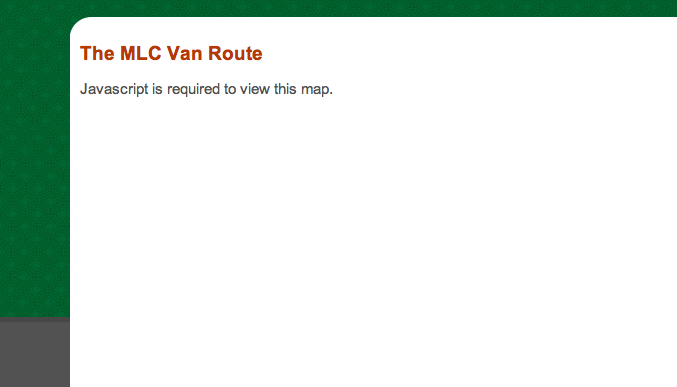
However, when I try and view the nodes at either /map/node or using a views block, I get a simple message that says:
"Javascript is required to view this map."
Now, I obviously wouldn't post this bug unless I had javascript turned on (and confirmed that) and checked in multiple browsers (just in case). Still no luck. Anyone else having this issue? Any thoughts on the problem? (I marked it critical since I can't use it at all until I find a solution)
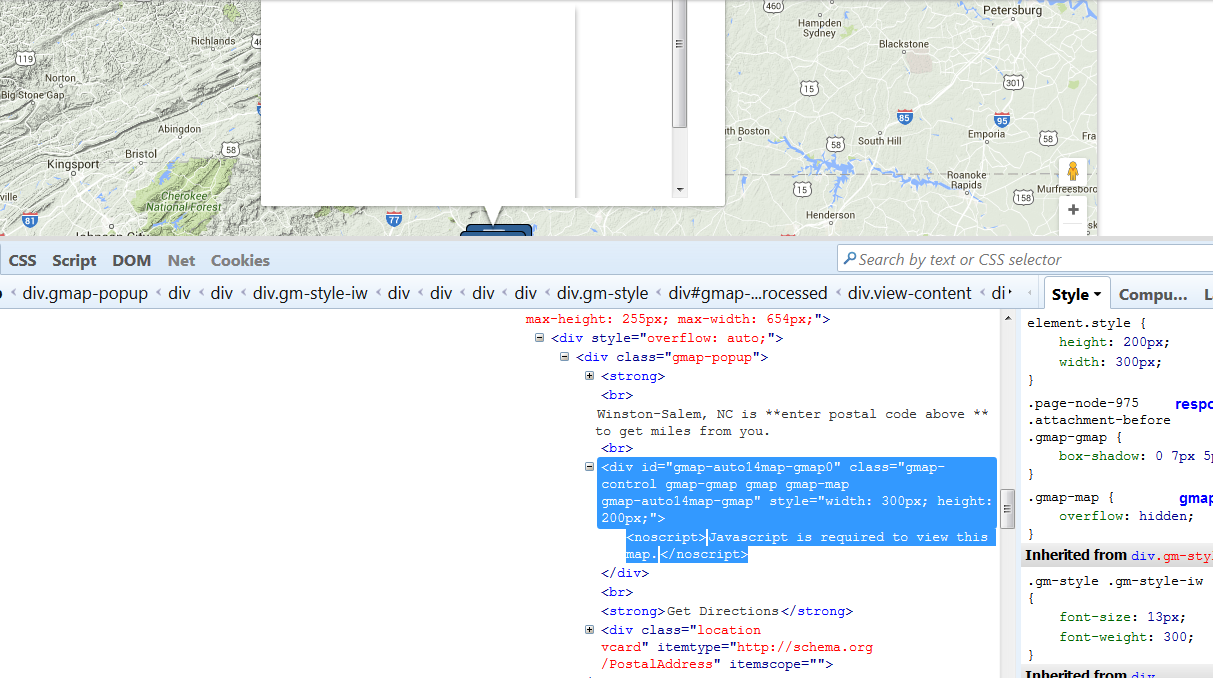
screenshot attached just so you don't think i'm crazy




Comments
Comment #1
Rob_Feature commentedDoh!
Apparently you need to have $scripts printing in the head for this to work. I had it at the bottom of the page for quicker page loading. When I moved it up to the head all is working as expected. (see, Yslow doesn't know anything ;) )
Comment #2
UnicornSong commentedI have this issue, but I have $scripts in the head.
I added a map to a node using [gmap zoom=3 |center=-41.244772343082076,173.3203125 |width=300px |height=200px |id=nelsonmap |control=Small |type=Map] (this was created via "create a macro") - input format = GMap
From the resulting webpage source, i have the following:
Any ideas what is wrong here?
TIA
Tracey
Comment #3
EvanDonovan commented@UnicornSong:
For some reason, Drupal.extend is being called twice. I don't know whether that's normal behavior for your use case with this module, but I've never seen it before.
I think your issue is different than the original poster's, so it might have been better to post a new issue.
Comment #4
bdragon commentedMy guess would be http://drupal.org/cvs?commit=120352.
Comment #5
chrisroditis commentedWhat a strange thing, I got this error too, using the June 12 dev, plus jquery update module (don't know if that's relevant).
I have a content-type that has a cck linkfield. When that field is empty, the map appears, when I fill it in, I get the Javascript is required to view this map error. Now the stangest part, when I give the linkfield a heavier weight so that it displays below the map, the map shows up normally. When above, it doesn't. I checked for any errors in the html syntax, and as far as I am aware linkfield does not use any javascript to interfere. Hope that helps
Comment #6
bdragon commentedThis can also happen if map initialization fails.
Comment #7
ubpizzoli commentedremember that " If you are using the HTML filter, it will need to appear BEFORE the GMap filter."!!!!
To modify the order of filters in an input format, click "Configure" on a format at admin/settings/filters and then click the "Rearrange" tab.
Comment #8
jmarr commentedI had the same problem and it drove me a bit nuts until I modified the map field - making it "hidden" in the teaser. Now it works just fine.
http://www.roadflix.ca/pei/drivingdirections
Comment #9
ralva83638 commentedThis just started happing today when I installed Beta 2. Funny everything works fine with firefox, well maybe not so funny.
Comment #10
carlogen commentedI discovered this is an issue with 5.8 drupal.
A temporary fix could be copy the block module from 5.7
http://drupal.org/node/281094
Comment #11
glassbyd commentedIn my case I get the error if I don't put text in the body - easy cure of course
When I get the full hang of this module I'll be pleased but regardless of my skills keep up the good work
Comment #12
Nico_0 commentedI get the error when I put two maps in one node.
The first one shows but the second one gets the error.
It started happening after I installed Beta 2.
After I got the error I upgraded my drupal 5.7 to 5.9 but that did not help..
Comment #13
soupp commentedUpgrading 5.8 -> 5.9 did help to solve this issue for me. GMap module is Beta 3.
Comment #14
mrgoltra commentedjust upgraded to 5.9 and 5.x-1.0-beta3
breaks on Firefox 2.0.0.16
No problem with Opera, IE and Safari
Will update to latest Firefox and see if it still breaks
Comment #15
mrgoltra commentedworks with latest Firefox.
Comment #16
PeteS commentedI have a fairly fresh Drupal install (5.9), latest betas of Location and GMap as of today, and Firefox 3.0.1, and was getting the "Javascript is required" message. Scripts seemed to be outputting correctly, no indication of anything going wrong. The only suggestion above that made it work was moving in the 5.7 blocks module, which, incidentally, has been the fix for a number of other strange problems encountered with 5.8/5.9. So, for those who don't think they have really bent their system out of shape yet, reverting to 5.7 blocks is the only effective thing I've seen so far.
Comment #17
boriso commentedI got the same problem using the D6 version.
Comment #18
jasontanner commentedI get the "Javascript is required to view this map error" when using the D6 version using both the lastest v3 Firefox and IE7. This seems to be on all places where the map might be displayed - including in the admin pages.
Comment #19
amigo commentedI also have the "Javascript is required to view this map error". The error has not shown up with previous versions of the gmap module.
Comment #20
Madapple commentedI am having a similar issue - not sure if its the same though...
the locations all show in the various views- until the actual node.
in IE i get the Javascript error
in firefox the map displays but no markers.
this only happens in my custom theme.
Comment #21
splash112 commentedSame here.
Drupal 6 and Gmap Dev.
Something else is strange too.
Example code to at least see 1 map appearing: [gmap zoom=3 |center=-41.244772343082076,173.3203125 |width=300px |height=200px |id=nelsonmap |control=Small |type=Map]
All filters are on. Gmap is called first (weight-10)
Gives me a hefty blank page error:
Forbidden
You don't have permission to access /drupal/node/23/edit on this server.
Which is kind of sad to see when you are user/1.
Hope it helps. No maps for me yet....
Thanks
Mark
Comment #22
tdailey commentedSame issue here on Drupal 6.3. Same message in Firefox 3.0.1 and Safari 3.1.2. Demo google maps pages outside of drupal work fine.
Still developing the site, so I'm quite willing to send any diags or try out new code, no hurry.
One interesting thing in the source for the page:
That
<looks like a mistake.Comment #23
rasmusb85 commentedFor me, this problem solved itself when I deactivated Administration Menu (6.x-1.0).
Comment #24
tdailey commenteda-ha, didn't look for module conflict - the problem went away for me when I disabled Lightbox 2 (part of Brilliant Gallery). Thanks for the tip-off, now to figure out who is at fault. :)
Comment #25
splash112 commentedNice one!
Lightbox 2 and Gmap are indeed noot really working wel together.
Macro builder seems to work. Made a macro.
When I put the macro in the node, all I get is:
Javascript is required to view this map.
/* */
http://www.wacon-int.com/drupal/content/welcome-wacon-international-ltd
What's happening? In the builder tool I get great maps!
Comment #26
farald commentedI do also get this problem. I am building a site using default garland theme and D6.3. Disabling both administration menu AND lightbox2 does not fix the problem. I have tried disabling everything but gmap and location, still this happens. I have run out of ideas.
Comment #27
andabeat commentedI am getting this same problem with D6.3 and have tried above suggestions with no resolution yet? A bit stuck as mapping feature is important for the new site I'm working on, and I don't want to have to revert to an older Drupal version just to get map working.
I should add I have yet to see a gmap on this site in any browser. It gives me the warning on the configuration page and macros.
I do not have admin menu nor lightbox2, and I have disabled countless modules to see if there is conflict and still can not fix this.
thanks to all who have replied and reply with suggestions:)
Comment #28
aghman commentedIn Drupal 6.3, I had the same problem when I had content from views and gmap on the same page. I'm using the insert_view module to insert views into content, using macros.
I figured out that I was getting the "Javascript is required to view this map" error whenever I had a gmap on the same page as a view that was using Ajax (it's an option in the view configuration)
When I turn off the ajax option, the gmap works properly. Firebug alerted me to this problem, as it was spitting out javascript errors.
I don't know if this is anyone else's issue, but I figured more information might help.
Comment #29
farald commentedThanks for the suggestions aghman, although still not workin for me.
Tried to shut off ajax in all views (even if there are no views in map page), but still no map.
Also tried to completely shut off javascript in views. No help.
Comment #30
jasontanner commentedhmm .. disabling the admin menu and lightbox2 modules removed the Javascript is required error on the following pages in (Both IE 7 and Firefox 3.01) :
But the map/node page - even though it displays the page with the map on it - does different things depending on whether I view it in IE7 or FF3.
In FF3, after displaying the map it seems to immediately redirect to 'somewhere' even though the url does not change but it results in a blank page and a never ending request to the server.
In IE7, it displays the map and then lays a copy of the current page over the top of the map in a closable raised div layer (with a little X in the top right corner of the div) ... weird.
The Javascript is required error still is present on the user/1/edit (edit user page) and node/1/edit (node edit page). (Both IE 7 and Firefox 3.01)
Comment #31
d.sibaud commentedsame problem, on 6.3 with gmap-6.x-1.x-dev, waiting a solution, please help
Comment #32
d.sibaud commentedHope it would be helpful, here with some of the js advices I got:
Comment #33
smouie commentedHi,
I am having this issue, but it only appears in IE7.
On top of this, it's an issue that does not always occur. I have spent hours tweaking IE cookie, and security settings in the hope that one may stabilise this but to no avail.
Using IE8 and emulating IE7 i was able to produce this error:
... but this looks like the old 'operation aborted' useless IE message, on a slighter move elevated level of uselessness.
Any help would be greatly appreciated.
Works perfectly in Firefox 2 , Firefox 3 , Opera .
Cheers
Comment #34
jasontanner commentedDigging a bit deeper it seems to me that the JS in the 6.x.1.x-dev gmap version hasn't yet been completely converted to the Drupal 6 standards.
I say this based on reading this: http://drupal.org/node/114774#javascript-behaviors
And searching the javascript code in the gmap module.
Unfortauntely my JS knowledge is not that great so .. I don't feel confident enough to attempt a fix myself.
Comment #35
Fintan Darragh commentedI'm having this issue with gmap for a view, too, with D5.
View argument handling code:
$view->gmap_macro = "[gmap|center=0,0|zoom=1|width=430px|height=286px|control=Small|type=Map]";Clearing the cache temporarily seems to restore the google map and remove the error, but if you refresh the page it returns.
Comment #36
TechSteve commentedI have the same issue, but I'm just using Dhtml Menu and Gmap at the same time.
inspired by rasmusb85 (#23), thank rasmusb85 btw, I deactivated the dhtml menu module, and then the gmap worked. i checked the error console of FF and found that there is an error message:
the js code at line 43 is as the following
so a simple guess is that effects is not defined yet here. a quick and dirty fix is to replace the condition by
and similar problem happens at line 47 too.
after the changes, both the dhtml menu and gmap work. but i haven't checked lightbox.
cheers,
steve
Comment #37
chrissearle commentedHmm - another one - this time - d6 - wouldn't work anywhere - not even the generate a gmap macro - turned out (hint from higher up in this post) to be a views2 view in a block was throwing a JS error - "Drupal.settings.views is undefined" - disabled ajax - map came back.
Comment #38
StuartDH commentedI've got the same issue with Drupal5.9 and GMAP 5.x-1.0-beta3, but it seems to fix in some instances if I turn off Tinymce (which is used in some the other CCK text fields in the map's content type)
I have no idea how to fix it properly, but hopefully this info might help anyone who does know
Comment #39
StuartDH commentedJust changed the old tinymce module to the new wysiwyg module (with tinymce 2.1.3), updated jquery to 1.2.6 and then started to rebuild one of my map cck content types. All seemed to work OK with the location map showing in the add/edit page, until I added an cck_imagefield field and then the map disappeared...as soon as I remove the image field the map appears again
Comment #40
bdragon commentedThis is sounding like you guys are having js errors elsewhere that are stopping gmap from running...
Comment #41
jasontanner commented* Changed title back
@Bdragon - I get no javascript errors elsewhere (according to the firebug and the js console) .. until the gmap module is enabled. Once GMap is enabled and I try to go to the gmap config page (for eample) then I get underfined variable errors reported by other modules that worked just fine prior to enabling the gmap module.
If you see my comments above you will see one where I think its possible that the D6 version of gmap has not had its JS completely ported yet and I was thinking that perhaps that might be why other modules break when gmap is enabled.
Comment #42
zmove commentedHi,
I also have this problem on a 6.4 install with Gmap module.
When I go to the macro builder, I have this sentence : "javascript is required to view this map".
However, the google map correctly appear in the gmap admin setting page.
Any ideas about it ?
Comment #43
zmove commentedHmm, I unabled all javascript related modules, and the map now appear so I think it can come from one of this module :
Nicemenu
Jtooltip
Shadowbox
PS : Administration menu cause problems too, but even the map in setting page don't appear with it so I already desactivated it....
I don't know if these problems are an each module issue or if it's a gmap issue...
Comment #44
jasontanner commented@zmove: I went through the same process as you, disabling all other modules that reported javascript errors when the gmap module was enabled and although I managed to reach a point where the Javascript is required error disappeared from most places that it previously appeared I still got it reported when trying to edit a node that had a gmap.
What gets me is that these modules functioned just fine with no javascript errors and still do if I disable gmap ...
Comment #45
chrissearle commentedBeen looking at this even more. Any views2 view on the page with ajax enabled - this error. Install extlinks module - which tags external links using js - this error.
With the ajax view of a views2 block - I get "Drupal.settings.views is undefined"
With extlinks involved I get "Drupal.settings.extlink is undefined"
It seems that enabling the gmap module is doing something to the initalization of Drupal.settings.*
Comment #46
bdragon commentedI believe that I just committed some fixes that should help a lot.
See #291162: Multiple Maps on Same Node, http://drupal.org/cvs?commit=135383, and http://drupal.org/cvs?commit=135388
Comment #47
jasontanner commented@bdragon : You Sir are a STAR!!!!! Those two commits made the Javascript problem go away - WOOO HOO
Comment #48
d.sibaud commentedGreat work, for me is fixed.
Comment #49
chrissearle commentedYep - confirmed as a fix for me too.
Comment #50
jasontanner commentedComment #51
B.P.B commentedI resolved this issue by turning off the devel module.
Comment #52
enli commentedI tried disabling javascript modules, but the only working solution was downgrading block.module to version 5.7, as read in other related issues.
This worked for me even if, I guess, it is not the best solution available, although very fast.
Comment #53
aasarava commentedbdragon, is there a fix for D5? Can you explain what you did?
I'm still having no luck getting GMap past this JavaScript issue. I'm using D5.10, with GMap dev, on a clean Drupal install with pretty much everything turned off.
Comment #54
bdragon commentedHmm, no wonder I am having no problems with D5, my test site is 5.7-dev!
I'm going to update it now and take another look.
Comment #55
bdragon commentedHmm, still can't reproduce.
Comment #56
atiras commentedHave just downloaded and installed 6.x-1.0-beta4 and am still getting the problem. Other modules I have enabled are:
Image
Image Assist
Menu Breadcrumb
NodeAccess
Pathauto
Pathologic
Term Display
Views
Weblinks
but disabling one or more of these doesn't make a difference, and I'm not getting javascript errors from any of them.
The maps are visible when creating a macro or setting the defaults for Gmap, but not when the macro is pasted into a node.
Comment #57
JohnnyMoney commentedStill getting the "Javascript is required to view this map" error after installing 6.x-1.0-beta4.
Maps are only visible without the error when creating the macros.
My Drupal is 6.4
Comment #58
stevryn commentedDrupal 6.4
GMap 6.x-1.0-beta4
Location 6.x-3.0-test3
Seeing same Javascript is required error
Comment #59
saleembarnard commentedSame install and Javascript error as #58.
Comment #60
theohawse commentedI had this error after updating gmap and lightbox 2 on Drupal 5.10 . After reading this thread I went back and looked at the module version release dates.. Update status had me download the older version of these modules because I had installed Dev versions.
So, now Lightbox 2 and gmap are back to using these versions:
GMap Module 5.x-1.x-dev (2008-Sep-17)
Lightbox2 5.x-2.x-dev (2008-Sep-01)
And the problem has disappeared. (at least in Firefox)
Comment #61
fletchgqc commentedSame install and Javascript error as #58 except I'm using beta5. Also had lightbox2 which I disabled to no avail.
Comment #62
der_tisch commentedSo far I have seen this error only if a macro contains "align=Center".
I am using Drupal 6.4.
Comment #63
mdcook commentedI am having this problem when I insert the following into a page-node-[].tpl.php file right above print $content.
But if I insert the macro produced code into the body section of a node it works.
I can look at the source and see that none of the gmap javascripts get printed. Am I calling something incorrectly?
Comment #64
fletchgqc commentedYeah similar issue here. I'm gonna try dropping the module and just manually coding the javascript into my theme - might be simpler?
Comment #65
fletchgqc commentedActually it turned out simpler to fix the module. The problem (at least in 6.x beta5) is just a CSS styling issue. Try giving your map an ID of "auto1map" and it will work. There must be something wrong with the default stylesheets... or perhaps this is by design but then it needs to be documented.
Comment #66
mdcook commentedI tried changing the map ID. For some reason the gmap javascripts are not being added to the "print $scripts" portion of the head. Has anyone else added a gmap array to a page.node.tpl.php file and had it display successfully? Any suggestions?
I am pretty sure it is because the gmap_doheader() is not being called or is being called to late.
EDIT: Fixed this by writing a block module instead of directly inserting code into the node template files.
UPDATE: Anyone else with this problem, try setting your Align to "None". I still had this problem after writing a block module and traced it to a CSS issue as stated before. I'm still not quite sure why the align is messing up, I just know that "None" is the only option that works for me.
Comment #67
bdragon commentedGOOD CATCH!
I can reproduce the align issue, looking into it now.
Comment #68
bdragon commentedOK, the issue with align is now fixed.
http://drupal.org/cvs?commit=143544
http://drupal.org/cvs?commit=143545
Does this fix the remainder of the "Javascript is required to view this map" problems that people are having?
Comment #69
ndwilliams3 commentedhaving the same issue, but only in node teaser view. I am calling a map with node.tpl with separate teaser and full node views. code is below.
All full node and views maps working great.
Comment #70
atiras commentedRC5 has fixed the issue for me. Thanks!
Comment #71
der_tisch commentedThe error has gone, but the map is always aligned left whatever "align" is set to.
Comment #72
bdragon commentedVerified, and fixed with a one character change. Thanks!
http://drupal.org/cvs?commit=143823
http://drupal.org/cvs?commit=143824
Comment #73
JimRobison commentedI am continuing to see "Javascript is required to view this map." as noted by others above.
I have Drupal 6.4. This error occurred with GMap 6.x-1.0-beta6 and with 6.x-1.0-rc1. I ALSO got this error when I tried to install and use the module "NodeMap" instead, which leads me to suspect that the error has nothing to do with the module code, but something else (either in Drupal or at Google). I am getting the error in Firefox, IE, and Safari.
It also seems to be sporadic (maybe something to do with caching) because when I FIRST brought up the site in Safari it worked, but then it did not work later.
Comment #74
Daryljames commentedYes I'm still seeing this error using D 5.11 and Gmap rc1 but only in IE 7 and IE 8... and only on the node view.... just got done making sure javascript is enabled...
Comment #75
bdragon commentedWhat modules are you using? It could be an error in another js file getting gmap stuck...
Comment #76
Daryljames commentedI just updated all modules to current releases using update status for 5.x and the error went away... my bad thanks...
Comment #77
tjjacobsen commentedThis error appeared when I toggled on the "Terrain: Physical feature map." map type in GMap module configuration. Unchecking this option removed the problem.
Comment #78
nicolap commentedSame error with Drupal 6.6.
Inserted this
[gmap markers=big red::46.020234816036385,11.905059814453125 |zoom=10 |center=46.00745484843494,11.918106079101562 |width=600px |height=400px |id=myId|control=Small |type=Map]
Tryed many different options in the configuration but none worked.
Comment #79
askibinski commentedFor me, it turned out I had forgotten to include <? print $head; ?> in my custom theme.
Comment #80
korayal commentedI'm using gmap_addons, and when I add a cck field on a node, it messes up the javascript of both "hierarchical select" and "fckeditor fields". Either gmap field or one of the js fields works ok. but not all. (when I remove the gmap field, all the other fields work ok)
So I'm pretty sure it's about a js file of gmap (possibly gmap.js) because the others work together pretty good.
Comment #81
korayal commentedAfter disabling some of the additional marker options. It's functioning properly now.
Comment #82
Ryan Palmer commentedI'm also getting this error for node-based locations, ie, the user has entered a node-based address, and the map should be showing in the "Location Map" block that is enabled. I can see the /map/node map, however. (5.x-1.x-dev version of this module, Drupal 5.8. This also applies to 5.x-1.0-rc2.)
For node-based locations, nothing seems to be loading in the head of the page related to the display of a map, not like the /map/node page anyway. No js, no css, no script import from google itself, nothing.
Comment #83
picciuto commentedI have found that GMaps does not work with the Blueprint Theme.
Comment #84
picciuto commentedPutting
print $scriptsinto the fixed my problem. Problem solved.Comment #85
wxman commentedI'm also getting the same error when I check the "Use a Google Map to set latitude and longitude" box. I can see my maps in on the node locations, and user locations pages. The locations even show up as they should. If I make a new event, for example, and set it's location, or a new user location, the map there is just a big blank with "Javascript is required to view this map." printed over it. I tried it on all themes too with the same results.
EDIT:
I just fixed it all for me by turning off "Optimize JavaScript files:" in Performance. My TinyMCE menu works better now too.
Comment #86
smanes commentedI'm getting the same "Javascript is required to view this map." error in 6.x-1.0-rc2. I took the sample code from API.txt and called it from a hook_menu() function:
The xyz_gmap_render() function:
This generates that Javascript error message. Firebug reports the error as well:
which points to this line in gmap.js:
I'm using a modified Salamander theme with both $head and $scripts being loaded in the head of page.tpl.php. A View Source Chart shows that the following Gmap CSS and Javascript files are loading:
I also see this in the head:
Optimization is disabled. I've tried this with the Devel module both enabled and disabled. Same deal.
Comment #87
Ryan Palmer commentedJust to follow up... completing a Drupal upgrade to the latest version of core seemed to do the trick. It works now, for the most part.
Ryan
Comment #88
psynaptic commentedI was having this problem with the following code:
I tried using the macro text parser function and it worked fine. I really wanted the array syntax to work and I found that the hyphen in the id value is causing the problem. The following is tested and work with 6.x-1.0-rc2 under Drupal 6.6:
Comment #89
socialnicheguru commentedsubscribing
Comment #90
bdragon commentedooh, reproducability, yay!
Investigating.
Comment #91
bdragon commentedErr, it's the mapid name. It seems it doesn't like hyphens.
Comment #92
bdragon commentedDOH!
http://drupal.org/cvs?commit=159669
Comment #93
psynaptic commentedThanks, bdragon! ;)
Comment #94
socialnicheguru commentedPatch to gmap.js above: is this fix for d5 version? i can't find the line you referred to in the patch.
I took a look at another issue which solved the problem for me. I am not sure it will help iwth the version on D6 but I cross posted it here just in case it works here:
http://drupal.org/node/286653#comment-1165171
Comment #95
summit commentedHi,
Still not working for views.
Getting Javascript is required to view this map when using code in page.tpl.php : like http://drupal.org/node/266595#comment-1108406
My code is:
When using
The map shows when I am not in teaser mode, so the code must be ok.
Thanks a lot in advance for going into this.
Greetings,
Martijn
Comment #96
bdragon commentedErr, you shouldn't be doing it from inside page.tpl.php, that's too late in the cycle. Do it anywhere before that and it should work.
Comment #97
summit commentedHi Brandon,
Thanks for your quick reply!
Could you give a code example how to get say all nodes in taxonomy/term pages shown with markers on a gmap above the nodes?
Where to bring that in?
Thanks a lot in advance,
greetings,
Martijn
Comment #99
szy commentedHave you all tried putting
<?php print $scripts; ?>into the<head>? Or applyingpatch from http://drupal.org/node/286653#comment-1199965 ? It solved
my 'Javascript is required' problem.
Try to turn off all JS-based modules - all Tabs, Text Size, External Links, etc...
Szy.
--
Warszawa, Polska | Cycling in Norway
Comment #100
summit commentedHi,
What worked for me was bringing the map within page.tpl.php AND node.tpl.php.
When I left the mapbuilding out of page.tpl.php it didn't show on node page.
page.tpl.php is for the page, and the full node view what I have read.
node.tpl.php is for teaser-mode of node view.
Maybe that's why the mapbuilding (not the map-showing) is needed in both files.
See for example: http://www.reizen-naar.nl/vakantiewoning
If somebody knows how to center the map so all spots are nicely shown, please tell me.
Greetings,
Martijn
www.reizen-naar.nl
Comment #101
robertgarrigos commentedThere is a bug within teaser.js which is affecting gmap and any other javascript features. You can applay this patch to fix it: http://drupal.org/node/336517
Comment #102
summit commentedHi Robert,
On that page it says, it failed testing...how to proceed please?
Thanks a lot in advance for your reply!
greetings,
Martijn
Comment #103
robertgarrigos commentedWell, that test is for drupal 7. It means that this patch, if applied to drupal 7 (drupal head for now), it might fail (in fact, it has passed the test for 54 times against 1 failed for user language settings). I would say you should be fine to apply this patch against a drupal 6 installation.
Comment #104
robertgarrigos commentedThis is the issue for D.6 on the teaser bug which is triggering this error: http://drupal.org/node/395828
Comment #106
mcload commentedI am having the same problem on Drupal 6.10, so the problem is still there. Disabling DHTML Menu module solved the problem, but I need both modules.
Comment #107
bdragon commentedI just found a bug in the experimental changes to bootstrapping in HEAD. It would cause trying to start up multiple maps simultaneously fail in a weird way. (So, gmap in HEAD has been broken in regards to multiple maps for 3 weeks.. *sigh*)
http://drupal.org/cvs?commit=193506
Comment #108
corycollier commentedFor the record, it's terrible practice to put javascript in the head of any page. Browsers _stop_ loading content until javascript is fully loaded, which slows page-rendering. This module _should_ work with the javascript loaded in the footer, where it belongs.
Comment #109
dereks commentedI'm getting this js error as well, but only when I select 'Choose latitude and longiture fields' in the style options for GMAP. If I select Locations.module I get a blank page but no error.
Is there any information on how the datasource should be used? Ideally it should get the location from an address, but since the options are lat and long, I don't imagine that will work.
I thought that using a location CCK field might provide lat and long, but that gives the same error. Am I supposed to filter the CCK somehow?
Thanks,
Derek
PS:
Drupal 6.10
views 6x-2.5
gmap 6.x-1.1-rc1
location 6.x-3.1-rc1
Comment #110
EvanDonovan commentedCan we please close this issue somehow? It keeps getting re-opened by people who have different issues that result in the same error message, to the point that it actually isn't helpful anymore.
I would unsubscribe from it, of course, but Drupal.org doesn't allow that :)
Comment #111
maoze commentedit works when I add in the code: teaser=hidden.
but I can't add html codes.
Comment #112
ArthurC commented"Javascript is required to view this map." error when creating a GMap view.
Gmaps and Location appear to be functioning well - I've got some nodes (Stories) with maps in them and a Node location map that I like.
I tried to put my Node location map on the front page, and couldn't. Tried to rename it and put it in the Primary menu, and the renaming failed. The common recommendation on the forum to these things appeared to be - duplicate the Node location map in a View.
I haven't made a GMap view before, and I'm still not sure how to do it correctly, because each time I change the View style from HTML List, where it works fine, to GMap, which is what I need to get a map out of the view, I get the "Javascript is required to view this map." error.
I'm not at all sure that the fixes noted recently are addressing the same problem I'm having.
All of this has been freshly installed:
Drupal 6.10
Gmap 6.x-1.1-rc1
Location 6.x-3.1-rc1
WsyiwygAPI 6.x-2.0-alpha1
Theme: Zen 6.x-1.0
Thank-you.
Comment #113
summit commentedHi, I put the map code in node.tpl.php AND page.tpl.php then it worked for me.
greetings,
Martijn
Comment #114
ArthurC commentedSuggestion that I try the dev version of GMap module didn't change anything. I uninstalled ALL modules, then reinstalled them one by one and the problem went away. I'm now using the GMap dev, not rc1. Thanks especially to Sean Effel.
Comment #115
snorkers commentedI've just added a new theme to my current project, migrating the base theme from Zen to Blueprint. Blueprint (correctly) puts $script at the end of the HTML BODY, whereas Zen has it at the top of the document in HEAD. Now I, too, am getting the
Javascript is required to view this maperror *sigh*Comment #116
ari-meetai commentedEven with the dev version I'm having that problem. Solved temporarily by disabling Ajax in the view, as posted in http://drupal.org/node/315236#comment-1800740.
Perhaps has to be with what is said here: http://drupal.org/node/313416#comment-1044935
Comment #117
Coornail commentedHi!
I'm sending you a patch that solved my problem. The patch is agains 1.1-rc1!
The reason why it broke sometimes, is because jQuery was not loaded (for example because it was in the end of the file), and you cannot use jQuery.extend then.
Inlining the script with drupal_add_js() solves the problem.
Comment #118
EvanDonovan commentedFor anyone having the same issue as snorkers or Coornail, I recommend that you apply the patch in #286653: Patch to use JS Aggregation or JS at the bottom of the page. It is RTBC and will resolve any issues with jQuery not getting loaded before the Gmap JS. It's also cleaner than the patch in #117.
Also, can we flag this issue as a duplicate of something (possibly the issue I just mentioned since that's what the problem was for the OP, as well as some others), or otherwise close it? It's become like flypaper for all sorts of unrelated Gmap issues.
Comment #119
snorkers commented@EvanDonovan thanks for the patch tip. Applied it and moved $scripts to the bottom of my page.tpl.php. Seems to work fine in my Blueprint based theme, although a little bit of map tiling snags in the Admin/Slate theme (only seems to render the area to the upper left of the map window).
I think you are right in this issue, it does look like a duplicate of #286653: Patch to use JS Aggregation or JS at the bottom of the page, as that is looking at the root cause of the problem
Comment #120
becw commentedclosed because the issue mentioned above better addresses the problem.
Comment #121
jcamfield commentedNot changing status, but another complication I found which leads to this error on occasion is permissions. In my case it was loading the location of the node as a block and returning "javascript is required..." for only not-logged-in users.
I haven't found the exact science to fixing this, but it seems to be a mix of:
Rebuilding site content permissions
Specifying block role permissions - then unspecifying (or re-specifying to original setup, YMMV)
clearing caches
Comment #122
mpruitt commentedHey Summit, if you haven't done this already, inside the Gmap settings, you can turn autozoom on. It will zoom your map so it contains all of your markers.
Comment #123
summit commentedHi Mark, I will experiment with it, thanks for the tip!
Comment #124
loze commentedI get this error when using cck_locations and clicking "add another item".
All the map containers on the node edit form show this message.
Comment #125
socialnicheguru commentedI start with a view with map showing
I get this when I create a view with a map in it
have an exposed filter
set the ajax setting to yes
and click on submit
the "javascript is required" message comes up and the map is gone
Comment #126
flamin commentedHi, I got a problem here:
Installed the latest GMap Module, Location Module. Read many threads like: http://drupal.org/node/315236 . Made everything work on my local machine (See pic.). Then upload everything to the server, changed the API key to mysitename.com's key. The view page display the table properly, so the location module works. But everywhere the map should be, I see nothing (not even the gray box!) but "Javascript is required to view this map" error. No other error messages.
Created a new page node, use the code from http://thewichitacomputerguy.com/blog/embed-google-maps-drupal-node-with... to test whether my API key works. It works, the map shows properly, so the API key is good.
All the files are the same as on my local machine, I just can't understand the logic behind this.
This is my first Drupal site, tried several days, a little discouraged. :-(
Is there anything I didn't think of? Any help? Thanks.
Comment #127
dbt102 commented@flamin
I have almost the same scenario.
For me I switched browsers and it worked...
When using MSIE V8.0.6 I get "Javascript is required to view this map."
When going to the same link using Firefox 3.5.7 the map shows up as I would expect...
Comment #128
Naturalist commentedAccording to browser gmap is calling upon lightbox2 javascript and it makes no sense why that would happen unless it is in the theme. I haven't switched themes to check yet but I have tried many other things. Here is what the browser says
Message: 'trigger_lightbox_classes' is null or not an object
Line: 230
Char: 5
Code: 0
URI: http://www.example.com/modules/lightbox2/js/auto_image_handling.js?p
My guess is that there is a cross reference between Gmap and Lightbox2 in Gmap. Gmap should use it's own JS.
Comment #129
mearns commentedmake sure you're using the newest dev version of the gmaps module, latest recommended release does not have patch applied
Comment #130
Naturalist commentedUsing 6.1 dev
Comment #131
aleagi commentedHi,
I was experiencing this problem on a View filtering by Conteyt type and I fixed it by removing the AJAX from the View.
Ok, it loads another page but hey, it's working. @:)
Hope this can help someone!
Regards,
Comment #132
bjcool commentedSubscribe
Comment #133
wikp commentedsubscribe.
I have a lot of troubles with GMap Module.
First I had block created in Views UI which show nodes of cck-created type (i.e. "place"). I disabled lightbox2 for pages where that block was displayed and do some other stuff. "Javascript is required to view this map". But when I convert that block to view (placed below map) attachment it works!
Now I have a problem with another thing in node edit/add form. I use Location module and allow user to choose coordinates for place node type. Map doesn't appear! I try to update to newest dev version, no result. (BTW I had to change drupal_add_js() in gmap.module#929 to
because view attachment was not working again).
Console2 shows "invalid object initializer" error in
(placed where map should appear).
My english is not perfect but i hope it is at least understandable ;)
Regards
Comment #134
focal55 commentedUsing a custom theme? Make sure you have
print $head;above your title tag if you are using a custom themeComment #135
m.sant commentedGMap Module 6.x-1.x-dev
Location 6.x-3.x-dev
Views 6.x-2.8
I have an exposed filter on Taxonomy terms and the AJAX option enabled.
When I try to use the filter in a block view I receive the error message: "Javascript is required to view this map."
Regards,
Marco
Comment #136
KaitlinK commentedHey I'm having similar problems with GMap and have tried out various fixes listed in this (long) issue page to no avail. It seems everything on my site is in working order...I'm too new to all of this to completely understand the coding side of things but I've played with Lightbox as someone mentioned and made sure java was on and everything. All I get is that same "Javascript is required to view this map." It's driving me crazy!!
Help??
Comment #137
sreynen commentedThis is a duplicate of #286653: Patch to use JS Aggregation or JS at the bottom of the page, where there is a working patch very similar to #117 ready to be applied.
Comment #138
wikp commented@focal55
yes, i have:
in my page.tpl.php. Now I have following problems:
- "Javascript is required to view this map" in node edit form
- same problem in custom view with gmap style (view export on: http://wklej.org/id/309662/ )
In both cases problem is "Invalid object initializer" in jQuery.extend(Drupal.settings, ... ).
I have compared node/edit form page, and node/add page and in node edit form I have three scripts which doesn't appear in node/add:
/sites/default/files/js/gmap_markers.js
/sites/all/modules/gmap/js/icon.js
/sites/all/modules/gmap/js/markerloader_static.js
I have latest dev versions of Gmap and Location modules.
Comment #139
socialnicheguru commentedI get this error on Safari only.
Firefox gmaps are just fine
Comment #140
pianory commentedI've created a fix that works for IE6, 7 and IE8. See attached patch file to patch icon.js. Turns out (on my install, Drupal 6.16, GMap 6.x-1.0), that the icon.js file had c[0][i] undefined, and IE just didn't like how that was being checked. Hope this helps :) I have not found any side affects, though there could be some - others should test this on a development machine before putting to a production machine.
Comment #141
EvanDonovan commentedStatus should be needs review, unless the patch is being ported to a different branch of the module.
Comment #142
robby.smith commentedsubscribing
Comment #143
Anonymous (not verified) commentedThis became a problem for me when using the admin-module http://drupal.org/project/admin 6.x-1.0-Beta3 and was caused by the theme in admin not writing out the scripts variable. Navigate to admin/theme/page.tpl.php and throw in
print $scriptsin the header area.Comment #144
asmo75 commentedI have this problem for any user except admin
What to do ?
Comment #145
mpruitt commentedHave you checked user permissions to make sure users other than admin can see output of the module?
Comment #146
asmo75 commentedOf course. In html of page are missing gmap javacscript.
After test i discovered: When anonymouse try to log on not user name, can see map 0 yo can try this at: http://jakiecudne.pl/zdjecie/pasmo-jeleniowskie
Maybe sth wrong with standart location block. How can i repalce the block ?
Comment #147
stewestI have also been using the Admin-Module. I printed $scripts in the head, for the admin theme page.tpl.php and now I no longer get the error. Thanks!
Comment #148
sreynen commentedIf someone disputes this is a duplicate of #286653: Patch to use JS Aggregation or JS at the bottom of the page, please explain why when changing the status. If it is indeed a duplicate, we should consolidate the discussion on the other thread rather than continuing it here.
Comment #149
niccottrell commentedWe had the same error message, but the $head and $scripts were fine. It turned out to be that our gmap was in a block which in turn was embedded inside a panel (from the Panel module) and the panel had simple caching enabled. Turning that off fixed the map!
Comment #150
wiredescape commentedHTML filters can interfere with Gmap.
Rearrange the order of the Input filters so Gmap is last or 'heaviest' solved this problem for me.
Comment #151
enli commentedGmap module is not compatible with Jquery Update module... http://drupal.org/node/843750
Comment #152
stephesk8s commentedConfirming #151. Disabled Colorbox and JQuery Update. GMap finally works when nodes are viewed. Thank you enli.
Comment #153
enli commentedYou're welcome stephesk8s . But it's a real shame not being able to use jquery update functionalities. Don't you think so? I'm still trying to understand the reason of this incompatibility. Hope that somebody will answer soon!
Comment #154
gooddesignusa commentedI'm running Colorbox 6.x-1.0-beta5 , jQuery Update 6.x-2.x-dev (2010-Jul-11), GMap Module 6.x-1.1 & Location 6.x-3.1. Everything is working fine on my end. Only time I get that msg is if I enable ajax on my view. That seems to be a different issue though.
Comment #155
JohnnyW commentedI installed Shadowbox module and the error occurred -- "Javascript is required to view this map".
I disabled and uninstalled Shadowbox, cleared cache -- Gmap error "Javascript is required to view this map" is gone
Juan
Comment #156
uolevi commentedI get the "Javascript is required to view this map" after installing Wibiya toolbar http://www.wibiya.com for Drupal6.
Is this problem of Wibiya or GMap?
EDIT: It was Wibya's problem.
Comment #157
Jhef.Vicedo commentedIn my case, I excluded colorbox from being loaded in my map pages. Maybe you should the same. Configure you colorbox and add your map page paths to the "Deactivate Colorbox on specific pages:" under "Advance settings"
Comment #158
gooddesignusa commentedi dont have any issues running colorbox on a page that also has a map.
Comment #159
Paul Lomax commentedShould probably file this as a new issue but putting it here as it seems the most active about this issue.
The problem I had was I had a theme function for a sidebar, I preprocessed the variables for the map in its preprocess function and output a $vars['gmap'] = theme('gmap', etc) to the template.
Nothing worked, javascripts weren't getting included in the header i.e. the map wasn't being initialised properly.
Lots of trial and error later, if you add
function themename_preprocess_node(&$vars) {
// For some reason GMap removes the js files if this isn't here
theme('gmap', NULL);
}
It all works fine. It seems that if you don't initialise the theme function from a NODE, it doesn't work.
Bug? Intended? Seems weird to me.
Comment #160
EvanDonovan commented@Tigerfish Paul: This issue became a dumping ground for unrelated problems, and is now closed. If you have a specific bug to report, you should create it as its own issue.
Comment #161
thursday_bw commentedRE: #124
Posted by loze on December 20, 2009 at 8:49pm
Here are 2 patches 1 for cck and another for gmaps that will solve
the issue caused by clicking cck's add another item issue.
(its not perfect but it does the job).
Comment #162
1timer commentedsub
Comment #163
bretglassett commentedIn my case $head had to be printed before $scripts.
Cheers,
Bret
Comment #164
jnettikI'm getting the error message except when I use firebug the javascript files are not on the page at all. Everything works on my admin theme however just not on my custom theme. I've removed all custom javascript and anything that should be different between my custom and admin themes.
Comment #165
alejandrovk commentedI just installed Gmap, Location and enabled them in a Drupal 7, but keep on getting this error when I go to the Location section of my content type...is there a patch for this or something?
Comment #166
TimelessDomain commentedHeadJS is what was breaking this for me. http://drupal.org/project/headjs
i disabled it -> now the maps show up correctly
Comment #167
Dragolin commentedfor me Facebook was the culprit
I had the Facebook Share module enabled + the Facebook like box
Seems the FB-javascript kills the GMAP script :S
Comment #168
AlternateRoute commentedI had this problem today and was wracking my brain as to what it could be. I was running Drupal from MAMP on my laptop and hadn't connected to the internet.
Once I connected and the site could pull down the maps the problem went away.
Whilst this is a bit of an "Duh" problem I had, the error message relating to Java scripts was not only unhelpful, but misleading. A message saying "Google Maps cannot be found" or similar would have made me realise the answer immediately.
Comment #169
mattcasey commentedI fixed this error after it appeared all of the sudden. It turned out I just needed to get a new Google API key. I am working on a test site, however, and was leaving out the subdirectory when I registered for an API key (eg. http://192.168.1.1 instead of http://192.168.1.1/~admin) Now the JS alerts have also disappeared :)
Comment #170
jhm commentedover three years later, this tip is still right on the money
Comment #171
christophe.benoist commentedI had the same issue with drupal 7.8 while trying to display a gmap macro.
Resolved by changing the text format config (admin/config/content/formats) and unchecked "Limit allowed HTML tags" checkbox.
Not sure this is a normal operation.
Comment #172
yenidem commentedI had same problem, I disabled "jquery update" module, and works everything now.
Comment #173
koppie commented#169 worked for me too. Saved me a LOT of headache - thanks!
Comment #174
alexmoreno commentedthe problem for me was a facebook share button in my tpl.php.
Regards.
Comment #175
raulmuroc commentedThe same. A fast solution is to get new GMap api key, but it is not nice solution. You cannot have a production site that gmap is getting errors often.
Be careful with collapsiblock module, it also makes problems.
Comment #176
thorprichard commentedFrom our troubleshooting of this nightmare, it appears that this bug in the Admin module may be the cause: http://drupal.org/node/969916
(Applying that patch was all that was needed to get gmap to correctly display in a view.) Your mileage may vary.
Comment #177
sachin00700 commentedis not works for me is there another help! for this problem.
When i dont enter the search query its show the map but when i enter my search it show the javascript message thanks in advance.
Comment #178
Xomby commentedThree years later and this is still an issue. Running the latest dev with the google API3 patch.
Have a gmap of nodes with proximity(from location module) as an exposed filter.
Everything is fine until user tries to change the "zipcode", and then this error comes up.
Comment #179
florisg commentedDid you update fancybox at the same time?
that one breaks all javascripts and jQuery in library conflict.
Got it working with the 'old' patch and no js aggregation.
Comment #180
Xomby commentedI'm not using fancybox. It seems to be more a browser issue... or something that displays during loading of the map... if the map doesn't load successfully, it stays, if it does, it just "flashes" that text then shows the map... very strange... but... might not be an issue yet. If I get to dig into this again, I'll create a new issue based on the latest codeset, as the issue is probably distinct from the issues of olde.
Comment #181
iouston commentedHi everybody,
I installed gmap, gmap_view, location modules and i did a lot of views with maps. All was correct. My maps work correctly with exposed filters. I realize now that i have the same message on my gmap_views and on my gmap's admin configuraton.
I do not understand why it does not work. Can you help me, I'm desperate
The site with the problem :
http://annuaire.grainecentre.org/?q=carto
thank's a lot for your help
Sorry for my bad english
Comment #182
iouston commentedHi,
Now i have passed my version of gmap 7.x-1.x-dev under 7.x-2.x-dev and it's resolved the problem.
Just for your information, i'm under the 7.14 drupal core
I'm so happy to seeing my maps !
Comment #183
swfindlay commentedSolution in #172 worked for me too - disabled jQuery Update module.Update: overnight this started to fail again.I found this solution: http://drupal.org/node/1052372#comment-4392638 Which is now working fine.
The solution is go to configuration>performance>enable and "Aggregate JavaScript files".
Comment #184
dunx commentedHad the same issue. All I needed to do was change the "Filter processing order" on the admin/config/content/formats/full_html. I dragged "GMap Macro expander" to the end.
Comment #185
tiger_h commentedHad the same issue. There seems to be a conflict with jquery Update module
Comment #186
dunx commentedPossibly. I have that installed too.
Comment #187
vijaykumar.info99 commented#183 worked for me! Thanks!
Comment #188
beautifulmindTried with #183, but did not work. Issue still persists.
Comment #189
crutch commentedI reproduced this by using views and gmap, and putting a map inside a popup bubble on a map.