

Closed (fixed)
Project:
Mime Mail
Version:
7.x-1.x-dev
Component:
Code
Priority:
Normal
Category:
Bug report
Assigned:
Unassigned
Reporter:
Created:
9 Oct 2008 at 20:46 UTC
Updated:
2 Jan 2014 at 19:06 UTC
Jump to comment: Most recent, Most recent file

Comments
Comment #1
shaneonabike commentedI'm noticing that it is properly adding any image that I have inline, but actually not changing the
Comment #2
mariuss commentedTurns out that I had the wrong path for images, everything is fine as soon as the right path was used.
I still think we have an issue here. Under no circumstances should "Array" be output here.
Ideally, if the image file cannot be loaded, then an error should be logged to watchdog.
Comment #3
joostvdl commentedThis problem is also there when using private setting for local files. This problem was there also in #43966: Not including 'private' images in the mail
The code for the image in the node is in my case:
<img width="120" height="120" align="left" src="/nl/system/files/image/Nieuws/images.jpg" alt="" />And that is replaced in the mail by:
<img width="120" height="120" align="left" src="Array" alt="" style="border:0;">I use FCKEditor to create the newsletter. This creates a relative path. When I manualy change the image URL to the full path it sends the right code.
Comment #4
joostvdl commentedHereby a patch for the mimemail.inc to change the file/url/path when the image source is a local file and private download is set (Relative path)
Comment #5
donquixote commented(regarding the combination of mime mail and simplenews)
What actually should happen is:
- Online: use the correct on-site image path where the newsletter is displayed online.
- Email: use the attachment filename when the newsletter is sent as an email, if the image is included as an attachment.
- Email: use the correct absolute image url, if the image is not included as an attachment.
The author could include the image with an absolute or relative path, or using the "pathfilter" module, as if the email was a normal on-site text.
Mime Mail or Simplenews or an additional filter module could then do the rest: Look if the image is included as an attachment, and replace the path with the filename.
I hope this will work soon, it's a serious blocker for using drupal as a newsletter engine.
Thx, Donquixote
Comment #6
donquixote commentedSee also the Simplenews issue Footer and Attatchment links do not work. (the typo is not mine!!)
Comment #7
joostvdl commentedCan anyone review the patch in #4 and add it to the dev release?
Comment #8
donquixote commented(This reply would also fit in the linked simplenews discussion, but the solution lies in mimemail, so I post it here)
I think I had some misconceptions about how mimemail works. Now I think I understand better.
- any absolute image url will remain as-is.
- any relative image url will be added as an attachment, using a
src="cid:md5encodedcontentid@mydomain.net".Problems:
- With clean URLs enabled, relative URLs do not work unless I have a baseuri defined in my header (which has other side effects that sometimes I don't want).
- If you have the pathfilter module installed, you will usually get absolute URLs anyway.
This means, people with clean URLs who don't have a baseuri defined have to choose between the following two evils:
a) When using absolute path: Image will not be included as an attachment, so the reader has to click "show images" in the mail client.
b) When using relative path: Images will not work in the online version of the newsletter issue.
The equation "relative path = add as attachment" is too simple. We need a better way to tell Drupal when to add an image as an attachment, and when to use a web URL.
We could allow people to specify an indicator in the URL (such as
<img src="attachment:path/to/image.jpg" />). The problem is that the input filters are usually the same for the online version and the mailed version. So whatever we use as an indicator will be visible in the source of the online version.One indicator that would not break the online version would be
src="http://absolute/path/to/image.jpg?attachment", but it still would appear in the online version and look just wrong.A solution without direct indicators:
- If the image is found in the mail's attachments, then refer to this attachment via explicit filename. (not via content id, because these attachments are usually added with filename - or not?).
- If the image is not an attachment, then use an absolute web path.
- This should work both for absolute and relative image paths given in the original body text.
This is still not 100% flexible, but in practice it gives complete choice.
Comment #9
donquixote commentedWhat we would need is an input filter that is applied only in the online version, not in the mail version. Does anyone know how this can be achieved? It would be very helpful for solving this issue.
Comment #10
donquixote commentedA problem with the
_mimemail_file()is that one time it returns an array, and another time a string. This is why we get thissrc="Array"bug.In those cases where the module outputs "Array", it assumes the given URL will not work anyway.
The following code will prevent this bug, and instead output the original relative URL. In some cases this is what we want. (sorry I have not yet studied how to write in the usual patch format)
This patch allows a workaround for yet another issue, that I will explain in the following post.
Comment #11
donquixote commentedAnother very related issue (or question):
Right now it is not possible to embed a an attachment that was manually added as such as an image.
If you write
<img src="somepic.jpg"/>, where somepic.jpg is the name of one of the attachments, then mimemail will rip the filename apart and replace it with<img src="Array"/>, because it is neither a valid absolute path nor a valid on-site relative path.True, the url
somepic.jpgwill not work in the online version, but (as I understand) it would be the correct url when refering to an attached file. Right?The patch in my previous post will preserve this filename url in the mail version. (it will break the online version, that's the price)
In Outlook this will make the image appear correctly, but in my webmail interface (gmx) it does not work. Where is my misconception here? The md5-encoded image path DID work in gmx webmail, but then it does not appear in the list of attached files, correct? Or otherwise, it will be attached twice: One time as a normal attachment with the human-readable filename, and another time with the md5 encoded content id.
I hope one of you guys can shed some light in these questions.. a better technical understanding will make it easier to find useful solutions.
Sorry for my half-knowledge of html email.
Cheers,
Donquixote
Comment #12
Dominion commentedI'm having similar problems, except im using 6.x-1.0-alpha1
I tried using cid and relative url, but I am returned with src="array"
So now I am trying it with absolute url. My code is:

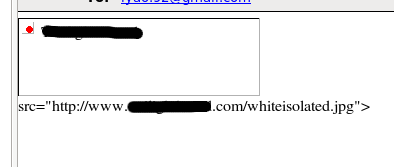
When I see it in my mail client (thunderbird) or online (gmail), I see the image box defined by the width and height attributes, as well as the correct alt text. The src text always displays outside. Attached image is what I see.
I have made sure my paths are correct, and my permissions are set to all read. The rest of the message (text effects) all display correctly.
Comment #13
sutharsan commentedBump.
What is needed to get #4 in?
What is needed to get #10 in?
Comment #14
jm.federico commentedAttaching patch for #10
Note that with this patch you need to add the
to the HEAD of the e-mail
This works if using simple-news and simple-news template
Comment #15
sgabe commentedWe should check if the URL needs conversion, otherwise this will break the attachment's URL.
I am attaching a revised patch of #4.
Comment #16
lordzik commented#15 works like a charm (for me)!
Please commit it.
Comment #17
sgabe commentedAttaching a revised patch of #15, which has wrong indentation. There is no other change apart from this, so I don't change the issue status.
Comment #18
jm.federico commentedOk, Sorry for reopening this, but patch in 17 doesn't do it for me, and checking the code, I see it fixes things when downloads are set to privat, mines are not, are public, hence it does nothing.
Plus, one person saying it works doesn't mean it has been "reviewed & tested by the community".
Comment #19
jm.federico commentedOk, so, I fixed my previous patch.
Please note:
I use
And this patch has nothing to do with the one in #4, #15 or #17.
This is the same patch as in #14 (which I submitted ages ago) but properly created (unified).
The patch is based on the the post #10.
Basically what happens after applyig the patch is, images will not be attached to the e-mail, they will be sent as links, and they will be retrived from your website. But for that to work you need to supply the path to the website. Solution for that:
I recommend applying the patch in #583920: Can't override mimemail.tpl.php and adding next code to "mimemail-message.tpl.php"
Hope it helps.
Comment #20
sgabe commented@jm.federico: You are right. We have 2 different cases here with the same error and I missed the one in which the image path is actually broken according to #10.
I am attaching a new patch against current HEAD with both #4 and #10 solutions.
Comment #21
sgabe commentedAgain, now with fixed indentation.
Comment #22
sunfire-design commentedAfter patching mime mail with mimemail.319229_06.patch i thought i got working images.
But it only works for one email recipient.
If i have more than one recipient, the images are broken with this url:
cid:ee1a8a1983cf7e7fa8a0db9224642e0e@www.mydomain.de
Anyone the same problem?
Comment #23
sgabe commented@sunfire-design: About that problem see #358439: Images are only in the first message or checkout current HEAD from CVS.
Comment #24
sunfire-design commentedSorry sometimes i can't see the wood for the trees.
Thanks a lot, it works great.
Comment #25
tjirka commentedI have private download method, and I had the same problem as described in this issue
Patch from #21 works for me.
Please consider commiting it.
Comment #26
sgabe commented@tjirka, @sunfire-design: Thanks for your feedback, but I would like to see some words yet from jm.federico about #21.
@jm.federico: Please, review the patch and set to RTBC if it solves your problem.
I would like to make sure the patch is a fix for every aspect of the problem before committing it, so please confirm it.
Comment #27
jm.federico commented@sgabe
Sorry, been kinda busy. Will test and let you know how it goes.
Cheers
Comment #28
jm.federico commented@sgabe
I did some testing and this is what I found. (also did a summary of the issue).
Before applying the patch:
After applying the patch:
That fixed the array problem, but we end up with some broken links.
So, in order to help show those images that are sent as relative links to nowhere I used to include
BUT I didn't like that solution, it is just not elegant enough, and it hit me hard when I realised that the real solution is to make those relative links into absolutes.
You can check the patch I'm attaching, I'm basically changing the last return to this:
And I can't really think of a reason why it wouldn't work, because after all sending a relative link is the same as sending no link at all.
Left status of issue alone for now, if you think this addition is OK, lets change it to RTBC.
Cheers
Federico
Comment #29
jm.federico commentedright, so the patch:
Comment #30
sgabe commented@jm.federico: IMHO if a relative path is broken, will be still broken as absolute path and will not work anyway.
Comment #31
jm.federico commentedNot necesarilly
I for instance use webfm (http://drupal.org/project/webfm) which hides the file path and uses http://www.example.com/webfm_send/## where ## is the id of the file, it is a fantastic system, but it does breaks with mimemail.
Basically the problem is you are checking for the path on the server, webfm/## is not, it uses apache mod_rewrite. So the link is till valid, but it is not a server path.
This is not an everyday case, but it exists.
Adding the url doesn't break anything that wasn't broken already, it does help in cases like mine. And anyone using webfm will experience the same issue.
Thoughts?
Comment #32
sgabe commentedI think this is not a real solution, since you still can't embed those images, just make them available as remote content. IMHO, I would stick with #21 and open a support request for Web File Manager, where we can work on a real solution. See the attached patch which is not correct, but I just want to prove my point.
Comment #33
sgabe commentedI am attaching a revised patch of #21.
Comment #34
sgabe commentedSorry, I just noticed that I ruined the patch numbering. Here it is again with the correct number.
Comment #35
jm.federico commentedGet your point
Marking as RTBC for patch in #34
Thanks everyone.
Comment #36
mr.andrey commentedI get the following errors after the patch:
Comment #37
sgabe commented@mr.andrey: I think your problem is caused by #740856: Check if the file part is set in the body. Please, try the attached patch.
Comment #38
mhr commentedComment #39
fehin commentedThe patch in post #34 didn't work for me. I'm using the 6.x-1.0-Alpha4. Below are the error messages I got. Thanks.
Comment #40
sgabe commentedPlease, try the attached patch.
Comment #41
fehin commentedThank you for the patch.
I got this error:
Parse error: syntax error, unexpected $end in /sites/all/modules/mimemail/mimemail.inc on line 618Comment #42
sgabe commentedSorry, that was a missing square braces... Thanks for testing!
Comment #43
fehin commentedThank you. The patch got rid of src="Array" but the image link are still displayed below each image like this
src="http://www.mysite.com/files/newsletter/topnavlogo2a.jpg" width="600">I'm trying to send an email with a table and images with Mass Contact module. The table looks fine in the saved node and the images are visible without the links showing. The text over laps the table and the paragraphs are ignored. In Yahoo, table looks fine and images are visible but the image source links prints below each image like I mentioned above. The text paragraphs are ignored.
I also have the body of the images mapped, the links worked in the saved node but not in the email. I chose "Full HTML" for input format.
Below is my email code. Thanks.
Comment #44
sgabe commented@fehin: I don't understand clearly what are you trying to achieve but I am pretty sure that
<map>tag won't work in the most cases and you should use<table>instead. To embed images use relative path like/files/newsletter/topnavlogo2a.jpginstead ofhttp://www.mysite.com/files/newsletter/topnavlogo2a.jpg.@mr.andrey: I think you had the same bug as fehin, would be great if you could confirm that #42 is a fix for you too.
Comment #45
fehin commentedThank you for the help. Using relative path fixed the image issue.
I'm not sure I understand what you mean by use
<table>insted of<map>. I'm trying replicate my top navigator so I used an image of it and then I mapped the body of the image to each of my nav links.*update*
The mapped links worked when I chose to send the email in html format however I get the text version of the email it at the top of the email body. See below. I opened a seperate post for that here http://drupal.org/node/868962.
Comment #46
hitfactory commentedConfirming that patch in #42 works with image paths like so:
Comment #47
sgabe commentedPatch in #42 is committed to HEAD.