Needs review
Project:
Image Assist
Version:
5.x-1.7
Component:
Code
Priority:
Normal
Category:
Bug report
Assigned:
Unassigned
Reporter:
Created:
4 Jan 2009 at 18:19 UTC
Updated:
15 Jan 2009 at 07:48 UTC
Jump to comment: Most recent file


Is there any way to use the original image using the filter tag? What happens for me is that even when I select "Original" as the image size, a new image is created with the exact same dimensions and this one is used instead of the actual original. There are two problems with this:
So, is there any way to tell the Image Assist simple use the original when requested, and not create a poor duplicate of it instead? Or are there any other workarounds?
| Comment | File | Size | Author |
|---|---|---|---|
| #10 | img_assist.5.1.7-10.diff | 2.72 KB | alan d. |
| #4 | precinct_map.jpg | 110.61 KB | alan d. |

Comments
Comment #1
sunSounds rather like a bug to me. IA should use the existing "original" size, i.e. the original file.
Comment #2
rene_w commentedIndeed, it does work with jpeg images (i.e., it uses the original instead of creating a custom image with the same dimensions... which is what I'd expected).
I'll run some more test with PNG files to see if this is really dependent on the file type or some other settings...
Comment #3
alan d. commentedUsing 6.x-3.x-dev and inserting a jpg using the filter tag set to Original also causes Img_assist to insert a image derivative rather than the original.
Rather than "http://bsb/sites/default/files/images/precinct_map.jpg", it adds "http://bsb/sites/default/files/images/precinct_map.img_assist_custom-722..." which is not the real dimensions of the original of "722x925".
As an aside, is it worth adding an internal path filter to image assist? So rather than the full image URL, an URL similar to this is produced:
src="[img_assist_base]sites/default/files/images/precinct_map.jpg"
Then we could use the insert as HTML option and not have to worry about changes to the site domain.
Comment #4
alan d. commentedThe insert as HTML is also not working on 6.3 dev using Original. It produces HTML similar to:
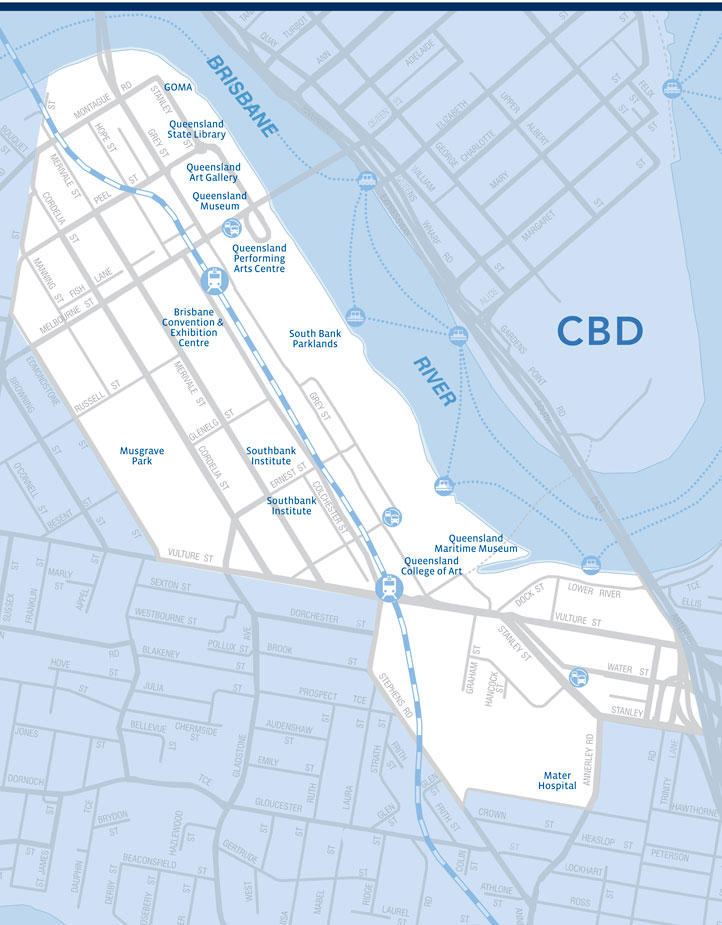
The original image is 722 by 925, and I've attached it to help debugging. The max size is set to 723 by 1000.
Setup
Image assist
version = "6.x-3.x-dev"
datestamp = "1231373300"
Image
version = "6.x-1.0-alpha3"
Drupal
version = "6.8"
PHP Version 5.2.5
GD Support enabled
GD Version bundled (2.0.34 compatible)
Comment #5
rene_w commentedHmm, interesting. I just checked, and in my case, the original PNG image size is 730x562, but the image created by img_assist (when inserting "Original") is 729x561. "Off by one" error, somewhere?
Comment #6
sunIs it possible that both of you have the "allow custom image sizes" option enabled and this issue only occurs when this setting is enabled?
Comment #7
alan d. commentedYes, this seems to be the case. I disabled the settings, and the image referred to is the original.
There are width and height attributes set that reduce the size - which are probably due to other settings. I haven't the time tonight to investigate these. Max image width may be set somewhere else.
Thanks for the work around.
Comment #8
rene_w commentedI also had the "allow custom image sizes" option enabled. However, disabling it doesn't help. When I now ask for the "Original" size, I get the preview size instead. Presumably because it still thinks the original size is 729x561 (whereas it is actually 730x562), so it's taking the next closest available one, which is the "preview" size.
Comment #9
alan d. commentedAn update to http://drupal.org/node/354200#comment-1193946
When using "insert as tag", changing the above permissions has resulted in the correct width being set, but the height is still off by 1px. This causes a image derivative to be used in
img_assist_render_image, rather than the original image. I'm working around this by using the insert as HTML instead.Comment #10
alan d. commentedSome more info on the height issue.
After finding far too many issues for a Drupal 6 version for the current project (from multiple modules), we moved back to Drupal 5.
Initially, the insert as tag was working fine, but after updating the "Image assist settings" page, the same height issue appeared. This is independent on the permission settings about custom size.
Eg: Expected [img_assist|nid=6|title=|desc=|link=none|align=none|width=722|height=925] but still got [img_assist|nid=6|title=|desc=|link=none|align=none|width=722|height=924]
After some investigation, I found that the size is based on a JavaScript division and round(result). This will almost certainly lead to a rounding down error.
Eg: Max size changed from 640/640 = 1.00 to 722/1444 or a 0.50 ratio.
I done a quick hack to resolve this issue. The patch should be self explanatory I hope, but has very limited testing and I wasn't really sure exactly the best way to approach this.
Cheers
Comment #11
zoo33 commentedLooks like a reasonable workaround. Just one question:
Shouldn't
&&be||?Comment #12
alan d. commentedOps. Yes it should be.
Is img_assist going to be refactored? It seems that to me that it needs to record the image derivative used, rather than relying on the sizes for calculations.
Eg: Using an image sized 75x75, as size preview 150x75, results in the tag w=75/h=75. This data can not be used to maintain state when editing the tag, as 75/75 doesn't meet any of the known derivative sizes.
Maybe a tag like this needs to be used:
[img_assist|nid=6|title=|desc=|link=none|align=none|width=722|height=924|derivative=original]
Where width and height are only useful when derivative=custom
Thoughts?
I have to reenforce that I have only spent about 15 mins working with img_assist code :)
Comment #13
zoo33 commentedYes, there are different plans and ideas floating around... A lot of if suggests a refactoring of the filter tags:
#175812: Imagefield support
#208136: Imagecache/Image* support
#220157: Implement Inline API