

Closed (fixed)
Project:
Wysiwyg
Version:
7.x-2.2
Component:
Code
Priority:
Critical
Category:
Task
Assigned:
Unassigned
Issue tags:
Reporter:
Created:
9 Jan 2009 at 11:54 UTC
Updated:
15 Aug 2013 at 19:10 UTC
Jump to comment: Most recent, Most recent file


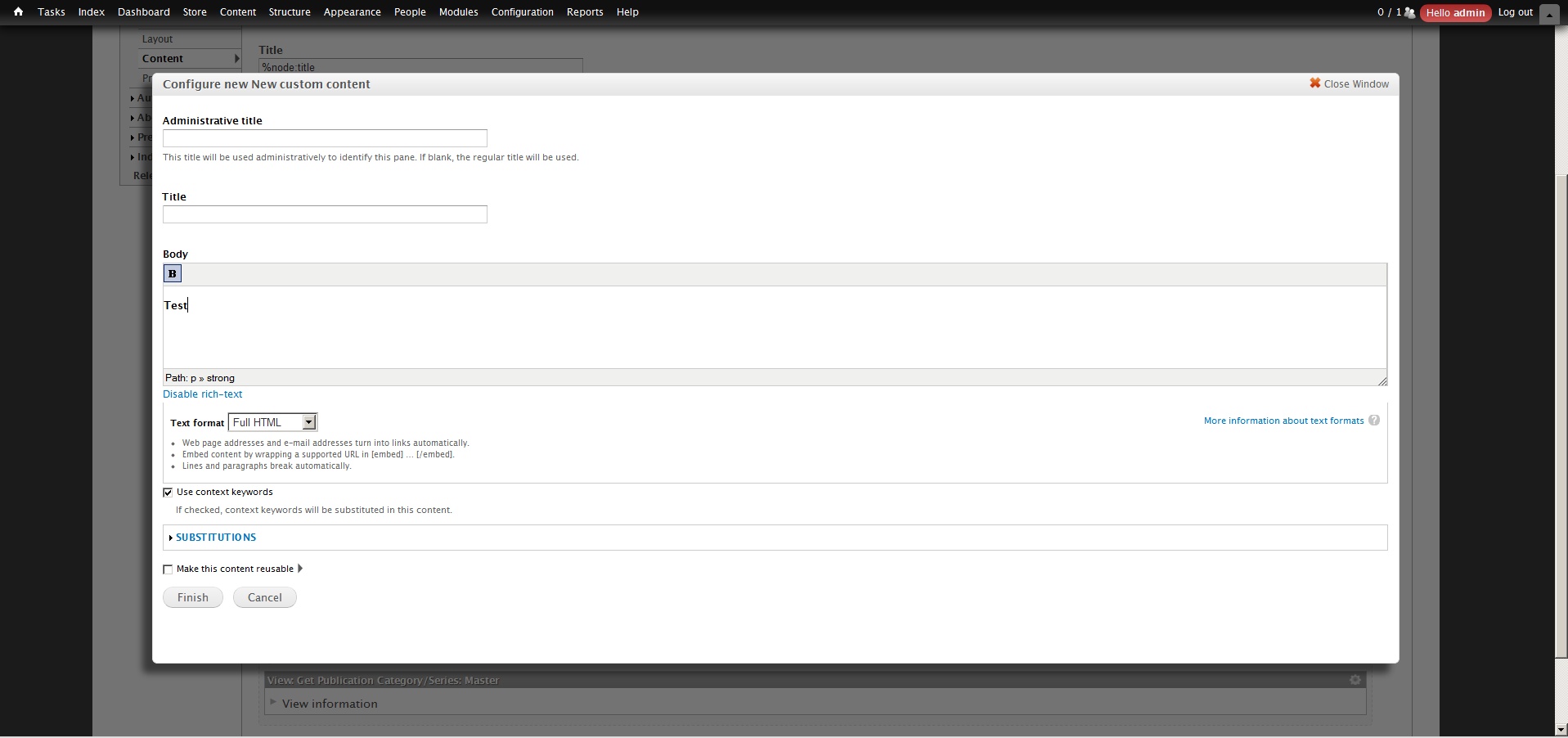


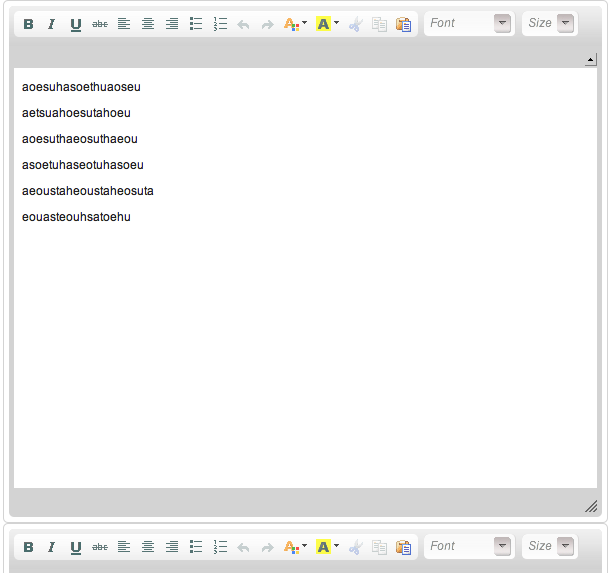
Comments
Comment #1
sunYes, I experienced this issue as well, and we have yet to find a proper solution for it.
Currently, I'm doing the following in a custom form_alter() implementation to load all libraries for the Panels 2 page content (display editor) page:
I.e.: All libraries are loaded upfront on the executing page, without knowing whether the libraries will be needed at all.
Lacking a better idea, I thought of introducing a wysiwyg_load_all() function or similar for other modules that just does that.
Comment #2
effulgentsia commentedIn case it's helpful, you may be interested in checking out the ajax_load module and/or the combination of ahah_response, ahah_page_storage, ahah_script_ensurer, and ahah_style_ensurer.
Both ajax_load, and the combination of the 4 ahah_* modules, try to address this general limitation to using AJAX/AHAH. At some point, I hope the developers of ajax_load and I can collaborate on how to improve/integrate these modules, as well as work towards solving the issues in core for drupal 7.
Comment #3
dkruglyak commentedNote, there is an issue about WYSIWIG-enabling Panels: http://drupal.org/node/235764
@sun, I think your code may need to be updated to the latest Panels 3.
Comment #4
greg.harveyHaving a similar issue - got an AHAH call on the node form that replaces the body field (
edit-body-wrapper) and when the field reloads the WYSIWYG no longer works on the node body. I think is because I don't seem to be able to use the core node_body_field() function to replace the form field, so I'm reduced to rebuilding them myself - probably some hooks not invoked or something like that?But this will be a recurring problem I think, because there doesn't seem to be any elegant way to manipulate the node body field with AHAH right now, which is a shame. =(
Edit: my related issue, if anyone is interested: #527622: WYSIWYG editors disappear after node body rebuild and switching filter does not bring them back
Comment #5
ruloweb commentedSuscribing :).
Comment #6
danny_joris commentedsubscribing
Comment #7
wmostrey commentedYou might want to try the ajax module which contains an ajax_wysiwyg module that fixes this behavior in some cases.
Comment #8
intelligentdesigner commentedWow, I have a large flat patch on the side of my head after banging it into this brick wall for daaaaaaays.
In the end, whaddaya know, there's a glitch in TinyMce where it doesn't recognise an ahah request as completed, and therefore can't initialise the editor properly.
After your callback, add a line of js before you call attach behaviors like so...
Comment #9
jseffel commentedI've the same problem with textareas which have a "Add more" button. The first time I hit the "Add more" button a textarea via TinyMCE appears but it is frozen, the second time another textarea with TintMCE appears - the previously added textarea becomes unlocked and the newly added is frozen. I've tried TinyMCE 3.3.9 and 3.3.9.2. I have ajax_wysiwyg a go but with no luck.
Do I need to perform some magic in hook_form_alter() ?
Comment #10
wmostrey commentedI wrote down the solution I came up with: The Wysiwyg and CCK multiple value fields.
In short: you can fix most issues by installing the Wysiwyg API CCK Integration module, which itself depends on three other modules: JS Alter, jQuery Form Update and jQuery AOP.
If you still have issues then the only solution is to use the FCKeditor plug-in for the Wysiwyg module. It's the only one that doesn't have any issues with multi-value cck fields. (So yes, even CKEditor has issues.)
Comment #11
sunThis can only be fixed in Drupal 7.
Comment #12
bensnyder commentedto people more intelligent than me on this:
Are there some simple steps that can be included here to add in template.php or something to get this functional for D7? how difficult is this? I'm a bit out of my realm. Please provide a step by step if possible.
Thanks in advance!
Comment #13
twodNo, there are no simple steps to get this to work, which is part why we've waited for D7 to arrive.
Wysiwyg needs to be redesigned a bit for this to work as now it loads all the necessary files right away and it wouldn't know how/when to load them at a later stage. D7 also has a later version of jQuery which supplies the events we need, but the clientside code also expects all files to be there already so it doesn't react to those events yet.
Comment #14
thekevinday commentedsubscribe
Comment #15
wrburgess commentedsubscribe
Comment #16
sunok, I officially don't get this:
To understand what I mean, you need:
drush -y en wysiwyg_testComment #17
sunSame as before, but this one loads something. :) Well, no editor yet, but it looks promising ;)
Comment #18
EliteMonk commentedsubscribing
Comment #19
bensnyder commentedsun, your time spent on this is much appreciated, thanks!
Comment #20
bensnyder commentedbump bump :)
Comment #21
shags_j commentedsubscribe
Comment #22
bryancasler commentedsubscribe
Comment #23
joostvdl commentedsubscribe
Comment #24
wOOge commentedsubscribing
Comment #25
shawn_smiley commentedI've been looking into this some today and I've been able to get CKEditor to load/display (though not perfectly).
The main issue that I've found is that when the editor is being loaded via AJAX the basePath isn't getting set before the editor loads and thus the skin and some related files are being loaded from an invalid path.
I've been able to get the editor to display by adding the following line to the top of "wysiwyg.init.js".
I'll continue working on this today and hopefully will be able to submit a patch in the next day or so to help move things forward.
Comment #26
shawn_smiley commentedHere is an updated version of Sun's patch in #17 that moves things forward a bit. We at least now have CKEditor displaying.
This patch adds two things to Sun's patch:
1. In ckeditor.inc, I add a new setting value that specifies the name of the global variable CKEditor looks at for the basePath.
2. In wysiwyg.init.js, I added some code that scans the settings array for all enabled editors and sets the global basePath variable if defined.
These are the remaining issues that I'm aware of at the moment:
Comment #27
shawn_smiley commentedJust a quick update on my progress. I have CKEditor working with the Panels module, though there are still a couple issues to work out.
The main issue I solved today is that I had to change the order of the form submit handlers so that the WYSIWYG submit handler fires before the Panels/CTools submit handler. This solved the problem with the WYSIWYG content not being saved.
The remaining issues to resolve include:
I'm hoping to submit an updated patch in the next day or two.
Comment #28
shawn_smiley commentedAttached is a fully functional patch that allows CKEditor to work with Panels or in theory any other AJAX loaded text area. I haven't tried using any other editor yet, so there may be issues there that still need to be addressed.
This patch is rolled against the Feb 25 dev release of WYSIWYG.
I'm sure there are some things that could be implemented better and I'm certainly willing to continue making refinements to the patch as needed.
Please give it a try and post the results of your testing here.
Here is a quick summary of the enhancements made to the patch in comment #17.
editors/ckeditor.inc
wysiwyg.init.js
wysiwyg.js
Comment #29
shawn_smiley commentedHere is a modified version of the patch in #28 that doesn't have absolute paths to the files so that it can be directly applied to the wysiwyg module.
Comment #30
bryancasler commentedAny update on this?
Comment #31
shawn_smiley commentedI'm waiting for some feedback from the community on the patch and to have some other folks test it out. The patch works with CKEditor in the D7 project I'm working on right now, but I expect that it will need some more refinement before it can be merged into the main dev tree.
Comment #32
thekevinday commentedOkay, I just did a quick test using the views module where I first had this issue. (Reference: http://drupal.org/node/1027064)
The module applied without issues against the mentioned -dev branch.
When I tried to edit a text editor in the view module, the text area appeared.
Prior to this patch, the text area did not appear.
However, clicking the submit or even cancel button causes some sort of ajax error such that the page turns into a single line of ajax jargon.
The other issue I have had is that my particular editor is not showing up in the views.
I personally do not care about it appearing here, but this may or may not be intended by the lazy-load process.
Comment #33
chrisschaub commentedHey @Shawn_Smiley, thanks for submitting the patch. It does allow wysiwyg to load ckeditor in panels, great. The data doesn't save, however. I'm using drupal7+bartik+panels... and your patch. Saves without the ckeditor. Also, you have a lot of debug statements in the patch that cause the javascript to fail unless you have something to support that function, throws lots of js errors. Thanks!
Comment #34
chrisschaub commentedJust to follow up on #29, it's all working except for the saving. I can't get the changes to stick.
Comment #35
beyond67 commentedsubscribe
Comment #36
chrisschaub commentedHas anybody else tried #29?
Comment #37
shawn_smiley commentedThanks for the feedback thekevinday and schaub123. I'll try to find some time to investigate these issues over the weekend.
Related to content not saving, one of the challenges I found was that I have to re-arrange the order of the event handlers when the overlay window is submitted or closed. Otherwise the form was being processed before the WYSIWYG had a chance to update the underlying form field with the updated content.
Comment #38
chrisschaub commentedHey Shawn_Smiley, what module are you using to handle the $.debug calls in the javascript? Firebug for drupal? Debug isn't released for dp7 yet.
Thanks.
Comment #39
shawn_smiley commented@schaub123
I think something got lost in the patch generation so that we don't have the $.debug() function defined any longer. It was just a wrapper around Firebugs Console.debug() statement if I remember correctly.
Here is an updated patch that removes all of the debug statements.
Can you give me the exact versions of Drupal, contrib modules, and CKEditor that you're using so that I can try to replicate the issue?
Also, if you click the "Disable Rich-text" link before saving, does the correct HTML display in the text field?
It's working correctly for me with the following configuration (everything is latest version):
@thekevinday
I also wasn't able to reproduce your issue with the above configuration. I was able to enter and format the global header text using the WYSIWYG.
Comment #40
sun$.debug() is provided by the admin_devel module, which ships with admin_menu.
Comment #41
chrisschaub commentedOk, here's the issue with #39. Turn off the "disable rich text" link in the wysiwyg setttings and things stop working. I think it's because you are counting the handlers +2. So, you are expecting that folks will have the disable rich text link enabled. That's why it wasn't working for me. Is there a way to get it to not require that option being checked? Thanks, cool stuff!
Comment #42
shawn_smiley commentedAh, excellent information. I'm sure I can come up with a better check before resetting the event handlers based on this info. I'll try to get an updated patch rolled out on Friday or at the latest Monday.
Comment #43
chrisschaub commentedFyi, something else got changed in patch #39 that causes the window not to show on re-edit. Patch #29 was better, and I just manually removed the debug. Nevermind, #39 loads the editor, just no save.
Comment #44
shawn_smiley commentedCan you give me some exact steps to reproduce the issues including which browser you're using?
I just did the following this morning:
I've done these tests using Firefox 3.6.10 on OS X 10.6.
Comment #45
thekevinday commented#39 works for me without issues.
I am using the feb-25 dev release.
Comment #46
chrisschaub commentedI am using everything the same as you in #39. The only difference is that I'm using alpha4 of ctools. Tried firefox 3.6 on OSX 10.6. I couldn't use git apply, complained about whitespace. Used patch -p1 instead, but it said it patched all files cleanly. Using stock bartik with seven as admin theme in latest drupal 7 from dev.
Comment #47
chrisschaub commentedShawn_Smiley. Just downgraded to ctools alpha3, no dice. Are you using the bartik theme and the stock admin menus?
Comment #48
chrisschaub commentedFound it. It was jquery_update. Disabled it and all is now working. Not sure what would cause that, but jquery_update was causing the issue. Patch #39 is working.
Comment #49
shawn_smiley commentedThanks for the update schaub123. I haven't been running the jquery_update module, but I'll get it installed and see if I can track down where the conflict is at.
Comment #50
shawn_smiley commentedI've done some investigation of the issue related to jquery_update. It appears that the object structure returned when querying existing events on an object has changed between jquery 1.4.x and 1.5.x. Which is causing the WYSIWYG event binding to break when it's loaded in a ctools overlay.
I've implemented a hack of an update to confirm the problem and potential solution, but I want to come up with a cleaner implementation before submitting a patch.
Does anyone know of a clean way of getting a list of events bound to an object that works in both jQuery 1.4 and 1.5?
Currently I'm doing the following: event_list = $("selector").instance.data().events;
The problem with jQuery 1.5 is that $("selector").instance.data() returns an intermediate object with an instance specific name so you have to do $("selector").instance.data().jquery2358723598237542.events to get a list of bound events. The name of the object "jquery2358723598237542" changes with every page request so I ended up having to loop over the properties of the data() object to find the correct item to query.
Comment #51
loop54 commentedhello guys!
1st, i'm new in drupal.
last time i work at my own website hosted by hostmonster.com.
my problem: in panel-> content it dont will be show wysiwyg editors.
my question: how can i patch with "lazyloadeditors-356480-39.patch"#39 or "wysiwyg-ajax-29.patch" #29?
my configuration:
drupal 6
ctools 6x18
panels 6x39
devel 6x123
wysiwyg 6x23
full pack of editors...
again i host my site at hostmonster, here no git programm and it seems will be difficult to install.
"git apply" command -only one way?
thanks
Comment #52
shawn_smiley commentedHi loop54 and welcome to the Drupal community.
Unfortunately this patch only works with the Drupal 7 version of WYSIWYG right now. See comments 11 and 13 above for more detail.
Comment #53
zilverdistel commentedsubscribing
The patch in #39 is working with the following configuration:
I also tested with TinyMCE (3.4.2-jquery), but it didn't work. The editor simply didn't show up.
Again with ckeditor 3.5.3, I tested IMCE (7.x-1.3) and IMCE wysiwyg bridge (7.x-1.x-dev) which also seemed to work. I'm able to add images to my custom content in panels with ckeditor.
Thanx for the patch, Shawn!
Just for the sake of completeness: the patch could only be applied to the git master branch of wysiwyg. It failed on the dev release.
Comment #54
luckystrikerin commentedgreat works #39 works for me as well (wysiwyg 7.x.-2.0)
update: looks like it works. Unfortunately it works not always and the content pasted via wysiwyg is not beeing saved!!!!
Any ideas?
Comment #55
zilverdistel commented@luckystrikerin: I have the impression this doesn't work with all configurations, can you post your module versions?
Comment #56
luckystrikerin commentedDrupal: 7.0
Chaos tool suite: 7.x-1.0-alpha4
Libraries API: 7.x-1.0
Panels: 7.x-3.0-alpha3
Wysiwyg: 7.x.-2.0
CKEditor 3.5.2.6450
After this patch I could at least see the wysiwyg editor sometimes, before I always got a white place with nothing. But the content I inserted via ckeditor is not beeing saved.
Comment #57
zilverdistel commented@luckystrikerin: I was not able to apply the patch to Wysiwyg: 7.x.-2.0. It generated failures (1 out 5) when I tried (even on the dev version, which I think is weird). In my case, it only applied correctly on the git version, with git apply ...
It's the master branch: http://drupal.org/node/181465/git-instructions/master.
Comment #58
luckystrikerin commented@zilverdistel: thanks for your help. Its working now with the git version.
Comment #59
rwohlebAny update on the jQuery 1.5 issue? I can confirm that the patch in #39 works with wysiwyg loading in a ctools modal (privatemsg send form in this case) with jQuery 1.4, but not 1.5.
Comment #60
jeffschulerPatch in #39 is working for me with CKEditor but not with TinyMCE.
Using:
Seeing the same issue with JQuery Update.
Comment #61
sunNot sure if relevant, but referencing nevertheless detail about CKEditor base path in duplicate issue #1067792: Editor not showing on Views Global text area - m.lang.contextmenu is undefined
Comment #63
jmones commentedsubscribe
Comment #64
bensnyder commentedsub
Comment #65
ryne.andal commentedsub
Comment #66
cangeceiro commentedpatch in #39 also worked for me
Comment #67
alex.skrypnyk#39 worked for 7.2, but not master. weird.
However, changes are still not saved.
Comment #68
zhangtaihao commentedI've fixed #39 (for at least CKEditor and TinyMCE) by correcting the logic that inserts Wysiwyg's event handlers before CTools's. Also, TinyMCE is now manually instructed to load by telling it DOM is loaded.
Granted, TinyMCE still doesn't work that well with Panels IPE,
but I suspect it's IPE's fault(see #69).Comment #69
twodThis is starting to look really good!
Though, it does reveal a bug in Core: #1287368: Drupal.settings.ajaxPageState.css gets overwritten.
Comment #70
grossmann commentedsub
Comment #71
Vandalf commentedsubscribing
Comment #72
franzkewd commentedSubscribe
Comment #73
tanitani commentedSubscribing.
Comment #74
greg.harvey@ the last two posters, you realise there's a "Follow" button in the top right of every issue page now so you don't have to type "Subscribe" in a post to get alerts? Right now it'll say "Following" because you were auto-subscribed, but before that (on any other issue) it's a big green "Follow" button in the right sidebar.
See: http://drupal.org/node/1306444
Comment #75
bryancasler commentedWhat's holding up the patch from #68 getting committed?
Comment #76
fonant commentedPatch in #68 plus patch from #1287368-7: Drupal.settings.ajaxPageState.css gets overwritten work nicely to get CKeditor in the Panels custom content popup in my Drupal 7.10 site.
Comment #77
twod@animelion, not much. A final review of #68 should be able to RTBC it now that #1287368-25: Drupal.settings.ajaxPageState.css gets overwritten is RTBC, and it can get committed when problems caused Core won't cause a flood of bug reports/comments about this fix not working properly. (Without the Core patch, some editors will look really crappy when lazy-loaded by, for example, the Panels' Pane-editor due to missing stylesheets.)
That might still happen considering not everyone will also update to the latest Core when updating Wysiwyg. But at least then we can close those issues with a quick "Please try with the latest Core release first, then re-open this issue."-message. Hopefully, that won't happen so often, as anyone about to create such an issue should be reading this existing issue and comment first. ;)
Comment #78
joelstein commentedI applied the patch in #68, and now CKEditor works in Panels Panes. Marvelous. However, I noticed that on line 23 and 32-34 of the patch, some commented-out code was added. It should be removed, unless it was meant to be un-commented. FYI.
Comment #79
smartango commentedis related to http://drupal.org/node/1391034 ?
I applied patch in #68 and still wysiwyg editor is not loaded via ajax ( TinyMCE )
EDITED: TinyMCE
Comment #80
smartango commentedsun code in #1 in form creation load wysiwig toolbar twice (actually cause the call of wysiwyg editor twice)
Comment #81
smartango commented#80 happen when filter format with wysiwyg profile activated is the first (default) for the form element, moving to second position, thus activating it by changing drop down, do not cause problem
Comment #82
twod@smartango, http://drupal.org/node/1391034 does not lead anywhere. Wrong nid?
The editors won't always be loaded via AJAX when the #68 patch and the D7 patch from #1287368-40: Drupal.settings.ajaxPageState.css gets overwritten are added (it's been committed to D8), but it should make it possible to use them in the Panels editor and other places where textareas with format selectors are loaded via AJAX.
Sun's code from #1 was an experiment, it's of no use now as things have changed a lot since 2009.
Comment #83
smartango commented@TwoD I've done a wrong test, #68 works with TinyMCE, css loading is missing but I added it to the initial form.
So, for me #68 is ok
I think http://drupal.org/node/1391034 is the same problem: editor not loaded if node_add il called in ajax callback. Am I wrong?
Comment #84
twodAh, now the link works (I got a 404 earlier for some reason).
If the situation in #1391034: wysiwyg is not loaded when used with node_add() in ajax forms works after applying #68, it's the same issue.
Comment #85
comodo1980 commentedSorry, I´m reading this post and documentation about patch and i don´t understand where and how i have tu apply this patch. My english is very bad and I suppose it´s a big problem.
I´d like somebody could help me a little, please.
Comment #86
twod@comodo1980, you apply the patch from #68 to your wysiwyg folder, and the latest patch from #1287368-40: Drupal.settings.ajaxPageState.css gets overwritten to the root Drupal folder. How to apply a patch depends on which OS you have, start at Applying patches with Git, or HowTo: How to apply a patch to a contributed module - Beginner's version (Windows).
Comment #87
mradcliffeI'm not sure if this is related to this patch or issue, but when loading in a modal using ckeditor 3.5.2 (after doing something similar to sun's code in #1) there are two ckeditor spans beneath the textarea (thus getting duplicate toolbars). I, then, only get one span if I close the modal and re-opening (after applying/using #947676: Support new CTools event for detaching when the modal closes - this doesn't matter for this issue i'm running into other than it doesn't happen on re-opening the modal).
The only place I found to fix this was in wysiwyg.js line 65, changing an if to an else if. I am not sure what the effects of this are as I am not familiar with Wysiwyg API.
Comment #88
twodIt sounds like the editor gets attached twice. The change to an "else if" prevents the editor from being attached when there's a format select box present. Your screenshot does not include anything below the area, but I assume there is a selectbox there.
Why are you using code similar to that in Sun's #1? It is not needed if you apply the patch from here, since any Wysiwyg/editor scripts that should get loaded when a format-enabled textarea is created are automatically added by Drupal/Wysiwyg.
Can you try with just the patch from here to Wysiwyg 7.x-2.x-dev, then apply the one from #947676: Support new CTools event for detaching when the modal closes? I'm not sure the last one is needed for D7 since we now support detaching behaviors.
Could you attach or link to the code loading the modal if it doesn't work so we can try to reproduce the issue?
Comment #89
mradcliffeYeah, I'm going to have to try to narrow down and simplify the code to see if I can reproduce it first.
Comment #90
pdcarto commentedI followed instructions in #86, cleared cache (important), and it works! Thanks TwoD!!!!
Comment #91
mradcliffe#88. Yes, the patch does solve the double issue I was having (instead of having to make that js modification). Patch didn't apply on my 7.x-2.x-dev so I have re-rolled it here.
I did not need to apply #1287368-40: Drupal.settings.ajaxPageState.css gets overwritten to get wysiwyg with ckeditor to load in a ctools modal.
Comment #92
zhangtaihao commentedThanks for rerolling the patch.
Additionally, I think it's finally time to decide what to do with that commented section (per #78).
EDIT
For clarity:
Comment #93
JulienD commentedI followed Twod's instructions in #86, cleared cache, and it works fine!
Thank you !
Comment #94
dieuwePatch from #91 works great!
Comment #95
anybodyJust tested it and can confirm that #91 works great!
For the German users (and others of course who would like to use it - but blog post is in German), I've provided a temporary patched wysiwyg module download at my blog post:
http://julian.pustkuchen.com/drupal-7-wysiwyg-tinymce-panels-benutzerdef...
which I am using myself.
(As a short help for users who don't know how to patch, of course handle with care, it's just a reviewed patch!! See warning at the end of the blog post.)
Comment #96
mradcliffeI am not sure if this is what #43 was running into, but the first submit does not transfer values to form_state. After the form is rebuilt, it works fine. For instance, if you had a button that just saves and returns the form in ctools, then on the next save/submit, the value is saved.
Is anyone seeing this as well? I don't want to knock this out of RTBC if I can't reproduce that issue.
Comment #97
derhasi commented#91 works fine so far for me too.
+1
Comment #98
mradcliffeSadly, I'm definitely seeing an issue with core ajaxSubmit and putting ckeditor wysiwyg in a ctools modal. If I add the following javascript to misc/ajax.js line 254, then it works, but without it, ckeditor.js does not update in time. I think this is because Drupal ajax is binding way late in the process.
Does anyone have any tips for solving this bug and getting updateElement() to fire before ajaxSubmit?
Comment #99
mradcliffeThis does not seem like the right way to do things:
Comment #100
DanielF commentedSorry to break the flow, but most of the above is beyond my technical expertise. I came here from #97 on the Textareas issue. I'm experiencing the exact same problem described there:

I was hoping someone could indicate to me if any progress on fixing this has been made. I know of the wysiwyg_panels module, but because it's not available on Drupal.org I'm hesitant to use it, and would prefer a fix in the Wysiwyg module itself. Thanks!
Comment #101
mradcliffeTry decreasing z-index for those dialogs?
Comment #102
Anonymous (not verified) commented91 works for fixing the broken CKEditor+WYSIWYG with Panel popups.
Comment #103
mradcliffeThe ckeditor div.cke_kama is a sibling of modalContent so it's child, div.cke_rcombopanel, is outside of modalContent as well. On OSX Firefox 10 this means that you can't click on any item in the combo box.
Comment #104
zhangtaihao commented@DanielF, @mradcliffe: Perhaps something to do with #905546: modalContent focus?
Comment #105
mradcliffeMy issue was apparently a Flash issue because I had a flash object on the page and a modal above that with WYSIWYG (ckeditor). Strange bug that also had an effect on Firebug.
Comment #106
kardave commented#91 worked me too. Thanks!
Comment #107
mradcliffeReview comment #92 and patch #91
Edit: I forgot to change this back to needs review after I discovered the issue with Flash.
Comment #108
jim kirkpatrick commented#91 works... Thanks!
Comment #109
populist commentedHere is a quick reroll of #91 for the -p0 standard. No other changes have been made.
Comment #110
finex commentedPatch on #109 works fine
Comment #111
mradcliffeHere's a table of testing if anyone else wants to confirm "works for me" status. I have the following tested for ckeditor.
Comment #112
Anonymous (not verified) commentedTinyMCE seems to have an issue with the 91 patch, but CKEditor seems to be lazy loading fine. The problem I found with TinyMCE is that when you hit save in a modal, it loads the AJAX request text into the actual browser window (tested in Chrome) and doesn't redirect back to the Panels interface.
It does seem to save though... if I refresh then the content is changed to whatever I made it in the TinyMCE modal edit window.
Comment #113
mradcliffe@112: This might be an issue with either not having the ctools detach behavior.
Edit: I can't reproduce this in a simple ctools modal loading tinymce in Safari Windows or Firefox 11 or IE8. Clicking Save works properly.
Comment #113.0
mradcliffeAdded testing matrix.
Comment #113.1
mradcliffeAdding some more test data.
Comment #114
Anonymous (not verified) commentedHere are the screenshots of what I was experiencing in #112, aftersave shows the text loaded inside Chrome.
Comment #114.0
Anonymous (not verified) commentedoops, typo.
Comment #114.1
mradcliffeMore manual tests.
Comment #115
mradcliffeI'll try in Google Chrome on Windows tomorrow. Need to install it first. Google Chrome in OSX works fine in both panels and in custom ctools modals.
Do you get the same problem with this custom module (it exposes a menu item in the navigation menu)?
Comment #115.0
mradcliffeMore testing, correct heading for chrome OSX.
Comment #116
mradcliffeI just tested my test module and in panels with latest Chrome in Windows XP. I could not reproduce the issue you ran into with either tinymce or ckeditor, vilepickle.
Any IE9 testers out there?
Comment #117
Juan C commentedPatch #109 fixed mine.
Comment #118
mradcliffeJuan C, what browsers did you test the patch in? Can you add any more confirmation for the testing matrix?
Comment #119
twodI've been trying to debug the TinyMCE related changes from the #109 patch in Chrome (under Ubuntu) by opening the node edit form in a CTools modal dialong - which I originally created to test #947676: Support new CTools event for detaching when the modal closes.
The reason TinyMCE doesn't work seems to be that its theme doesn't get registered properly when its script file is loaded.
For some strange reason, inspecting TinyMCE's ThemeManager right after the theme script registers itself does show that the theme was added to
tinymce.ThemeManager.lookup, but when inspecting it from other scopes it's no longer there.It only happens the first time TinyMCE is rendered. Subsequent calls to the render() method does correctly register the theme so the rest of TinyMCE sees it.
It's really difficult to debug this with the tools in Chrome because it sometimes completely skips over calls into dynamically loaded scripts even if there are breakpoints in there, so one has to rely on
console.log()calls...Comment #120
Juan C commentedTested on OSX: Safari, Firefox, and Chrome.
Update: Using ckeditor
Comment #121
idflood commentedI've tested the patch in #109 with panels only and it globally works really well. With ckeditor (3.6.2.7275) everything is perfect, but for TinyMCE (3.5.0.1) I had a this little error when submitting a form.
It appears that the Drupal.wysiwyg.editor.attach.tinymce function is called when the modal is closed but the dom element is removed. This is called from Drupal.behaviors.attachWysiwyg, by looking at Drupal.settings.wysiwyg.triggers[this.id].
Simply adding a 'delete' inside the detach function seems to do the trick, but I'm not sure if this can create other issues. So the only difference with patch in #109 is one extra line in Drupal.behaviors.attachWysiwyg.detach:
I did the test with these browsers:
mac: firefox 12 / opera 11.64 / safari 5.1.5 / chrome 19
windows: ie7 / ie8 / chrome 19
Comment #122
idflood commentedI wanted to test the patch from #121 with the custom test module in #115 but the modal content was empty. Here is an updated version. I've tested it with chrome on windows and mac and I had exactly the same error as described in #121. Here too, the "delete" looks enough to fix that.
Comment #123
summit commentedHi Guys, Anyone have latest wysiwyg with patch for ckeditor already added?
Thanks a lot in advance for posting if you have it.
greetings, Martijn
Comment #124
swentel commentedTested with latest ckeditor - works perfectly. Patch even applies against latest official release. Don't have to time to reroll now.
Comment #125
cangeceiro commentedTested with ckeditor and everything looks good, this also resolves the following issue #1401038: Wysiwyg not showing, Node Form in a Ctools Modal
Comment #126
andi-d commentedThx for Patch from #121, works fine
Greetings Andi
Comment #127
mradcliffeThat's good enough for me. I'll roll a new patch.
Comment #128
idflood commentedI wanted to quickly reroll the patch since I'm working with this right now but I don't see why it would be required (the patch in #121 still applies cleanly on the 7.x-2.x branch).
Comment #129
mradcliffeGreat.
Comment #130
Stalski commentedFor me, wysiwyg with tinymce loads the editor fine with the patches above (109, 121 however needed to apply them manually on current dev and stable from 19 June).
However links and images do not work:
- The modal is not themed and some controls are not workable
- The inser/edit image link does not work
I'll try with ckeditor as well.
Comment #131
adamdicarlo commentedPatch in #121 works awesomely for me with TinyMCE 3.4.8 in Panels, even with the IPE.
Comment #132
baysaa commentedThere seems to be a small issue with the paths of external CKEditor plugins after applying patch in #121. I have Linkit module installed which loads a plugin.js from the Linkit module's directory. However on the "Add custom content" modal window of Panels there's a javascript error:
"GET http://www.example.com/sites/all/libraries/ckeditor/_source/plugins/link... 404 (Not Found)"
The plugin.js for linkit should be loaded from sites/all/modules/linkit/editors/ckeditor/plugin.js
Seems like after applying this patch, the paths for external plugins are not respected.
Comment #133
mradcliffeDoes wysiwyg module support loading plugins from arbitrary directories? I thought all of those were supposed to be in sites/all/libraries?
Comment #134
twod@mradcliffe, Yes, Wysiwyg supports loading plugins from anywhere (if the editor supports it), as long as hook implementation sets
'internal' => FALSEfor native plugins. See wysiwyg.api.php for details.@Baysaa, are you sure you only applied that patch? It looks like CKEditor is trying to load the source/uncompressed version of the plugin. Does it use the correct path when not lazy-loading the editors, on the node edit form?
Comment #135
baysaa commented@TwoD looks like another patch made by you has been applied by my colleague developer, which allows editors to be configured to load from unminified source, which probably explains why the editor worked fine just after I applied the patch at #121, but stopped working few days later. Bummer lol, sorry false alarm. I went to the config page of the wysiwyg profile that was having problems, and selected "default" mode from advanced settings (was set to Source by the other developer, so not sure if setting to Source is required for some other functionality .... :( ).
Comment #136
franzkewd commentedCan someone update Patch #109 or #121 against the latest dev built (July 2, 2012).
Thanks.
Comment #137
mradcliffeRe-rolled patch. I added a serialize option to one of the detaches to match the current code base. Not sure if it's correct at the moment.
Comment #138
twod@mradcliffe, That does seem correct. If the event triggering a detach will also lead to the editor's DOM elements being removed [and the editor being automatically re-attached later], a 'serialize' trigger should be used.
I haven't had time to verify this, but do we need to explicitly find the CTools modal close button if we get #947676: Support new CTools event for detaching when the modal closes in?
Seems reacting to a custom event sent directly by them is more reliable in the long term than digging into the DOM and hooking into a click event on some element somewhere. What if they need to change how that close button works or move it somewhere else? Could themes change the structure of the modal so our event attaching script would break?
Comment #139
seutje commentedIt's always advised to make the least tight coupling between your markup and your javascript.
Things like $(this).parent().parent().parent().parent(); are not only unreadable, but also very fragile.
Binding to a custom event would seem like a better option, as it is far less intrusive, less costly in DOM traversal and far more future-proof.
Although I don't fully support the format CTools uses for its custom events, it certainly beats scouring the DOM for a close button and then binding it directly to said button.
Comment #140
hypertext200For me issue was the BASE_PATJ and I'm using CKEditor.
http://docs.cksource.com/CKEditor_3.x/Developers_Guide/Specifying_the_Ed...
and adding
window.CKEDITOR_BASEPATH = '/sites/all/libraries/ckeditor/';on my JS fixed the issue.
Comment #141
Ivanhoe123 commentedThank you
***
EDIT: this did not work for me
The issue is back when I open several times WYSIWYG areas - WYSIWYG is loaded only the first time
Also the content is not saved when I hit "Save"; the area is left blank when I edit it later on
Comment #142
mradcliffe@TWoD, I've been running with this patch and then I added the code in #947676: Support new CTools event for detaching when the modal closes separately without any issue.
Comment #143
ailgm commentedI tried applying the patch in 137 to 7.x-2.1, but couldn't find the spot to apply this change:
@@ -96,6 +119,7 @@ Drupal.behaviors.attachWysiwyg = {
wysiwygs.each(function () {
var params = Drupal.settings.wysiwyg.triggers[this.id];
Drupal.wysiwygDetach(context, params, trigger);
+ delete Drupal.settings.wysiwyg.triggers[this.id];
});
}
};
@@ -113,7 +137,7 @@ Drupal.behaviors.attachWysiwyg = {
* @param params
* An object containing input format parameters.
*/
Suggestions?
Comment #144
mradcliffeUsually patches only apply to development versions. You could try the patch in #109, which I think I've applied to 7.x-2.1.
Comment #145
cangeceiro commentedI have ran into an issue with this patch when used in conjunction with the media module. To repeat, create a node with a wysiwyg enabled field, and a multivalued media field. Every other time the "Add another item" button is clicked, an Exception is thrown. Remove the try/catch in misc/ajax.js and it reveals that wysiwyg.js is throwing an error.
Comment #146
rachek commented@cangeceiro, I have the same problem. I managed to overcome it by hacking wysiwyg.js and deleting "detach" function (103 line). Seems to work so far, but I haven't tested thoroughly.
Comment #147
twodWhat is the exception being thrown?
If you remove the detach function, Wysiwyg won't be able to clean up after the editors, which will make most of them throw additional exceptions when they are to be reattached (because they think instances still exist).
Comment #148
rachek commented@TwoD, in my case for multivalued image field I can successfully upload only one image, and when I click "Upload" to upload another one ajax.js catches an exception and displays an alert box with this text "An error occurred while attempting to process /file/ajax/field_images/und/form-qXOjWBivjUEAnPiMgBtp5sq3RjWK4UXjgTAEAtZ08qU: params is undefined" and image is not uploaded.
As cangeceiro mentioned, if you remove try/catch block in ajax.js (line 239) then in console you can see that exception is being thrown in wysiwyg.js, line 187, "TypeError: params is undefined".
I know that removing detach funtction is not the right thing to do, but somehow for several days after this hack and after using ckeditor quite extensively in Panels, in modal windows without page reloads, I've never seen a single error or exception.
Comment #149
wwhurley commentedWe're having the same issue as rachek. It appears to be caused by WYSIWYG attempting to detach events on items in Drupal.settings.wysiwyg.triggers that were deleted but never re-created. If I comment out the line:
delete Drupal.settings.wysiwyg.triggers[this.id]the error goes away. Anyone know why that line is in there and what I might test with it commented out?
Comment #150
wwhurley commentedAttached is a patch re-rolled on dev with the delete statement taken out. So far it appears to work with all multi-value items as well as Panels / Panelizer.
Comment #151
twodThe delete statement was there to prevent errors caused by trying to trigger a re-attach on elements which may no longer be available.
The reason the error is thrown is that the trigger data also get deleted during the serialization stage, before we know exactly which elements in a form will be unloaded and need to be re-attached later. The whole form gets sent as the context in the serialization stage, so all triggers get destroyed. After new content has been fetched from the server the unload stage is entered. The triggers should only have been deleted during that stage so triggers belonging to fields which are not about to be replaced are left intact. Wrapping the delete statement in a simple
if (trigger == 'unload')statement should have fixed the problem while keeping the trigger data properly pruned.Only deleting trigger data during unload will however create a secondary issue. If no new settings are returned with the AJAX response Drupal will instead pass the global
Drupal.settingsobject to the detach code during unloads and once again to the re-attach behaviors. This leads to deleting the triggers for existing items in a multi-value field and only attaching editors to the newest field item.I suppose we have to trust that any new Wysiwyg settings merged into
Drupal.settings.wysiwyg.triggersby an AJAX call do not cause any conflicts. Having leftover triggers inDrupal.settings.wysiwyg.triggersshould not cause any harm as long as nobody messes with the wysiwyg/wysiwyg-processed classes.Comment #152
populist commentedThankswhurleyf1 for the re-roll in #150! I applied this to the latest version of Panopoly (TinyMCE) and see this working across a range of use cases involving Panels, Panelizer, and Fieldable Panel Panes.
Comment #153
willieseabrook commentedI confirm that at 8 August 2012, #150 works for wysiwyg-7.x-2.x-dev and CKEditor 3.6.3.7474 getting minipanels popup content editor to show a wysiwyg editor
Comment #154
robcarrJust tried the patch at #150 with TinyMCE. Works fine with Panels/custom panes and node editing. Even works with the Panels IPE. More reviews please!
Thanks for the work on the patch
Comment #155
discipolo commentedfor some reason drush doesnt manage to apply the patch.
Comment #156
afmdsouza commentedPatch at #150 worked for me with CKEditor - thanks
Comment #157
afmdsouza commented@discipolo CD to the root of wysiwyg project folder, and apply the patch using -p1 option. Make sure you have the latest dev version of the code, it should work.
Comment #158
chriz001 commentedim trying to use patch 150 and allow aegir to do my build but i think im having the same issue as discipolo, works fine using a newer version of drush though.
Comment #159
xtfer commentedPatch in #150 appears to work fine.
Comment #160
idflood commentedIt looks like I can't reproduce the issue described in #121 with the latest patch, drupal 7.15 and current git version of wysiwyg. Looks good.
Comment #161
vamirbekyan commentedI cannot confirm that #150 works with wysiwyg-7.x-2.x-dev and CKEditor 3.6.3.7474. I still see the same issue as desc in #141.
But I see no issue with wysiwyg-7.x-2.x-dev plus #150 and TinyMCE 3.5.6.
Comment #162
scott m. sanders commentedIt works for me -- wysiwyg-7.x-2.x-dev and CKEditor 3.6.4.
Comment #163
Max_Headroom commentedConfirmed patch #150 works in text area disappearing in Panels. (Yeah!)
I hope it gets committed soon.
Comment #164
prinds commentedThe patch in #150 works for me too.
However, I had already patched the wysiwyg module with the patch from this comment http://drupal.org/node/507696#comment-6143656 and I had to reverse that patch before i could get #150 working.
If both patches are applied at once I get the uncaught exception: [CKEDITOR.editor] The instance "edit-field-pane-text-und-0-value" already exists.. This only happens for when I use ckeditor in the panels modal window.
I can't figure out how these patches conflict, but I'm hoping someone can help shed some light on this.
Comment #165
misc commentedThe patch in #150 partly worked for me.
In a modal window (panels, mini panels or page manager), the first time I load it, the editor shows up (ckeditor), if I close it and open it again, the editor does not show.
Comment #166
zhangtaihao commented#165:
This is basically the problem with removing the delete statement: it completely screws up Ajax workflows.EDIT: Okay, never mind. Two slightly unrelated issues are being discussed: when editors are detached/unloaded in general, and how editors should be unloaded for CTools.
Comment #167
misc commentedOk, a re-roll with the delete statement.
Comment #168
zhangtaihao commentedHere's a clean re-roll, minus commented code, minus all the crap I did back in #68.
Given #138, it would seem merlinofchaos's solution is much cleaner and more dependable. This patch removes my addition in #68 in favor of #947676: Support new CTools event for detaching when the modal closes.
For reference, problems encountered so far that seem to be resolved include:
I've also taken the liberty of retaining the original signature of
Drupal.wysiwygAttachsince addingsettingsserves no purpose if the function still usesDrupal.settings.In summary: apply the first patch and #947676: Support new CTools event for detaching when the modal closes to get the full effect (you may need to count some lines).
Alternatively, for the lazy (given the topic of this issue), try the second patch.
EDIT: @MiSc Sorry I didn't manage to post this before you did #167.
Comment #169
misc commentedNo problem, I tested your patches, and they work as they should.
Comment #170
robcarrI just rolled against latest DEV (30 Aug 12) and the patch lazy_wysiwyg-356480-168.patch failed:
Comment #171
robcarrAfter a second try, the lazyman's patch lazy_wysiwyg-356480-168-with-ctools.patch rolled cleanly, and works as expected against current DEV. Apologies for negative status change.
Could a few others test lazy_wysiwyg-356480-168-with-ctools.patch rolled by zhangtaihao, then also look at the issue #947676: Support new CTools event for detaching when the modal closes to RTBC that too.
Comment #172
zhangtaihao commentedI use the following commands to apply the patches.
Anyway, I've attached another patch that combines lazy_wysiwyg-356480-168.patch and the updated #947676-18: Support new CTools event for detaching when the modal closes.
To apply #168 and the new patch serially, type these commands:
Comment #173
orourkedd commented#172 works! I ran this command from the root of the wysiwyg module:
git apply -v lazy_wysiwyg-356480-172-with-ctools.patchIts working, but I'm picking up this error in the console after I save in Chrome Version 21.0.1180.82:
Comment #174
zhangtaihao commentedI'm not getting the error. I've tested it on Chrome 21.0.1180.89m, Firefox 14.0.1, Firefox 15.0, and IE9.
I'm testing with a content type with a multi-value image field and a multi-value term reference field. Adding new items and uploading new images do not cause any error, nor does a failed validation (e.g. empty title). So, a basic case does not trigger any errors.
Could you provide more details than what I've provided here?
Comment #175
sluceroThe patch in #172 solved the issue for me as well, but I am also getting the same error in Firebug that's reported in #173.
I'm using:
Firefox 14.0.1
CTools 7.x-1.1
WYSIWYG 7.x-2.x-dev
CKEditor 3.6.2 revision 7275
Comment #176
zhangtaihao commentedI have now deployed the patch on my live platform (matching the details in #175). No errors to report.
Additionally, I have further upgraded CTools to 7.x-1.2 and still no errors.
I forgot to ask: what action are you taking to trigger the error? I initially assumed you were editing the body field of a node, but then I realized the body of a custom content pane also has "edit-body-value" as the ID.
Comment #177
zhangtaihao commentedAlso, this looks suspiciously like another module has done something to certain text areas and somehow misplaced the ID.
Comment #178
watchdog commentedHere is the patch from #168 adapted to wysiwyg-7.x-2.1
Comment #179
ayalon commented#172 is tested by me and works as expected.
Comment #180
lord_of_freaks commented#178 works great for me:
Drupal version: 7.15
Chaos tool: 7.x-1.2
Panels: 7.x-3.3
Wysiwyg: 7.x-2.1
Library ckeditor: 3.6.4
Testing in node add/edit form and Page manager custom content (see attached image)
Great job!!!
Comment #181
lord_of_freaks commentedComment #182
zhangtaihao commentedThanks.
Are you sure "patch (to be ported)" is the status you intended? After all, this has yet to be committed.
See Issue queue handbook - Status.
Comment #183
zhangtaihao commentedFor maintainer reference, #168 is the candidate for committing to Wysiwyg.
Comment #184
kars-t commentedWrong issue... sorry
Comment #185
mradcliffeShould be this status.
Comment #186
sunIs there any reason why we cannot pass the basepath into CKEditor's constructor options?
This is awesome to see! :) testing++
I moved this initialization code into wysiwyg.js.
However, this seems to duplicate the code from init.ckeditor()? Also seems to be editor-specific (especially concerning the trailing slash)...
Any chance to clean this up? :)
That said: Thanks for reporting, reviewing, and testing! Committed to 7.x-2.x.
A new development snapshot will be available within the next 12 hours. This improvement will be available in the next official release.
Thanks all!
Let's make sure to clean up those last bits, so we can publish a new release ASAP.
Comment #187
twodI'm on that, sun. Testing a couple of alternate solutions, will post patches later tonight.
Comment #188
zhangtaihao commentedAs Shawn_Smiley pointed out in #25, the base path must be set before URL resources are added (e.g. plugins, styles) so that CKEditor will load them under the correct path.
However, I agree that it can be cleaned up. Here's a follow-up that dispenses with
'global_basepath_var'. This also gets rid of the "editor-specific" initialization code.Now, obviously, I have no idea if there's an impact on those who decide to use
window.CKEDITOR_BASEPATH. Nonetheless, given that CKEditor integration is the only one that uses'global_basepath_var', the pattern established by the initialization code in the TinyMCE integration, and that the patch has only been committed in the last few hours, directly settingCKEDITOR.basePathseems like a good compromise.Incidentally, this follow-up also allows #507696-75: Allow individual width/height per field to work without special conflict resolution.
EDIT: Damn. TwoD, sorry about the comment number.
Comment #189
twodAs Shawn_Smiley and zhangtaihao have pointed out, we need to set the base paths quite early for them to have any effect, even before the library files are loaded, which rules out using the
Drupal.settingsobject as it gets built way too late.I had an idea about creating a separate file for the global variables, much like Drupal Core aggregates JavaScripts, as it is much easier to control in which order script files are added. I tried just adding inline code first, but as noted in the patch comments, those won't work in AJAX calls. (See ajax_render() and drupal_build_js_cache().)
It turns out this works pretty well!
This is just a rough first implementation or proof-of-concept I put together in a few hours, so please try to find out if there are any security concerns or other major issues with this approach.
Btw, the properties set on the tinyMCE object seem useless, they aren't referenced anywhere in the TinyMCE source code, so I removed them. This now uses the same loading technique and global variables used by their own compressor scripts.
Comment #190
zhangtaihao commentedShouldn't it be possible to use
drupal_json_encode()to some effect? I get the impression what we're trying to achieve here is really similar to what JSONP prescribes. My gut feeling is thatwysiwyg.init.jsor something similar could provide a facility to materialize globals and the auto-generated JS files would invoke that function on the JSON object containing global values collected from editor implementations. This would largely eliminate security concerns regarding compiled JS.This does bring me to another question: is there a reason the globals are added before
wysiwyg.init.js? It would seem the initialization script is merely for bootstrapping, so perhaps if it could be added before the globals, my proposition above would work.Also, in
ckeditor.inc, is there a reason thatcouldn't be:
?
Comment #191
twodThe TinyMCE implementation does use
drupal_json_encode(), but only because that looked prettier than typing out the structure oftinyMCEPreInitin several small strings. The CKEditor implementation only needed a simple variable so I felt no need to pass it through anything. I wrote it this way mainly to indicate only variables should be set using this method since there's likely not many other useful things we can do before the libraries are loaded. If the dynamic code was a JSON structure, it couldn't hold any editor-specific logic anyway. It also kept the output and execution paths simple with practically no overhead or loading delay of other scripts. If you find a use case, I won't argue [much] against using a callback though. ;)We currently have to live with the quirk of not knowing if all editor libraries that will be needed on a page have been loaded yet. So, the globals have to be output as each library is loaded, preventing the use of a single JSON structure holding all globals until the code is somehow refactored to build a registry of needed libraries, before loading them all at once. As it is now, a callback would be called once for each editor with a small JSON object, not that I think that matters much other than in terms of a slight overhead.
The globals are added before wysiwyg.init.js just because I did not need to move it to make this work. Moving wysiwyg.init.js up won't hurt, so it could indeed hold the callback to manipulate a JSON structure.
'CKEDITOR_BASEPATH' => base_path() . $editor['library path'] . '/',would becomeCKEDITOR_BASEPATH = http://example.com/sites/all/libraries/ckeditor/in JavaScript, the extra quotes are needed to output it as a string. We don't need the quotes for Booleans. Regular Expressions, or objects structures, so I didn't want to force them in from wysiwyg.module. JSON can't directly handle Regular Expresssions or function references, but this way it's easy to use those as well. Since the $editor object doesn't hold any user input and the profiles with the settings aren't available in the callback, I don't see any obvious security issues there.Comment #192
zhangtaihao commentedI think the issue of
CKEDITOR_BASEPATHbecoming interpreted as a regular expression is itself a use case for using a JSON structure with a pre-init JS callback.Also, I'm not suggesting that profile details could be leaked out. I'm merely saying that making
'global settings callback'responsible for producing valid JS code feels rather unreliable. I'd expect whatever invokes'global settings callback'to deal with JS, while the'global settings callback'itself only needs to return a valid PHP data structure.Will be back with a patch.
Comment #193
zhangtaihao commentedTwoD, I'm sure you already understand what I'm talking about, but here's the patch to illustrate it anyway.
I don't suppose jQuery is available at
array('group' => JS_LIBRARY, 'weight' => -1)? InDrupal.wysiwyg.applyGlobalsI've resorted to assigning global variables towindow.Comment #194
sunIs there any particular reason for why we cannot keep it KISS?
Comment #195
twod@zhangtaihao, yes I understood, but thanks for the clarification.
Btw, you forgot to remove the
drupal_json_encode()call in tinymce.inc, serializing the object twice in your patch.To set a global RegExp value when always passing values through
drupal_json_decode(), we'd need a way to indicate to the pre-init script that an object, or a sub-object, in the values needs some pre-processing.To get
someGlobal = /^foo/i;We'd need the implementation to do:
In JSON:
The init function:
That does add a bit of complexity, but on the other hand I think we could need something like that preprocessing for our main settings object, to be able to change settings that require their use.
@sun, I don't mind keeping it simple, but I'm afraid your patch is a bit too simple.
This won't work when the editor is loaded via AJAX. ajax_render() ignores any inline scripts, which is why I had to save it to a file first. (forgot to link to that function too in my comment above, added that) I tried it with inline scripts too, but could only use it as a fallback in case saving a file didn't work, to at least keep editors working when not lazy loaded.
Sun's init function with plain JS output could work really well if first saved to a file. It does put all the responsibility for outputting valid JS on the editor implementation, but those mostly about dealing with the editor specific JS needs anyway, right? If we need an init function for an editor, that editor implementation could output it to the file as well. My main concern is still that init functions are adding complexity to a process which may not be so obvious to anyone who may, or may not, have implemented editor support by hand before.
Comment #196
zhangtaihao commentedUmm... just out of curiosity, how well (or how badly) would creating a JS template work for holding the pre-initialization setup? Something similar is done in Provision (in Aegir) but for Apache config files. The idea, obviously, is to make it somewhat obvious that the editor implementation may provide some pre-initialization JS, but may also use PHP to inject site variables. This gets around the "programming JS with PHP" problem and (partially) eliminates the ambiguity behind an "init callback".
Comment #197
sunWhat else can I fix? ;)
Comment #198
twod@sun, Nice try, but locale_js_alter() expects the key in the scripts array to be an actual URL it can pass to _locale_parse_js_file(). I'm getting warnings about not being able to open the pre-init scripts.
@zhangtaihao, I don't know how that would work. What would we put in the template?
Comment #199
zhangtaihao commentedPerhaps something like:
ckeditor.init.tpl.php:
Obviously, the invoker needs to provide
$editoras a variable for the template.I know Twig is on the way, so I'm not sure how best to achieve this without PHP.
Comment #200
twodSo, outputting this (whether to a file or inline), would end up looking something like this?
Where the wysiwyg_pre_init_editor would probably be a theme function figuring out which template to use based on the editor variable? I haven't looked into how Provision does that part so this is just a guess.
Comment #201
zhangtaihao commentedProvision just does
eval()straight up (since it doesn't presume Drupal bootstrap).If the solution is indeed going to use the theme system, then it might be worth defining hook suggestions for declared editors (with the respective implementation file paths as
'file'of the theme hooks). This way, we can get the theme system to calltheme_HOOK()or use a template file.For example:
Or is this too complicated?
Comment #202
twodHere's a merge of #189 and #197 to get something fairly simple working.
It keeps the file generation from my patch and uses the init callbacks from sun's patch. I didn't add anything from #193 since init functions and templates are still being discussed, and yes, taking a detour via the theme layer is starting to look like a lot of additional changes. Not mixing PHP and JS is a noble pursuit, but Drupal's theme layer does move the JS behind more PHP calls, IMHO.
Comment #203
populist commentedI tested the patch in #202 with TinyMCE integration of the Media Browser plugin and it will load the JS immediately after a Drupal cache clear, but won't load it on subsequent page loads.
Comment #204
sunComment #205
phi16181 commentedEveryone, I'm new to patching and I need to add this patch to make our site function properly with panels and wysiwyg. Can I apply the patch to the module locally and then install the module as usual to the server? I ask because we use a shared server and Im dont think I can apply the patch because it is, in fact, shared and access is limited.
Thanks in advance for your input.
Comment #206
twod@phi16181, you can apply the patch locally on a Wysiwyg 7.x-2.x-dev snapshot and then upload/install the patched module to your server. This patch does not require any database changes and you do not need to recreate any existing editor profiles you may already have. Just be sure to clear the caches after installing.
@populist, I'm going to see if I can reproduce that issue tonight.
Comment #207
zhangtaihao commentedNot to downplay the significance of #202, but doesn't the extra layer of abstraction on top of
Drupal.wysiwyg.editor.init.*strike anyone as a bit odd?I'm not up to date on the background behind
'init callback'or'global settings callback'. I understand that the purpose of delegating the task to PHP is to provide a generic interface for releasing any necessary data to JS. However, given that there is already an init layer (inDrupal.wysiwyg.editor.init.*) and a settings aspect, wouldn't having a whole extra pre-init stage seem a bit extreme?I am invoking sentiments like
@todo Isn't the settings callback sufficient?and@todo Move into (global) editor settings. I thought'plugin settings callback'had the right idea.Comment #208
sun@zhangtaihao is asking the right questions. Actually, I've asked the same myself. Here's what I concluded:
What do you think?
Comment #209
zhangtaihao commentedNot exactly. To be pedantic, the precise moment a global variable is required is right before a specific editor library is loaded (or even later in editors like CKEditor, just before loading plugins and styles). What exactly this means for
wysiwyg_get_profile()I'm not sure yet.Whether integration needs to be loaded after the main library depends on whether the main library is responsible for setting up the global variables and loading the libraries. Since the libraries are loaded on page load (like the main library), the order in which they are loaded makes absolutely no difference to setting up global variables, because in the status quo the global variables need to be loaded before them both.
However, it may be possible to insert all JS with a positive weight so that we can get away with setting up globals in a more flexible fashion.
This could work, though the code needs to be located outside any callbacks (e.g.
Drupal.wysiwyg.editor.init.*).I think TwoD had part of the answer with
'global settings callback'. However, IMO the backend should provide only PHP literals (and arrays, of course); that's actually how'plugin settings callback'works. In other words, stuff like regular expressions should be omitted entirely (and that's for the integration JS to take care of). For an example, just look at the CKEditor integration callbackwysiwyg_ckeditor_plugin_settings().This was also my musing in #201, albeit missing the theme system malarkey. I think adding bits just seems like splitting up the integration scripts into different parts. Before you know it, there will be another split down the line to serve another scenario. I'm thinking pre-initialization is not really worth the trouble, given the vast complexity of Wysiwyg JS is already in the main library and supported integration libraries. "Pre-initialization" should then just be setting some globals.
The exception to this argument is the possible need to support a relatively primitive library that absolutely requires pre-initialization before loading library script. If we do go down the path of global settings callback, then the question will be whether it's worth supporting this kind of library.
Comment #210
twod@zhangtaihao, I don't see an extra "layer" of init code, more like an additional stage. The naming of these stages is somewhat confusing though, something I hope we can clear up once we know it's working.
What we currently have in the editor integration scripts with the
Drupal.wysiwyg.editor.initfunctions is meant to initialize the Wysiwyg integration, our code. What we need is a way to initialize the editor library, their code.sun:
zhangtaihao:
CKEditor reads the global variables discussed here as part of declaring its own
CKEDITORglobal, inside self-executing anonymous function declarations, so there's no way to intercept that without hacking the library.We can bend the rules a bit and set
CKEditor.basePathdirectly, but that feels like cheating and is most likely not officially supported. I feel it's safest to do it as close as possible to how you'd normally initialize the editor.sun:
sun:
zhangtaihao:
That would not work unless we move much of what's in the current
Drupal.wysiwyg.editor.init.*functions into theattach()methods, but then we won't have access to the settings of more than one profile at a time. (We don't want to access theDrupal.settingsglobal directly, it may no longer be in sync with the document state.)Some of the things done here also need to be performed before creating any instances, like setting up the
onAddEditorandonRemoveEditorhandlers on the globalTinyMCEobject as well as callingtinyMCE.init()on all the profiles-to-be. This is in addition to the problems sun mentioned in points 4 and 5.To recap:
As I see it, we will always need at least two "init stages". One to set up the environment for the editor library, and one to set up the environment for our integration code.
The libraries often need a global variable or two, as we've already noticed when trying to lazy-load them, that forces us to include something in a script before the library. TinyMCE and CKEditor are good examples of editors firing off their own init code and reading global variables (
CKEDITOR_BASEPATH, CKEDITOR_GETURL, tinyMCEPreInit) as the first thing in their scripts, before any function calls are made to their APIs. Thus we need to place our injected globals somewhere before all the libraries.There's no need to specifically place each of our init snippets before the library that needs them, as long as no library uses the exact same globals. All I've seen so far prefix their globals with the editor name, or are so ignorant about other scripts existing on the document that they are nearly impossible to integrate in a practical way anyway.
At this point not even Drupal's API is initialized, so we're in a relatively primitive environment and should only do what is absolutely necessary.
That was our first init stage, the "Library initialization", if you will. This is what we're currently missing.
The second stage would be when the libraries are done setting up their own globals and have made their APIs available.
As as been noted, not all libraries play nice, or expect their editor instances to be replaced with instances of other editors at any given time. Therefore we may need to bind custom code to an editor's event handlers, or even override some of its methods, to achieve clean detaching and re-attaching of editors. This can often only be done once the library is fully loaded and its API is available, and before any instances have actually been created. If we try to do it after instances have been created, each instance may have its own "unreachable" copies of event handlers, or they've already created more damage (dangling event handlers or references, style changes, etc) than we can reliably repair. Some editors, like TinyMCE and CKEditor, also require us to load any plugin we may need later into a global plugin manager. We currently do all that in one batch in the
Drupal.wysiwyg.editor.initfunctions too because it's easy to know if we've already loaded them or not by means of simple loops. That could perhaps be moved out to theattach()methods, if keeping track of loaded plugins across instances does not become too troublesome.And that was of course the second init stage, the "Integration initialization", if you will.
A third step could be the
attach()methods, the "Editor [instance] initialization".If you want to see it in terms of layers:
I think we pretty much agree that far, no? The details of the method in which Integration A is being output is of lesser concern as long as it results in
window[A_GLOBAL] = "Some value";Thinking a few steps ahead...
We currently have at least one editor which could perhaps benefit from allowing logic in the "Library initialization" part, markItUp.
Once Wysiwyg has also been refactored to not actually load any libraries until all formats have been processed, so we know exactly what's in the editor profiles we need to build, it would be nice to pass all the profiles to the
'init' callback'in #202. That would allow us to pre-process and partially parse markup sets downloaded by the user, merge them with the settings generated by Wysiwyg's GUI (the buttons/plugin part would be disabled since markup sets would override those) and have working function references or inlined callbacks in that code. If we allow just JSON output, that would not be possible, or at least very very much harder. Well... That's just something I'd like to try one day, as all of it could be contained inside the markItUp integration and not have to pollute the core. Perhaps the markItUp integration could be split out into its own module if it gets really big.That leads me to the API part of this. We know a lot about the editors we currently support within Wysiwyg itself, but we know very little about other editors that other modules may support by depending on Wysiwyg. If we allow fully functional JavaScript to be placed before the loading of the editor library then perhaps that enables the use of more editors we've not considered before, or deeper integration with editors partially supported by other modules?
Just a though, feel free to shoot it down. ;)
Comment #211
twod@populist, the issue you are seeing is caused by #841794: Cache wysiwyg_load_includes(), please follow that issue for progress updates.
Comment #212
zhangtaihao commentedOkay, fair enough. I suppose this workflow (i.e. #210) should be documented in detail in the module once the implementation is complete so that there's less chance of other modules abusing the Integration A (Prep the 3rd party library) step.
It's a shame the attach behavior couldn't reliably load the external libraries on its own...
Comment #213
sunI reverted a couple of changes that appeared unnecessary to me, given the inline-JS-file-writing direction.
I also removed the 'baseHref' setting from CKEditor (again), because it is not used anywhere -- was there any particular reason to keep it?
I was not able to locate any public docs on tinyMCEPreInit anywhere on the net. Are we (ab)using some undocumented and potentially unreliable functionality? Or is someone able to fill in some equally elaborate docs for TinyMCE's init callback? (I am sure that this extensive reasoning will be unknown and needed in the future, so I'd like to stress on that a bit.)
Aside from that, it seems we're really close here. Would love to get this off the table ASAP :)
Comment #214
zhangtaihao commentedWorks beautifully.
There are generally two occurrences of tinyMCEPreInit in the TinyMCE source as of 3.4.x and 3.5.x:
classes/adapter/jquery/jquery.tinymce.js:
classes/tinymce.js:
Apparently, tinyMCEPreInit is used in some sort of ASP.NET control (though there is not much activity). There are a few other controls if you search for them, but none of them seem to use tinyMCEPreInit.
Nevertheless, it seems we are using tinyMCEPreInit in much the same way as the ASP.NET control. If we do go on using it, though, we might need to interact with TinyMCE maintainers to ensure they don't remove it if the .NET control goes out of fashion.
P.S. Now that I think about it, using '
init callback' and inlining JS in PHP seems like to reasonably good deterrent for overly complicated pre-initialization code.P.P.S. I thought I'd look through TinyMCE repositories, and indeed there is a compressor that uses tinyMCEPreInit to serialize critical environment variables into the compressed script.
Comment #215
twodI first found out about tinyMCEPreInit in tiny_mce_dev.js and noted that this global structure was used by all versions of TinyMCE.
I then checked the compressors and found out how they use it, like in the official tiny_mce_gzip.php. It is also checked and set by the Dev variant of TinyMCE 3 to load the source version of the editor and its plugins.
Digging back, I found this was added in TinyMCE 3.0b2, while TinyMCE 2 needed
tinyMCE.baseURL,tinyMCE.srcMode>andtinyMCE.gzipModeset directly on the instance.The documentation I could find other than the code itself was the replies in their forum telling devs to use this method (confirmed by spocke): Dynamic loading of tinyMCE - a bug in tinyMCE?, True dynamic loading of TinyMCE, Dynamically load tiny_mce.js after window.load.
Sorry about the baseHref thing, was a miss on my part.
I've noticed a few minor issues with the latest patch and I'll post an update when I get back home.
Will also fix the baseURL/srcMode for TinyMCE2, if we're not going to drop support of it completely. It doesn't fully support being dynamically loaded and tries to load plugin files that don't exist (uses 'undefined' as the path), but it still works ok.
EDIT: crossposted with zhangtaihao... I think all the compressors use tinyMCEPreInit.
Comment #216
sunJust quick: Let's complete the docs for tinymce's init callback, and let's completely ignore tinymce2 - I agree that we should straight-out remove support for 2, I seriously doubt anyone is using it anymore today.
EDIT: To clarify, let's ignore tinymce2, but remove it later; separate issue.
Comment #217
twodOk. I've only removed the things related to the global "format" from the TinyMCE 2 integration, as it no longer exists and I don't like the dangling references.
I basically copied the comment from the CKEditor init callback, good enough?
I removed the note about onPreInit as we can't use it for this. I tried setting the baseURL/baseURI properties using the method mentioned in that link. It won't work when calling
tinyMCE.init(...)from withinDrupal.wysiwyg.editor.init.tinymcebecause that call never actually creates any instances and thus doesn't fire the preInit event. When I tried to use the same method from within theattach()method, it was too late to affect where plugin files were loaded from and all paths broke in AJAXed forms.We're fine removing the
tinyMCE.init()call completely, btw. All it actually achieves is loading the all the plugin files before we actually need an editor instance. When the init call is removed, most files aren't loaded until the editor is actually needed, reducing the page load time when TinyMCE isn't active by default.I've tested this change in FF, Chrome and IE8 with both native (internal & external) and drupal plugins, but feel free to drop it if the comment above
Drupal.wysiwyg.editor.init.tinymceis still valid and it happens to break in IE6, if anyone cares. ;)I modified
tinyMCEPreInit.suffixas well to better match the variant/adapter combinations that are actually possible to load, since there's no '_dev', '_jquery' or '_jquery_src' suffixed files available other than each variant's or adapter's main file. TinyMCE always overrides the specified suffix internally though, but that might change in the future.Comment #218
sunThanks for reporting, reviewing, and testing! Committed to 7.x-2.x.
A new development snapshot will be available within the next 12 hours. This improvement will be available in the next official release.
Special thanks to @zhangtaihao & @TwoD! Awesome collaboration! (btw, @zhangtaihao, are you working towards becoming co-maintainer, by coincidence? :))
Hey you! Yes, YOU 121 followers! :)
This has been quite a drastic change. It would be awesome if you could download + test the new development snapshot (in <=12 hours from now) on your sites to double-check that we didn't break anything, and report back on this issue if something seemingly related to this is broken — for any other regressions but also positive confirmations on #1340052: New Wysiwyg 7.x-2.2 Release? - that would be great, thanks!
We'll wait with the new release for 2-3 more days.
Comment #219
zhangtaihao commentedI'd love to co-maintain Wysiwyg. When might I find you on IRC to chat about it?
Comment #221
twodSorry for poking an old issue, but RE @sun in #213: I think I found why we should not have changed the 'baseHref' setting, its default value may not always work: #1861174: 7.2.2 and 7.2.2dev-Version break CKEditor 3.6.2
Comment #222
cgutteridge commentedHi. I've just upgraded to wysiwyg-2.2 on drupal 7.22 with up to date panels (7.x-3.3) and panels-in-place editor (7.x-3.3). I get the issue that editing panels in place fails to bring up the wysiwyg editor.
I can resolve it by downgrading to wysiwyg-2.1 and applying the patch from comment 91 above: https://drupal.org/node/356480#comment-5494486
When it fails on v2.2 I get a whole bunch of javascript 404 errors which may offer some clue:
Comment #223
twodIt looks like the basepaths haven't been set correctly. Those are set by generated scripts located in sites/default/files/js/wysiwyg and named after the editor and the hash of their contents.
It looks like you have JavaScript Aggregation enabled. Please try to update to 7.x-2.x-dev. It contains a fix for a problem happening when Drupal tries to include the generated files in the aggregated script file on some servers.
Comment #224
twodBackported to 6.x-2.x (to become 6.x-2.5) to keep the latest versions more in sync. A few changes made because of the API differences between D6 and D7, but the functionality remains exactly the same.
Commit: 3b7d969
Note: This does not necessarily mean Lazy loading will work out of the box in D6, or with the same requirements as in D7. It just means I added support for, and implementations of, the 'init callback' property for TinyMCE and CKEditor so they are more likely to work in AJAX situations. D6 is still a lot different from D7 and this does nothing extra to compensate for version differences in Core or contrib modules, but it's a small helping piece of the puzzle in case other D6 modules are able to lazy-load edit forms.
Comment #224.0
twodTested for myself on a base install with Chrome, drupal 7, wysiwyg patched, wysiwyg_test, and panels. Cannot reproduce chrome issue reported by user.