


In early 2009, The American Society of Media Photographers (ASMP) embarked on a website redevelopment project with Context, a web development firm based just outside of Philadelphia.
With over 7,000 members and an expansive website consisting of hundreds of pages ranging from informational tutorials to event registration to their national "Find a Photographer" service, the ASMP had quite a project in front of them, and were looking for guidance in determining which system would be able to meet their requirements.
After reviewing the ASMP's 11 page request-for-proposal and the wonderfully clean and organized designs provided by Chicago's Grillo Group, Context decided that Drupal was the only CMS that would make the project practical.
Why Drupal
Drupal was not only our personal preference for the project, it was possibly the only system that wouldn't have inflated the scope and budget immensely, especially as development progressed. A few key elements that drove our decision are listed here:
- Granular user permissions – we needed to make sure that user permissions could be assigned or revoked in as granular a way as possible, and many other content management systems fall a bit short in this area.
- Custom authentication – this is detailed below in the 'Challenges' section, but authentication against an existing user database was a staple of the project, so we needed a CMS that would make hooking the authentication modules as easy as possible.
- Integration with existing PHP code – we needed to be sure that large portions of the ASMP's existing PHP infrastructure could be seamlessly integrated with Drupal. More details are available in the 'Challenges' section below.
Challenges
The ASMP website required all of the standard CMS functionality – content publishing, taxonomy, granular user permissions, clean URLs, and so on. However, the project also involved some more advanced functionality that would require custom coding and quite a combination of Drupal modules. Here is the rundown of some of the trickier problems that were resolved during development
- Authentication against an existing, proprietary user database
The ASMP already had a robust web application in place to manage users and memberships, and because the existing applications were staying put, migrating the user database to Drupal wasn't an option. So, Context built a custom ASMP authentication module, creating all the necessary hooks to allow logins to be authenticated against the legacy database, then attached to Drupal roles. We were even able to build the module in such a way that a user who was already authenticated in one of the other ASMP applications would be logged into the website automatically.The custom authentication implementation was fairly simple minus a few stumbling blocks. We created an "ASMP Auth" module that hooked to form_user_login_alter, which first tried to load the user from the Drupal database. If that failed or if the 'module' setting for that user in the Drupal database was 'asmp_auth', we called a modified version of the legacy authentication code in order to apply the old login cookie in addition to the Drupal session cookie. A call to a slightly modified version of user_external_login finished the authentication, and existing members were good to go.
- Integration of existing PHP code
Since some of the existing functionality for the old website was to be ported to the new one unchanged, we needed a way to integrate the legacy PHP code into Drupal, re-style it, and make sure it all still functioned properly. For example, the membership signup functionality is a fairly complex piece that wasn't to be redeveloped, but we needed to include it seamlessly into the Drupal site. Using a mix of the PHP evaluator module and the path module, we were able to include existing PHP files into Drupal content. Once we removed & restyled the HTML and CSS output, we had a transparent Drupal-to-legacy integration. We were also very lucky to have Pete Dyson, ASMP's Director of Communications and in-house Web developer, on board to help us work through the existing codebase. - Management of independent sub-sites for individual chapters
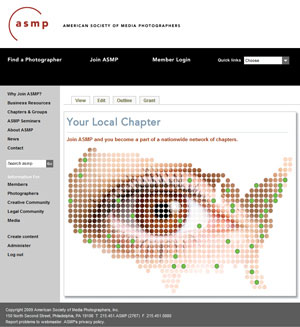 Initially, we weren't entirely sure just how we were going to get this one accomplished, but Drupal's immense community support came through for us once again when we were pointed to the domain_access module, which allows for robust management of sub-domains in a single Drupal install. We hit a bit of a snag that we now know was due to a known and patched issue with domain_access, but with that out of the way, countless hours were saved in custom development thanks to this module. Chapter directors can now use the ASMP's Drupal engine to build their own websites at their own domains, with minimal interaction required between the chapter and the home office.
-
'Smart flyout' menus
Since the left menus on the ASMP site often have quite a few child elements, the ASMP requested 'smart' flyouts, where a menu would flip itself upward if the content was too long to appear on the current page fold. This one was a bit tricky at first, but we found that some fairly simple jQuery hooks into the nice menus were able to get the job done.
Modules of note
The modules list for our Drupal install is quite long at this point, but here are some of the major ones that made our lives much easier while developing the site:
- Domain Access
This module provided us with the ability to manage content-per-subdomain so that individual chapters can build out their own customized Drupal sites within the ASMP national site. - Nice Menus
Nice Menus allowed us to create robust, css-based flyout menus. - Pathauto
Since we didn't want all of the URLs for our content to look like /node/123, but we also didn't want the content editors to have to manually specify URLs, pathauto came to the rescue by generating friendly URLs based on the node title. - Taxonomy Image
Some of our landing pages consist of a collection of links to other parts of the site. Since those pages are organized by taxonomy and (some) needed a header image to match the design spec, we implemented the taxonomy image module -
Nodeaccess
We needed to make sure that content access was as granular as possible and could be assigned by node, so nodeaccess was an integral part of our permissions scheme. -
Nodeorder
To give the content editors a simple way to order content, we implemented the node order module, which allows for dragging and dropping of nodes into their desired order. - Menu per Role
After setting the permissions on certain nodes, we realized that some menu items pointing to those nodes were still visible to users who couldn't actually see the content. Menu per role made short work of this problem. - Cache Exclude
Because some of our pages consisted of existing, pre-Drupal PHP code from the ASMP site (see "Challenges" section), we needed a way to prevent caching of dynamically generated content. As usual, a quick search pointed us to this module, which solved our problem.
Hosting
We found during our tests that the existing server just didn't seem up to the task of running Drupal very efficiently. The site performance teetered on the edge between "not very good" and "unacceptable", so we decided to look into a server upgrade. The ASMP's faithful server had been running on an old Celeron processor for some time, but we needed something a little more powerful to get the punch we were looking for.
I have to give thanks to the folks over at Pair Networks, who were extremely helpful and quick in getting the ASMP's dedicated server upgraded to support the new infrastructure. With only a few minutes of downtime, Pair had us upgraded and running at full speed, and the site now runs (extremely well) on a Core 2 Duo E4400 (2GHz) CPU.
About the Developers
Context is a web development and interactive strategy firm based just oustide of Philadelphia, PA. We have been building websites for nearly five years, and we currently specialize in Drupal and Magento development, along with search optimization and conversion optimization services.
Thanks
I'd like to extend quick thanks to the ASMP team, who worked tirelessly on the information architecture and content implementation for the site:
- Judy Herrmann, who provided project management to keep everyone on the same page
- Pete Dyson, who not only helped extensively with the technical side of things (especially getting the existing code to play nice with Drupal), but also spearheaded the enormous task of migrating content from the old, static site into Drupal.
- Eugene Mopsik, the ASMP's executive director, who made the whole project happen
- Susan Carr, who provided guidance on the news section and worked tirelessly on content for the site
- Andrew Child, who provided the initial information architecture that we referred to throughout the project
- Gabrielle, Jason, and Maria at the Grillo Group for providing us with very well documented, layered designs.

Comments
*_*
Nice work indeed!
I think the most fascinating and enjoyable part is challenge 1 and 2.
They are really challenging tasks and its always a great pleasure to come up with a solution for such challenges, right?
Regards.
Regards.
🪷 Beautifulmind
looks good
some minor issues:
* lots of dev lorem text around http://www.asmp.org/search/node/lorem
* advanced search can be opened for anonymous but does nothing http://www.asmp.org/search/node/
* upgrade? :-) http://www.asmp.org/CHANGELOG.txt
* no css and js aggergation
* no gzipping of pages
* personally I dislike the html extensions in URL's (redundant non information imho) http://www.asmp.org/news/current-news.html
--
groets
bert boerland
very nice. simple design.
very nice. simple design. good content.
noted a possible bug: if i attempt to register for an ASMP seminar, after choosing a selection in the "choose your price" form, on clicking next i get a blank page with "No id was given. Exiting program...".
-------------------------------------------------
Always be nice to people on the way up; because you'll meet the same people on the way down.
Wilson Mizner (1876 - 1933)
* In Firefox 3.5 the menu
* In Firefox 3.5x the menu 'Business Resources' is getting cut off on the top. Does not apply to Opera 9.6x or IE8 with default scaling.
By what I saw while looking
By what I saw while looking through your website, is that it is really well setup.
It looks great.
~ mbc
nice work ....
nice work ..... with clean design!
-- Sree --
IRC Nick: sreeveturi
nice post, enjoyed reading
nice post, enjoyed reading it. Thank you
Any custom modules used here
Any custom modules used here ?
We built a custom module for
We built a custom module for the authentication system since it had to play nicely with their existing member database. We also have our own module that just handles minor odds and ends and adds tweaks that we like.
Also, thanks to everyone for the comments and critiques!
nice
Nice article and nice work.
Except:
"This page cannot be found" message on the front page at the moment :-(
----
Drupal Theme Garden
should be back up now! Sorry
should be back up now! Sorry about that!
Love the site, and the module
Love the site, and the module selection is very interesting.
I forwarded your site to a friend at a small photography club in Redlands CA.
All they could say is WOW!
quick links
I really like it, very simple design and I like the color combination too. Would you care to share how you worked on that quick links with drop down menu next to it? Did you use nice menus on that? How do you make the drop down menus appear next to it ("quick menu" text), instead of right below it? Any information is very much appreciated.
quick links
this is done with a jQuery plugin called StyledSelect
Currently, the menu is not driven by Drupal, but since the StyledSelect plugin acts upon list elements, it would work in that case as well.
I just started to learn
I just started to learn myself about jQuery. I will take a look on that then. Thanks!!
separate database?
Do you use a separate database for data that generated by "find a photographer" tool? I am now trying to decide whether I need a separate database for something similar to your photographer list or not. What do you think if I integrate this database into the default drupal database? Did you consider this issue in the design process?
The Find a Photographer
The Find a Photographer database was actually already in place, so there wasn't much of a decision to be made. That being said, I think keeping the database separate from Drupal's is probably the best way to go anyway, especially since contributed modules frequently add tables during installation. I can see table name collisions being a problem, among other things.
That is what I thought too.
That is what I thought too. I will learn more about setting up a second database outside of drupal. Thanks!