

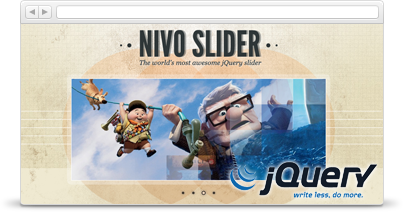
Nivo Slider provides an easy and eye-catching way to showcase featured content. Nivo Slider gives administrators three important tools:
- A simple method of adding slides to the slideshow.
- An administration interface to configure slideshow settings.
- Simple slider positioning using the Drupal block system.
Requirements
Drupal 7:
Nivo Slider has three dependencies:
Drupal core modules
- Block
Contributed modules
- Libraries API - 2.x
- jQuery Update - configured to use jQuery 1.7 or higher.
Drupal 8:
Will be added soon.
Installation
To install Nivo Slider:
Drupal 7:
- Download the latest version of the Nivo Slider jQuery plugin and extract it to sites/all/libraries or sites/sitename/libraries as you require. The extracted folder must be named nivo-slider.
- Enable Nivo Slider and all of the modules that it requires.
- Configure the jQuery Update module to use jQuery 1.7 or higher.
Drupal 8:
Will be added soon.
Related Modules
The focus of Nivo Slider is to provide site builders with a simple way of adding a single slideshow or banner to a website and to allow site administrations to be able to customize the banner content and settings to their needs.
If you have a more advanced use case or would like to create Nivo Slider powered slide shows from views, fields or media please see these related modules:
Sponsors
Development of Nivo Slider is sponsored by the Ontario Ministry of Northern Development and Mines.
Supporting organizations:
Project information
- Project categories: Content display, Integrations
 8,000 sites report using this module
- Created by mfer on , updated
 Stable releases for this project are covered by the security advisory policy.
There are currently no supported stable releases.


