Sandbox project page: https://drupal.org/sandbox/tomjamesallen/2165501
Repository: --branch 7.x-1.x tomjamesallen@git.drupal.org:sandbox/tomjamesallen/2165501.git
Contextually aware images (cta-images)
An alternative to picture and responsive images and styles for responsive images.
Provides an alternative image formatter that can be used when outputting images in views
Simply set the image output formatter to ‘cta-images’ and choose the selection of image styles you wish to use - these can be drupal’s defaults or custom styles.
CSS first responsive images
Specify the width that you wish the image to be displayed at and let drupal calculate the most appropriate image src to serve. Uses drupal’s image styles, letting you create and choose which selection of image styles is most appropriate for the given scenario.
In contrast to the picture module, the image to be served is determined by the size that the image will be displayed at, rather than set media-query style breakpoints. This gets around the problem of potentially needing to serve larger images for smaller displays, where a single column layout at it’s widest could need to serve a larger image than a two column layout at its narrowest.
If the browser is resized (or rotated) the most appropriate image size to serve will be recalculated, and if appropriate the current image will be swapped out for a larger image. Large images will never be swapped out for smaller ones, so as to save bandwidth.
Semantic
Data attributes are stored on a <noscript> element, and the <img> tag is created with the correct src once the correct image to load has been determined. This means that there is only ever one <img> tag per image in the dom, and no <img> tags containing empty srcs or dummy image srcs.
The formatter also provides the option to add a hidden link attribute, linking to the image src, so crawlers can pick up the link to the image.
The <noscript> contains a fallback <img> for non-javascript devices.
http://www.headlondon.com/our-thoughts/technology/posts/creating-respons...
No page reflow on image load
Using the intrinsic ratio technique a space is reserved for the image on the page, meaning that if an image is loaded on document.ready, or lazy loaded, it will not trigger a page reflow. It preserves the correct aspect ratio for images, by applying an inline style in the form <div class=“intrinsic-ratio-wrapper” style=“padding-bottom: 45%”>
http://mobile.smashingmagazine.com/2013/09/16/responsive-images-performa...
Supports retina images
A multiple can be specified for the sizing of images served to high-dpi displays, or ‘auto’ can be selected, and the display’s dpi will be checked with ‘window.devicePixelRatio’ and used as a multiplier.
Supports compressive images technique
A base multiple can selected, so that larger images can be served with higher compression rates (set in the image toolkit).
http://filamentgroup.com/lab/rwd_img_compression/
Supports lazy load and provides js api for loading images based on external trigger
Lazy loading gives the option to wait until images are in view before loading them. Can make a huge difference to performance for long image heavy articles. The external api can be used to trigger the images to load based on custom script. For example an image could be triggered only when it is the current slide in a carrousel. Please see ‘JS API documentation’ for more detail.
JS API documentation
All data for images is stored in noscript tags, wrapping the fallback image. Data-attributes are extracted and the most appropriate image source is selected based on the noscript element's parent width. Image srcs are stored as json key value pairs in the attribute 'data-srcs', keyed by the source image's width.
The script will also respond to subsequent changes in the image dimensions, swapping out larger versions of the image if necessary. Larger images will not be swapped for smaller ones.
The 'data-load-trigger' determines when the image is loaded, options are 'lazy_load', 'document_ready' or 'external_trigger'. If external trigger is used, the image can be loaded by calling cta_images.external_load_trigger(image_id[, fade_time][, callback]).
Other exposed functions:
-
cta_images.allow_lazy_load_trigger(bool); - this can be used to block lazy loading, for example if using an animated scroll, you might wish to block lazy loading until the scroll has finished. You would do this by calling 'cta_images.allow_lazy_load_trigger(false);', before scrolling, and then calling 'cta_images.allow_lazy_load_trigger(true);', once scrolling has finished.
-
cta_images.update_image_logic(); - this will trigger the script that checks whether the current image is the correct size or whether a larger src needs to be loaded. This triggers on resizing the browser window by default, but you may wish to re-trigger if you are resizing an image on the page.
Options
- Load trigger: 'Lazy Load', 'On Document Ready', 'On External Trigger'
- Wrapper Element: 'none', 'div', 'span'
- Intrinsic Ratio: y/n
- Image fade time: 0 - 1500
- Image styles: select from available image styles
- Standard display resolution multiplier: 1 - 2 or 'auto'
- Retina display resolution multiplier: 1 - 2 or 'auto'
- No JS fallback style: select from available image styles
- Provide image fallback link: y/n


Comments
Comment #1
tomjamesallenweb@gmail.com commentedComment #2
tomjamesallenweb@gmail.com commentedComment #3
anil614sagar commentedHi,
Please find automated review here.
http://pareview.sh/pareview/httpgitdrupalorgsandboxtomjamesallen2165501git
Fix all the issues.
Cheers,
Anil Sagar
Comment #4
anil614sagar commentedHi ,
Please find manual review findings below and fix the same.
1. Install file is missing even though .info file tell install file exists.
2. Use l function instead of a tag in line 192 of .module file
3. why are you adding wrapper classes in comment in line 387 ? Is it a debugging code ?
<!-- /.' . implode($wrapper_classes, '.') . ' -->'4. Use tpl of theme function instead of _wrap_image function so that module can be extended.
Cheers,
Anil Sagar
Comment #5
anil614sagar commentedComment #6
tomjamesallenweb@gmail.com commentedHi Anil,
Thank you very much for reviewing this. I have made the changes as requested.
There is still one error that shows for the js but I think this is a false positive, as I can't see an alternate way of achieving what I need to. Let me know if you have any thoughts...
http://pareview.sh/pareview/httpgitdrupalorgsandboxtomjamesallen2165501git,
For number three in your feedback, the reason was for clarity when identifying the closing tag when reading the source, but I think it was perhaps unnecessary so I've removed it.
I have created theme functions for the creation of all markup.
Please let me know if you have any further amendments.
Thanks again,
Kind regards
Tom
Comment #7
adam_thomason commentedHi, Great project for starters!
Just pointing out a few minor Drupal coding standards issues:
FILE: /var/www/drupal-7-pareview/pareview_temp/README.txt
--------------------------------------------------------------------------------
FOUND 0 ERROR(S) AND 2 WARNING(S) AFFECTING 2 LINE(S)
--------------------------------------------------------------------------------
43 | WARNING | Line exceeds 80 characters; contains 105 characters
53 | WARNING | Line exceeds 80 characters; contains 95 characters
--------------------------------------------------------------------------------
Like I say, very minor, but it's always better to have standards compliant code.
Comment #8
tomjamesallenweb@gmail.com commentedHi Adam,
Thank you, much appreciated!
I've removed the two remaining issues in the README file, they were both urls, but probably unnecessary as they are duplicated in the documentation on the project page.
Thanks again,
Tom
Comment #9
tomjamesallenweb@gmail.com commentedComment #10
PA robot commentedWe are currently quite busy with all the project applications and we prefer projects with a review bonus. Please help reviewing and put yourself on the high priority list, then we will take a look at your project right away :-)
Also, you should get your friends, colleagues or other community members involved to review this application. Let them go through the review checklist and post a comment that sets this issue to "needs work" (they found some problems with the project) or "reviewed & tested by the community" (they found no major flaws).
I'm a robot and this is an automated message from Project Applications Scraper.
Comment #11
dahousecat commentedHi, just checked the automated review at http://pareview.sh and it raised a few errors:
FILE: /var/www/drupal-7-pareview/pareview_temp/cta_images.module
--------------------------------------------------------------------------------
FOUND 0 ERROR(S) AND 6 WARNING(S) AFFECTING 6 LINE(S)
--------------------------------------------------------------------------------
33 | WARNING | A comma should follow the last multiline array item. Found: )
44 | WARNING | A comma should follow the last multiline array item. Found: )
55 | WARNING | A comma should follow the last multiline array item. Found: )
66 | WARNING | A comma should follow the last multiline array item. Found: )
77 | WARNING | A comma should follow the last multiline array item. Found: )
88 | WARNING | A comma should follow the last multiline array item. Found: )
--------------------------------------------------------------------------------
FILE: /var/www/drupal-7-pareview/pareview_temp/js/cta_images.js
--------------------------------------------------------------------------------
FOUND 7 ERROR(S) AFFECTING 7 LINE(S)
--------------------------------------------------------------------------------
231 | ERROR | String concat is not required here; use a single string instead
232 | ERROR | String concat is not required here; use a single string instead
233 | ERROR | String concat is not required here; use a single string instead
234 | ERROR | String concat is not required here; use a single string instead
235 | ERROR | String concat is not required here; use a single string instead
236 | ERROR | String concat is not required here; use a single string instead
338 | ERROR | Whitespace found at end of line
--------------------------------------------------------------------------------
FILE: /var/www/drupal-7-pareview/pareview_temp/js/smartresize.js
--------------------------------------------------------------------------------
FOUND 4 ERROR(S) AFFECTING 4 LINE(S)
--------------------------------------------------------------------------------
23 | ERROR | Inline control structures are not allowed
28 | ERROR | Inline control structures are not allowed
30 | ERROR | Inline control structures are not allowed
40 | ERROR | Files must end in a single new line character
--------------------------------------------------------------------------------
Comment #12
dahousecat commentedComment #13
klausiMinor coding standard errors are not application blockers, please do a real manual review.
Comment #14
dahousecat commentedManual review:
Installed fine and easy to understand how to use.
Found the module very useful and would consider using it in future.
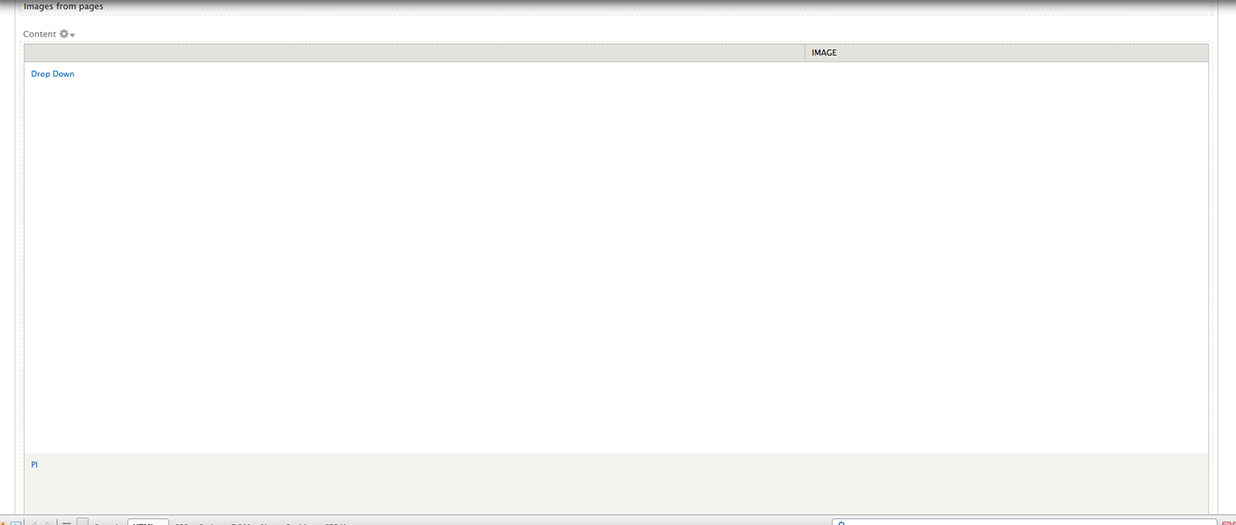
The only issue I found was that it was not possible to preview the image styles on the view edit page.
Once I saved my view and actually viewed it then the images were displayed fine.
I'm new to reviewing modules: Now I've found this rather minor bug what should I do? Should I leave the issue status as it is or change it?
Comment #15
dahousecat commentedSetting to needs work as the view preview pane does not show any images.
Comment #16
PA robot commentedClosing due to lack of activity. Feel free to reopen if you are still working on this application (see also the project application workflow).
I'm a robot and this is an automated message from Project Applications Scraper.