

Closed (fixed)
Project:
Drupal.org security advisory coverage applications
Component:
module
Priority:
Normal
Category:
Task
Assigned:
Unassigned
Reporter:
Created:
18 Oct 2013 at 01:31 UTC
Updated:
17 Feb 2014 at 19:01 UTC
Jump to comment: Most recent, Most recent file


Comments
Comment #1
PA robot commentedThere are some errors reported by automated review tools, did you already check them? See http://pareview.sh/pareview/httpgitdrupalorgsandboxvalkum2114399git
We are currently quite busy with all the project applications and we prefer projects with a review bonus. Please help reviewing and put yourself on the high priority list, then we will take a look at your project right away :-)
Also, you should get your friends, colleagues or other community members involved to review this application. Let them go through the review checklist and post a comment that sets this issue to "needs work" (they found some problems with the project) or "reviewed & tested by the community" (they found no major flaws).
I'm a robot and this is an automated message from Project Applications Scraper.
Comment #2
valkum commentedJust updated the doc comments to apply to Drupals Coding Standard
Comment #3
behestee commentedManual Review:
I have found some problems when I have installed the module, those are as follows:
configure = admin/structure/facebook_embedThere was in issue with fetching Facebooks locales. Please try again later.I do not understand why this shows and what to do. Please clarify this in you message or readme file or in help section.There are very few minor issues here reported the automated review tool, please see here: http://pareview.sh/pareview/httpgitdrupalorgsandboxvalkum2114399git and try to fix them.
Everything else looks very fine to me. If there is no existing module like this then it is good one.
Thanks
Comment #3.0
behestee commentedShrinked images.
Comment #4
valkum commentedThanks @behestee for your feedback.
1. I fixed the configure link.
2. Works fine for me with this added to bottom. Other modules use this method too. Don't know what happend on your site.
3. & 4. I added infos about installation and the error shown on settings page to README.txt
You have to map your drupal locale to facebooks locales. en_EN or de_DE for example. Drupal has to fetch the list of locales supported by facebook. For this your drupal installation needs the ability to use succesful call drupal_http_request().
5. I tried this but it seems that facebooks jssdk only renders div.fb-post with empty inner html.
So there is no easy way to do this. Will add this as a feature request as i got some ideas to solve this.
Comment #5
valkum commentedComment #6
neerajskydiver commentedReviewed the module using coder & Grammar Parser
Error report shows -
facebook_embed.admin.inc
This can be fixed using attached patch [security_fapi_title-2114771.patch]. Otherwise code looks clean.
Comment #7
idebr commentedHey valkum,
I really like Facebook Embed, well done! Just a few points I think should be done before you release it:
'#title' => t('Mapping for @language_name (@language_language', array('@language_name' => $language->name, '@language_language' => $language->language)),Comment #8
valkum commentedThanks @neerajskydiver i applied your patch.
And thanks @idebr. I included your suggestions in the newest commits.
Comment #9
kscheirerOtherwise looks pretty good. The fb_social check is a little odd, but I assume it works.
----
Top Shelf Modules - Crafted, Curated, Contributed.
Comment #10
valkum commentedIn the Master branch is only the readme for Information that the working branch is 7.x-1.x
Comment #11
behestee commentedSee no 6 at Moving from a master branch to a version branch. So better you remove the master branch from your repo. And be sure you've set the appropriate default branch as directed before you delete master entirely.
Comment #12
kscheirerNone of those are blocking issues though, and it's been more than a month without any problems reported.
Thanks for your contribution, valkum!
I updated your account to let you promote this to a full project and also create new projects as either a sandbox or a "full" project.
Here are some recommended readings to help with excellent maintainership:
You can find lots more contributors chatting on IRC in #drupal-contribute. So, come hang out and get involved!
Thanks, also, for your patience with the review process. Anyone is welcome to participate in the review process. Please consider reviewing other projects that are pending review. I encourage you to learn more about that process and join the group of reviewers.
Thanks to the dedicated reviewer(s) as well.
----
Top Shelf Modules - Crafted, Curated, Contributed.
Comment #14
corbin commentedHello,
I think I didn't forget anything, but here is what i get with :
[facebook_embed=https://www.facebook.com/xxx/posts/xxxx]as i am using CKEditor:
- nothing with "plain text" or "filtered HTML" or "Full HTML" when I activate "Facebook Embed Filter " (other filters disactivated)
-
[facebook_embed=https://www.facebook.com/xxx/posts/xxxx]when "Facebook Embed Filter " is disactivatedComment #15
Desertgirl commentedHi,
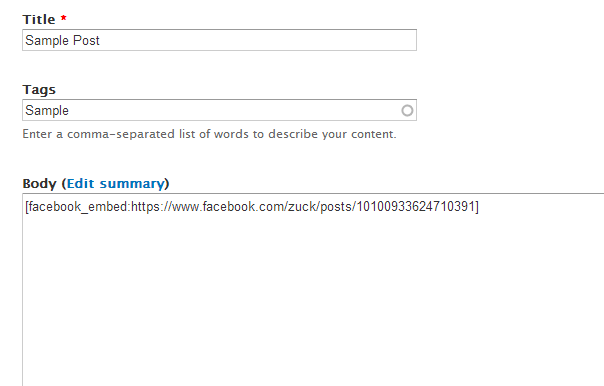
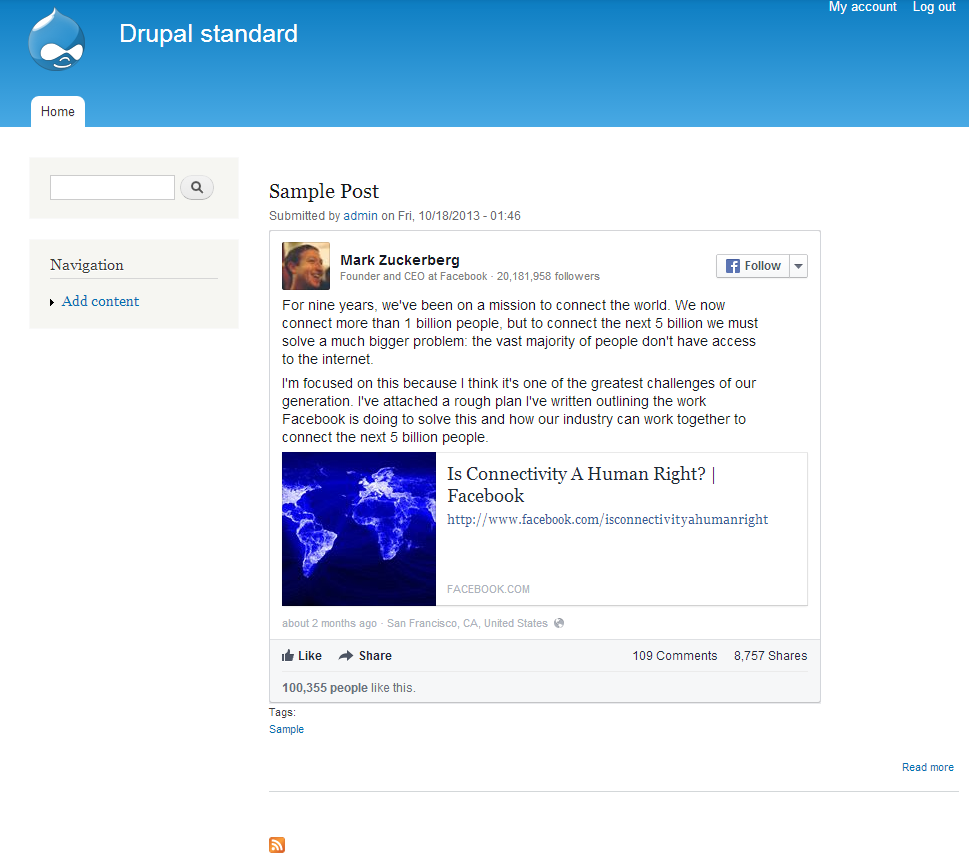
I am trying to make this module work. In the example image above, the body shows a URL for a facebook posting. I don't understand where that code comes from. I have a bunch of data that I want to re-post from FB. If I visit a certain group's page, there are many postings of course, so I never see a URL as indicated above.
I've also been trying to get Facebook's embed code to work--I found the URL in the embed code and stripped out everything else. Then I structured it as in the image above:
[facebook_embed:https://www.facebook.com/photo.php?fbid=630580583646202]
AND
[facebook_embed:https://www.facebook.com/photo.php?fbid=630580583646202&set=a.1354666498..." data-width="466"]
Neither one works for me.
I am so happy to find this module as it was exactly what I was looking for--if I can get it to work for me.
Thanks!
Comment #16
Desertgirl commentedUpdate:
I neglected to say what I mean by 'doesn't work'. It just displays the embed code from the posting or, depending on which filter I choose, will display nothing.
Then, in configuration/text formats I found a 'Facebook Embed' filter. I was overjoyed, and went back to the node, and chose "embed filter" from the dropdown (instead of filtered or html) but I still got the same result.
The best result I got was with 'filtered html' which showed a link back to the facebook group who posted the content, but it didn't actually show the content itself.
I would be so grateful for some advice. This would be a lifesaver for my website. Thanks!
Comment #17
valkum commentedSo as i changed the Project into an full project, please post further issues to the issue queue of the project (https://drupal.org/project/facebook_embed)
@corbin: I opened an issue at https://drupal.org/node/2198751 Can you provide some more information? HTML Source Code, JS Errors or similar information.
@Desergril: Maybe you got the same problem as corbin, please check out https://drupal.org/node/2198751 and maybe post some more information too.