

 The 2026 Drupal Business Survey is open. Your response will help shape the future of the Drupal business ecosystem.
I have Panelizer (2.x-dev Apr-29) setup together with Panels IPE. A default panel is provided for two content types. The default panel is exported using features and works like a charm until....
1. I create a node of type A or B
2. Click Customize this page (through IPE control)
3. Click Save
4. Click Customize this page (through IPE control)
5. Click Save
6. The panel is now emptied
If I between step 3 and 4 do a page refresh and then customize everything is still there.
Watchdog says "Notice: Undefined index: new-6 i panels_edit_display_form_submit()" after step 5 for each pane inside my panel that is supposed to be there.
I have debugged some and the pids being passed to the form submit on the second save are still the original ones from the default content. Since this no longer matches the pids retrieved from the database, the save fails.
I hope this was somewhat clear. Let me know if there is more information I can provide.
| Comment | File | Size | Author |
|---|---|---|---|
| #30 | 1572202-panelizer-panel-emptied-on-second-save_1.patch | 1.79 KB | populist |
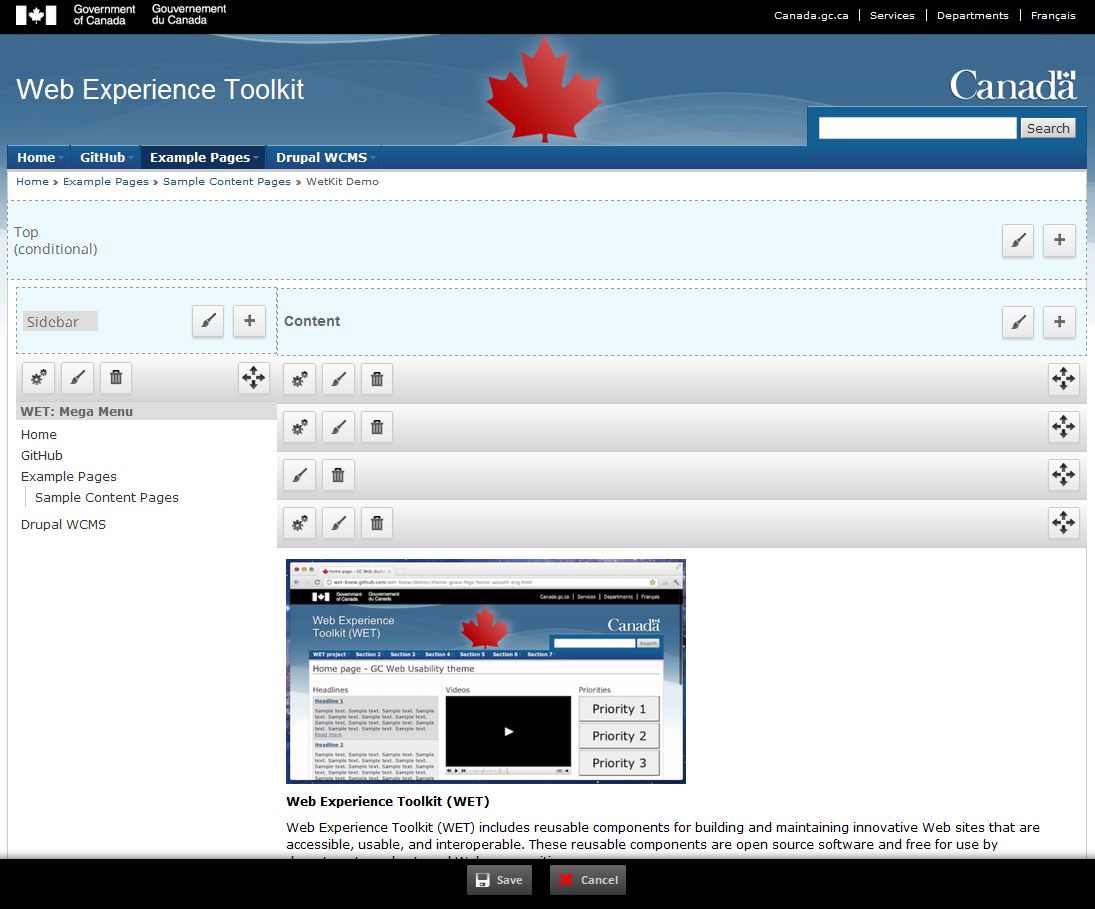
| #27 | double-save-panelizer.png | 108.08 KB | populist |
| #21 | 1572202-panelizer-panel-emptied-on-second-save.patch | 1.53 KB | merlinofchaos |
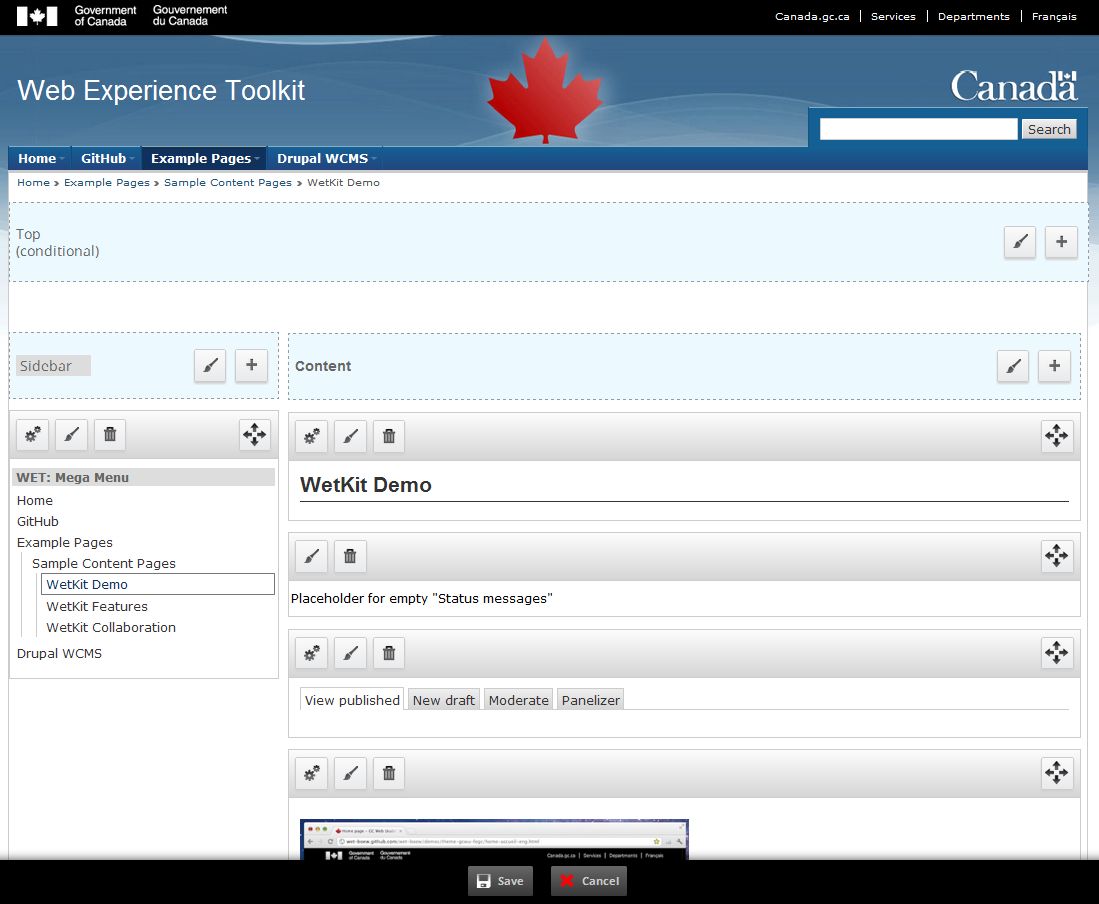
| #19 | Step1.JPG | 116.63 KB | sylus |
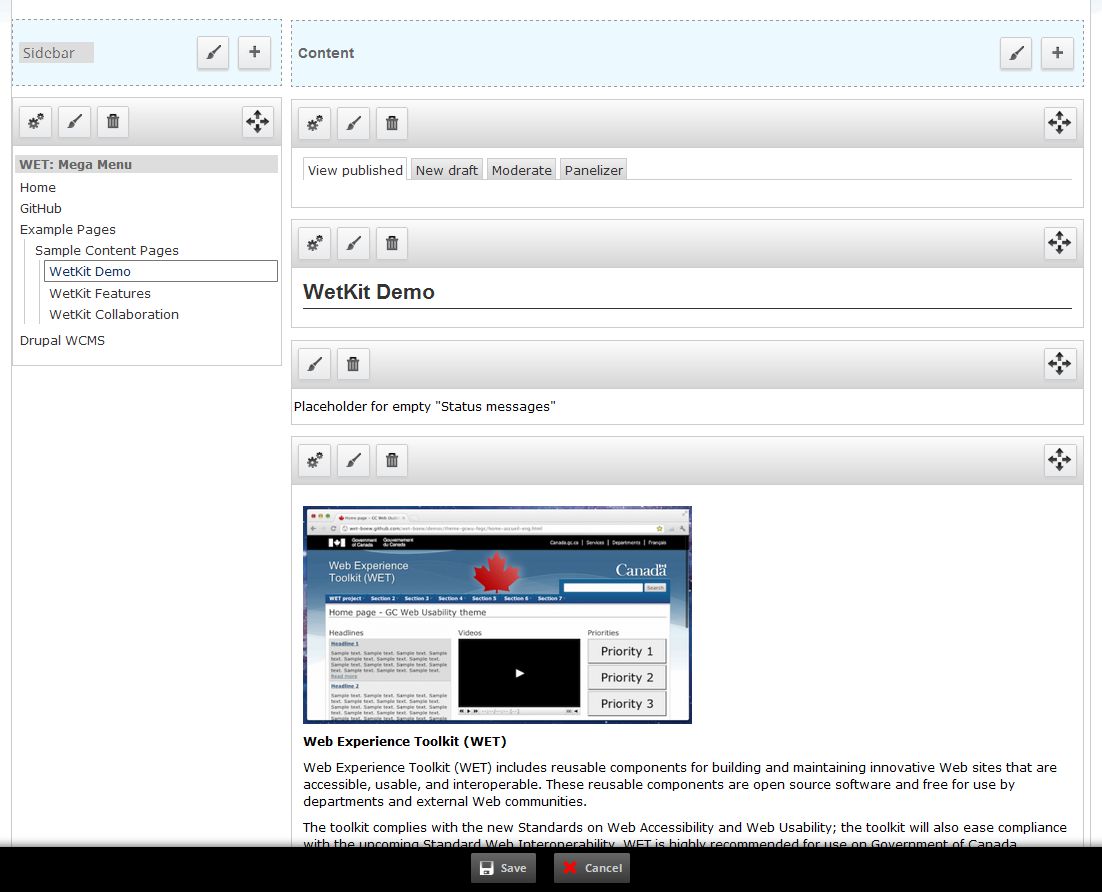
| #19 | Step2.JPG | 125.79 KB | sylus |



Comments
Comment #1
gooddesignusa commentedIf you spin up a panopoly site on pantheon you will see it happens on there as well. following your instructions with the double save.
I was having this issue as well until I updated everything to the latest dev.
ctools 7.x-1.0+22-dev (2012-May-21)
Panelizer 7.x-3.x-dev (2012-May-16)
Panels 7.x-3.2+5-dev (2012-Apr-23)
Upgrading fixed that issue but I'm still having an issue that is very similar. For example hitting save causes one of my views to go away as well as a 'menu_block' pane that shows the current menu. If I refresh before I hit edit again its back. If I don't hit refresh before editing again those 2 panes read 'Placeholder for empty " (levels 2+)' or 'Placeholder for empty "View: header_media"'. Hitting save will now totally get rid of those panes. Even after hitting refresh they wont come back. You would have to manually add them again to the panel.
I think this issue and http://drupal.org/node/1520492 are related.
Comment #2
David_Rothstein commentedI just posted a Panels patch at #1520492: Saving a change in the IPE results in a blank page, fine after refresh, no error which might help with this issue.
Note that another way to experience this bug is that if you do the Customize -> Save -> Customize steps from above, but then instead of hitting "Save" again at the end, configure one of the newly-added panes (i.e., a pane you added during the first "Customize" step), you'll get a JavaScript alert box pop up with a bunch of garbage in it, but ultimately boiling down to this message: "Invalid pane id."
It's the same root cause as the bug described above (and which I can reproduce also), just another variation of the same underlying problem.
Comment #3
merlinofchaos commentedCan you tell me if this patch affects the behavior?
Comment #4
merlinofchaos commentedAnd by this patch I mean the one that's actually attached here.
Comment #5
pontus_nilssonI'm afraid that didn't help. The panel is still emptied on second save. Would it help if I provide a database with a setup where you can reproduce the error?
Comment #6
David_Rothstein commentedThat patch looks like it only applies to 7.x-3.x (there is no $view_mode variable in 7.x-2.x)... Most of us have been experiencing the bug on 7.x-2.x.
I'm going to see if I can figure out a reproducible set of steps to trigger this bug (on 7.x-3.x, if possible). I understand the basics of what's causing it, but the site I'm seeing it on has a complex Panels configuration that wasn't set up by me, so I'm not yet sure the exact way you can get to it from a fresh installation.
Comment #7
David_Rothstein commentedOK, here are steps to reproduce:
Comment #8
David_Rothstein commentedOh, and I should have mentioned that the patch in #4 unfortunately doesn't seem to change things at all here either.
Comment #9
sylus commentedCan confirm the exame same error as David_Rothstein's using the latest dev of Panopoly Distribution as well.
Comment #10
sylus commentedSetting to active, also changes version to 3.x as seems to be what patches are being done on and can be delegated back to 2.x
Comment #11
mgiffordWould it help if we could set up a demo environment so that this is easier to test?
I'm not sure how to best move this issue ahead. There are some tight timelines ahead of us and a lot is sitting on this bug.
@merlinofchaos - please let us know if there is anything we can do to help get this patched up.
Comment #12
sylus commentedLooked into this a bit more myself and I think @merlinofchaos was correct in a related post (http://drupal.org/node/1520492#comment-6361028) where he mentioned:
Comment #13
David_Rothstein commented@mgifford, if you're in need of a quick fix for this bug, the Panels patch at #1520492-7: Saving a change in the IPE results in a blank page, fine after refresh, no error should help.
It may not be the correct fix in the end, but it works and we've been running it a while ourselves with no problems.
Comment #14
sylus commentedGave the patch a shot that David_Rothstein mentioned for Panopoly Beta 5 and still receive the problem.
Comment #15
lurkingbeast commentedI have the same problem, panelizer with default layout (a custom layout) and IPE.
What I noticed also was that in my admin/reports/dblog I get a Panels log entry,
Panels: saved display "%node:title" with display id 58
Eventhough I was editing a node with the ID 61.
Also, might be just my server settings or other mixup that I couldn't track down yet, but during those panelizer Saves I get an http fetch error due to wrong path names, it's trying to fetch a ctools css file like this:
open() "/var/www/mydomain/httpdocs/public:/ctools/css/fd848c65195e0b93d016a21b9f257121.css" failed
The path and the file exists, but the public: should've been replaced with sites/default/files.
Comment #16
mgiffordHas anyone tried this yet with all dev versions of the contrib modules? The last time this was tried was August 22nd which was almost a week before the latest dev releases of:
It might well be that someone's resolved this issue (possibly without intentionality).
Comment #17
merlinofchaos commentedThis bug still exists even with all -dev versions.
Comment #18
merlinofchaos commentedOk, testing indicates this patch to panelizer fixes most of the problem.
However, fixing this reveals another problem, which is that for some reason, when the panel is rerendered, it leaves the old form (which now has invalid pane IDs in it) and the next time you customize, you get 2 forms, and one of them does not work, while one does. The attached patch to Panels fixes that.
Comment #19
sylus commentedHey @merlinofchaos I have tried out the patches and I think it improves things but still a few problems. So you are aware these are the versions of panels + panelizer with associated patches:
Steps Taken from a Fresh Install (Drush Make + Drush SI of Github Repo)
Comment #20
merlinofchaos commentedHmm. I had that problem while I was working on the patch, but I fixed it by making sure the contexts were re-added to the display, and that problem disappeared for me. I wonder why you're still seeing it. Hmm.
Comment #21
merlinofchaos commentedAhh, I think I see why. Try this update to the panelizer patch.
Comment #22
sylus commentedSadly I still have the exact same set of issues.
Is there some db queries I could perform for you?
I should mention that my distribution if built off of Panopoly. When I get home I am going to try on a regular panopoly setup to confirm it has the same problems but think it will have the same issues.
Definitely appreciate your help on this though! ^_^
Comment #23
merlinofchaos commentedIt's not really about the queries. The thing I was using to test that I was getting the right data, is to peer at the DID of the display using error_log (because it's hard to use dsm during ajax operations).
What this patch should be doing is making sure that when clone_panelizer is called in hook_entity_update(), the new display is propagated back to the display cache so that when it is rerendered in panels_renderer_ipe::ajax_save_form(), it has the correct display. So the way to check on this is to try to follow the did. It takes a circuitous route to hook_entity_update through panelizer_panels_cache_save() and back to ajax_save_form()
There isn't really any query you can run. The whole issue is that when Panels IPE is re-rendering the display upon save, it is rerendering the wrong display which has invalid pane ids in it.
Comment #24
sylus commentedThanks for the detailed explanation!
I'll try to use your explanation and stepwise through xdebug and see what I can find :)
Will report back here shortly ^_^
Comment #25
sylus commentedJust wanted to mention I did try Panopoly and it does have the same problem for only the first save. Though it does have no missing panes after a save and for all subsequent saves does not seem to have any problem. Perhaps the initial problem is just related to panelized node being in code (features) and after the first save the panelized layout then being in the database makes everything work.
As an aside is there something special about page_title and page_tabs being used in a panelized node full page override that they are the only elements that disappear after saving using Panels IPE? Looking at the error log it shows they appear as an empty value whenever I save, yet when I refresh they appear again. This is probably a separate issue so I filed it here: http://drupal.org/node/1780742.
Comment #26
zach harkey commentedI'm having the same problem but I'm not using IPE or saving twice — it happens when I create new revisions.
See: #1784032: "Create new revison" causes panelizer to revert to defaults
Comment #27
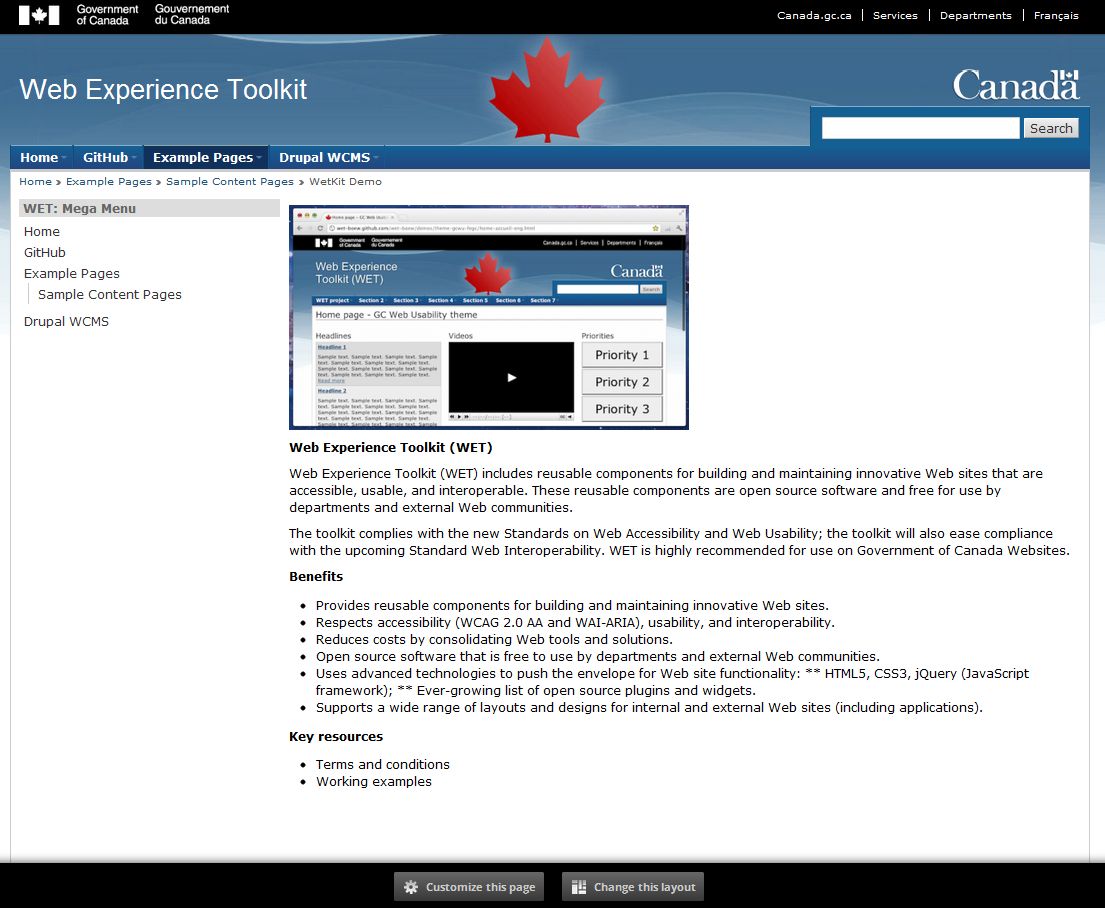
populist commentedI tested the patch in #21 and it solves the major problem of double saving the IPE destroying the page!
There does seem to be an issue, which might be related to #25, that occurs with overridden default panelizer pages. To replicate you do this:
-- click "customize" on a panelizer node that is in default state
-- click "save"
-- click "customize" (without a page refresh)
then you get the IPE controls showing up over the image field and some of the IPE buttons generate errors:
Comment #28
merlinofchaos commentedpopulist: The patch in #18 to Panels should fix that, I think.
Comment #29
populist commentedI think the problem I am seeing with #27 is related to some wierd edge case with reattaching the JS when overriding a Panelizer default.
I did some digging and noticed that the wierd display of the page is because the page doesn't have the wrapper class "panels-ipe-editing" which adds the padding/borders. Since this is added in this.initEditing and depends on $('div#panels-ipe-display-' + cache_key), my guess is cache_key needs to be reset in cases where we go from Panelizer default -> overriden Page.
Comment #30
populist commentedFixed it! I updated the patch from #21 to set the cache key and success.
Comment #31
merlinofchaos commentedFixes applied to both Panels module and Panelizer module and pushed.
Comment #32
jeremiahtre.in commented*Catches self, before falling over, in an utter, astounding manner*
Comment #34
kopeboyI still have this problem even without Panelizer.
It appears when changing anything, from the Settings of a pane, to the Layout of the page.
Reproduce (pane settings & style):
Reproduce (page layout):
Comment #35
dshumaker commentedHi,
I'm experiencing this issue currently with the Panels 7.x-3.x-dev version as of 5/12/2016. And as @merlinofchaos says in #8 of https://www.drupal.org/node/1520492#comment-6360858. This is not because of panelizer. I do not have panelizer installed and after adding a view to the page using IPE's "Customize this page" & "Save" button, it saves correctly. I see the view embeded on the page. I hit refresh and the view goes away. I hit "Customize this page" again and see that Panels has a reference to the right view but it's listed as "Placeholder for empty or inaccessible "View...
I'll also note/re-emphasize that what Merlinofchaos also says, "This is a pretty big flaw".
Bumping to Major per ref:https://www.drupal.org/node/1520492 which is related and still not fixed.
Comment #36
joelstein commentedSee #2824874-2: Fake path for better context when rendering panes with IPE which fakes the path to provide better context when rendering panes.
Comment #38
japerryDrupal 7 is no longer supported, closing.