

Closed (fixed)
Project:
Corresponding Entity References
Version:
7.x-2.x-dev
Component:
Code
Priority:
Major
Category:
Bug report
Assigned:
Reporter:
Created:
23 Apr 2013 at 14:33 UTC
Updated:
14 Dec 2016 at 09:51 UTC
Jump to comment: Most recent, Most recent file


Comments
Comment #1
phenaproximaI will look into this. Will you tell me more about your setup? In particular, are you using Views as the backend for any of your entity reference fields? And if so, what do those views look like? As much info as you can give me here would be appreciated.
Comment #2
johazielHi,
I get a similar error :
CerException : Local field instance does not exist. in CerHandlerBase->__construct() ...
It was because the field was deleted in the content type but not in the cer table
I resolve it by manually remove item in the cer table and flush cache.
May be it's the same for the referenced field ?
@phenaproxima : I don't if my comment is right for erald's case but for mine, I think it will be good to call hook_field_delete and adjust cer table if the deleted field was enabled.
Regards
Comment #3
erald commentedNo am not using views for this. Is just two nodes: client and notes with a reference fiel din both. I have not deleted or added fields at all. Strange thing is it works for the administrator but not for other users. I am thinking somewhere a permission is not right.
Although the notes node id is given the validate goes wrong because the notes node is not created and it tries to read it. I cannot find where the notes node is created and why it is created when logged in as admin and not when logged in as user with creation and edit permissions. It does get an id though.
Comment #4
phenaproxima@ johaziel - your issue was addressed in #1790248: deleting one node gives error. Someone else already tried the patch and said it works - if it works for you too, please mention that in the thread and I will commit it into CER.
@ erald - Can you expand on this a little further? "Although the notes node id is given the validate goes wrong because the notes node is not created and it tries to read it."
The exception you're experiencing is thrown in one situation only: when Entity Reference says that two entities cannot mutually reference each other. Before CER creates a reciprocal reference, it will always take the two entities in question and ask Entity Reference to verify that those entities can indeed reference each other through the related fields. The idea is to keep things consistent so that, if you can't make the reference using the regular Entity Reference widgets in the UI, CER shouldn't be able to make the reference either. This was added to CER in order to address certain problems that existed in CER 1.x, which did no validation at all.
Having explained all that, I agree with you that it is very likely a permissions issue.
Comment #5
erald commentedOK I try to. As said it might be a problem in the permissions settings or in the entity reference module.
What I checked till now:
Checked if in line 260 ( ->validateReferencableEntities(array($this->id)),) in handler.inc he $this->ID is present. It should return with a valid node but it does not.
In file modules/entityreference/plugins/selection/EntityReference_SelectionHandler_Generic.class.php we will find the function validateReferencableEntities which gets the node. However although there is a node ID it can not get the node since it is not yet in the database.
Thinking and testing it without or with the CER module makes no difference so it probably belongs in the queue for the entityreference module.
Comment #6
phenaproximaThis does sound more like an Entity Reference issue than a CER issue, but if there's anything I can do in CER to mitigate stuff like this, I'll be happy to work on it.
Comment #7
courtvb commentedI am also getting this error.
CerException: Cannot create invalid reference to remote entity. in CerHandler->reference() (line 286 of /xxxxxx/sites/all/modules/cer/handler.inc).
It happens only when I am creating a new node and adding a reference. If I create the node, then edit the node to add a reference it works fine.
Permissions for the role are view/edit/delete. If I select bypass permissions for this role, then it works. If I use a full admin, it works. So something related to permissions during create.
Would love to know if someone has figured this out.
Comment #8
phenaproximaOK, I'll look into this. It seems like everyone who has had this issue has encountered the same problem in the same way. If it's not a CER issue, I'll at least get a definitive answer in here. Thanks, courtvb, for the detailed information.
Comment #9
fehin commentedHaving the same problem. It's definitely an access/permission issue.
Comment #10
Yuri commentedCurrently the latest dev shows this error when performing update.php
Comment #11
Yuri commentedAnd also
Fatal error: Class 'CerHandler' not found in /home/testsite/public_html/sites/all/modules/cer/cer.module on line 232Comment #12
phenaproxima@ Yuri - I think your error is unrelated to the problem this thread is about. That said, two things:
1) If you're updating from CER 1.x to 2.x, you don't need to run update.php...
2) ...but you DO need to clear all caches (specifically to rebuild the code registry). If you don't, then CerHandler will not be registered with the class autoloader, which to me seems like the cause of the problem you're having.
Comment #13
phenaproximaThanks to some very detailed information provided by courtvb, I have traced this to, indeed, permissions issues. Not permissions in the classic sense of permissions-per-user-role, but rather entity-level access grants. It's not exactly CER's fault; it's just that, in order to make a reciprocal reference, CER must be able to modify entities that the current user may or may not have grants for.
This is a major problem, because historically, CER completely bypassed any kind of access checking. But, in order to prevent certain other problems, CER needs to validate a reciprocal reference through Entity Reference. And that's where the problems begin, because Entity Reference defers to either EntityFieldQuery or Views for validation -- both of which are affected by entity-level access control mechanisms.
For the time being, I will post a quick patch in here that simply forces all of Entity Reference's EntityFieldQueries to be run in the context of user 1, thus skipping all access checking (I look on this as a heavy-handed, temporary kludge that will never be committed into CER). I will also eliminate the CerException that gets thrown in the case of failed validation, and replace it with a call to watchdog. So at least the fatal errors will go away, at the expense of invalid reciprocal references not being created.
Comment #14
fehin commentedAwesome phenaproxima! Thanks for looking into this.
Comment #15
erald commentedAwesome phenaproxima, but where is the patch?
Comment #16
phenaproximaHere's a patch that replaces the CerException with a call to watchdog. I'm still working on trying to really fix this problem - it looks like just altering all EntityFieldQueries generated by Entity Reference ain't gonna cut the mustard.
Comment #17
betz commentedI just updated cer 1.X to 2.X and got the same error.
No pending updates.
Comment #18
kristen polMore descriptive title.
Comment #19
firfin commentedSame error (on line 267 with current dev)
Use case: when saving contenttype A. A rule fires (on save) which creates an item of contenttype B. Both contain entity references. The rule then sets the ER fields on both A and B. At least it does for admin.
For a webmaster role it also works, EXCEPT when trying to save contenttype A with status unpublished. Then I get the error this issue is about. The webmaster role does not have permission to edit contenttype B (but can edit unpublished contenttype A.)
The ER field our both linked to each other in the CER settings. After disabling the CER module the error is gone.
I realize I don't actually need CER (content won't be updated, so no need to sync them.) Just thought I would report my findings. Maybe it will help you debug this problem somehow.
Comment #20
magb27 commentedSame problem here.
In my case I had troubles because I was using CER from some fields between users and entityes, that I erased. After deleting these fields, it appears that their relation persists some where. So I decided a radical solution.
1-Deleting all content from CER table.
2 re-establish their relations.
3 Rebuilt relations for nodes and users.
Now it works fine.
Hope this helps.
Comment #21
toddwoof commentedI had the same issue, probably due to deleting a few fields that had related CER data. Just deleting the CER table entries that related to the deleted fields didn't seem to work, but Solution in #20 worked.
Before emptying the CER table, I took a screen shot of the selected relations, which made it easy to re-select them.
Comment #22
noopal commentedHi
I'm having the same problem.
I have a rule that when a node gets created rules creates a new one and references it to the original node.
Since I've added CER i've been getting that error for every user which is not admin.
How can I stop the issue??
Thanks for any help
Comment #23
firfin commented@Noopal: Have you tried the patch?
Comment #24
phenaproxima@firfin - the patch doesn't solve the issue definitively (I *still* don't know what the hell is going on, this is turning out to be extremely hard to trace), but it will suppress the fatal errors.
Comment #25
aimeeraeI ran into this issue recently for our client.
The root cause (in retrospect). A large amount of content was recently imported via feeds and then we ran a (very lengthy) update to the CER references. After this thread I am suspect that it may have created some funkiness and caused this issue to come up because everything was working before that mass update.
Quick fix of symptom: I have applied the patch in #16 and it now allows the non-admin users to save the nodes. Yay! Thank you @phenaproxima!
Aggressive fix of root cause (planned): I will take advice in #20 and rebuild the relationships to ensure everything is stable. Thank you @magb27!
Comment #26
globexplorer commentedI've got it guys:
When you have more than one entityreference field inside your entity, then the entityreference_get_selection_handler returns all entityreference fields, and not only the one you have ticked in the cer admin interface.
Therefore $this->id (the right id) get's validated with the wrong entity item! Please look inside your database table cer. You will recognize that this table is not in sync with the admin interface of cer.
Comment #27
jonhattanIt is a permissions issue as outlined by @phenaproxima. I'm experiencing it while importing content with a custom drush command. Passing option
--user 1to drush is enough in my case.Comment #28
Adon Irani commentedperhaps two issues at play -
may be permissions, although I'm not experiencing that.
there's definitely an issue of having multiple entity references (but likely under particular conditions only, e.g. where the entity ref fields overlap - referencing the same content node types)
Comment #29
aze2010 commentedsubscribing
Comment #30
sebas5384 commentedRenaming the patch.
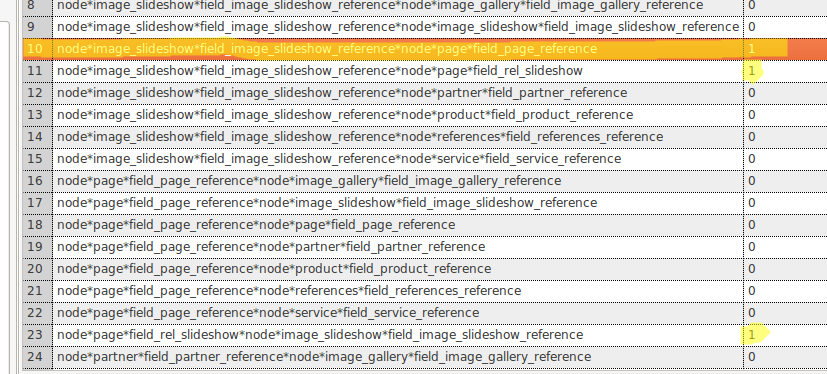
Comment #31
ashrafabedThe issue was (probably) related to deleted fields for me.
If you're comfortable going directly to the database, this was an easy solution (same as #20 essentially):
1. Open yoursite.com/admin/config/system/cer - leave this tab open, don't close it until we're done
2. Go to your database, empty the table 'cer'
3. Now, in the tab you left open from #1, just press save using the already selected settings. it'll repopulate the database correctly
Worked for me.
Comment #32
mr.york commented#30 works for me.
Thank you patch!
Comment #33
nagy.balint commentedThis is not a solution. just removes the exception.
The issue seems to be related to permissions indeed, however so far not sure if the problem is how the permission is configured, or in how cer tries to check for whether the node exists or not. Currently it seems like that when a node is created inside that transaction the query will not yield any result when checking whether the current node (under creation) exists, but after the transaction is over there is a result, but the reason why it does not yield results cause the added node access check failes before the transaction finishes. So far only the admin user is able to make it work properly.
Comment #34
rvb commentedI have a website where users use a reference field called "company" on the registration page. So during registration a user can select which company he belongs to. The reference field works fine for admin user, but all other users can't search or select from the list of companies that are populated from a reference entity views. I think that nagy.balint gave an excellent overview of the permission issue.
Comment #35
phenaproximaHello, patient CER fans! I believe I have traced the source of the issue and have a fix, although it's a bittersweet victory.
I can consistently reproduce the issue ONLY if I try to create a corresponding reference:
a) on node *insert*, not update,
b) when logged in as a user other than user 1, and
c) when I have any node access module enabled (doesn't matter which, but for fixing purposes I was using nodeaccess)
Under these conditions, the CerException is thrown every time. @nagy.balint pretty much nailed it.
What's happening here is that node_save() invokes hook_entity_insert(), which is when CER springs into action. CER tries to validate the reciprocal reference by asking Entity Reference to do the heavy lifting. Entity Reference, in turn, tries to find the referenced entity by using EntityFieldQuery. If the referenced entity is a node, the query will receive the node_access tag, and if the user is not user 1, this causes the node access system to alter the query, joining it against the node_access table and adding conditions to prevent unauthorized access.
Unfortunately, when creating a new node, hook_entity_insert() is invoked BEFORE node_access_acquire_grants() runs, which is what writes the access information into the database. The result is effectively that Entity Reference is running a query that will return no results. CER, in turn, doesn't receive the result it expects, assumes the node doesn't exist, and throws an exception.
So the issue is really a problem in core. A simple testbot-OKed patch was posted here: https://drupal.org/node/322636#comment-7698155
It wasn't committed, though. Personally, I think it makes sense to invoke an insert hook when ALL the relevant information (including access records) have been written, but it seems the people in charge of that issue disagree.
I recommend trying that patch and seeing if it helps. If not, let me know. In the meantime, I'm closing this bug.
I know it seems like bad form to just throw up my hands and say "won't/can't fix, try patching core". Using drupal_register_shutdown_function(), as Dave Reid suggests in that issue I linked, seems like a hacky workaround to me. If anyone can think of a good, future-proof way to get past this issue, please don't be shy!
In the meantime, though, just in case you're not in a position to patch core, I will write a patch for CER to address this specific case. Let me be clear, though, that the core patch is the preferred solution.
Comment #36
firfin commented@phenaproxima Glad to see you have found out what is going on. Good luck with writing the patch!
Comment #37
phenaproximaHere's the patch. I hope it helps!
I don't intend to commit this into CER unless everybody clamors for it, because first of all it's a quick workaround, and second of all, and this is really core's fault, not CER's. But at least other people with the same problem will be able to get their site working without patching core.
Comment #38
ashrafabedThat patch actually didn't fix it for me. I'm using feeds via drush to update a bunch of nodes, and each one fails with:
To get imports working, I had to put:
Then nodes would seemingly import properly.. Did the patch in #37 not fix this for anyone else? I'll try the core patch before continuing imports and comment on if it solves this for me as well.
Comment #39
doitDave commented@phena, what is so wrong with Dave Reid's suggestion (shutdown function)?
Why not treat the remote entity after the local one has been saved completely? In case remote would still not allow for a reference, we could still silently re-remove the local reference as well. Also we should not throw an exception but either - as already proposed - a WD entry and/or a message to indicate something was wrong. Although the idea of exceptions is right from a coder's perspective almost anytime, the UE perspective is slightly different. Problems like this make it really hard to use your (otherwise great) module in a productive environment (customers tend to accept "stange" error messages much more than a total functionality drop).
That said, thanks for the work and hopefully you will find a substantial solution :)
Comment #40
jonhattan@ashabed pass option
--user 1to drush. Ref #27Comment #41
ashrafabedThank you very much jonhattan, missed that. I had to write it as --user=1 for it to work for me. I don't want to disregard doitDave's comment by switching status back to closed, so leaving as is.
Comment #42
sheldon rampton commentedI think I'm experiencing this issue when saving existing nodes (therefore using node update, not node insert). In my case, I have Workbench Moderation enabled, and I'm getting the error when values exist in a field named "field_related_pdfs" that is a repeating entity reference from a node to a file entity. The file entity has a field named "field_related_pages" that is a repeating entity reference from the file entity back to nodes, and I'm using CER to keep the two in sync.
Workbench Moderation enables a workflow that lets content editors leverage Drupal's node revisions system to create new, unpublished drafts of a node after it has already been published. The old revision remains the published version that most people see. Content editors can save the new revision, but may or may not have permission to publish it. This also means that the corresponding entity reference from the file back to the node should not be created until someone with appropriate permissions sets the new revision's state to "published." I wonder if this may be responsible for the permissions issue in my case that is causing CER to fail.
I applied the patch in #30, and it seems to fix the issue. Regardless of whether it is a complete fix for this issue, I think it would be better to have CER log a watchdog message than throw a fatal error.
Comment #43
vacilando commentedThe core patch mentioned in #35 (https://drupal.org/node/322636#comment-7698155) does solve this issue!
Comment #44
artis commentedI swapped out the line that say: throw $e; with watchdog calls and it works fine.
Hope this gets fixed soon.
Comment #45
aze2010 commented#30 solves this issue.
Please confirm and submit it asap!
Thank you very much for the patch #30!
Comment #46
phenaproximaWill commit the patch tomorrow. Thank you, everyone, for trying it out and for your feedback!
Comment #47
phenaproximaMarking RTBC.
Comment #48
phenaproximaPatch #30 committed and pushed to 2.x-dev.
Comment #49
gngn commentedI have the same situation as stated in #35:
Patch #30 does not solve this issue (at least in my case).
It just changes an exception to a watchdog message - but it does not add the reference.
So my users won't see the ugly exception but they do not get what they want either.
Patch #37 on the other hand did add the reference, so I'm using this.
I do not quite understand why this is marked as fixed.
If you think core should handle it, then it's won't fix (and try the core patch), isn't it?
I forgot: thanx for the module and the error digging!