I'm getting the "None of the x View result rows had their lat/lng set" error when I attempt to set up a map View when using setting OpenLayers API, via IPGV&M as the display format.
Steps for recreation of problem:
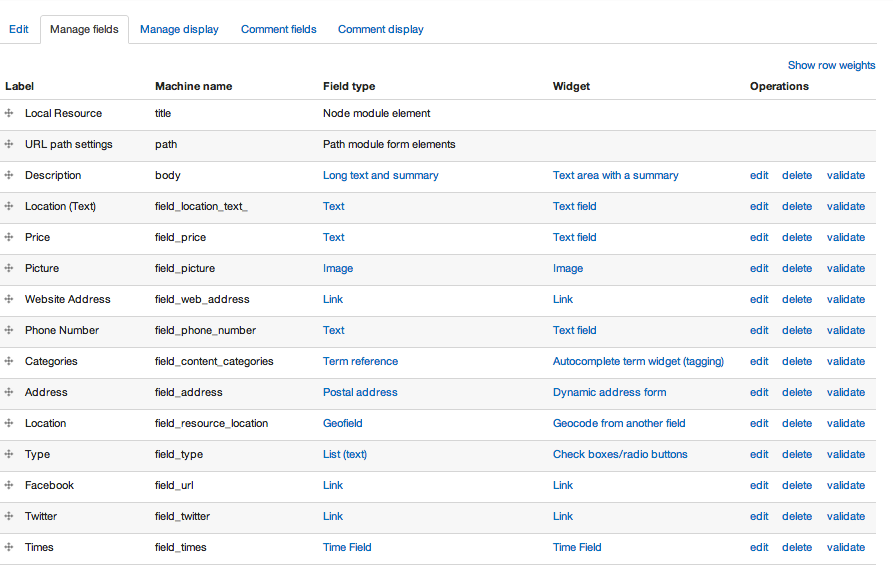
- I have a content type, Local Resource, that has a geofield (field machine name: field_resource_location ) that derives its value from another field, an address field.
- I add the field_resource_location geofield field to the fields list in my View and setup the long/lat format (though you say in similar issues this is not necessary)
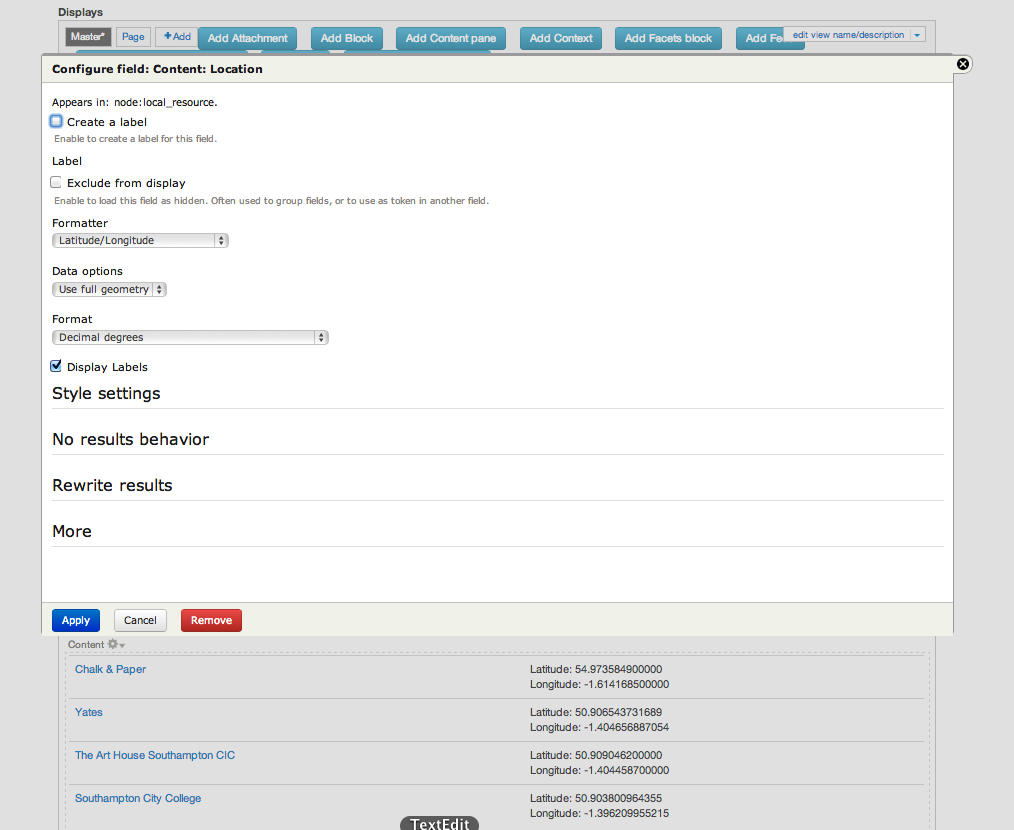
- I confirm that the view lists the content in the results in a table with lat, long values in field_resource_location
 geofield.png)
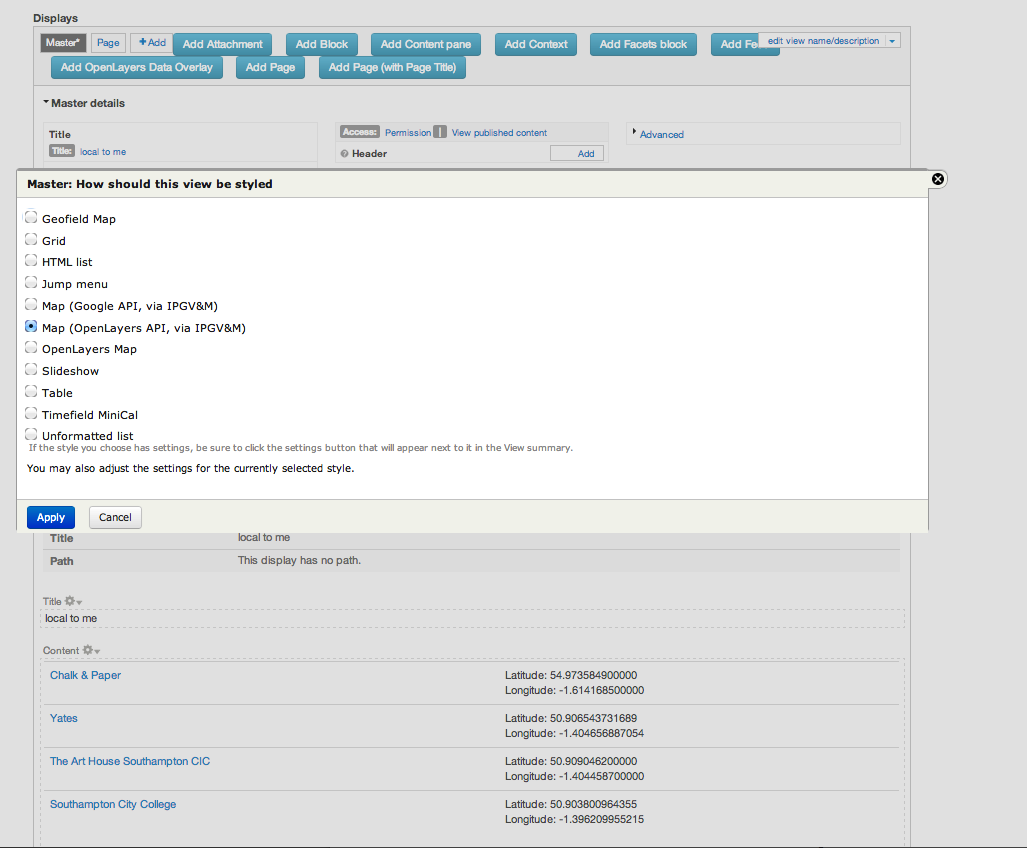
- I then change the format from table to using 'Map (OpenLayers API, via IPGV&M)' style setting and use the field_resource_location to tell the View where to get the long,lat data from
' style setting.png)
- But I then get the error: "None of the 4 View result rows had their field_resource_location lat/lng set. Therefore the map could not be displayed. Is field_resource_location the correct field name?"
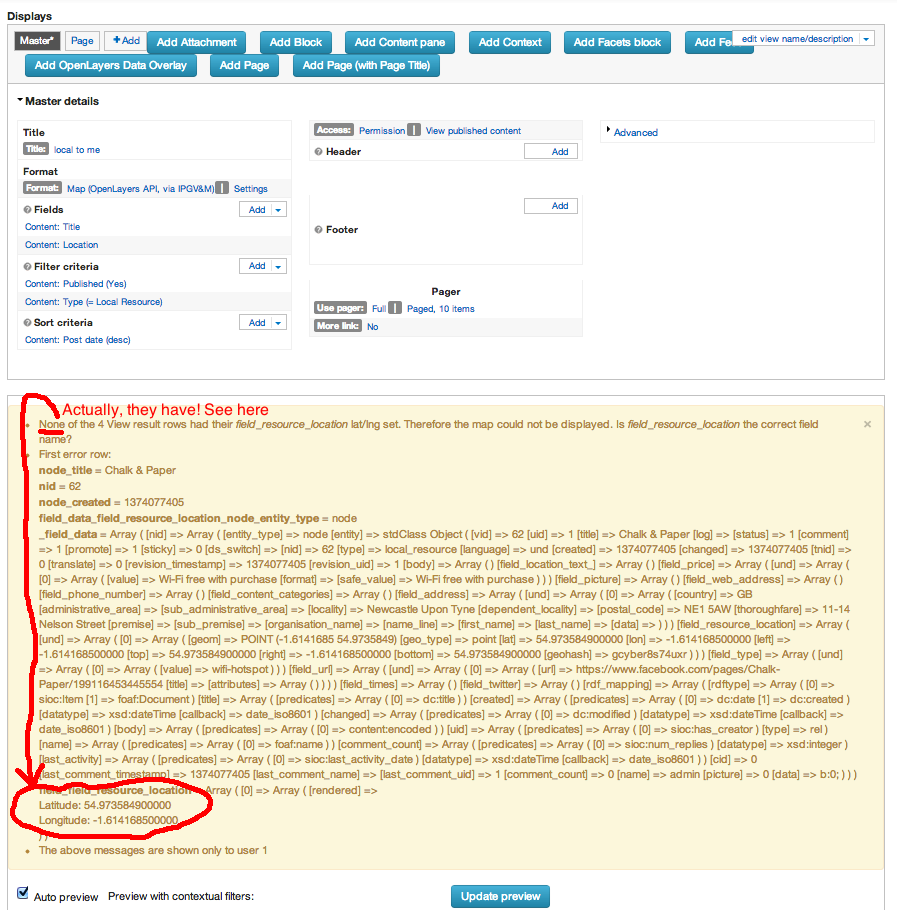
The steps above are based on trying the advice here: "Using Views with Geofield": https://drupal.org/node/1649302
I also used the advice here: https://drupal.org/node/1685080#comment-6238640 to confirm correct long/lat data in a table first
Can you advise on how to solve this issue? It appears that even though I have longitude and latitude data present in each node, perhaps IPGV&M is expecting to find it at some other place in the Node.
I'm now considering the following 2 routes to solving my problem (your thoughts please):
- "How to use multiple fields to populate lat/lng": https://drupal.org/node/2045805
- And the advice here: https://drupal.org/node/1871462#comment-6866398
if you're struggling, to keep things really really simple, do not enable OpenLayers or Geolocation Google Maps or Geolocation Proximity. Then use the Google map that comes built-in with IP Geolocaton Views and Maps,
and
There are special instructions for OpenLayers in the README. OpenLayers is harder to use than Google Maps or Leaflet.




Comments
Comment #1
therobyouknow commentedJust an observation (but still doesn't work - no change on original issue) when specifying the geofield in the View. If you have already added it in your fields list, then when you go to set it up in the style settings, it should already be available as an option in the drop-down - see following screenshot.
Comment #2
therobyouknow commentedNo change from original issue - still can't get this to work
Comment #3
rdeboerHi Rob,
Thanks so much for all the screenshots and the research you've been doing -- much appreciated.
What a pain this doesn't work for you. I admire your persistence!
It looks like you've ticked all the right boxes.
My suggestion is to upgrade to the IPGV&M 7.x-1.x-dev snapshot. A few changes were made to the code that might cause your symptoms.
Are you using the Search API? IPGV&M 7.x-1.22 doesn't support it, but 7.x-1.x-dev does.
I also much prefer Geofield 7.x-2.x over Geofield 7.x-1.x, but either should work.
Let me know how you went after upgrading to 7.x-1.x-dev and if that still doesn't work, we'll make it work!
Also worth trying (although I could not reproduce this myself): https://drupal.org/node/1992804#comment-7693049
Rik
Comment #4
therobyouknow commentedRik,
unfortunately still no luck with the dev version but thanks for getting back to me with the suggestion, here is what I tried:
cleared all caches - just in case that might make a difference
To test, I just reloaded the page with the view and saw the same text as in step 5 (None of the 4 View... - in yellow text) - I am assuming that is sufficient to test (any thoughts welcome).
In answer to your other questions: I'm not using Search API at the moment. I am already using Geofield 7.x-2.x (well to be exact, 7.x-2.0-beta1 - I assume this is OK?)
I will try out your further suggestion - https://drupal.org/node/1992804#comment-7693049 and let you know how it goes. Thanks for your quick response so far - most appreciated!
Comment #5
therobyouknow commentedRik, success from the last bit of advice you gave me: https://drupal.org/node/1992804#comment-7693049 - I followed this and now do not get this problem. By the way this solves this problem for both "Map (Google API, via IPGV&M)" and "Map (OpenLayers API, via IPGV&M)" Format settings.
I have illustrated the https://drupal.org/node/1992804#comment-7693049 solution by adding a screenshot, to help folks if needed.
https://drupal.org/node/1992804#comment-7723951
So that is solved, so I am closing this issue - thank you very much for your help!
But a separate issue I am now seeing is with the pop-ups - there is no [x] close button and clicking on the same marker adds the same pop-up directly on top of the existing, a detached peculiar shadow shape increases in weight too - see screenshot here:
(I would prefer to use Google Maps as directly as possible rather than OpenLayers as we are using Google Maps for this project.) I will have a look around the issue list to see if this had been solved - but if you know about this please feel free to point me in the right direction! Given that I have only just started using IPGV&M, it may be that I haven't done enough configuration that is causing this pop-up problem, so maybe I need to read up, again any pointers welcome.
Thank you!
Comment #6
rdeboerHi Rob,
Glad your main issue solved. I think I'll have to put a note on the project page about unticking that "Use field template" box. More and more people run into it. I myself haven't noticed a difference, so there is another factor in play as well (you're not using Commerce Kickstart are you?)
The issue you are seeing now is #1777664: Google Maps marker balloons and zoom ctrl render badly with some themes but fine on Leaflet.
You can solve it in CSS using the tips mentioned in that thread.
Or, keeping the same View you already have but clicking "Map (Leaflet API, via IPGV&M)" to drive the Google Map of your choice (requires the light-weight module "Leaflet More Maps") -- works a treat, my word!
Rik
Comment #7
rdeboerComment #8
rdeboer