

The "Age exposed filter" for the Views, which works on fields of the "Date" type.
Use case
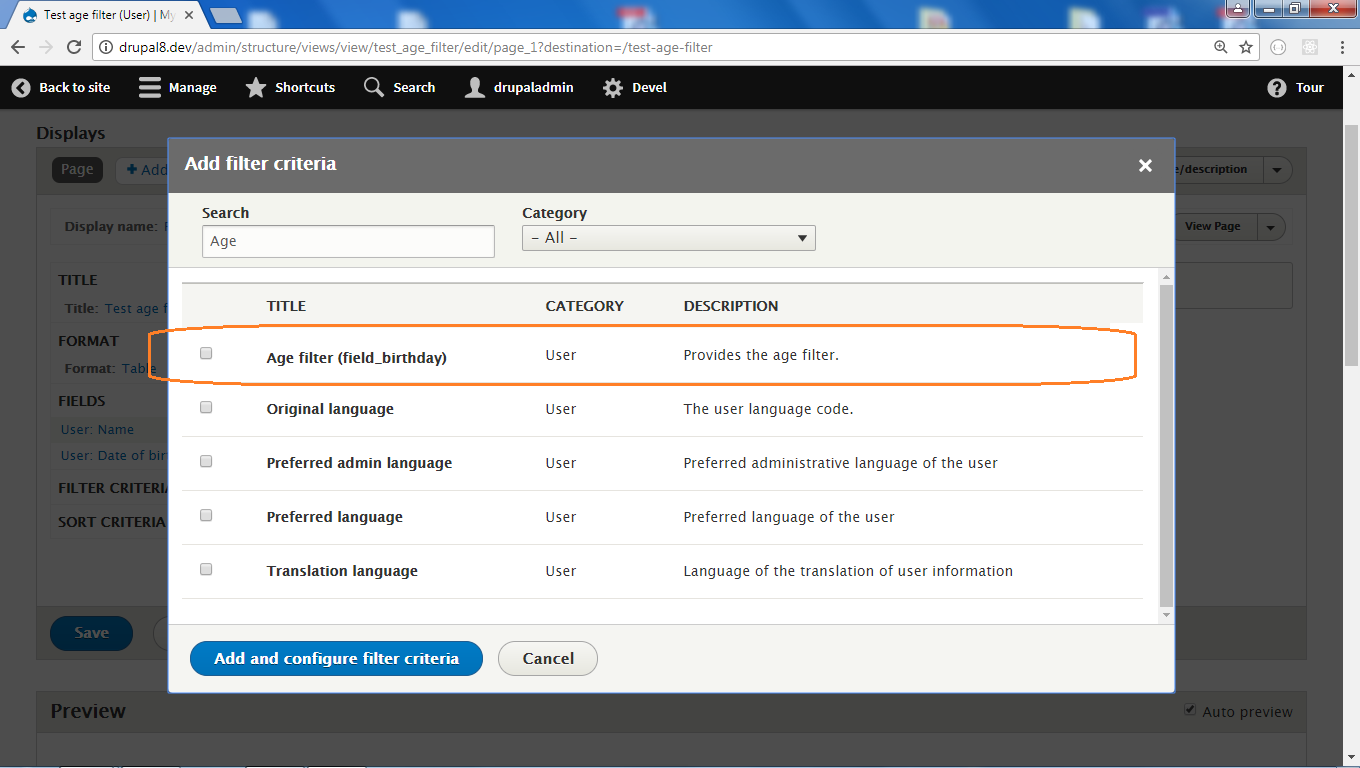
Let's say a user's account has the field of the "Date" type to collect a user's birthday.
And let's assume we need to create a view to display all users that came of age.
To achieve this we need to do the following steps:
1. Create the view to display users.
2. Add to the view the "Age filter (field_birthday)".
3. Select the "Is greater than or equal to" operator.
4. Input 18 into the "Value" field.
Using listboxes instead of texfields
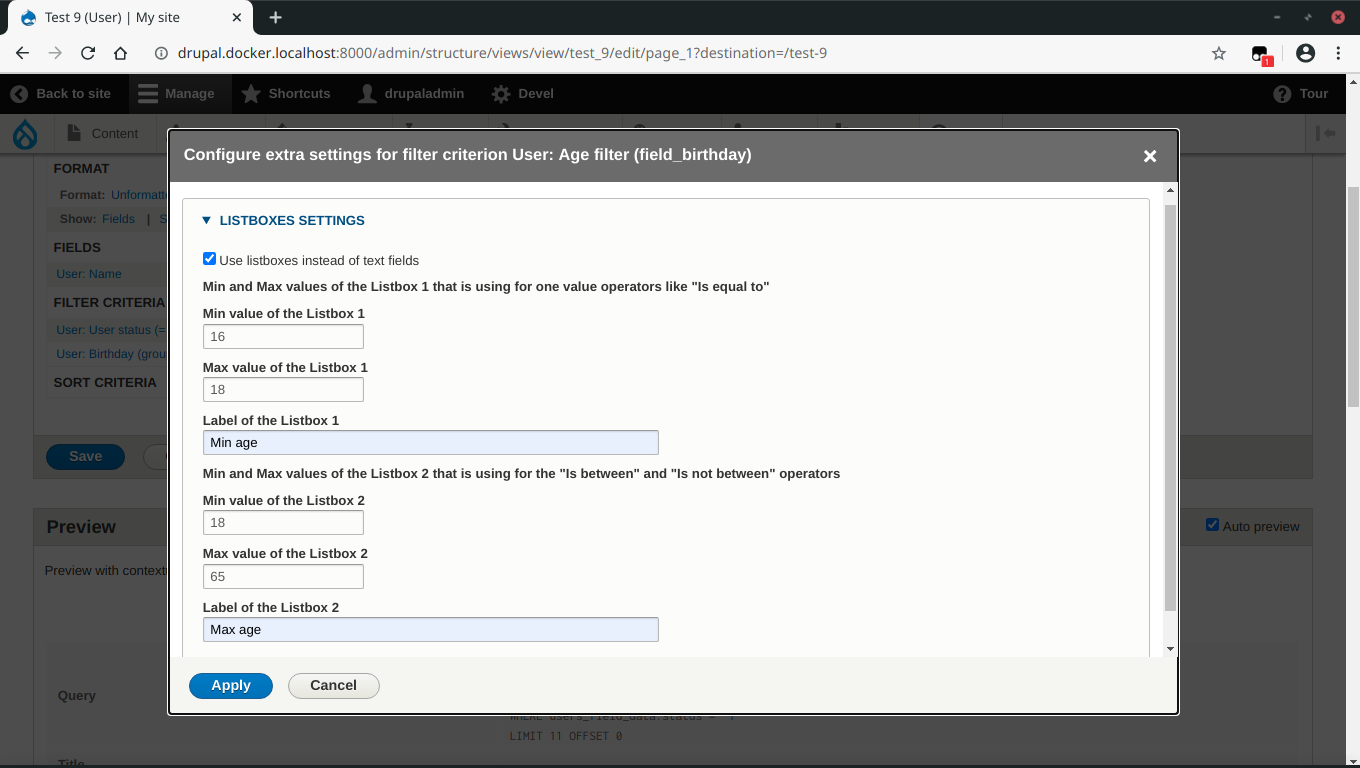
For entering age values it's possible to use or textfields or listboxex.
To use listboxes check the "Use listboxes instead of text fields" option and input Min and Max values.
The module will generate intermediate values and fill the listboxes with them.
There is two pairs of Max Min. The first used for single operations like "is equal" and the both are used for the "Is between" and "Is not between" operations.
For altering of parameters of listsboxes, click on the "Setting" link that is placed right of the filter's name.

Known Issues
1. To correct working of the "Preview" mode always save a view by click on the 'Save' button.
2. In case that the "Use listboxes instead of text fields" and "Grouped filters" options are checked, on a view page the following error message appears: "An illegal choice has been detected. Please contact the site administrator." Workaround: if you need to use the "Grouped filters" option, then you can use textfields instead of listboxes (uncheck the "Use listboxes instead of text fields" option).
If you do this but still get error messages, consider to apply the patch from this issue #2825860.
Similar projects
Views age filter - is the analogue for Drupal 7.
Sponsor
Project information
 Minimally maintained
Maintainers monitor issues, but fast responses are not guaranteed.- Project categories: Content editing experience
- Ecosystem: View
 148 sites report using this module
- Created by wombatbuddy on , updated
 Stable releases for this project are covered by the security advisory policy.
Look for the shield icon below.

