


This project is not covered by Drupal’s security advisory policy.
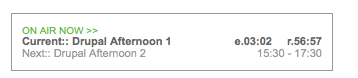
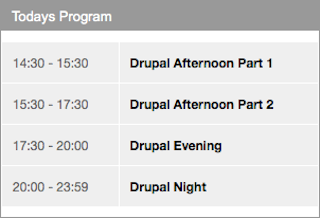
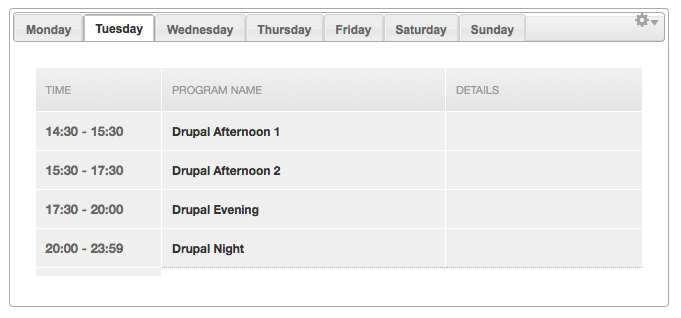
Airtime Widgets is a multiple block module based on Sourcefabric Airtime Widgets Javascript file. The first version of drupal airtimewidgets should receive 'Now Playing' information from Sourceforge Airtime Radio Station, a free open source radio automation software.
INSTALLATION
------------
Libraries API 2
Download and install the Libraries API 2 module.
Move the downloaded module package to sites/all/modules/.
=> sites/all/modules/libraries
In administration backend on the module configuration (admin/modules) page you have now to install/activate the module and save the module configuration.
jQuery Update
Download and install the jQuery Update module.
Move the downloaded module package to sites/all/modules/.
=> sites/all/modules/jquery_update
In administration backend on the module configuration (admin/modules) page you have now to install/activate the module and save the module configuration.
Notice:
The Sourcefabric Airtime Widgets using jQuery UI Tabs version 1.8.10. For this reason the jQuery version 1.8 must be enabled after installation of jQuery update. Otherwise, the Weekly Programm can not be displayed.
=> /admin/config/development/jquery_update
Sourcefabric Airtime Widgets
Download the original Airtime Widgets from Sourcefabric [3].
Make sure to use Airtime Widgets for AIRTIME_API_VERSION 1.1.
Move the plugin, css files and image folder to the directory
"airtimewidgets" and place it inside
=> "sites/all/libraries/airtimewidgets"
Make sure the path to the plugin file becomes
=> "sites/all/libraries/airtimewidgets/js/jquery.showinfo.js"
and
=> "sites/all/libraries/airtimewidgets/css/airtime-widgets.css"
and
=> "sites/all/libraries/airtimewidgets/css/widget-img/"
Notice:
The Drupal status report provides information on the correct installation of the Airtime Widgets plugin.(/admin/reports/status)
Drupal Airtime Widgets Module
Download and install the Airtime Widgets module.
Move the downloaded module package to:
=> sites/all/modules/airtimewidgets
or
=> sites/all/modules/custom/airtimewidgets
(yeah(!) its custom ;-) )
In administration back-end on the module configuration (admin/modules) page you have now to install/activate the module and save the module configuration.
Configuration
After installation you should check the configuration page for the SimpleTagCanvas module and customize the settings. (/admin/config/content/airtimewidgets/)
Activating and placing the block
After activation of the module four new blocks added to the block configuration page under structure / blocks. Now move the new block to the desired region and make some block specific configuration.
RESOURCES
---------
[1] Ideas on Airtime-Drupal Interoperability
http://wiki.sourcefabric.org/display/CC/Ideas+on+Airtime-Drupal+Interope...
[2] Sourcefabric Airtime on GitHub
https://github.com/sourcefabric/Airtime
[3] Sourcefabric Airtime Widgets on GitHub
https://github.com/sourcefabric/Airtime/tree/master/widgets
[4] Manual Airtime 2 for Broadcasters
http://files.sourcefabric.org/manuals/Airtime/en/Airtime_2.1.3-A4-Downlo...
[5] Sourcfabric WIKI
https://wiki.sourcefabric.org/display/CC/Frontend+Widgets
Project information
- Project categories: Content display
- Created by medienverbinder on , updated
 This project is not covered by the security advisory policy.
Use at your own risk! It may have publicly disclosed vulnerabilities.

