

This project is not covered by Drupal’s security advisory policy.
Overview
Integration with Allegro Group auction websites (pol. Integracja z Allegro).
Watch DrupalCamp Wrocław 2014 session video (polish) or check presentation slides (polish) to find more about that module.
This module contains following submodules:
- Allegro API
- Contains only API functions to communicate with Allegro WebAPI.
- Allegro Category
- Support for categorization of auction items.
- Allegro Field
- Support for fields related to auction items.
- Allegro Item
- Support for auction items as Drupal entities.
Installation
- Unpack and move directory allegro to your modules directory.
- Enable Allegro API module and Allegro Item submodule in the modules list of your site.
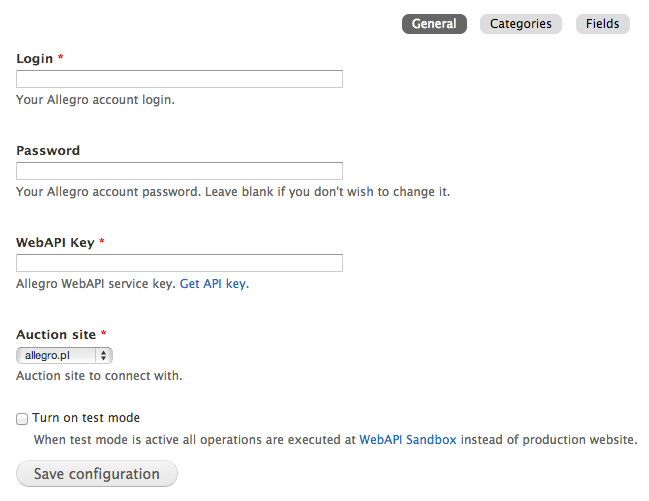
- Go to Allegro » Settings (admin/allegro/settings) and set up login credentials for Allegro WebAPI service.
- Go to Allegro » Settings » Categories (admin/allegro/settings/categories) and press button Update categories.
- Go to Allegro » Settings » Fields (admin/allegro/settings/fields) and press button Update fields.
- Go to Allegro » Add Allegro item (admin/allegro/item/add) and create auction item.
Roadmap
- #2479235: Automatically update status of auction
- #2479259: Commerce integration
- #2500417: Commerce Product integration
- #2497873: Commerce Stock integration
- #2500431: Commerce Order integration
- #2479241: Automated tests
- #2497567: Importing of existing auctions
- #2479247: Auction templates
- #2479243: Multiple Allegro accounts
- #2479249: Bulk adding comments/reviews to auctions
- #2479251: Create auction based on other auction
Supporting organizations:
Initial development and support.
Project information
 Seeking co-maintainer(s)
Maintainers are looking for help reviewing issues.- Project categories: E-commerce
- Created by rafalenden on , updated
 This project is not covered by the security advisory policy.
Use at your own risk! It may have publicly disclosed vulnerabilities.

