

 The 2026 Drupal Business Survey is open. Your response will help shape the future of the Drupal business ecosystem.

This project is not covered by Drupal’s security advisory policy.
This module is part of the Analyze ecosystem and included in DXPR CMS.
Your SEO Gaps Are Invisible Until Someone Checks
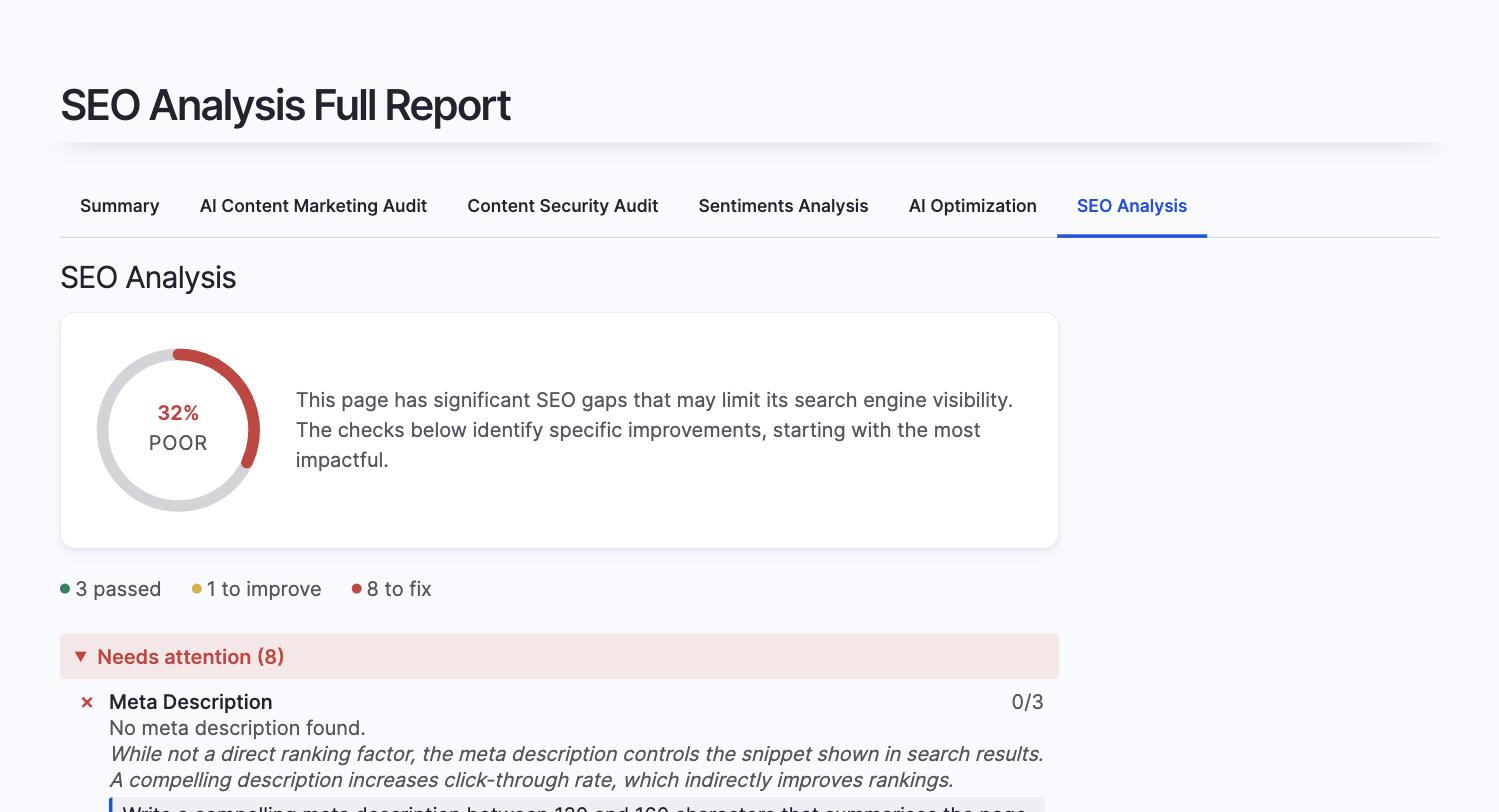
Missing alt text, empty meta descriptions, broken heading hierarchy, no structured data. These issues silently accumulate across hundreds of pages, and manual audits catch a fraction at best. This module scores every page against twelve SEO best practices, automatically, so you fix the gaps before search engines penalise them.
You need SEO Analysis if
- Your site has grown organically and pages were published without consistent SEO checks
- Multiple content editors create pages with no shared SEO checklist
- You want to prioritise SEO fixes across hundreds of pages without manually auditing each one
- You need a baseline SEO score per page to track improvement over time
What You Get
-
SEO score per page
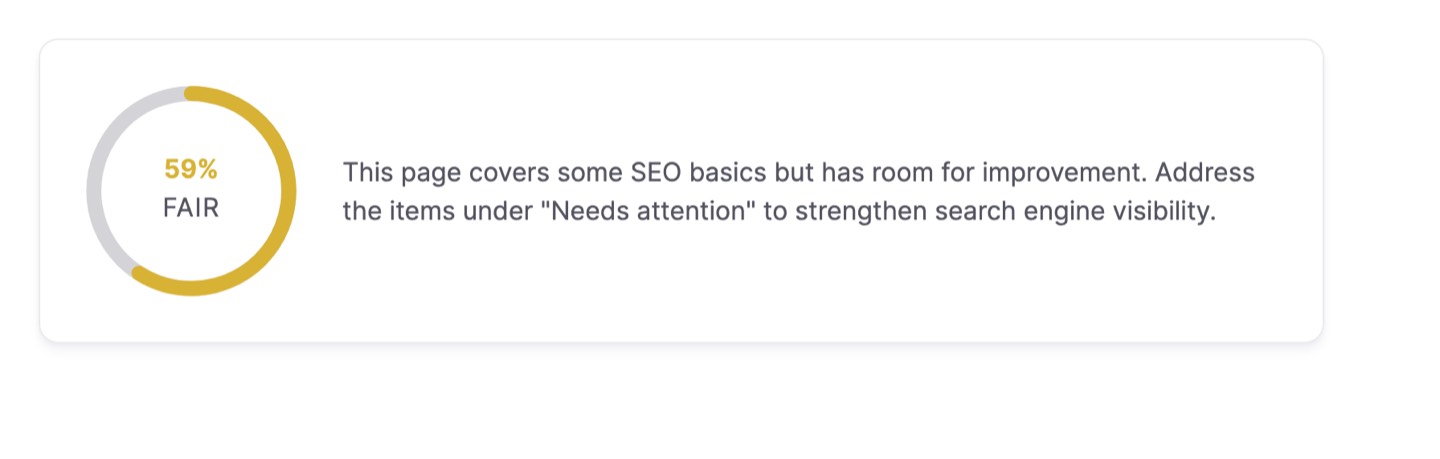
Every content entity gets a percentage score across twelve checks, displayed as a visual gauge in the Analyze tab. Scores update automatically when content changes.
-
Progressive-disclosure full reports
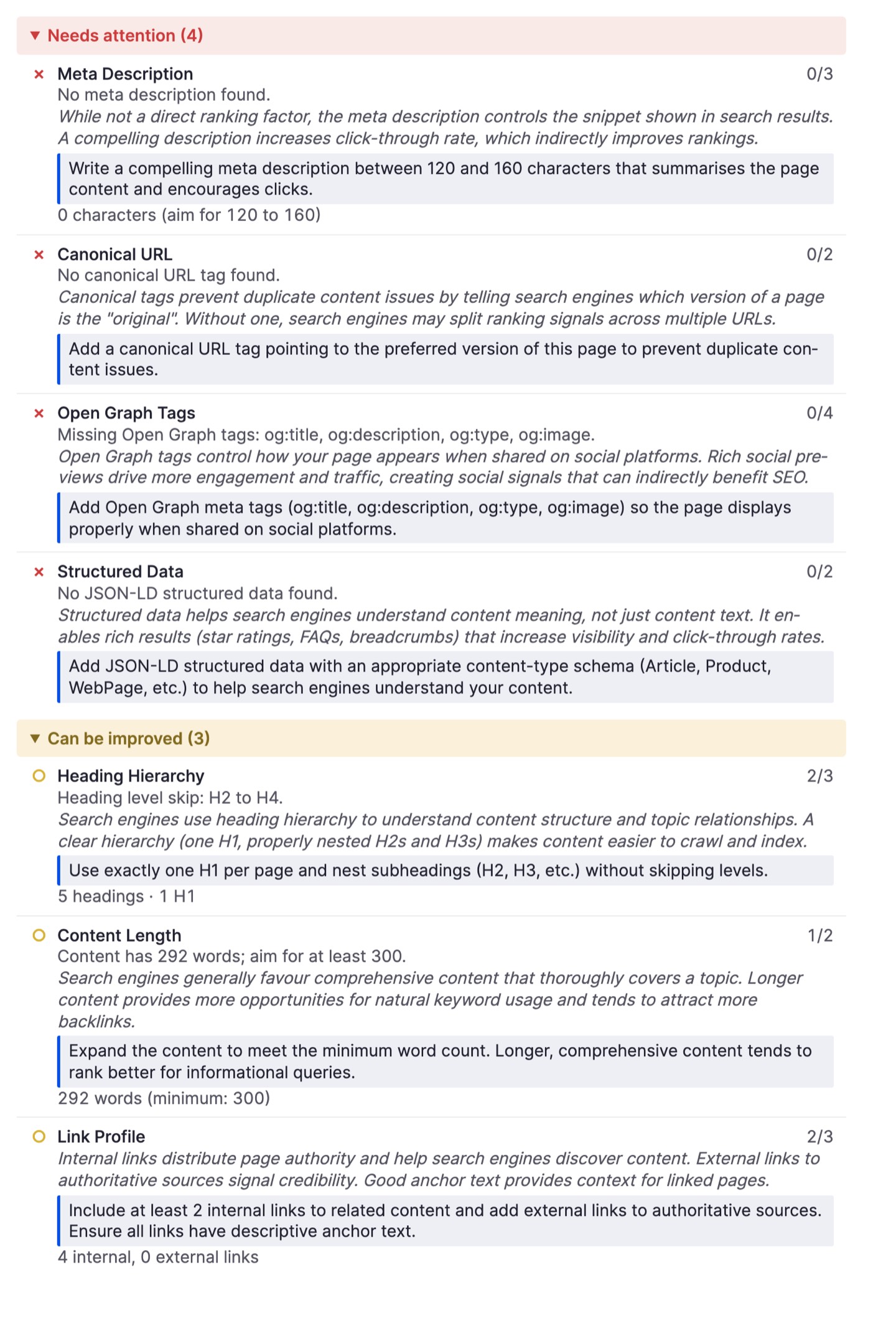
Checks are grouped by severity: needs attention, can be improved, and passed. Each failing check explains why it matters and gives an actionable recommendation, teaching SEO alongside scoring.
-
Twelve deterministic checks
Title tag length, meta description, URL structure, heading hierarchy (H1 presence and nesting), image alt text coverage, content word count, internal and external link profile, canonical URL, Open Graph tags, and Schema.org structured data.
-
Optional AI-powered checks
With an AI provider configured, two additional checks score keyword coherence (topic alignment and distribution) and readability (sentence complexity and reading level).
-
Batch analysis for existing content
Score hundreds of pages at once to find which content needs attention first. Results are cached with content-hash invalidation, so repeat views are instant and re-analysis only runs when content actually changes.
-
AI Coding Assistant Integration
SEO analysis is available to AI coding assistants
through the Analyze module's built-in
Agent
Skills file. Run
drush analyze:setup-aito enable, then ask
naturally:- "Analyse SEO on all articles"
- "Check heading hierarchy on the about page"
- "Run SEO and brand voice analysis together"
Compatible with Claude Code, Codex CLI, Gemini CLI,
GitHub Copilot, Cursor, and other tools supporting the
standard. -
Site-wide SEO report
A filterable Views report shows SEO scores across all content, sortable by score, content type, and date, so you can spot patterns and prioritise fixes.
Getting Started
- Enable the analyzer per content type at /admin/config/content/analyze-settings
- Configure which checks to run at /admin/config/analyze/seo
- Open any content entity's Analyze tab to see the score
- (Optional) Set up an AI provider at /admin/config/ai/providers for keyword and readability checks
Prefer a turnkey demo site?
Spin up DXPR CMS: Drupal pre-configured with DXPR Builder, DXPR Theme, the full Analyze suite including SEO Analysis, and security best practices out of the box.
Additional requirements
This module requires:
- Analyze module (>=1.3.0)
- Views Color Scales module (>=1.1.0)
Optional:
- AI module with a configured chat provider (for keyword coherence and readability checks)
Analyze SEO is included in DXPR CMS, which ships the full Analyze suite pre-configured so marketing teams can start measuring SEO health immediately.
FAQ
- Does SEO Analysis require an AI provider?
-
Twelve of fourteen checks are fully deterministic and run without any AI provider, covering title tags, meta descriptions, heading hierarchy, image alt text, URL structure, word count, link profile, canonical URLs, Open Graph tags, and structured data. Two optional checks (keyword coherence and readability) require a configured AI chat provider through the Drupal AI module.
- How does the SEO scoring work?
-
Every content entity receives a percentage score across all enabled checks. Results are grouped by severity into three categories: needs attention, can be improved, and passed. Each failing check includes an explanation of why it matters and a specific recommendation for fixing it, so editors learn SEO best practices alongside scoring.
- Does SEO Analysis work with all content types?
-
Yes. Enable the analyzer per content type at the Analyze settings page. Any fieldable content entity (nodes, custom entity types) that the Analyze module supports can be scored. Scores appear in the Analyze tab on each entity and in the site-wide SEO report.
Related Modules
Required dependencies; this module directly uses their APIs:
- Analyze - Content analysis framework; this module extends AnalyzePluginBase and implements BatchableAnalyzerInterface
- Views Color Scales - Colour-coded score display in the bundled SEO Views report
Optional integration:
- AI - LLM provider layer; enables keyword coherence and readability checks
Sibling Analyze plugins:
- AI Optimization Analysis - AI answer engine readiness scoring
- AI Brand Voice - Brand voice consistency scoring
- AI Sentiments Analysis - Multi-dimensional content tone analysis
- Broken Links Analyzer - Link health monitoring per page
- Search Console Analyzer - Google Search performance per page
Supporting organizations:
Project information
- Project categories: Search engine optimization (SEO)
 7 sites report using this module
- Created by jurriaanroelofs on , updated
 This project is not covered by the security advisory policy.
Use at your own risk! It may have publicly disclosed vulnerabilities.
Releases
1.0.0-beta3
released 1 September 2026
Works with Drupal: ^10.3 || ^11
Fix settings permission for non-admin roles
Install:

