


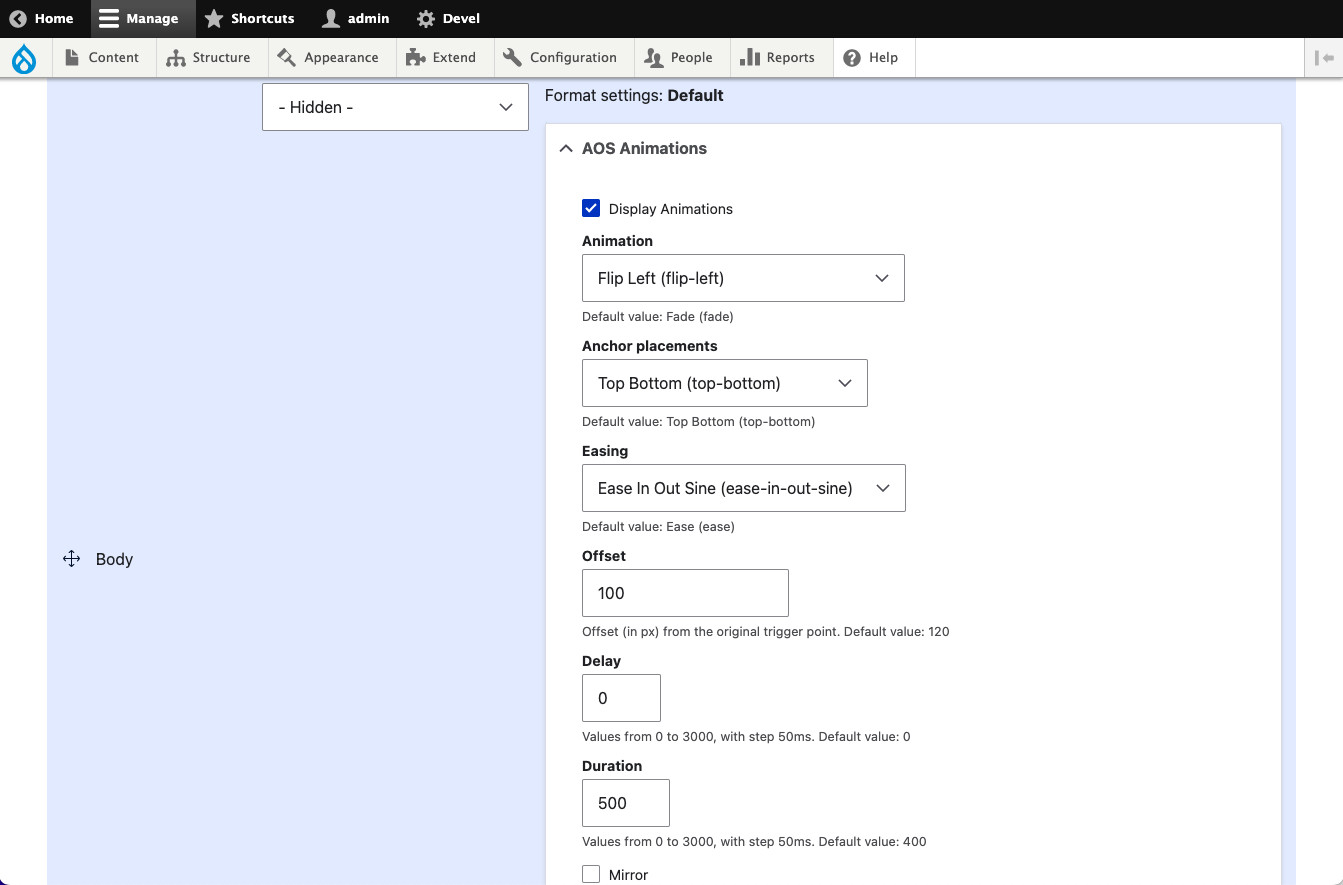
The module allows a site builder to display fields with animations while scrolling down and up. This module utilize the AOS(Animate On Scroll) library. The animation options are available in the Manage Display form for Content Types, Media Types and Block Types.
Requirements and Dependencies
The module depends on the AOS library which is downloaded and installed automatically by the module.
Links
Usage
- Download, install and enable the Animate Fields - AOS module as normal.
- Got to any Content/Media/Block types → Manage Display and click on the gear icon of the desired field to animate.
- Click on AOS Animation details options.
- Check the Display Animations checkbox.
- Select the animation and its variations to apply.
- Clear all cache, refresh the page where you expect to see the field and its animation.
- Enjoy them.
Related Modules
Support
For bug reports and feature requests please use the Drupal.org issue tracker:
http://drupal.org/project/issues/animate_fields_aos.
Supporting organizations:
Project information
 Minimally maintained
Maintainers monitor issues, but fast responses are not guaranteed.- Project categories: Content display, Site structure
 61 sites report using this module
- Created by carma03 on , updated
 Stable releases for this project are covered by the security advisory policy.
Look for the shield icon below.

