


Integrates AOS.js (Animate On Scroll) library, allows you to animate elements into view as you scroll down the page.
Overview
AOS JS module, Animate On Scroll for Drupal!
AOS.js is a small and lightweight JavaScript library (with no dependencies) that allows you to animate elements as you scroll down, and up. If you scroll back to the top, elements will animate to their previous state and are ready to animate again if you scroll down.
Features
- No dependency needed (library included).
- Easy to use, Small and lightweight module.
- Support both AOS 2.x and 3 versions.
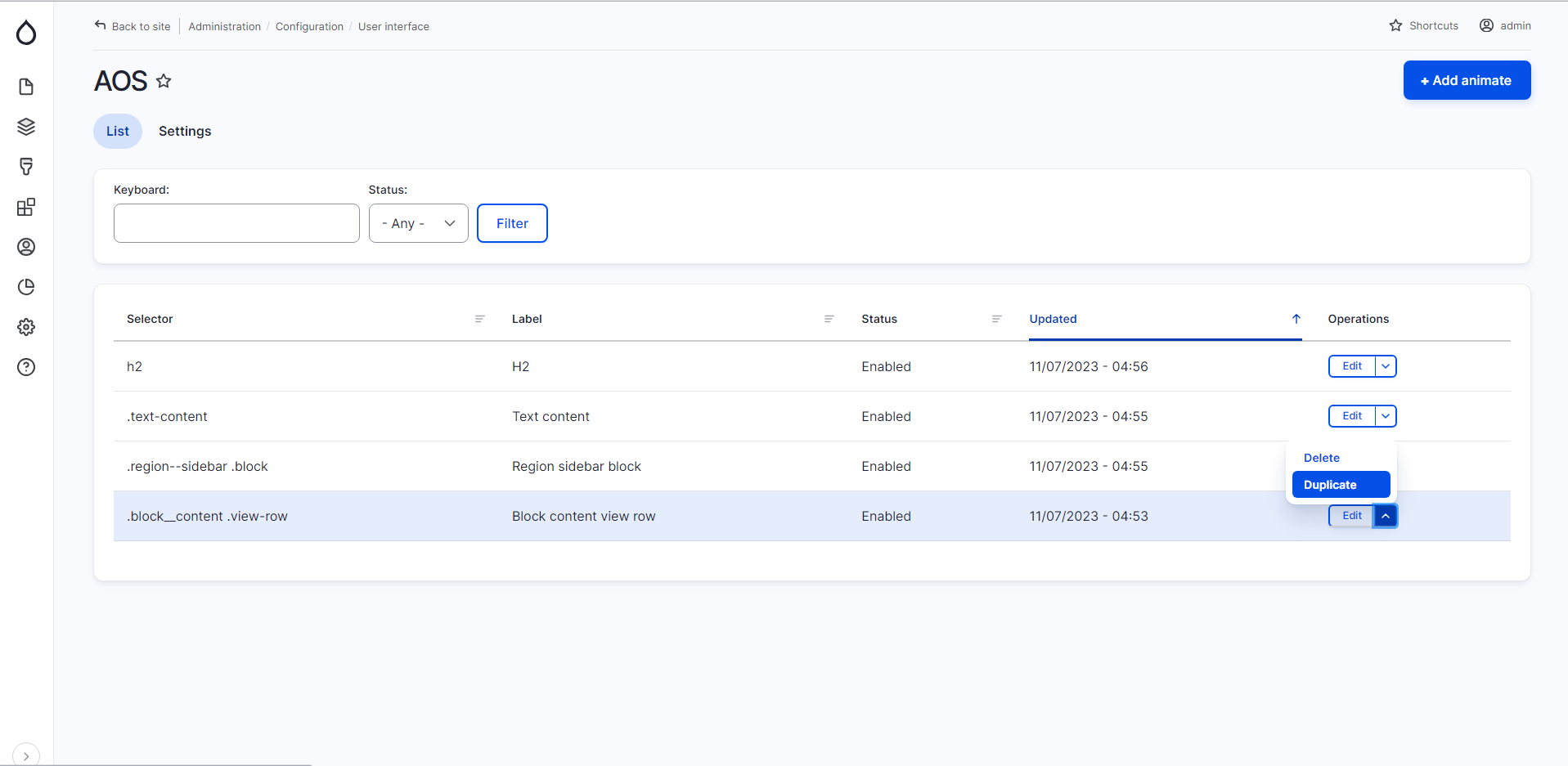
- AOS UI sub-module for easy User interface configuration.
- AOS AnimateCSS sub-module for using AOS with Animate CSS animations.
- Load AOS library from local or CDN configuration.
- Path control settings for attach AOS library in specific pages.
- AOS admin overview list for Add/Edit CSS selectors to animate.
- More settings for customization.
Usage
Enable AOS JS module for code usage.
Example HTML:
  <div
    data-aos="fade-up"
    data-aos-offset="200"
    data-aos-delay="50"
    data-aos-duration="1000"
    data-aos-easing="ease-in-out"
  >
  </div>
No need Javascript code!
Enable AOS UI sub-module for user interface.
Go to "admin/config/user-interface/aosjs" to add animation and manage few options.
Enable AOS JS + Animate.css sub-module for use Animate.css animations library instead of AOS.js animations.
Go to "admin/config/user-interface/aosjs/settings" to change animation to Animate.css library then go to "admin/config/user-interface/aosjs/add" and you will see Animate CSS Animations.
Installation
Please view the project's README.md for detailed installation instruction.
Recommended modules
- Animate CSS
Allows you to makes cross-browser animations for use in your web projects. Great for emphasis, home pages, sliders, blocks with cool animation effects. - Textimate ( Text + Animate )
Provides text animation, enhancing site interactivity with awesome effects. Effortlessly transform static text into mesmerizing animations. - Splitting.js
Allows you to creates elements and adds CSS Variables for split words & characters! (lines, items, grids, images, more!) to unlock amazing possibilities for style and animating text, grids, and more!. - Hover CSS
Integrates Hover.css, is a collection of CSS3 powered hover effects to be applied to links, buttons, logos, SVG, featured images and so on. - Vivus
is a module that aims to integrate Vivus.js library with Drupal. Provides SVG animate, Improve site interactivity with awesome animations.
Similar modules
- WOW JS
Provides Animations When You Scroll, Improve site interactivity with awesome animations. - AnimateCSS On Scroll ( Animate CSS + AOS JS )
Provides AOS options on AnimateCSS UI add animation form, allows you to Animate On Scroll using AOS.js library.
Supporting
Please let me know if a new feature is needed or is there any issue and feedback. You can announce it in the AOS JS Issues section.
Animations can improve the UX of an interface, but keep in mind that they can also get in the way of your users!
| Attachment | Size |
|---|---|
| AOS-JS-Animation-On-Scroll.jpg | 76.15 KB |
Project information
- Project categories: Developer tools, Integrations
 364 sites report using this module
- Created by mahyarsbt on , updated
 Stable releases for this project are covered by the security advisory policy.
Look for the shield icon below.
Releases
1.0.2
released 9 July 2024
released 9 July 2024
Works with Drupal: ^8.8 || ^9 || ^10 || ^11
Drupal 11.x compatibility; Enhanced AOS.js module now supports both AOS v2/v3 and Animate.css animations, providing improved customization and seamless integration for dynamic web animations.
Install:
Development version: 1.0.x-dev updated 9 Aug 2024 at 22:56 UTC