

 Come together with the global Drupal community in Rotterdam, 28 Sept – 1 Oct 2026. Sessions, contribution, connection, and Early Bird savings until 8 June.
Author Bulk Assignment allows you to set the author of multiple entities at a time. You may find it useful if:
- You want to assign a set of entity items from one specific author to another author.
- You want to assign a bulk content items from one specific language or content type to a new author.
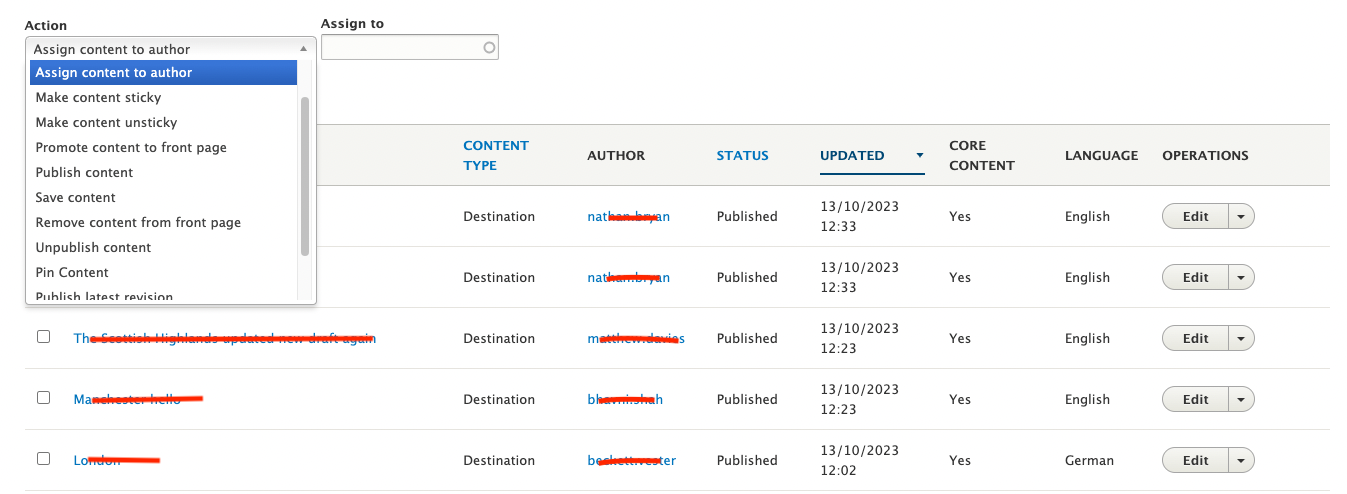
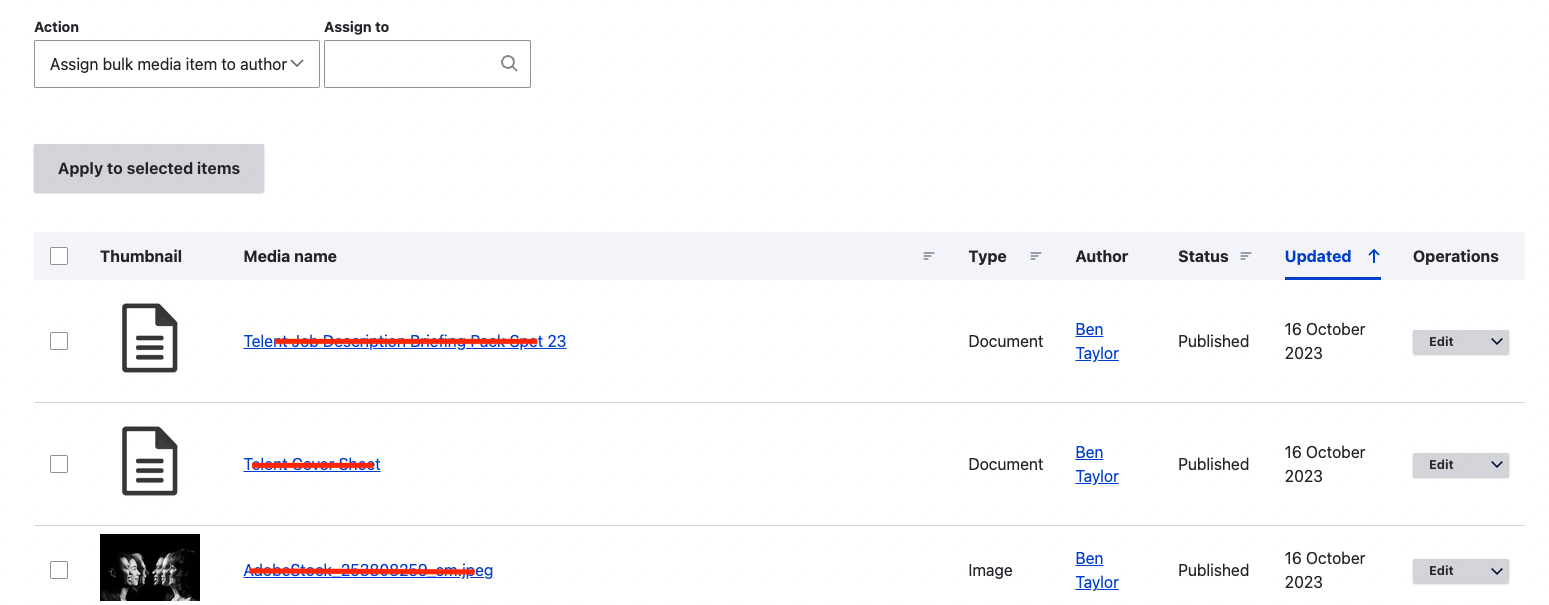
Features
- This module works with variety of entity types that provide an owner or author field, without just being limited to Node only.
- This module adds the new bulk operation to the admin listing of the all the configured entity types from the module's configuration page
- Once configured, you will see a new bulk operation "Assign bulk item to author" in the actions list.
- Selecting the new bulk operation will provide an additional autocomplete field to choose the assignee.
Installation
Install as you would normally install a contributed Drupal module using composer. Visit https://www.drupal.org/docs/extending-drupal/installing-modules for further information.
Permissions
The following permission options are available for "Author bulk assignment" and should be assigned to the relevant user roles:
- "Administer author bulk assignment settings" grants users the ability to configure the module and set the allowed entity types.
- "Assign author to selected content" permits users to assign selected content to a specific author.
Configuration and Usage
- After installing the module, navigate to the module's configuration page by going to Configuration => Content authoring => Author bulk assignment settings (/admin/config/content/author-bulk-assignment).
-
- Note that the configuration page is accessible only to users with the "Administer author bulk assignment settings" permission.
- On this page, select the entity types for which you want to enable the author assignment option within bulk operations and hit "Save".
- This action creates an individual Action configuration entity for each of the selected entity types.
- Include the "Assign bulk item to author" action in the bulk operation view field configuration for your admin listing views.
-
- Users with the "Assign author to selected content" permission will be able to use the author assignment bulk operation.
- Note that if any of the selected items lack “Edit” permissions for the selected assignee, specific items will not be assigned to the new user.
-
- Drupal will display a warning message indicating which items were not updated.
- For example, this scenario occurs when the selected entity items have node types or media types that the assignee is not authorised to edit.
Feedback on this module
Please add issues with feature requests as well as feedback on the existing functionality.
Alternative similar modules
Bulk author update module offers similar functionality. However, it only provides the ability for nodes. If you want one single module to provide the bulk action to change the author for various entity types such as Node, Media or a custom entity, "Author bulk assignment" will suit you better.
Supporting organizations:
Initial Build
Project information
- Project categories: Content editing experience
- Ecosystem: Views Bulk Operations (VBO), Bulk Author Update
 167 sites report using this module
- Created by fathima.asmat on , updated
 Stable releases for this project are covered by the security advisory policy.
Look for the shield icon below.

