

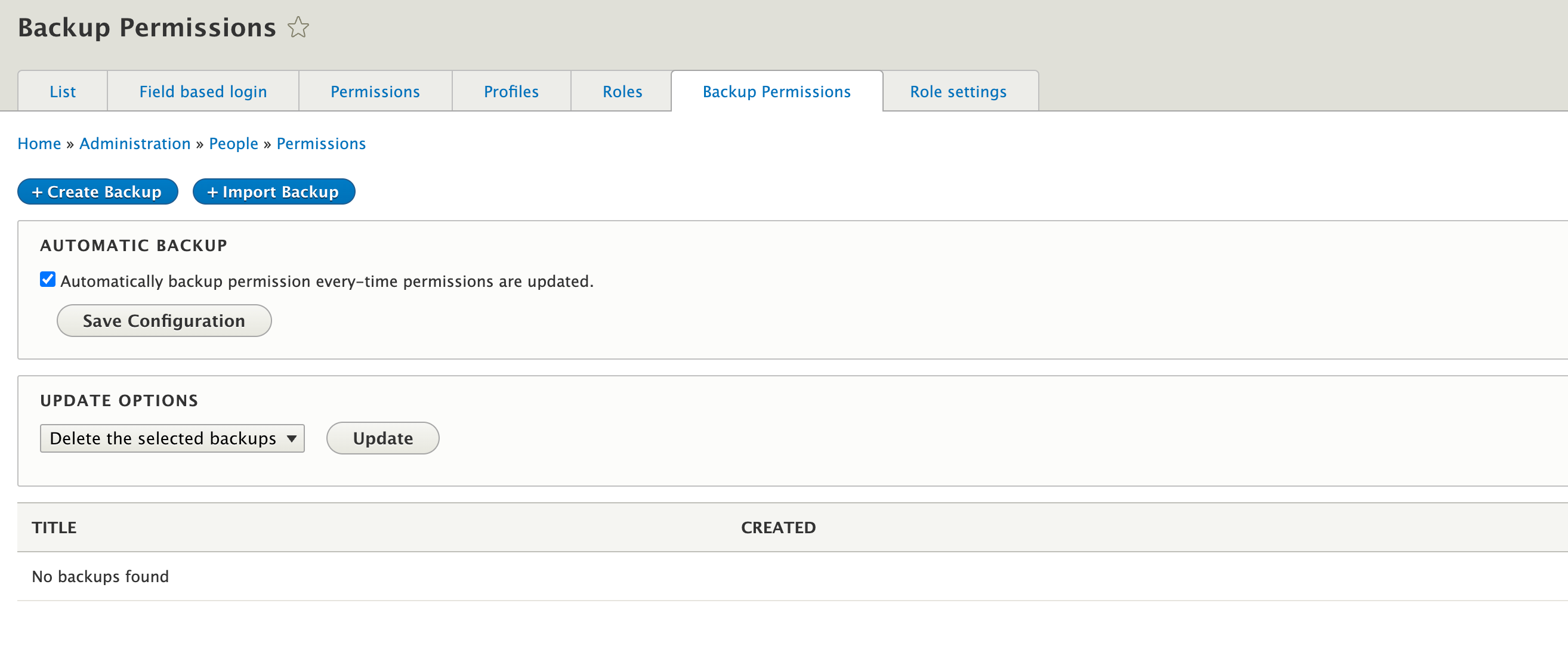
The Permissions Backup module allows you to backup all permission settings on a per role basis and save it so that it can be imported later either to the same installation or another installation.
Backup of permissions state can be created through Administration » People » Backup permissions page, where users can select role(s) to backup and select specific permissions state only if needed.
The saved/downloaded permission state can be used to recover the permission states on your site to a previous moment in time, or just roll-back changes by enabled or disabled permissions.
Features
- Allows backups to be downloaded as CSV directly
- Allows users to import permissions from CSV
- Supports functionality to automatically backup permission every-time permissions are updated
- Creates new role if it exists on the imported CSV and doesn't exist on the system
- Provides functionality to select role and permissions state during permissions rebuild
Requirements
No special requirements at this time.
Installation
1. Install via composer.
2. Enable through Drush or go to Admin -> Modules, and enable Backup permissions.
3. Configure backup permissions or perform backup of permissions:
/admin/people/permissions/backup_permissions
Project information
 Minimally maintained
Maintainers monitor issues, but fast responses are not guaranteed.- Maintenance fixes only
Considered feature-complete by its maintainers. - Project categories: Administration tools
 16 sites report using this module
- Created by jim.applebee on , updated
 Stable releases for this project are covered by the security advisory policy.
Look for the shield icon below.

