



Watermark image style effect for Drupal 8
Introduction
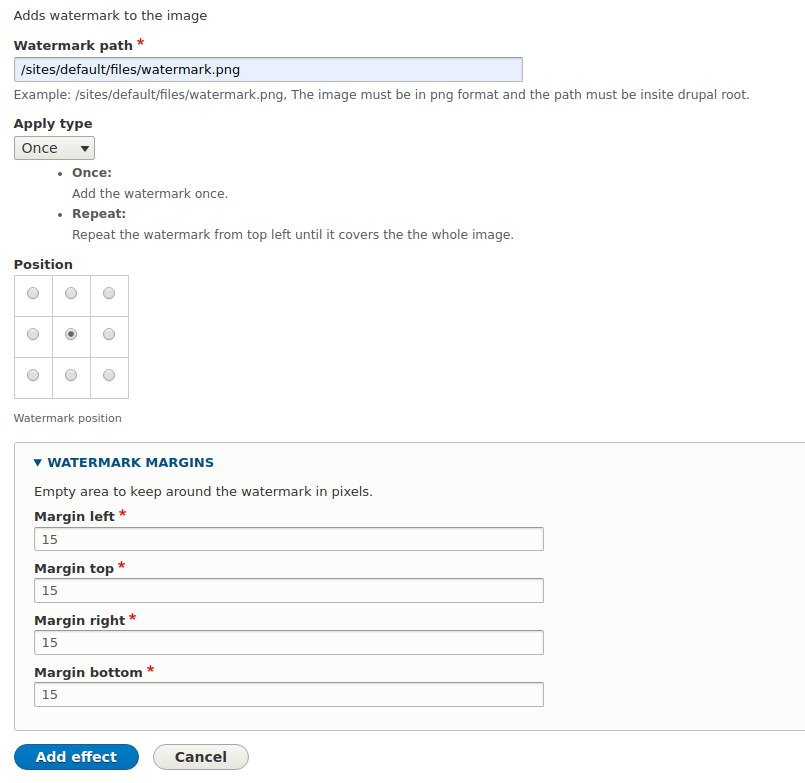
Adds a new effect when adding effects to an image style called "Add watermark"
Installation
Basic watermark 8.x is installed like any other Drupal 8 module. Installing Drupal 8 Modules
SETUP
- Add a new image style from /admin/config/media/image-styles.
- Select "Add Watermark" as the effect and click "add"
- Type the path to a png image
- Always add the watermark last in case of more effects.
Other modules
- Image Effects provides a watermark image effect along other image effects that one might want.
Support
If you experience a problem with Basic watermark or have a problem, file a request or
issue on the Basic watermark queue.
Posting in the issue queue is a direct line of communication with the module authors.
No guarantee is provided with this software, no matter how critical your
information, module authors are not responsible for damage caused by this
software or obligated in any way to correct problems you may experience.
Project information
 Seeking new maintainer
The current maintainers are looking for new people to take ownership.- Maintenance fixes only
Considered feature-complete by its maintainers. - Project categories: Media
 431 sites report using this module
- Created by mikechr on , updated
 Stable releases for this project are covered by the security advisory policy.
Look for the shield icon below.

