

 Come together with the global Drupal community in Rotterdam, 28 Sept – 1 Oct 2026. Sessions, contribution, connection, and Early Bird savings until 8 June.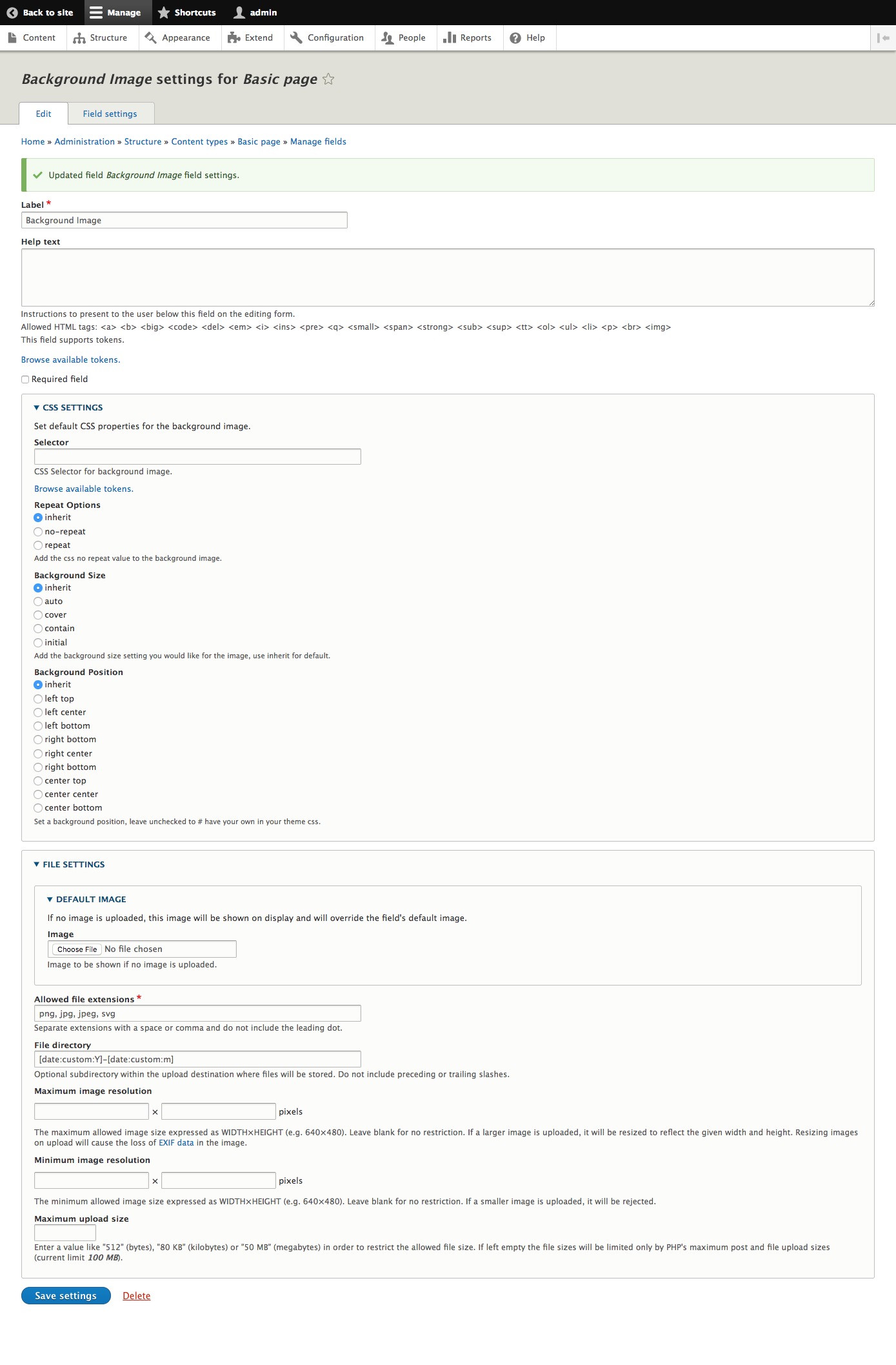


Background Image Field
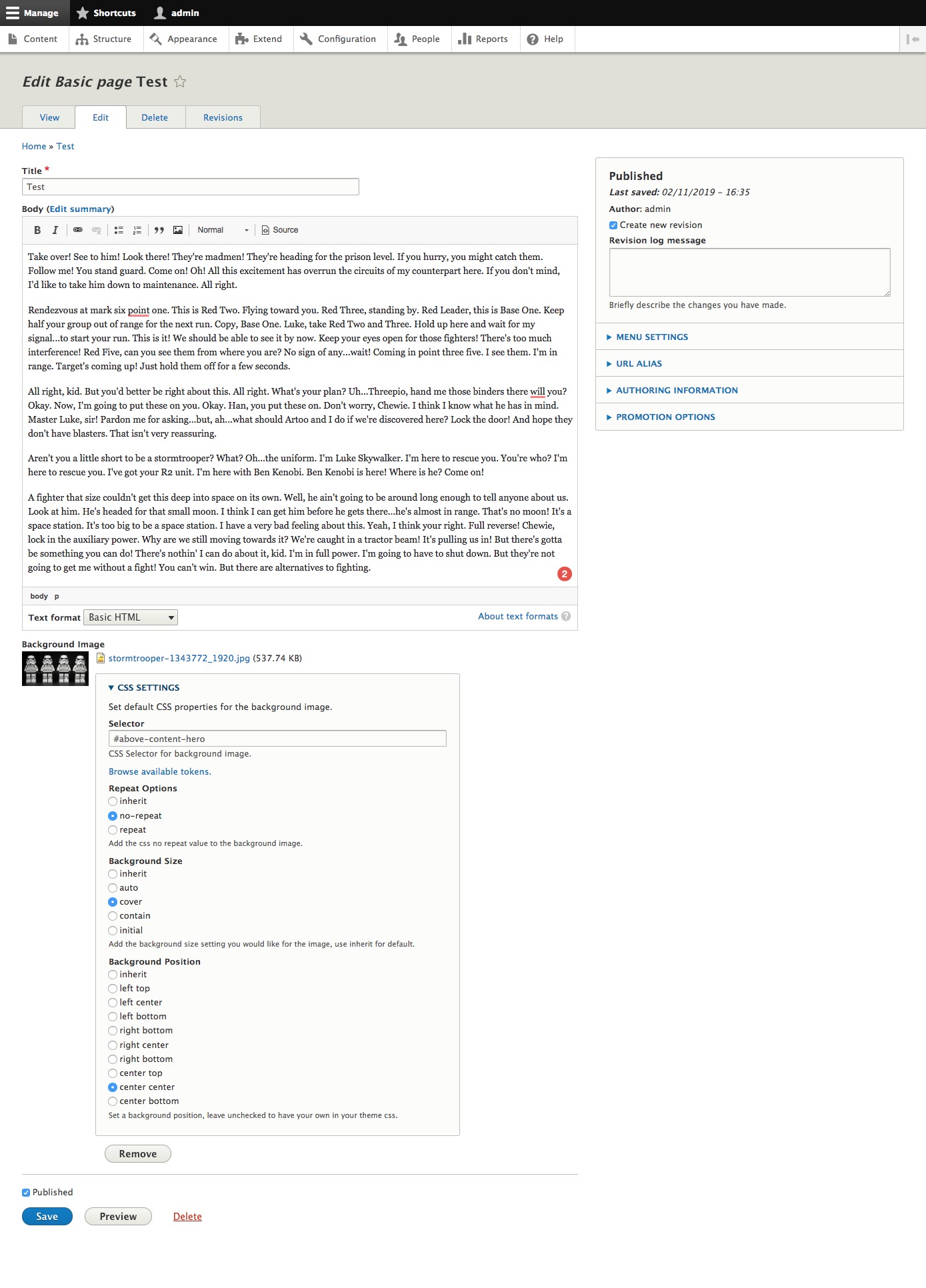
Background Image FIeld module allows you to create a field on an entity type. It requires responsive images mapping in order to offer the best image quality for the device it is rendering on. The field will define the CSS selector to attach the background image too and then allow you basic CSS options repeat, size, and position so you can define a per image solution for your frontend needs.
Dependencies
- Token
- Core: Responsive Images
Similar Projects
Formatters are used in the process of how fields are rendered. A formatter is an addition to how a field works and is not a field itself. Formatters can solve global issues while using the base fields configuration. Formatters that have similar features as the Background Image Field:
- Picture Background Formatter (base formatter implemented in this project.)
- Background Images Formatter
- Simple Background Image Formatter
The biggest differences you will notice is that the formatters will apply it setting globally to all content that is being rendered with that formatter. Using a field-specific solution allows you the control of each individual content of the field type per entity type i.e. node, paragraph_item, or custom entity. This field type makes your background image content more dynamic per page and allows more control over how your background image will render. Having this as a field also allows you a different way to apply it to content, query it in views, custom personalization per item created with it.
Installation
Install as you would any other drupal module. See more information here.
Configuration
- Create responsive image style /admin/config/media/responsive-image-style
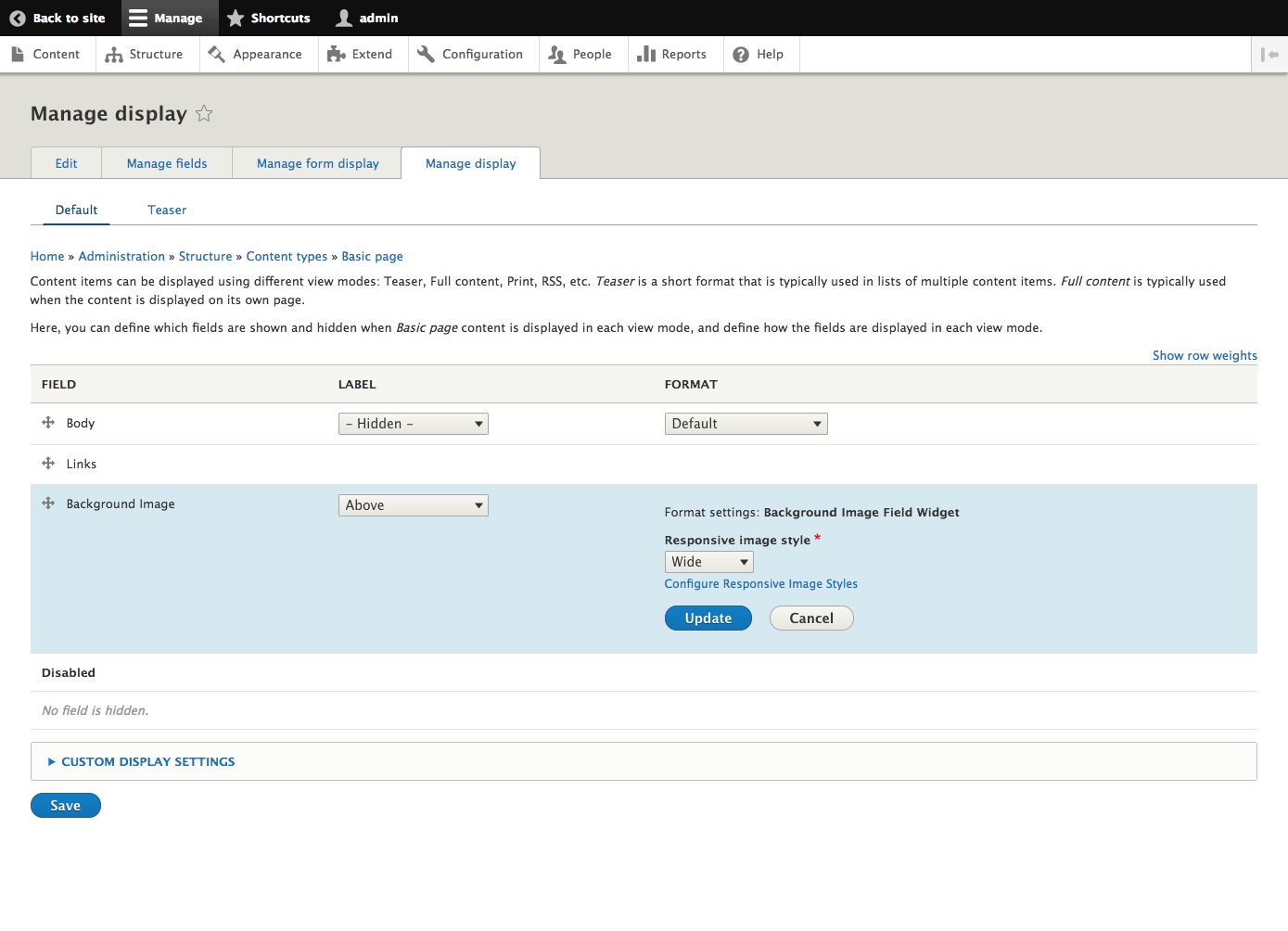
- The only responsive image style that will be picked up by the field formatter are the ones that have selected a single image style.
- Add the field on an entity type such as node, paragraph_item or, custom entity.
Troubleshooting
If you do not see the background image, please make sure to check that the CSS selector is part of the rendered HTML. This field will not create the selector you choose, it already has to exist in the HTML.
If there is no responsive image style available in the drop-down on the display management form the most common issue is you will need to create the desired responsive image style following the outline above. You can also find more details here on the responsive image style guide
Supporting organizations:
Module Development and Maintenance
Project information
- Project categories: Content editing experience, Site structure, Media
 719 sites report using this module
- Created by jfortune on , updated
 Stable releases for this project are covered by the security advisory policy.
Look for the shield icon below.
Releases
8.x-2.2
released 1 December 2024
released 1 December 2024
Works with Drupal: ^9 || ^10 || ^11
Enable Drupal 11 support, pipelines
Install:
Development version: 8.x-2.x-dev updated 24 Jan 2026 at 19:35 UTC


