

 Come together with the global Drupal community in Rotterdam, 28 Sept – 1 Oct 2026. Sessions, contribution, connection, and Early Bird savings until 8 June.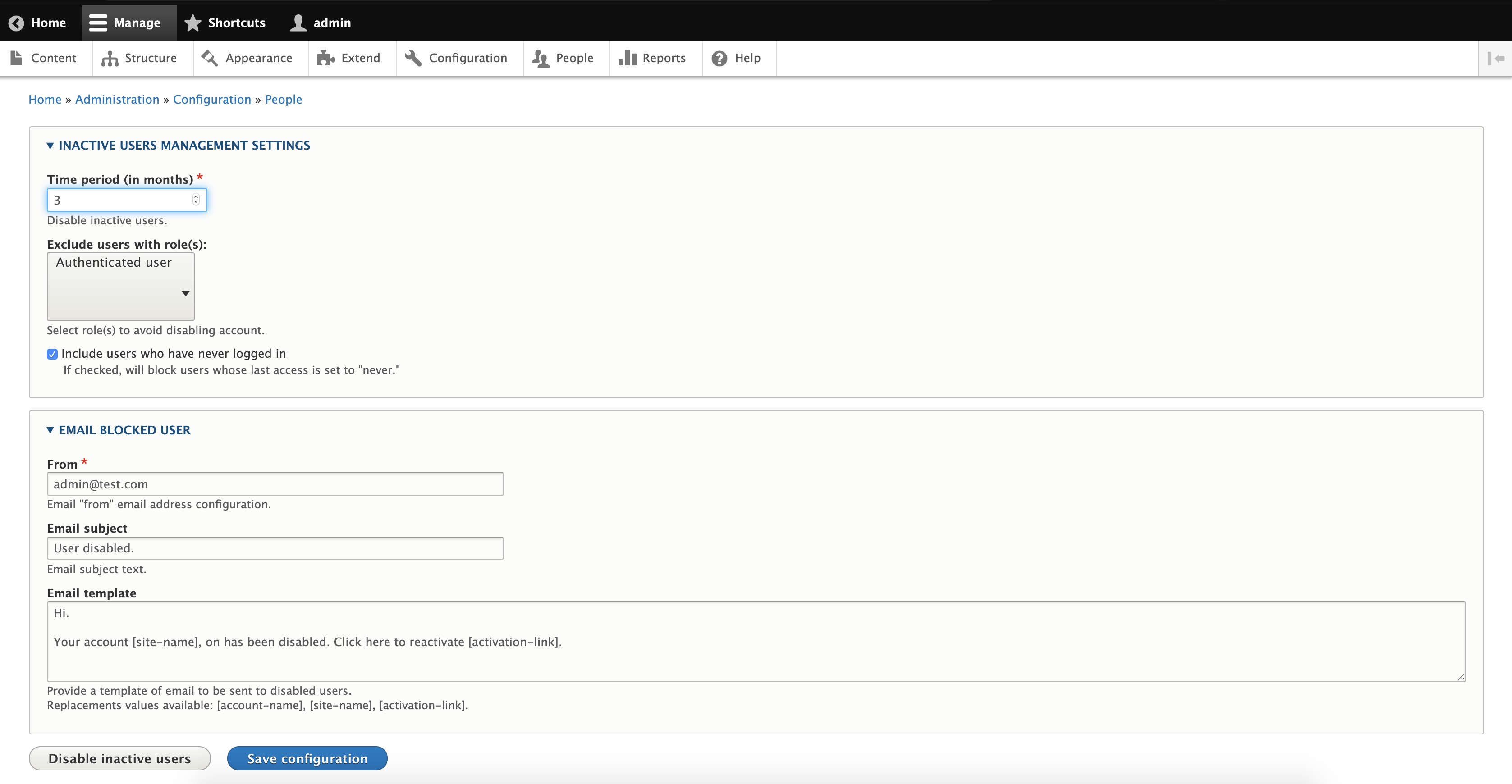
INTRODUCTION
The Block Inactive Users module automatically blocks user who haven't been
active for a designated amount of time.
------------
REQUIREMENTS
This module requires no modules outside of Drupal core.
------------
INSTALLATION
- Install as you would normally install a contributed Drupal module.
- Visit: https://www.drupal.org/node/1897420 for further information.
------------
CONFIGURATION
- Navigate to "Administration> Extend" and enable the module.
- Navigate to "Adminstration > People > Block inactive users" to configure options for automatically blocking inactive users.
- Enter the time period, in months, of inactivity to disable users.
- Configure an email for the inactive user. Fill in the admin's email address and the subject fields. Use of tokens is available in the help text.
- Pressing the 'Disable inactive users' button will immediately invoke the script.
- Save the configuration to run on the next Drupal cron jobs.
------------
MAINTAINERS
Supporting organizations:
Project information
- Project categories: Access control
 2,128 sites report using this module
- Created by rawdreeg on , updated
 Stable releases for this project are covered by the security advisory policy.
Look for the shield icon below.
Releases
8.x-2.8
released 15 December 2024
released 15 December 2024
Works with Drupal: ^8.8 || ^9 || ^10 || ^11
Install:
Development version: 8.x-2.x-dev updated 26 Sep 2024 at 19:35 UTC


