

Book Organizer delivers a clean, Views-powered administration experience for Drupal book module.
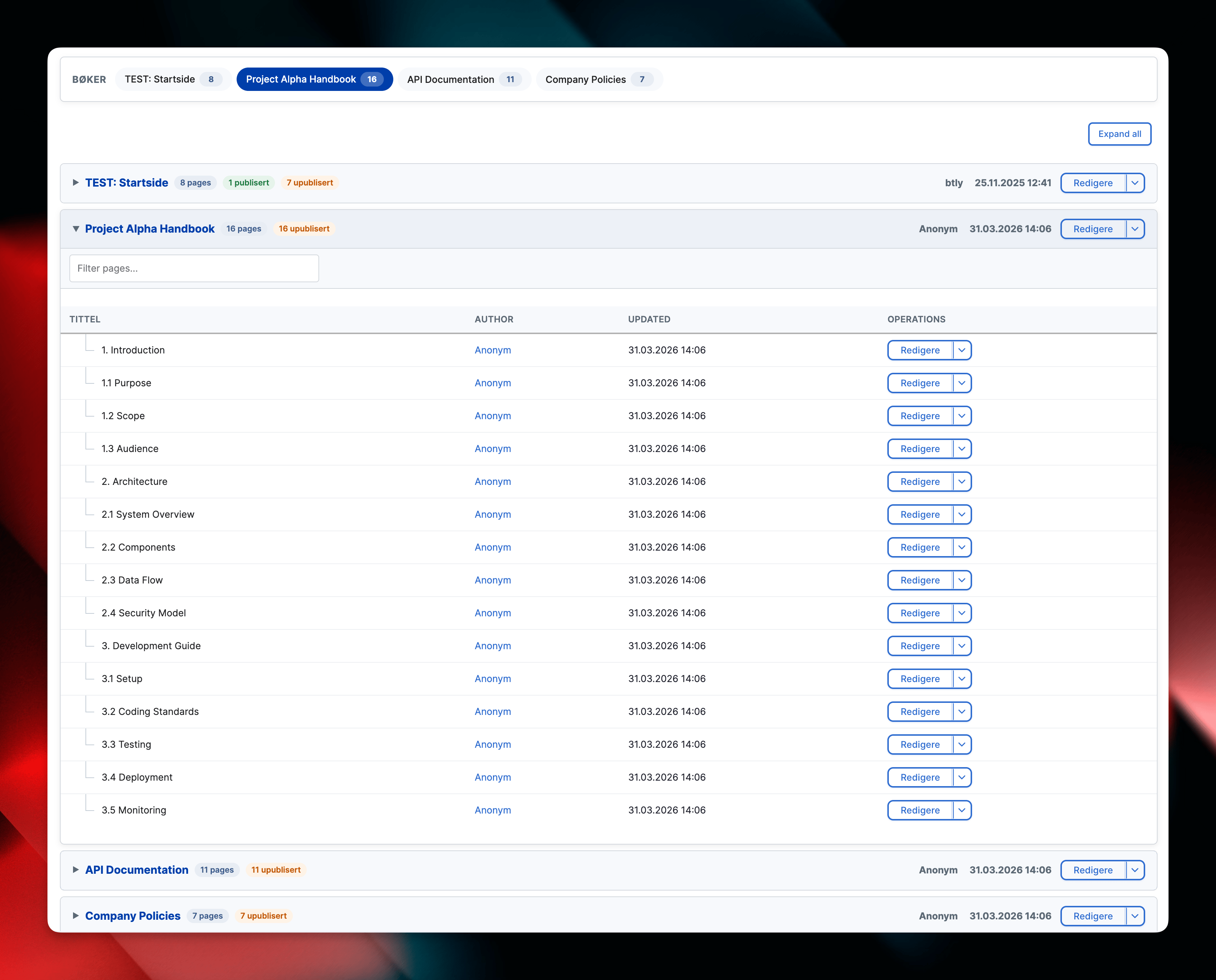
It surfaces every top-level book alongside its nested pages in a single hierarchy-aware table with filters and search, and lets you manage whole books without leaving the content overview.
Features
- Hierarchical table: Books render as headings with their child pages indented beneath them, mirroring the native book structure.
- Views filters: Title, status, and language filters work out of the box. Extend the
book_organizedview through the UI for additional criteria. - Page operations: Edit, view, and order links are exposed for both books and pages according to user permissions.
- Book-level operations: From a book's operations menu you can delete the book and all its children, publish or unpublish the whole book (a state-aware toggle that shows Publish or Unpublish based on the current status), and add a child page directly under a book.
- Batch processing: Delete, publish, and unpublish run through the Batch API, so they stay reliable on large books.
- Standalone support: Book nodes that are not part of a hierarchy remain visible, clearly marked as standalone entries.
Permissions
The module adds one permission, Use the Book Organizer overview (administer book organizer), which grants access to the overview and its book-level operations. Individual page operations still respect the relevant node access (edit, delete, and so on).
Usage
- Navigate to Content → Books (Organized) (
/admin/content/book-organized) to browse the hierarchy. - Use the exposed filters to narrow results by title, publication status, or language, or the per-book filter to search within a single book.
- Expand a book and use its operations menu to edit, order pages, add a child page, publish or unpublish the whole book, or delete the book and its children.
- Click the book title for the standard node display or “Order pages” to launch the core Book outline UI.
- The contextual tab remains available alongside Content for quick access.

Supporting organizations:
Maintenance and Development
Project information
 Minimally maintained
Maintainers monitor issues, but fast responses are not guaranteed.- Project categories: Administration tools, Content display, Content editing experience
 26 sites report using this module
- Created by doxigo on , updated
 Stable releases for this project are covered by the security advisory policy.
Look for the shield icon below.

