

 Come together with the global Drupal community in Rotterdam, 28 Sept – 1 Oct 2026. Sessions, contribution, connection, and Early Bird savings until 8 June.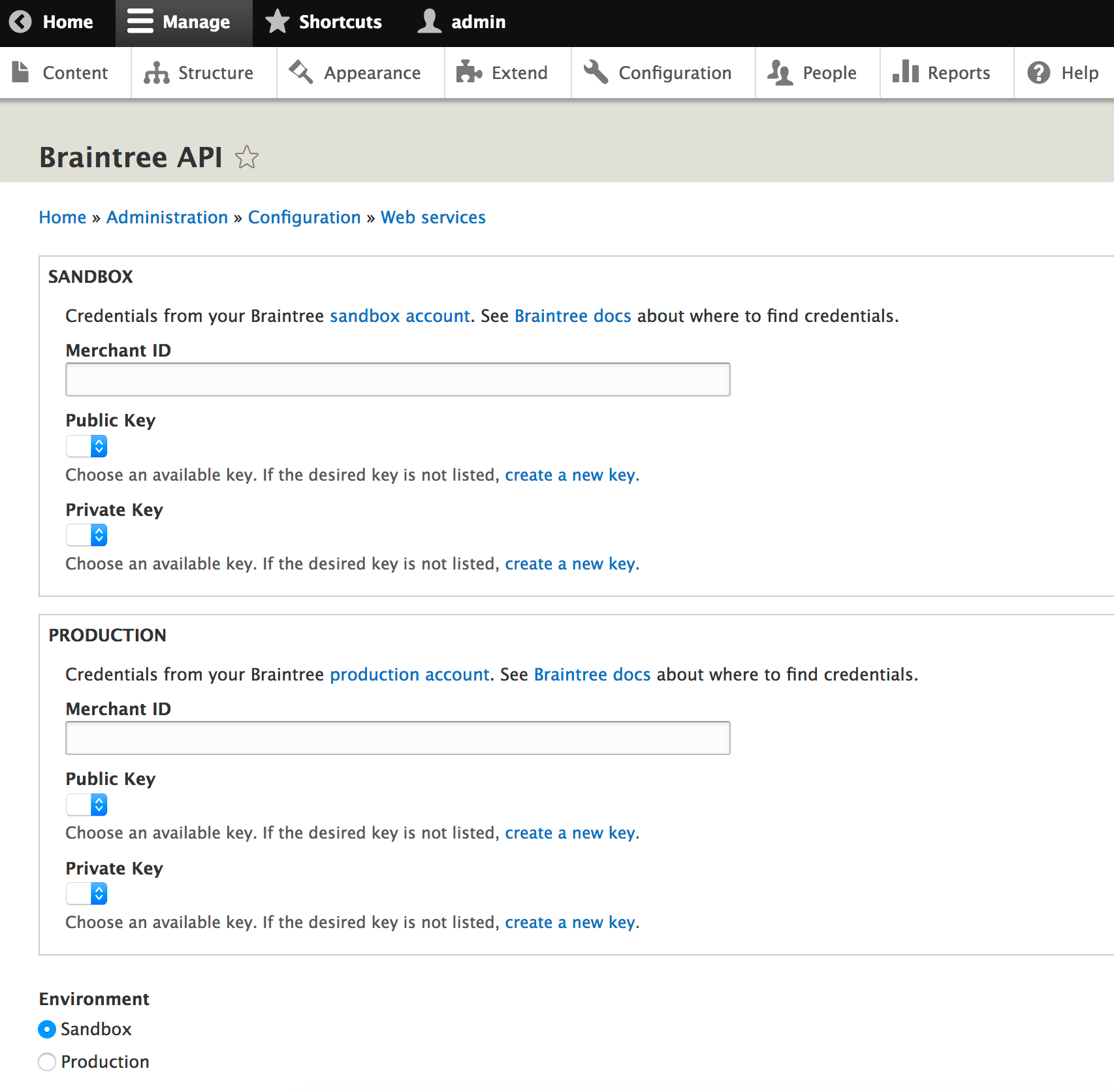
This is an API module to enable using the Braintree API in your custom module. Setup:
- Install using
composer require drupal/braintree_apiin order to pick up the Braintree SDK dependency. - Follow the links given on the settings form at
/admin/config/services/braintree_apito find your API credentials. - Enter them in the settings form, and save the form.
- Confirm that the "Sandbox" environment is selected during initial development
- Click the "Test Braintree Connection" to confirm things are working.
- Inject the
braintree_api.braintree_apiservice into your custom class. - Get the gateway instance object with
$gateway = $this->braintreeApiService->getGateway()assuming you assigned thebraintree_api.braintree_apiservice to the$braintreeApiServiceproperty of your custom class. - Use the Braintree SDK! Example
$gateway->customer()->create([
      'firstName' => $user->getAccountName(),
      'email' => $user->getEmail(),
      'paymentMethodNonce' => $nonce,
      'creditCard' => [
        'options' => [
          'verifyCard' => TRUE,
        ],
      ],
    ]);
When entering your private key using the Key module, if you're using a file provider to store your private key be sure to select the option to strip away line endings, otherwise Webhooks received from Braintree will not validate.
Webhooks
If you are using webhooks, add a webhook in the Braintree console by navigating to Settings -> Webhooks. Add a new webhook pointing to https://[your-domain]/braintree/webhooks, and select the events for which Braintree should send webhooks. During local development you may wish to tunnel Braintree webhooks to your local machine using ngrok, by entering a webhook URL of the form http://[subdomain-provided-by-ngrok].ngrok.io/braintree/webhooks?XDEBUG_SESSION_START=PHPSTORM into the sandbox Braintree console, where the query parameter starts xdebug with PHPStorm if you have that configured on your local system.
Subscribe to the BraintreeApiWebhookEvent with an event subscriber. For an example, see the BraintreeApiWebhookEvent event subscriber in Braintree Cashier.
Braintree API is inspired by the Stripe API module, but uses the Braintree payment gateway instead of Stripe.
Settings.php
Consider adding $config['braintree_api.settings']['environment'] = 'sandbox'; to your local settings.local.php to ensure you're always using the sandbox environment locally.
Dependencies
See the Braintree Cashier module for an example of how to use Braintree API.
Supporting organizations:
Sponsored development
Project information
 Maintenance fixes only
Considered feature-complete by its maintainers.- Project categories: E-commerce
 34 sites report using this module
- Created by shaundychko on , updated
 Stable releases for this project are covered by the security advisory policy.
Look for the shield icon below.

