

 Come together with the global Drupal community in Rotterdam, 28 Sept – 1 Oct 2026. Sessions, contribution, connection, and Early Bird savings until 8 June.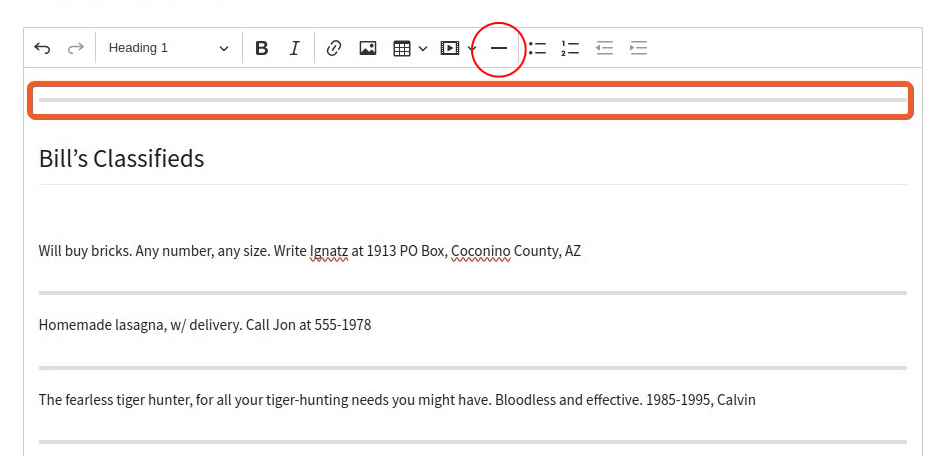
This project is not covered by Drupal’s security advisory policy.
This module adds Horizontal Line feature to CKEditor 5.
The CKEditor5 horizontal line feature lets you visually divide your content into sections by inserting horizontal lines (also known as horizontal rules). It is an easy way to organize the content or indicate a change of topic.
Support
Please post bug reports, feature requests and support requests to the CKEditor 5 horizontal line module issue queue. If you met any problems with this module - feel free to create an issue.
Demo
- Go to https://simplytest.me/project/ckeditor5_horizontal_line.
- Click "Launch Sandbox".
- Install Drupal as normal.
- Enable "CKEditor 5 horizontal line" module, and any optional modules you wish to try out.
- Go to admin/config/content/formats/manage/full_html or any other editor where you wish to implement the functionality and drag the horizontal line icon on the active toolbar
- Add/edit the content with editor, click on the horizontal line icon where the horizontal line feature lets you visually divide your content into sections by inserting horizontal lines (also known as horizontal rules). It is an easy way to organize the content or indicate a change of topic.
Supporting organizations:
Project information
- Project categories: Content editing experience, Developer tools
- Ecosystem: CKEditor 5
 32 sites report using this module
- Created by sujan shrestha on , updated
 This project is not covered by the security advisory policy.
Use at your own risk! It may have publicly disclosed vulnerabilities.

