


This project is not covered by Drupal’s security advisory policy.
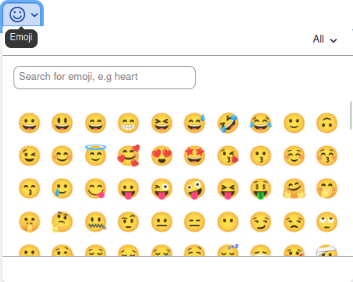
CKEditor Emoji Plugin is designed to enhance the content editing experience in Drupal by enabling the insertion of emojis directly into your text. Emojis have become a universal form of expression and communication, adding a fun and engaging aspect to your content.
Installation
- Go to the Drupal admin dashboard.
- Navigate to Configuration > Content authoring > Text formats and editors.
- Edit the text format you want to enable emojis for (e.g., Full HTML).
- In the CKEditor settings, add the
 Icon button to the toolbar.
 - Save your changes.
- Now, when you edit content using the configured text format, you'll have an emoji button in the CKEditor toolbar. Click it to insert emojis into your content..
Additional Requirements
- CKEditor5
Similar Projects
You may also consider the "Emoji" module designed for CKEditor version 4. This alternative module provides similar functionality for users who are using CKEditor version 4. Depending on your specific CKEditor version and requirements.
Supporting this Module
If you find this module useful and wish to support its development, you can check for ways to contribute.
Supporting organizations:
Sponsored time
Project information
- Project categories: Content display, Content editing experience
 1,099 sites report using this module
- Created by ashrafomar on , updated
 This project is not covered by the security advisory policy.
Use at your own risk! It may have publicly disclosed vulnerabilities.

