

This project is not covered by Drupal’s security advisory policy.
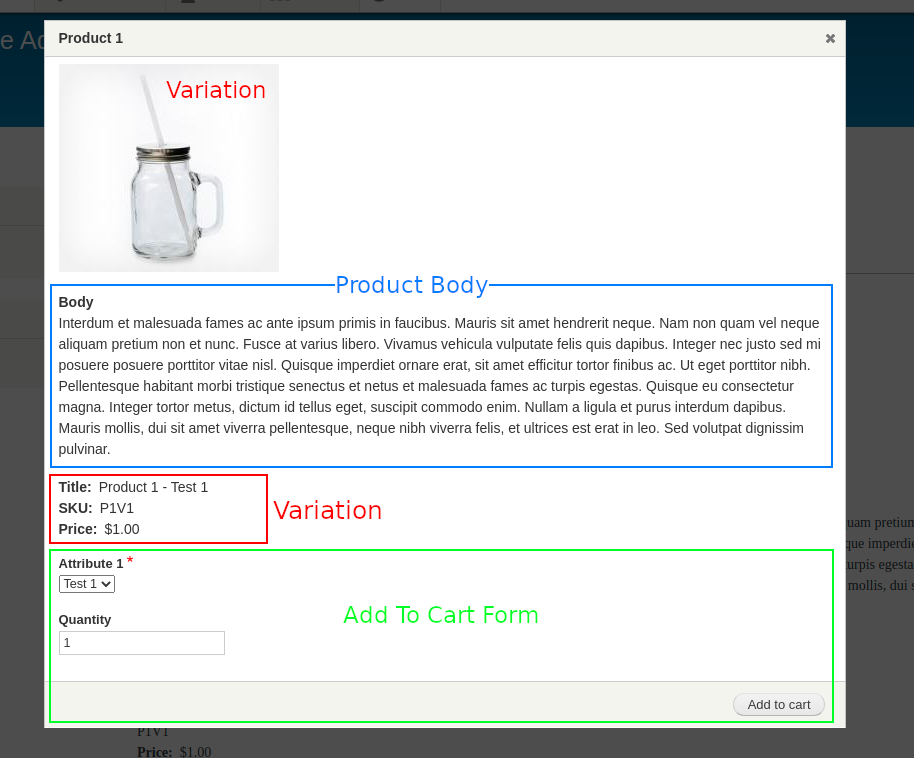
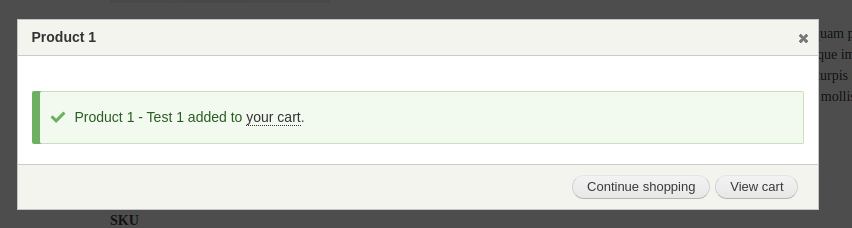
The add to cart pop-up form module provides an add to cart link pseudo field to each product type that allows you to display the product, selected variation, and add to cart form in a themeable pop-up modal when the link is clicked. When the pop-up form is submitted, the cart block count is automatically updated and a themeable success form is displayed.
The pop-up modal allows you to configure the height and width of the modal in the manage display section for each product type. The pop-up modal is populated by fields configured in custom Add To Cart Pop-Up display modes for the Product Type, Variation Type, and Order Item Type.
Setup Instructions
- Go to Manage Display for your Product Type and Variation Type and enable the Add To Cart Pop-Up display mode.
- Set the weight of each field you wish to display in the pop-up form. Ensure that the Variations field is set to the Add To Cart formatter. Just like building a product page, the variation fields can be injected into the pop-up form to display alongside the product fields.
- Edit the Product Type display mode you wish to display the Add To Cart Pop-Up Link and drag the Add to cart pop-up form field into the visible area. Set the width and height of the modal form and choose whether you wish to combine similar order items.
- Go to Manage Form Display for your Order Item Type and enable the Add To Cart Pop-Up form display mode. Set the Purchased Entity field to either the Product variation title or attributes widget, and hide the Unit Price field.
Project information
 Unsupported
Not supported (i.e. abandoned), and no longer being developed. Learn more about dealing with unsupported (abandoned) projects- No further development
No longer developed by its maintainers. - Project categories: E-commerce
- Ecosystem: Commerce Core
 8 sites report using this module
- Created by ericchew on , updated
 This project is not covered by the security advisory policy.
Use at your own risk! It may have publicly disclosed vulnerabilities.
Releases
Development version: 1.0.x-dev updated 17 May 2023 at 15:43 UTC

