


Provides a Point of Sale interface for Drupal Commerce, allowing in-person transactions via cash or card, returns, multiple registers and locations and EOD reporting, along with the ability to add or remove unique cashiers easily. All integrated with Commerce to allow you to use the same products, customers, and orders between both systems.
The ease of use allows for quick training and the intuitive build eliminates many common user errors.
The Point of Sales also makes the use of tablets, laptops or desktops fully compatible and interactive with each other.
Point of Sale for Commerce 2 & Drupal 9/10
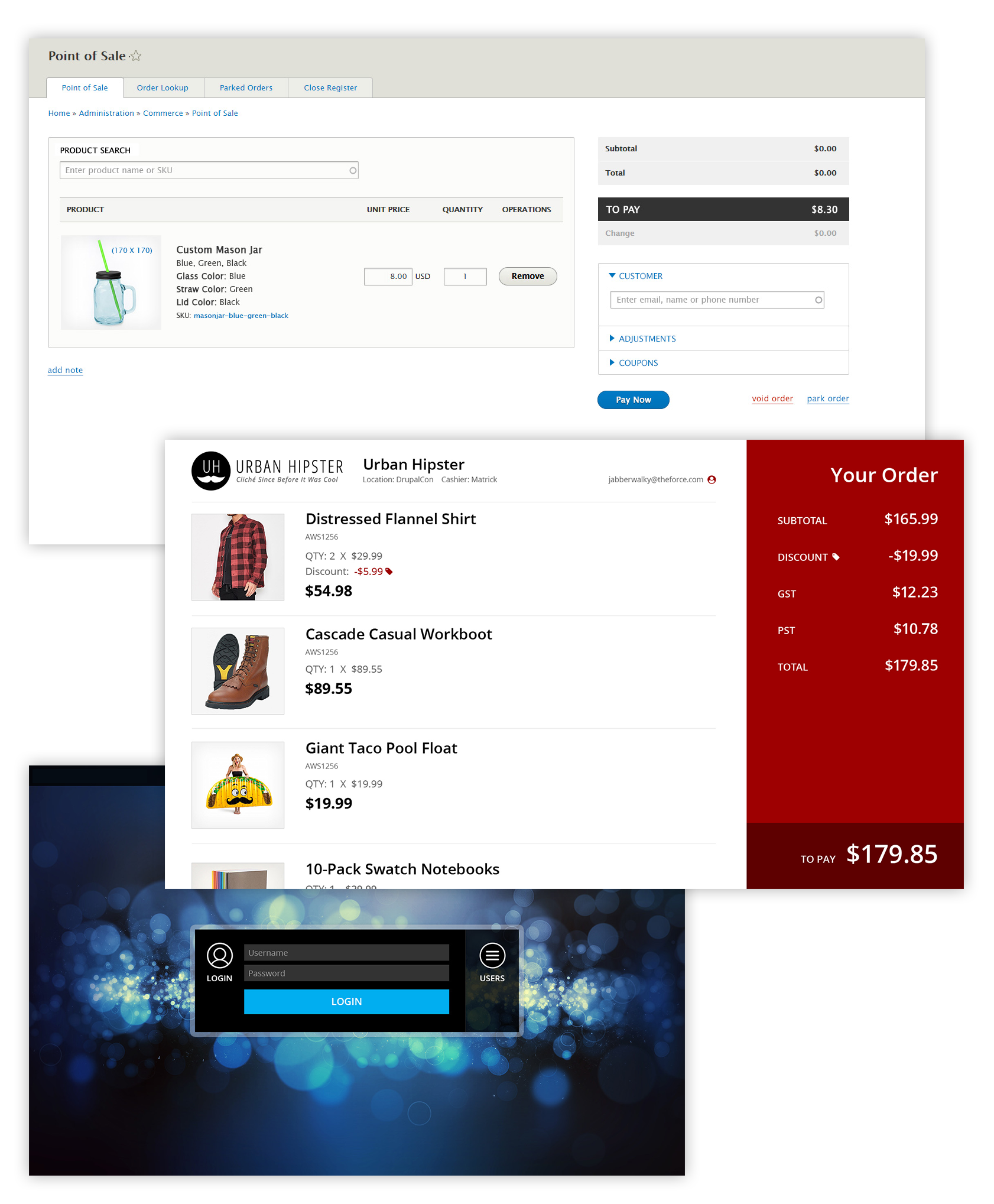
Features
- Fully integrated into Commerce 2
Seamlessly integrates into the existing Commerce 2 systems and architecture. - Touch friendly
Built to work with any touch enabled monitor or tablet. - Customer facing display
While a cashier is ringing in items, the customer facing display updates in real-time displaying to the customer the products they are buying including updated prices, discounts, and totals. The customer facing display can be branded to match your business. - Customizable cashier login screen
A customizable cashier login screen completes the Point of Sale cashier experience. - Search API enabled
Search API is a powerful search that lets you find products in more ways than searching for a title, enabling you to use a barcode scanner for instance. - Print or email receipts
Any order can be attached to an existing customer account, new customer account, or just a simple customer email address, to send the order receipt to the customer via email. Or, go the old fashion way and print out a receipt. Commerce Point of Sale works both ways.
Recommended Modules
- To print receipts using the Receipt submodule, you must download the jQuery Print plugin from https://github.com/DoersGuild/jQuery.print and place the 'jquery.print.js' file into 'libraries/jquery-print'
Important note
In order to install the 3.0.0-alpha version of this module you need to set the minimum stability of your root composer project to alpha.
The command to do this is:
composer config minimum-stability alpha
Project information
- Project categories: E-commerce
 585 sites report using this module
- Created by rbayliss on , updated
 Stable releases for this project are covered by the security advisory policy.
There are currently no supported stable releases.
Releases
Development version: 3.0.x-dev updated 19 Dec 2023 at 10:36 UTC


