

Provides the block with the link to open a contact form of a node author in off-canvas dialog.
Uses
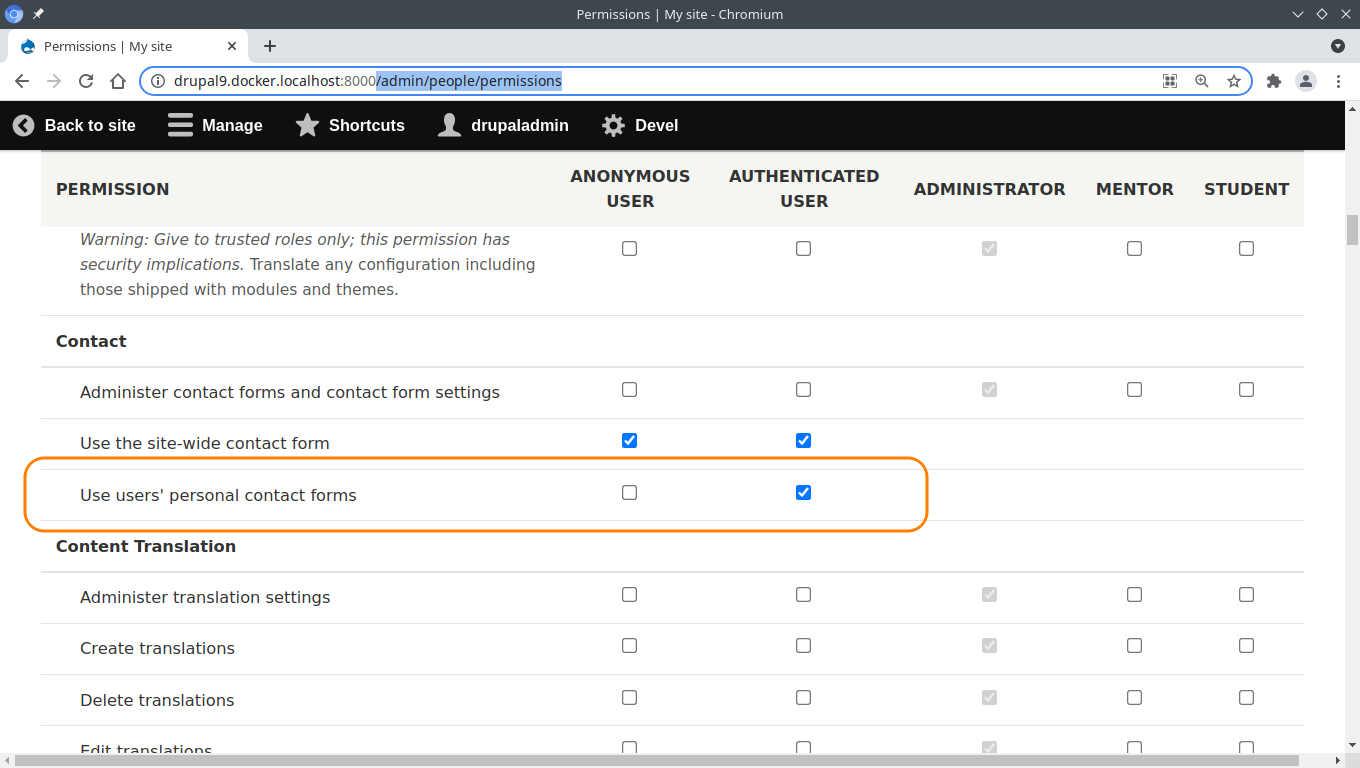
1. To enable users to send messages via contact form they should have the "Use users' personal contact forms" permission.
Visit /admin/people/permissions
and give this permission to those roles you want.
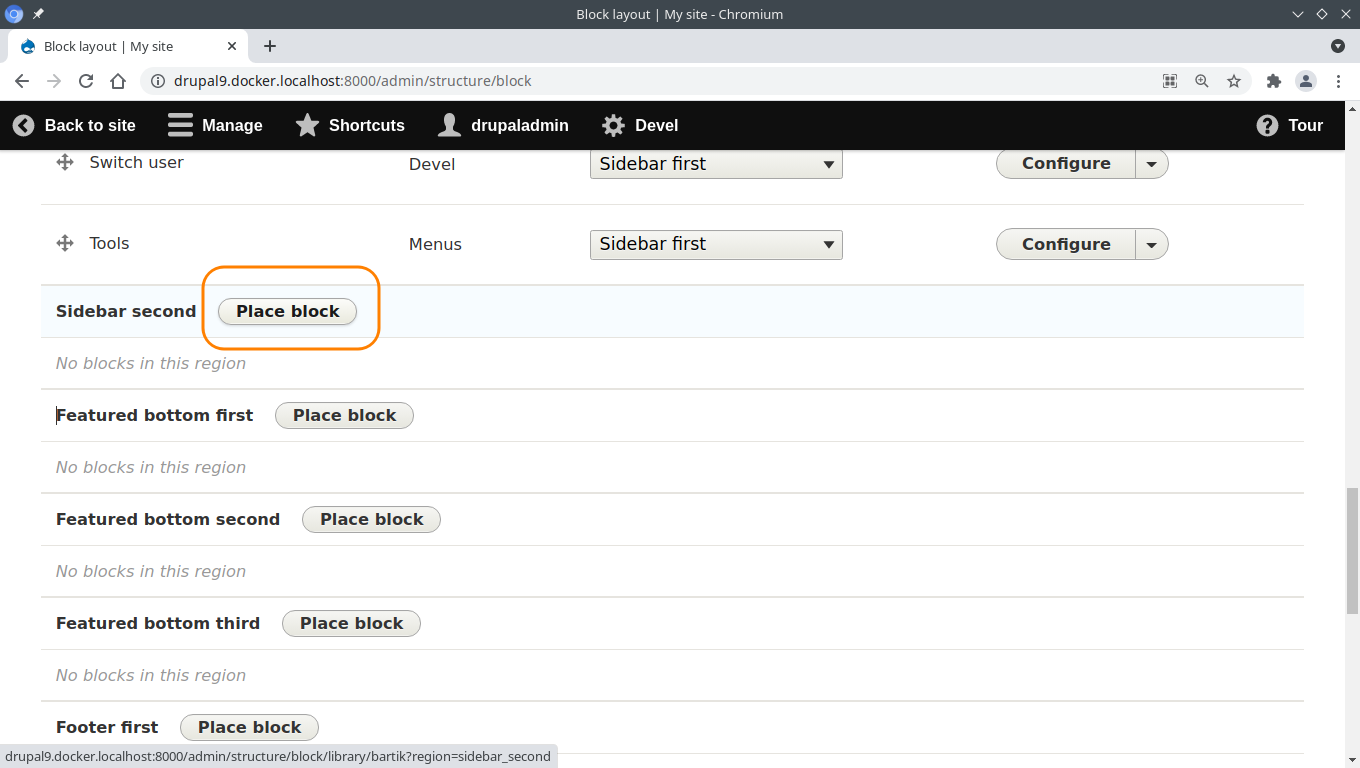
2. Visit /admin/structure/block, select a region you need and click on the "Place block" button.
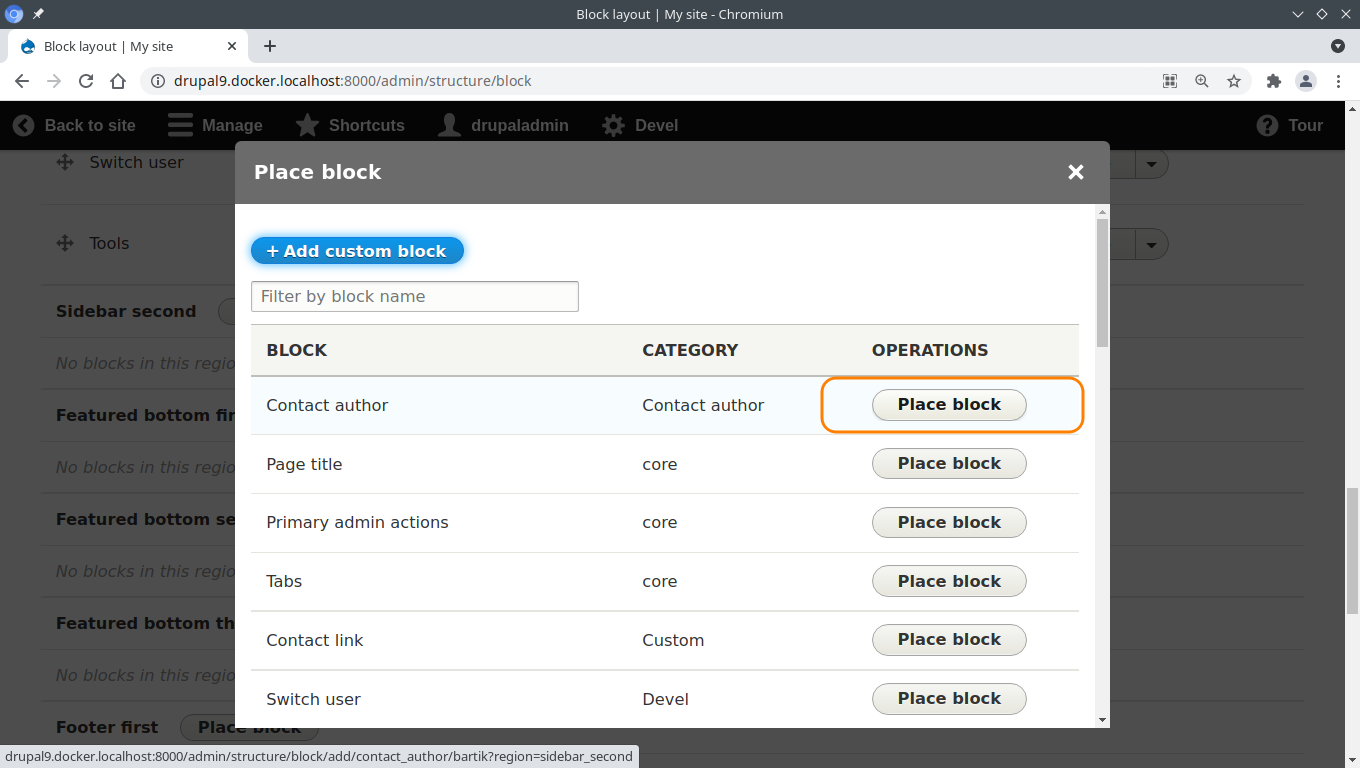
3. Find the "Contact author" block and click on the "Place block" button.
4. Enter the title of the block. The title of the block will be used as the title of the link.
5. Uncheck the "Display title" option and click on the "Save block" button.
6. Scroll down and click on the "Save blocks" button.
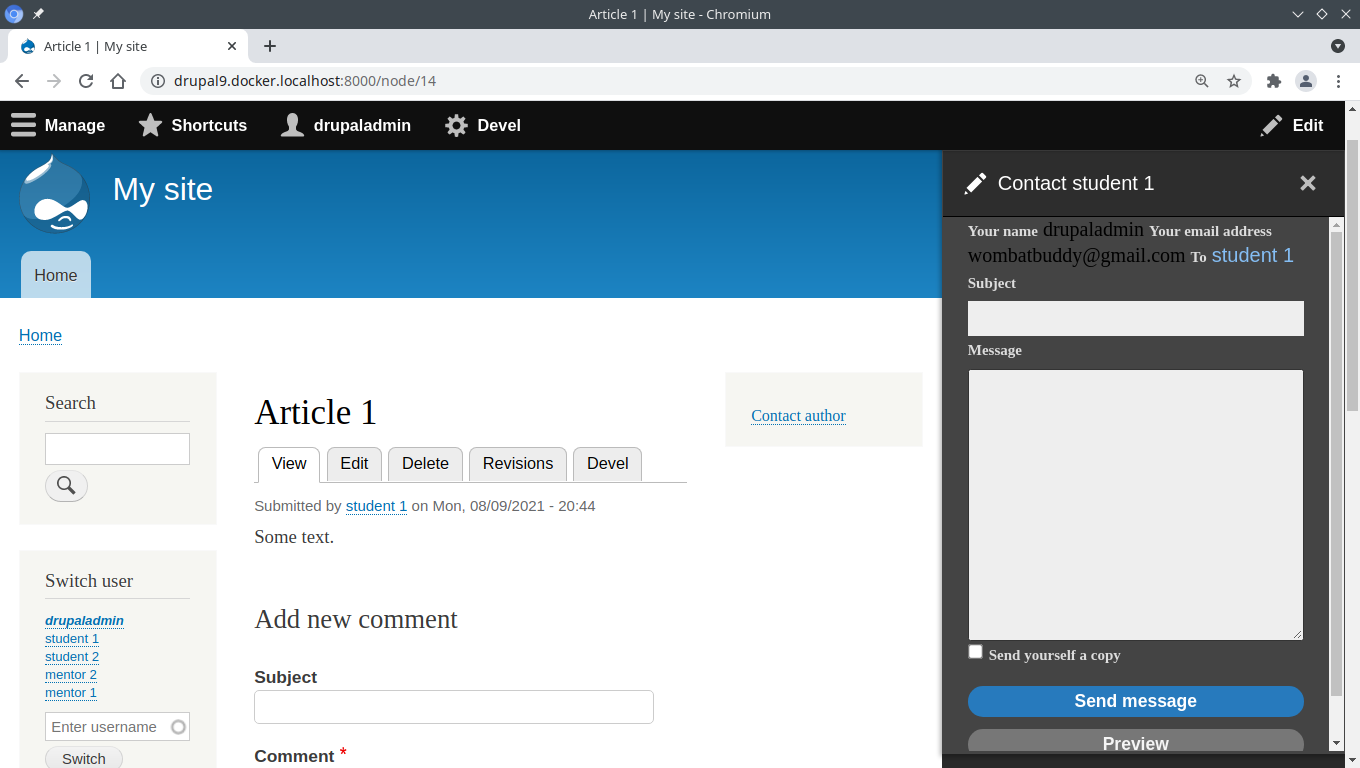
After this if a user visit a node and if an author of this node has email address, then a user will see the "Contact author" link.
If a user click on the link, then a contact form of a node's author will be opened in off-canvas dialog.
Also, the module provides the "contact-author.html.twig" template that can be used for styling of the link. The width of the off-canvas dialog also can be altered with this template.


Project information
 Minimally maintained
Maintainers monitor issues, but fast responses are not guaranteed.- Project categories: Integrations
 14 sites report using this module
- Created by wombatbuddy on , updated
 Stable releases for this project are covered by the security advisory policy.
Look for the shield icon below.

