

 Come together with the global Drupal community in Rotterdam, 28 Sept – 1 Oct 2026. Sessions, contribution, connection, and Early Bird savings until 8 June.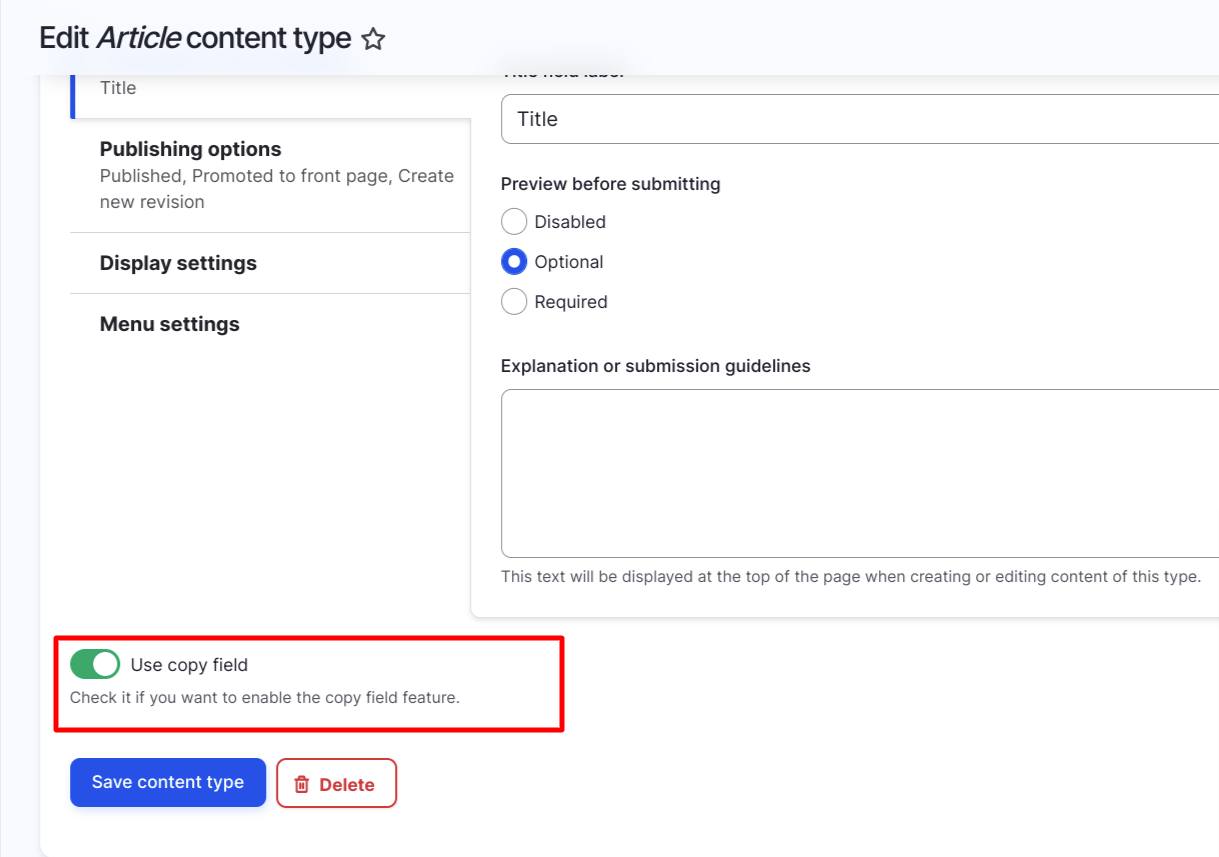
This project is not covered by Drupal’s security advisory policy.
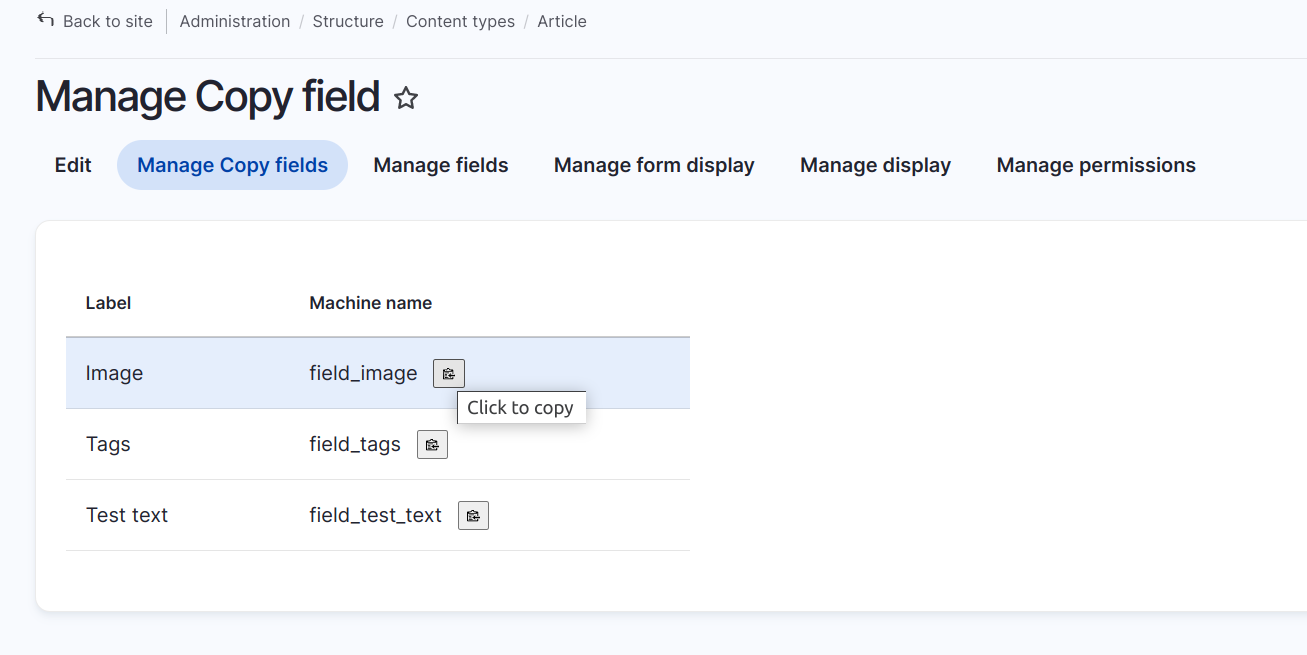
The Copy Field module provides the ability to copy the machine name of a content type field. When creating custom themes or rendering content type data, we often need to copy the content type field's machine name. With this module, you can easily copy the machine name of a field with a single click. You can install this module in a development environment by configuring it with Config Split.
Features
1. Configure this copy field module as per your need i.e, content type wise
2. Copy field machine name to clipboard and past it wherever you want
Post-Installation
After installing module, Visit content type you want to add copy field feature and edit content type page admin/structure/types/manage/article here you can enable or disable copy field feature. After enable this you can see new tab Manage Copy field on admin/structure/types/manage/article
Additional Requirements
No additional requirements needed.
Supporting organizations:
Project information
 Maintenance fixes only
Considered feature-complete by its maintainers.- Project categories: Developer tools
- Created by sanket.addweb on , updated
 This project is not covered by the security advisory policy.
Use at your own risk! It may have publicly disclosed vulnerabilities.
Releases
1.0.1
released 7 June 2024
Works with Drupal: ^9 || ^10
Install:
Pre-release version: 1.0.2-beta1 released 11 Jun 2024 at 05:15 UTC


