

This project is not covered by Drupal’s security advisory policy.
Copy Formatter module provides a copy field formatter for media referenced fields in Drupal 9/10. It allows users to copy the embedded media code with a single click and use it in other parts of their website or external applications. The module supports various media types, including images, videos, audios, PDFs, and remote videos.
Features
- Provides a field formatter named "Copy" for media referenced fields.
- Allows users to copy the embed code of the media.
- Supports media types such as images, videos, audios, PDFs, and remote videos.
- Renders the embed code in a format that can be easily copied and used.
Installation
- Install and enable the Media module if it's not already enabled.
- Install the Copy Formatter module.
- Enable the module either through the Drupal administration interface or by using Drush:
drush en copy_formatter
Post-Installation
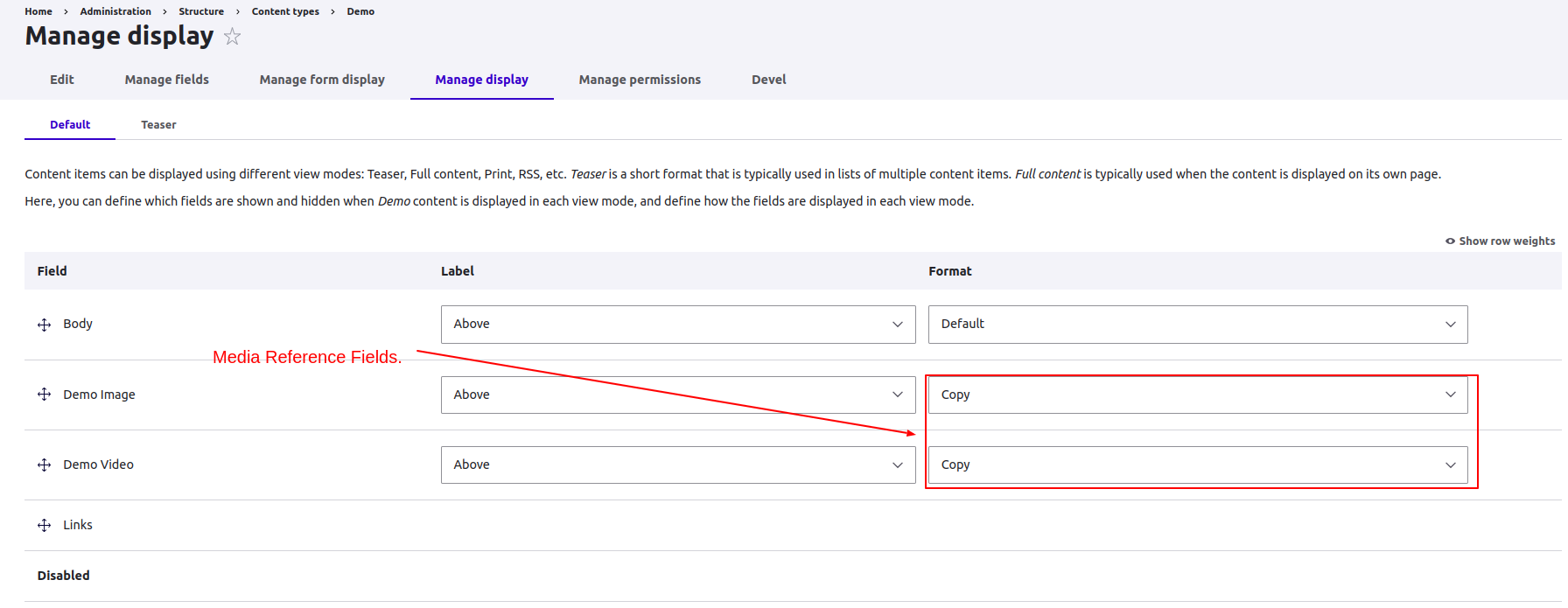
- After enabling the module, navigate to the "Manage Display" page of the content type or entity bundle where you have media reference fields.
- Select the "Copy" formatter for the desired media referenced fields.
- Save the display settings.
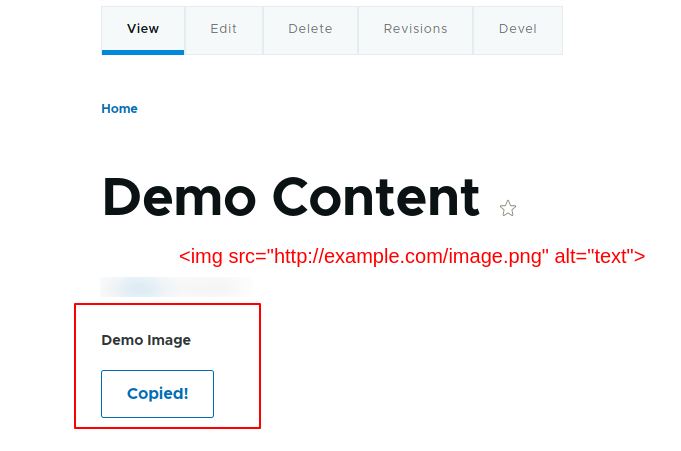
- When viewing a media entity with the selected formatter, users will see a copy button and on clicking the copy button, the embed code for that media will get copied.
- Users can copy the embed code and use it in other parts of the website or external applications.
Additional Requirements
- Drupal 9 / 10
- Media module
Supported Media Types
The Copy Formatter module supports the following media types out of the box:
- Image: Renders the image as an HTML img tag.
- Video: Renders the video as an HTML video tag.
- Audio: Renders the audio as an HTML audio tag.
- PDF: Renders the PDF as an HTML iframe tag.
- Remote Video: Renders the remote video URL as an HTML iframe tag.
Compatibility
The Copy Formatter module is compatible with Drupal's Entity Reference field and works with media reference fields on entities such as nodes, paragraphs, or custom entities.
Supporting this Module
If you encounter any issues or have questions about the module, please create an issue in the module's issue queue on drupal.org.
Community Documentation
Contributions to the module in the form of bug reports, patches, feature requests, translations, etc., are welcome. Please submit them via the module's issue queue on drupal.org.
Project information
- Project categories: Content editing experience, Content display, Site structure
 2 sites report using this module
- Created by BalasaranyaV on , updated
 This project is not covered by the security advisory policy.
Use at your own risk! It may have publicly disclosed vulnerabilities.


