

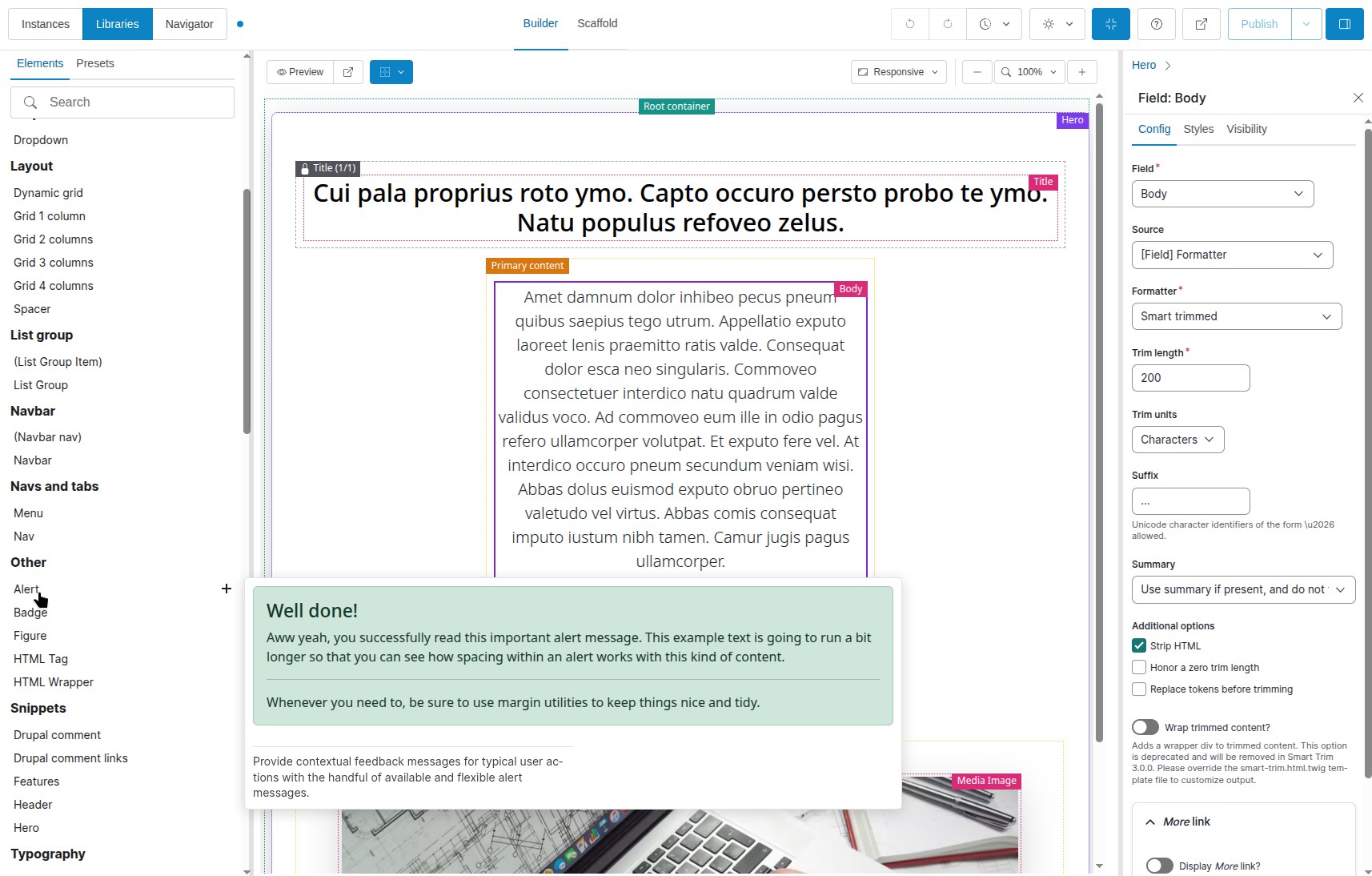
A display building tool for ambitious site builders, by the UI Suite team:
- Design system native: fully use your design system (components, style utilities, icons, themes/modes, CSS variables...) directly in Drupal.
- Unified: one builder replaces Layout Builder for entity view displays, Block Layout for pages, and the display building of Views. Existing Layout Builder displays are migrated.
- Modern: the Builder renders your front theme, with a responsive preview, undo history, presets, translations and real-time collaboration.
- AI ready: describe a page in plain words, and an assistant builds it as a draft for you to review.
Project status
The 1.0.x branch is in beta, for Drupal 11.4+, and every beta has a tested update path.
Next comes one more beta, then a release candidate, aiming for 1.0.0 around the end of the year.
Until 1.0.0, an API can still change, with a change record. Publish your displays before updating.
Start here
- Evaluating? Start a new site from the Bootstrap recipe: a Bootstrap theme, demo content and a homepage already built.
- Site builder? Follow Build your first display, then How displays nest.
- Themer? Bring your theme's Single Directory Components.
- Coming from Layout Builder? Your layouts are imported. Comparing with Drupal Canvas? See how they differ.
Build with AI
Display Builder AI adds a chat to the Builder. Ask for a page, a section or one component, or attach a mock-up to rebuild.
The assistant places and fills components as a draft. A person reviews it and publishes.
On a Display Builder site, the Display Builder AI Recipe installs it in two commands.
It needs an OpenAI or Anthropic API key, and the project is in alpha.
Prefer your own agent, such as Claude Code? Display Builder Tools gives it the same operations over MCP. See Build with AI.
Start from a recipe
Each recipe starts a site on one design system, with Display Builder set up:
- Bootstrap, on UI Suite Bootstrap
- DSFR, the French government design system, on UI Suite DSFR
- Basecoat, Bulma, PatternFly, Pico and Web Awesome
Already on Drupal CMS? Add Display Builder with the Drupal CMS recipe.
Any theme with SDC components works too, such as UI Suite DaisyUI or UI Suite USWDS.
Installation
Install as you would normally install a contributed Drupal module. See Installing Modules for further information.
Display Builder does nothing on its own: each kind of display has its own sub-module. Enable the ones you need:
- Entity view (
display_builder_entity_view): how a content entity displays, such as an Article page. Replaces Layout Builder. - Page layout (
display_builder_page_layout): the page around the content, such as the header and footer. Replaces Block Layout. - Views (
display_builder_views): how a View displays its results.
Documentation
See the online documentation, and start with Build your first display.
Contributing
Join us on Drupal Slack in #display_builder. See Contributing.
Maintainers
Current maintainers:
- Jean Valverde - Lead - mogtofu33
- Mikael Meulle - Maintainer - just_like_good_vibes
- Pierre Dureau - Project manager - pdureau
Supporting organizations:
- Beyris - We are leading impactful open-source projects and we are providing coding, training, audit and consulting.
Support
Enjoying Display Builder? Help us speed up its development: buy us a coffee.
Need a feature or sponsored work on Display Builder? Contact the team.
Project information
- Project categories: Content display, Site structure
- Ecosystem: UI Suite - Design Systems with Drupal
 875 sites report using this module
- Created by just_like_good_vibes on , updated
 Stable releases for this project are covered by the security advisory policy.
There are currently no supported stable releases.
Releases
Islands, instances and buildables settle their API, entity view displays keep their core class, and instances are listed in a View.
Development version: 1.0.x-dev updated 26 Nov 2026 at 16:03 UTC


