


Introduction
Domain Sites provides an easy configuration for setting up (sub)sites based on
domain modules.
This module provides a sites overview where you can see what sites there are, if
they are active and what hostname they have. Here you can edit and delete a site
and all corresponding domain config will be edited or deleted.
The sites overview can be found at admin/sites.
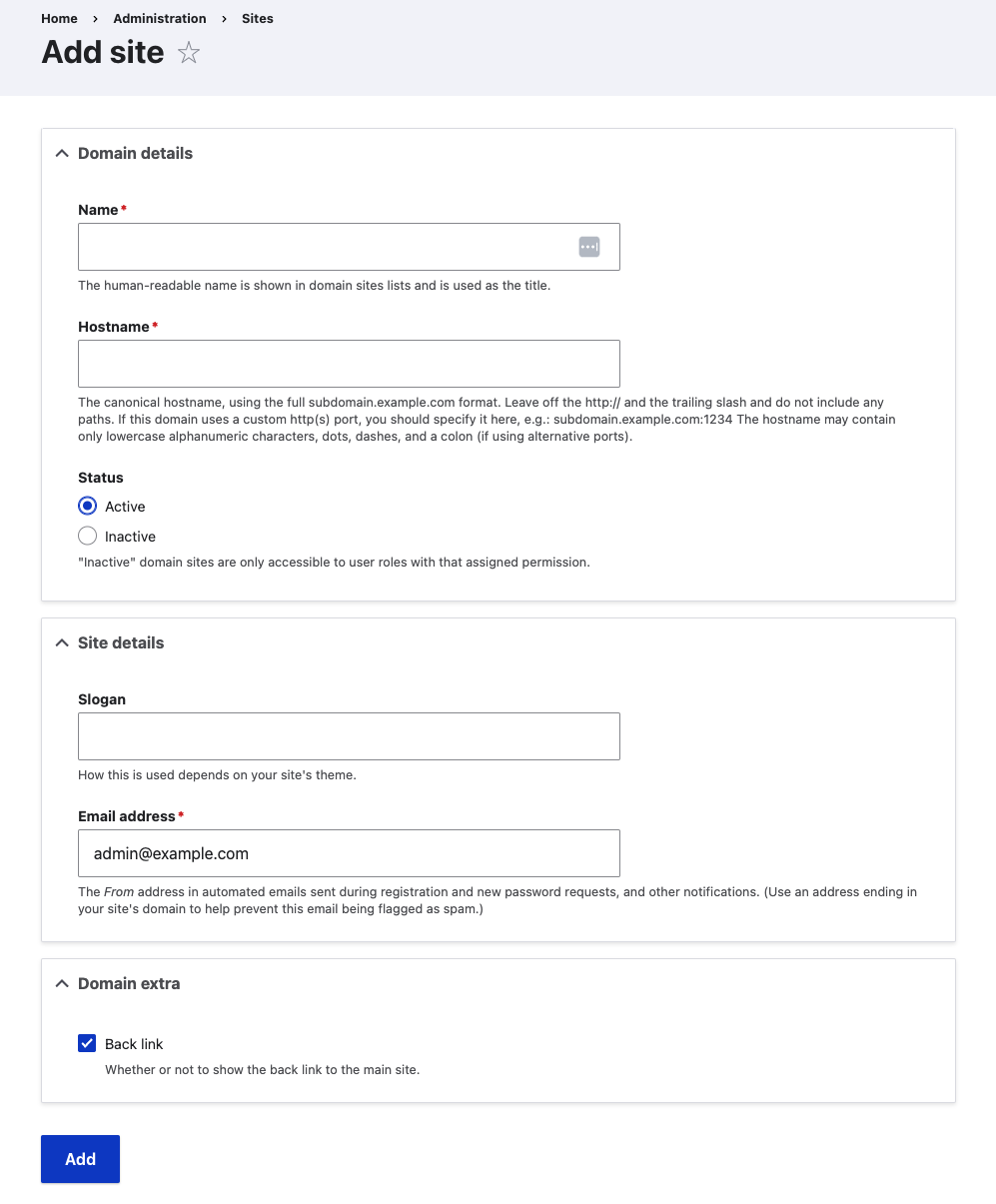
Adding a site has never been so easy. Just go to the sites overview and click on
the action link 'Add site'. This will bring you to a form where you can insert
the following:
Domain details:
- Name (Domain)
- Hostname (Domain)
- Status (Domain)
Site settings:
- Slogan (Domain Config)
- E-mail (Domain Config)
Domain Extra:
- Logo (Domain Access Logo)
- Back Link (Domain Sites)
When adding a website, the config will be saved to the corresponding domain
config. A frontpage will be added and assigned to the domain and set in the
domain config system site setting.
Requirements
This module requires the following modules:
- Domain
This module supports the following modules:
- Domain Access Logo
Installation
Install as you would normally install a contributed Drupal module. For further
information, see Installing Drupal Modules.
Configuration
If you go to admin/config/domain/domain_sites you will see a fairly simple
interface. You can configure whether the options are allowed to be set when
adding/editing a site.
Available options:
- Allow back link
- Allow logo

Project information
- Project categories: Access control, Developer tools
- Ecosystem: Domain
 24 sites report using this module
- Created by tim-diels on , updated
 Stable releases for this project are covered by the security advisory policy.
There are currently no supported stable releases.
Releases
Development version: 1.0.x-dev updated 25 Sep 2023 at 13:14 UTC


