



This project is not covered by Drupal’s security advisory policy.
This module is unsupported due to a security issue the maintainer didn’t fix.
If you want to use this module, your options are:
- Choose another, actively maintained module instead
- Following the unsupported project process.
- Hire someone to fix the security bug so the module can be re-published and supported (Consider hiring companies listed in the Marketplace)
Add helpers functions for ECA
Events
- Preprocess event
- Status message event
Actions:
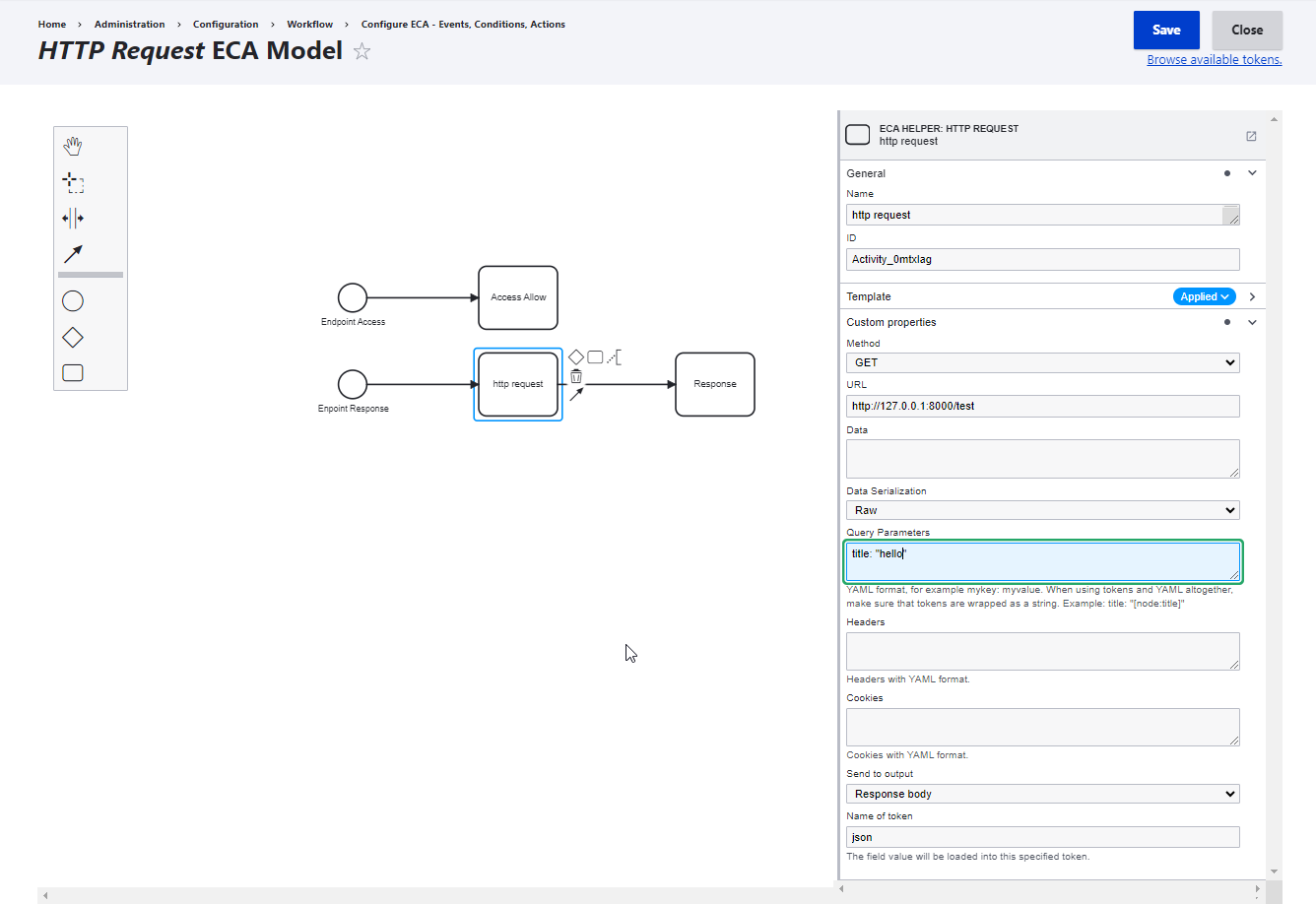
- Simple http request, if response data is json you can access with [token_name:json:response_data_key]
- Workflow label
- Workflow state
- Get $_SERVER, $_COOKIE, $_SESSION, $_ENV, $_GET, $_POST variable
- Set cookie value for response
- Form Set any form element field value by key
- Form Get any form element field value by key
- Form attach library
- Form add css class
- Form dumper data (dev)
- ThirtPartySetting Get/Set value
- Preprocess Get/Set value for variables
- Preprocess attach library
- Preprocess add css class
- Preprocess remove item
- Headers Set/Remove values
- Add custom tag/script/style to header, body top, body bottom
- Alter status messages
ECA Quick Action
Create quick action for ECA without need define plugin and module.
Create file docroot/sites/eca/EcaActions.php
<?php
/**
 * Define the ECA quick actions.
 *
 * Define action id, label, and callback, service.
 */
function ECAQuickActions(): array {
  return [
    "hello" => [
      "label" => "ECA Action Hello",
      "callback" => "eca_quick_actions_hello"
    ],
    "hello_inline" => [
      "label" => "ECA Action Inline",
      "callback" => function ($hello) {
        \Drupal::messenger()->addMessage('Inline callback' . $hello);
      }
    ],
    "hello_service" => [
      "label" => "ECA Action Call Drupal service",
      "service" => "messenger",
      "callback" => "addMessage"
    ]
  ];
}

function eca_quick_actions_hello($hello) {
  \Drupal::messenger()->addMessage('Hello world: ' . $hello);
  return "Hello world: " . $hello;
}
Use ECA Helper: Quick Action and choose the ECA Action Hello
SUPPORT DEVELOPMENT
Donation vith Paypal by email: huynhkhacthao@gmail.com
Project information
 Unsupported
Not supported (i.e. abandoned), and no longer being developed. Learn more about dealing with unsupported (abandoned) projects- No further development
No longer developed by its maintainers. - Project categories: Access control, Content display, Content editing experience
- Ecosystem: ECA: Event - Condition - Action
 345 sites report using this module
- Created by zipme_hkt on , updated
 This project is not covered by the security advisory policy.
Use at your own risk! It may have publicly disclosed vulnerabilities.
