


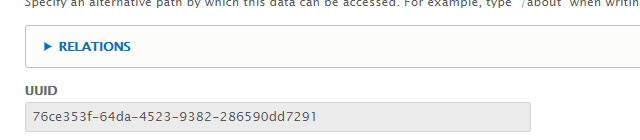


Edit UUID is a simple module that allows us to update, change or add custom UUID for an entity. Bundles and entity types are configurable to enable UUID field in entity form so that user can change or provide own UUID for the configured entity types and bundles only, this feature can be restricted to admin users by enabling role-specific permission (show UUID).
Some Roles can only see the UUID in entity form and Some Roles can update the UUID in entity form. (using edit UUID & show edit UUID permissions)
Some bundles can be configured to have option only to see the UUID in entity form, Some bundles can have the option to update the UUID in the entity form.
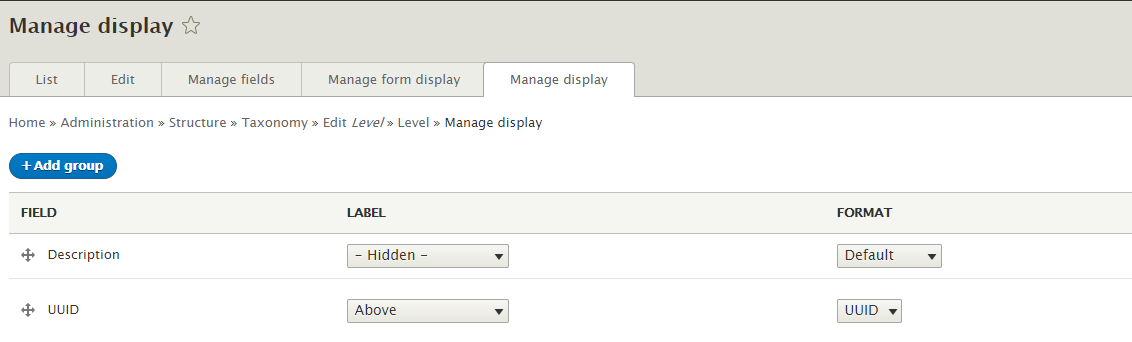
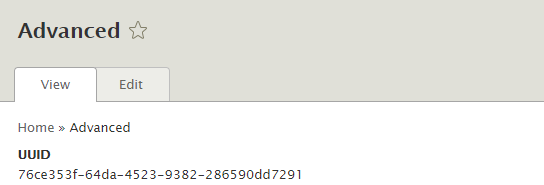
Use UUID formatter to show UUID in entity view and it is configurable in the display mode and UUID will be displayed to the user if the current user has permission to see UUID.
After enabling this module,
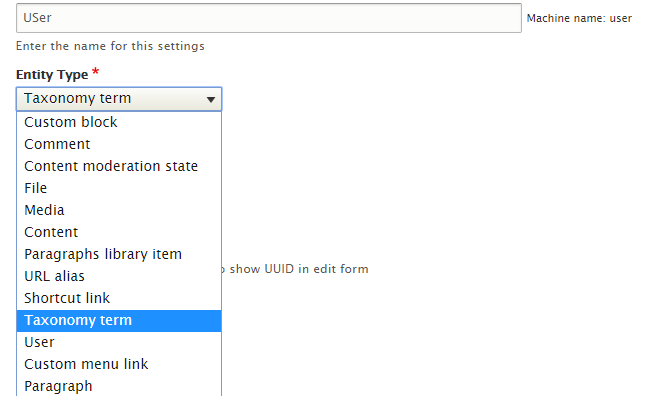
Configure the content types or any bundles that need to have UUID edit option by navigating to extend listing page and search edit UUID, the searched result will show Edit uuid module, click on configure
Fields in the configuration form
1. Settings Name is simple name. it can be your own for your understanding.
2. Select the entity type which you want to change uuid or custom uuid. example (node)
3. Select the content types loaded in bundles field. example (Article) (multi-select field)
4. Save now and if you add a new article or edit exiting article . will UUID field in the form
UUID can be enabled in manage display if needed to show in node view page or any entity view page.
Use generic field weight module to alter or change the weight (to change the position of the UUID text field in entity form) of the UUID text field in entity form.
Note : You need to create separate settings for each different configuration. updating an existing config will override the old configuration.
Project information
- Project categories: Administration tools, Content editing experience, Site structure
 263 sites report using this module
- Created by karthikeyan-manivasagam on , updated
 Stable releases for this project are covered by the security advisory policy.
Look for the shield icon below.


