

 Come together with the global Drupal community in Rotterdam, 28 Sept – 1 Oct 2026. Sessions, contribution, connection, and Early Bird savings until 8 June.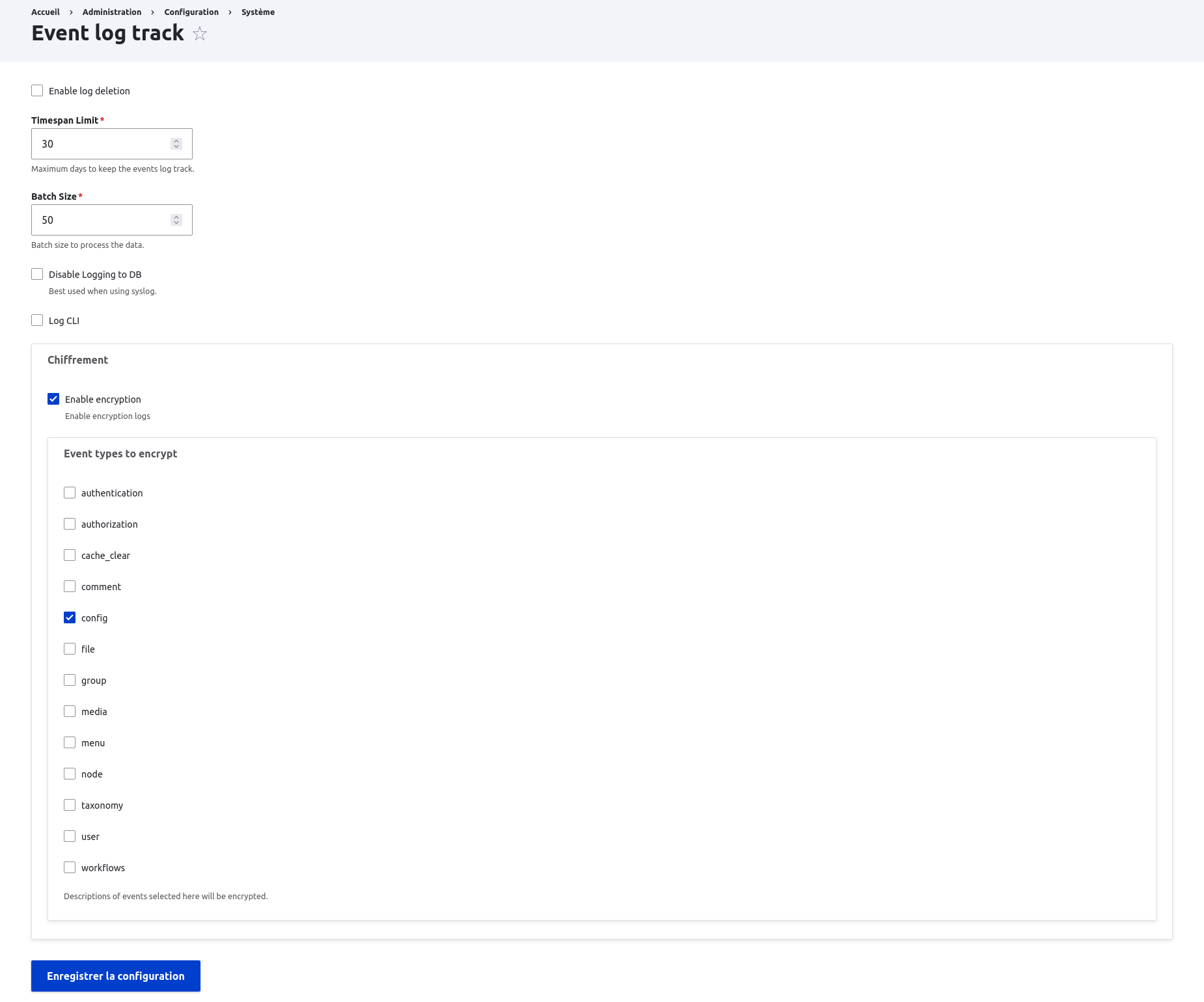
Event Log Track Encrypt add support for encrypted logs to Events Log Track module (ELT).
Features
Event Log Track Encrypt add support for encrypted logs to Events Log Track module (ELT)
This feature is useful for protecting, without loss, certain sensitive data that may be stored in ELT logs (e.g. the modification of a configuration entity containing credentials).
The module uses public key cryptography to encrypt data: The data is encrypted with a public key before being recorded in the ELT log. Only the owner of the private key corresponding to the public key is able to decrypt the data.
Only the 'description' part of an ELT log is encrypted.
The module provides drush commands for decrypting data, but no graphical user interface.
Post-Installation
- Generate your public/private key pair (for more information see README - Key generation)
- Configure the public key:
- Go to the key administration interface (/admin/config/system/keys): Administration > Configuration > System > Keys
- Edit the key named `Event log track public key` by clicking on the 'Modify' button.
- Confirm the warning message (Be extremely careful when editing a key!...) by clicking on the `Edit` button.
- In the `Key value` field, copy your public key. Warning: copy your public key, not your private key!
- Save the modification by clicking on the `Save` button.
- Enable encryption:
- Go to the ELT module administration interface (/admin/config/system/events-log-track): Administration > Configuration > System > Event log track
- In the `Encryption` section:
- Check `Enable encryption` box
- Select the type of events to be encrypted (e.g. `config`).
- Save changes by clicking on the `Save configuration` button.
For a full description and help, see README
Additional Requirements
Event Log Track Encrypt requires the following modules:
Project information
- Project categories: Integrations
- Ecosystem: Events Log Track, Encrypt
 1 site reports using this module
- Created by aurm on , updated
 Stable releases for this project are covered by the security advisory policy.
Look for the shield icon below.

