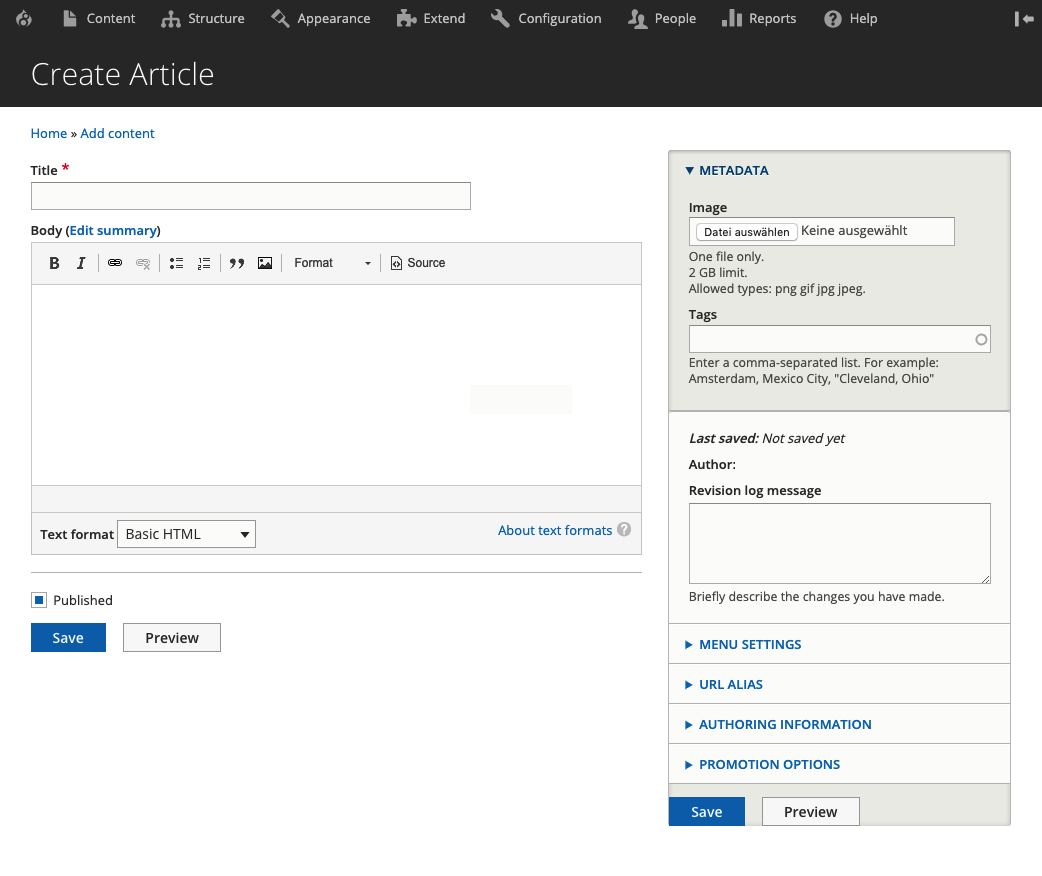
This module allows you to create a metadata field group, provided by the Field Group module, which can hold all your meta information about a content. This group will then automatically be moved to the advanced section of your content edit form, leaving the way open to view your primary content only, and having the meta information out of the way, but still prominently concentrated.
How does it work?
Absolutely simple!
- Install the module first
- Navigate to the "Edit form display" page of your desired content type
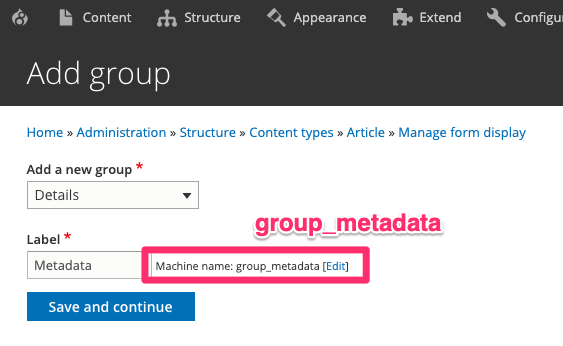
- Click on "Add group" to add a new field group
- Select the group type "Details"
- Give your group a label. Ensure that the machine name is
group_metadata! - Save and continue. Configure your group as you like
Before

After

Group creation
Ensure your group has the machine name "group_metadata"!
Supporting organizations:
Funded Development
Project information
 Maintenance fixes only
Considered feature-complete by its maintainers.- Project categories: Administration tools, Content editing experience, Site structure
- Ecosystem: Field Group
 259 sites report using this module
- Created by florianmuellerch on , updated
 Stable releases for this project are covered by the security advisory policy.
Look for the shield icon below.