


This project is not covered by Drupal’s security advisory policy.
Introduction
This Drupal 8/9 module consumes File Information Tool Set (Fits) to retrieve and extract technical metadata for fieldable files.
Installation
By Composer (Highly recommend):
composer require 'drupal/fits:^1.1@alpha'
Manually Installation:
- MANDATORY: Install JMESPath library (needed for the extraction) first by
composer require 'mtdowling/jmespath.php'. - MANDATORY: Fits XML (either REST endpoint or from command-line).
- Drupal modules dependencies, so highly recommend install this module by composer:
composer require 'drupal/fits'.
Configuration
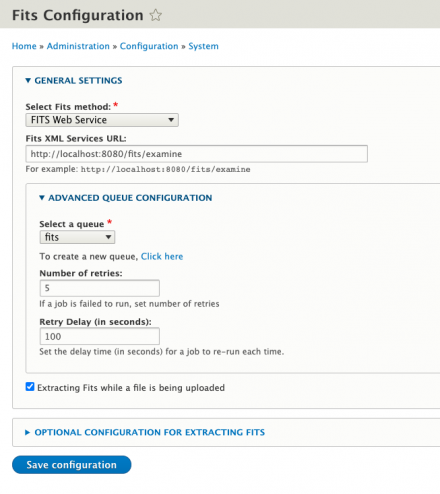
- Visit
/admin/config/system/fitsas screenshot below:
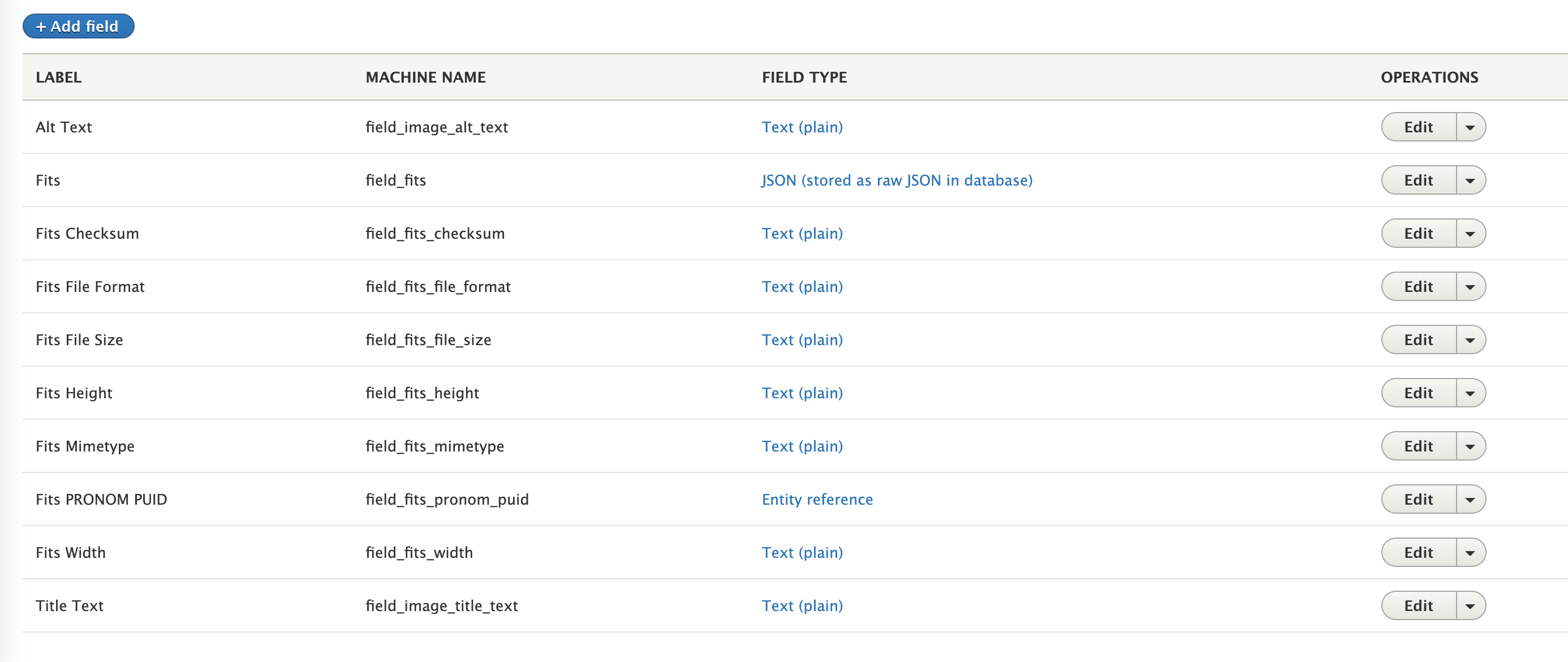
- Visit
/admin/structure/file-types, then clickEditin each File type for further detail and configure on Technical metadata fields.
- To add more field(s) for extracting technical metadata, click
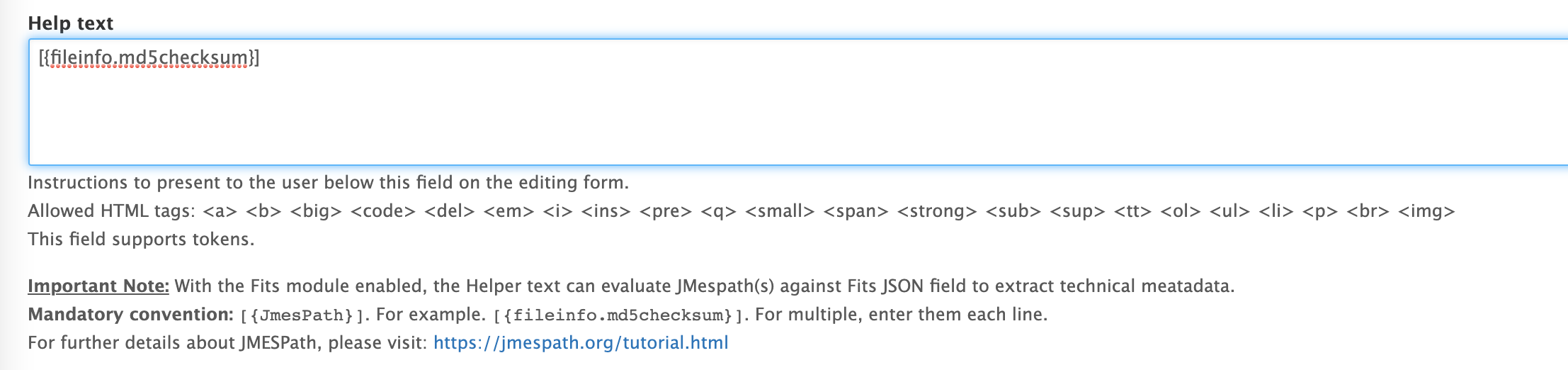
+ Add fieldbutton. Filling out all main fields.- In the Helper text field (screenshot below), make sure to enter one or multiple JMESPath(s) each wrapped between “[{ }]” (ie. [{fileinfo.md5checksum}]).
- For further details about JMESPath, please visit: https://jmespath.org/tutorial.html
Usage
- Upload a file at
/file/addor add a Media at/media/add. - After a file uploaded completed, a job will be added to a queue which can be visited at
admin/config/system/queues. Then, selectList Jobsof the designated queue for Fits (select above) to monitor the progress. - To run the queues, there are 3 ways:
- By Cron at
admin/config/system/cron - By drush/drupal by
drush advancedqueue:queue:process [{ queue name }]in terminal. - By Advanced Queue Runner
- By Cron at
- When a job is executed, there are 2 main operations:
- Retrieve Fits: It will consume Fits XML to retrieve technical metadata in XML, then convert it to JSON and save it in the
field_fits. - Extraction: After the technical metadata is saved in the json field
field_fits, the extraction for each field based on JMESPaths which are defined in each Fits fields.
- Retrieve Fits: It will consume Fits XML to retrieve technical metadata in XML, then convert it to JSON and save it in the
- To check the outcome of the Fits metadata and extracted fields in a file, visit
/file/[{ just uploaded File ID }]/edit
Project information
- Project categories: Site structure, Media, Developer tools
- Ecosystem: Advanced Queue, Islandora
 1 site reports using this module
- Created by kylehuynh on , updated
 This project is not covered by the security advisory policy.
Use at your own risk! It may have publicly disclosed vulnerabilities.
Releases
8.x-1.12
released 12 September 2024
Works with Drupal: ^8.8 || ^9 || ^10 || ^11
Install:
Development version: 8.x-1.x-dev updated 10 Sep 2024 at 19:00 UTC


