


This project is not covered by Drupal’s security advisory policy.
If you need a taxonomy field to be filtered based off of another taxonomy field's value, this module is for you. It is handled via Views.
I originally used Business Rules to accomplish the filtering but Business Rules only allowed filtering of one child when we needed multiple. That is all this module does where Business Rules has a lot of other things; not just dependent fields.
This module handles multiple dependencies so if you have a field that needs to filter multiple fields in your form, this module can handle that.
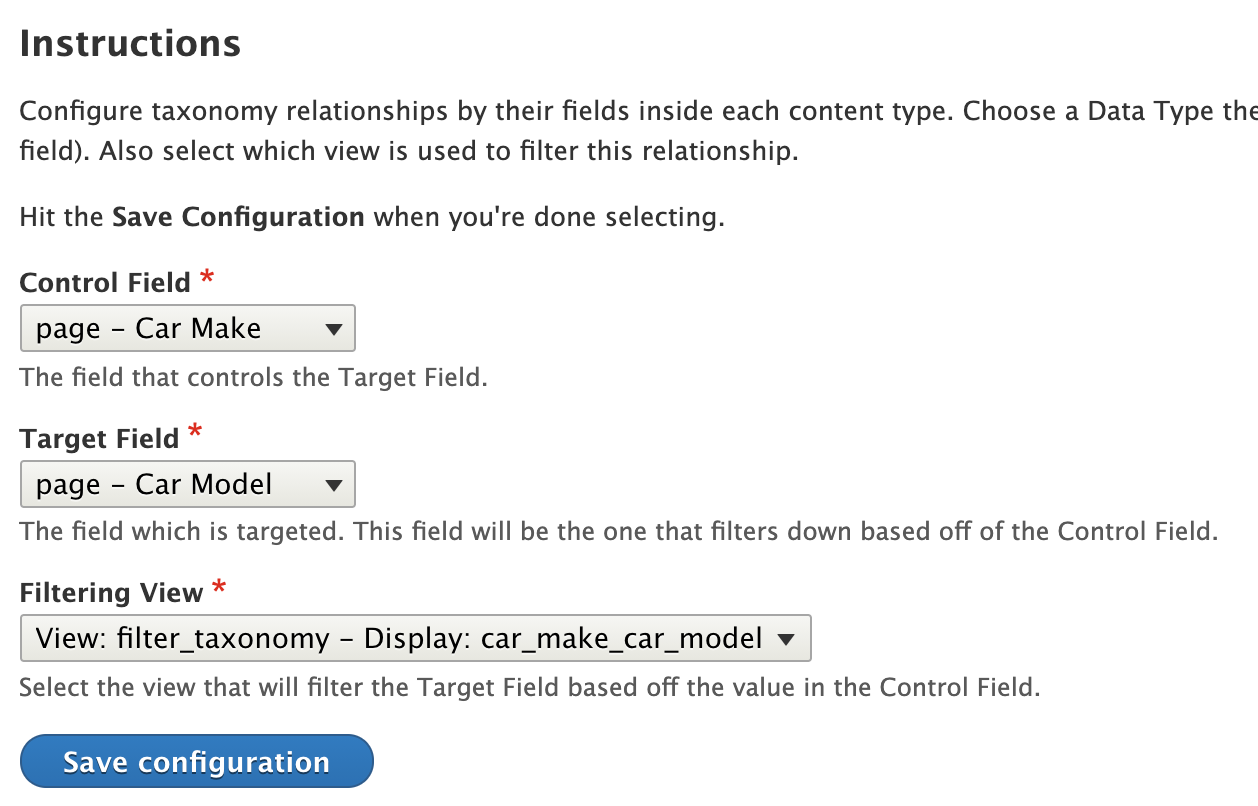
It is configured through an admin form where you specify the following:
- Node or Media Type - Which content or media type the two fields are on.
- Control Field - The field which controls the results of the Target Field.
- Target Field - The field which changes values based off of the Control Field.
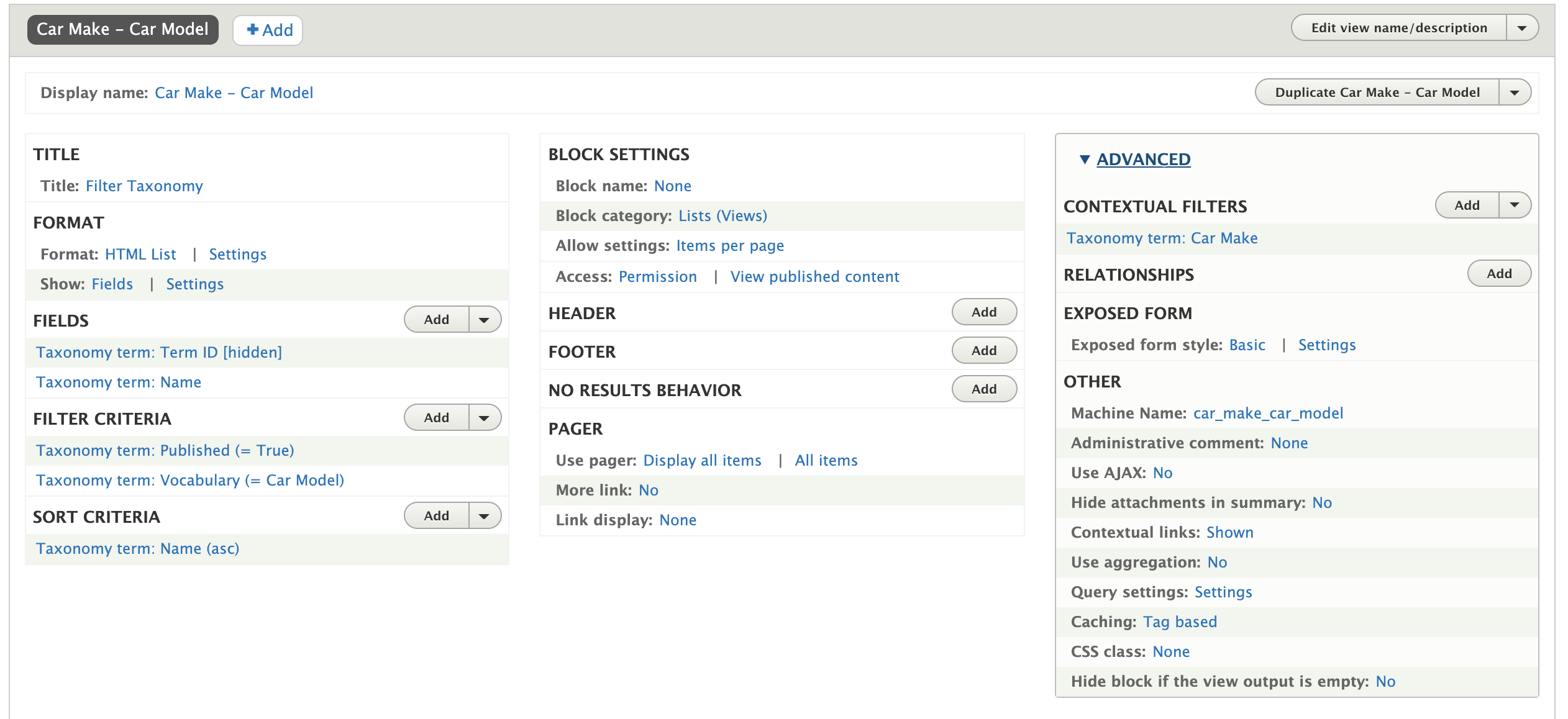
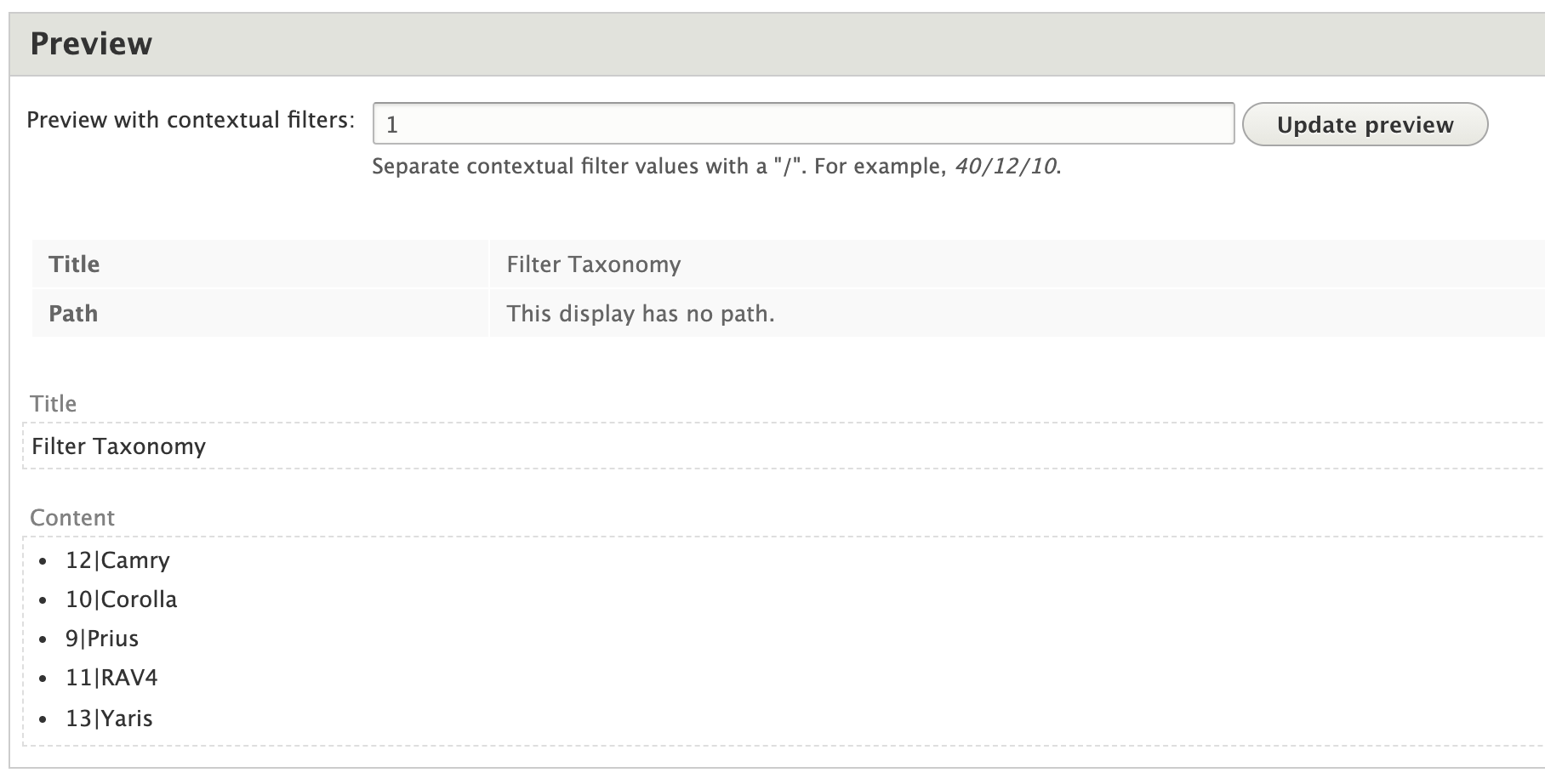
- View - The view which handles the filtering. This view has a contextual filter (which should be your Control Field). The view handles the filtering so however you need to filter the Target Field, you do it with the view. The output of the view needs to be an HTML list of fields where you rewrite the result as
tid|Option Name.
Features
- Easy to maintain relationships
- Relates taxonomy terms to other taxonomy terms in different vocabularies
- Views controls the dependencies so it's easy to order
- Works with select2, checkboxes, drop downs, radio buttons, etc.
- Created two hooks to allow developers added functionality:
- one to alter the form before it's processed
- one to do other stuff on the event that something else needs to change when a field changes (ex. populate or manipulate a text field, clear a field's value, etc)
- Works with node and media bundle entities
Installation & Setup
- Install and enable the module
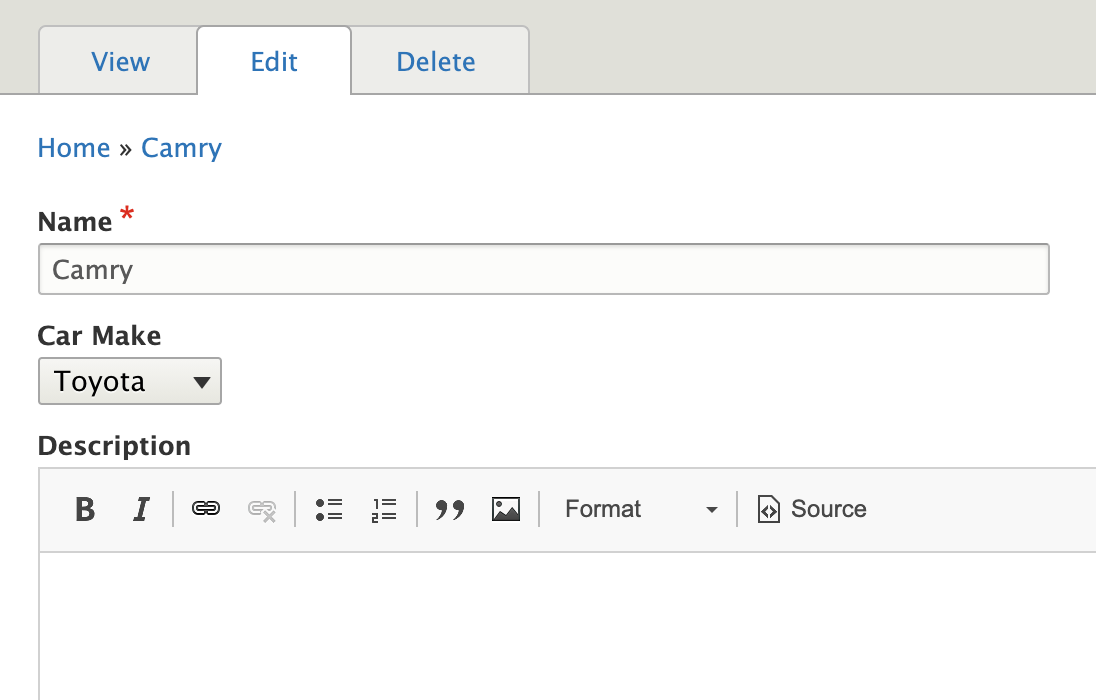
- Establish relationships in taxonomy terms by creating a field on the dependent
vocabulary. Add dependencies on terms.

- Create a view which gets a term ID from the control vocabulary (contextual
filter). Rewrite the results so it's in this kind of format:
tid|Name
ex.45|Ball

- Go to
/admin/config/content/form_filter_fieldsto add the relationship to your two fields.
- Test and profit!
Related Modules
- Business Rules - The Dependent fields portion of Business Rules (https://www.drupal.org/docs/8/modules/business-rules/advanced-usage/depe...) does the same thing except it can only do one dependent field. If you need multiple, Business Rules doesn't work for you.
Known Issues
- This module does not work with IEF (Inline Entity Form). Their way of creating forms is using a different object/class which is more complicated than Drupal's.
Project information
 Seeking co-maintainer(s)
Maintainers are looking for help reviewing issues.- Maintenance fixes only
Considered feature-complete by its maintainers. - Project categories: Content editing experience, Site structure
- Ecosystem: Dependent Fields, Dynamic dependent fields
 47 sites report using this module
- Created by niles38 on , updated
 This project is not covered by the security advisory policy.
Use at your own risk! It may have publicly disclosed vulnerabilities.
Releases
8.x-1.6
released 5 May 2023
Works with Drupal: ^8.7.7 || ^9 || ^10
Install:
Development version: 8.x-1.x-dev updated 5 May 2023 at 09:55 UTC


