

 Come together with the global Drupal community in Rotterdam, 28 Sept – 1 Oct 2026. Sessions, contribution, connection, and Early Bird savings until 8 June.


This project is not covered by Drupal’s security advisory policy.
This module uses the FreecurrencyAPI service to obtain exchange rates
and uses them for calculations. Exchange rates are stored in a local database.
The module represents a block for calculating exchange rates.
Exchange rates are updated at certain intervals.
This update occurs when Cron is started, or it can be done manually in the module's
administrative interface.
Exchange rates are displayed via View. You can customize the display as you wish.
Under the hood, Currencies and Currency Rates are represented as Entities.
Installation Steps
- Enable the module Currency Converter (FreecurrencyAPI).
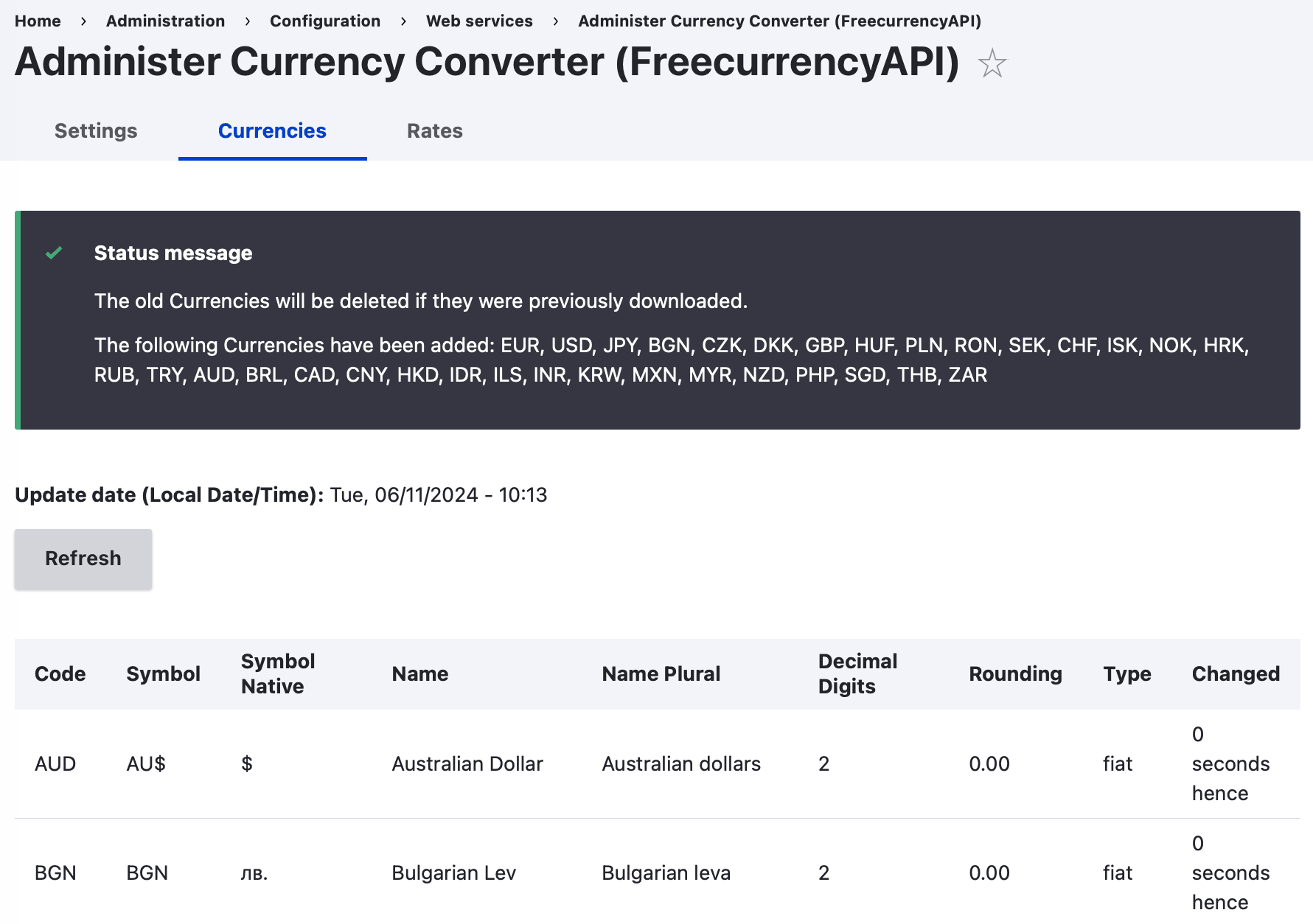
- Go to section Administration → Configuration → Web services → Administer Currency Converter (FreecurrencyAPI)
-
- Go to the Settings tab and append FreecurrencyAPI Key.
- Go to the Currencies tab and synchronize the data manually.
- Go to the Rates tab and synchronize the data manually.
- Go to section Administration → Reports → Status report and run Cron to check data synchronization.
- Go to section Administration → Structure → Block layout and add a new Freecurrency Converter block wherever you want.
- In section Administration → Structure → Views you can modify Views Freecurrency Currencies and Freecurrency Rates.
Demonstration of capabilities
Use the following Drush command to generate data:
drush freecurrency-seeding
As a service
You can use the module as a service. To do this, just run the following call:
\Drupal::service('freecurrency.converter')->convert(
  $value_from,
  $value_to,
  $value_amount
);
Requirements
This module requires no modules outside of Drupal core.
Project information
- Project categories: E-commerce
 1 site reports using this module
- Created by maxrys on , updated
 This project is not covered by the security advisory policy.
Use at your own risk! It may have publicly disclosed vulnerabilities.

