

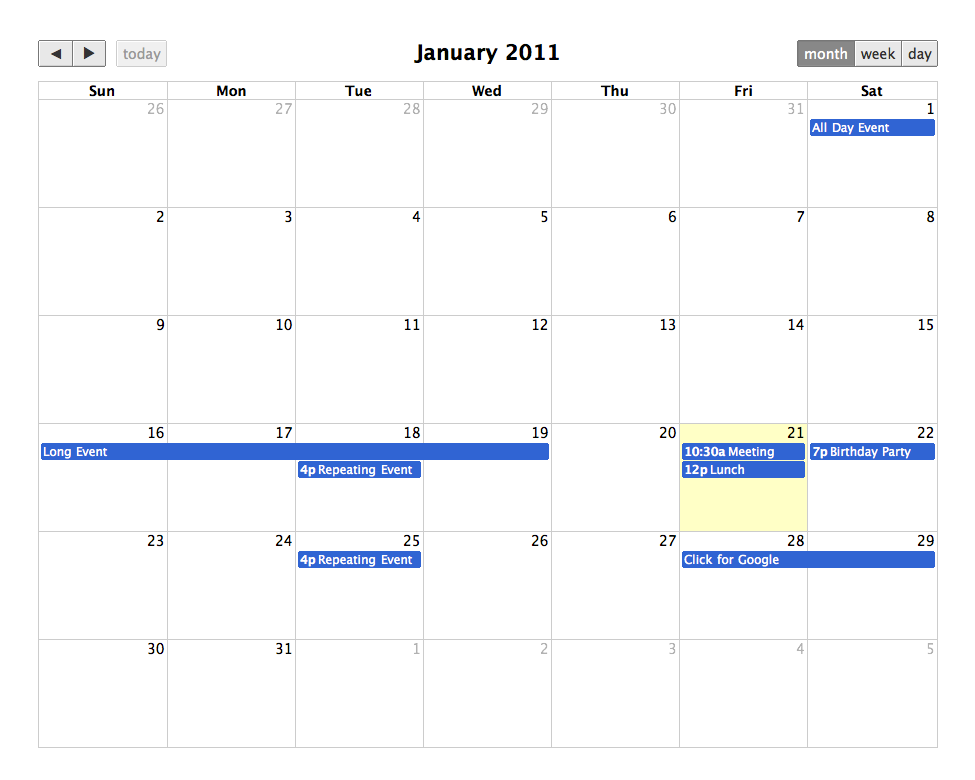
The Fullcalendar module provides an advanced, highly customizable integration with the popular FullCalendar JavaScript library. It allows you to transform any Drupal View into a rich, interactive calendar display for nodes, taxonomy terms, users, or any other entity type.
What's New in the 4.0.x Branch (FullCalendar v7)
The next generation of the Fullcalendar module is here! The 4.0.x branch features a complete overhaul to support FullCalendar JS v7, bringing modern design paradigms, improved performance, and upcoming Drupal core compatibility.
Upstream FullCalendar v7 Enhancements:
- Dark Mode & New Themes: Native support for dark mode and modern themes featuring fresh color variations to match your site's branding seamlessly.
- Multi-Month (Year) Display: A brand new grid view that allows users to see multiple months at a glance: perfect for long-term planning and annual event overviews.
- Sticky Headers: Keep the calendar controls, days of the week, and timeline headers fixed at the top while scrolling through busy schedules.
- Performance Boosts: Leveraging the latest optimizations from the core JS library for faster rendering.
Drupal Module Improvements:
- Drupal 12 Ready: Fully compatible with Drupal 10, 11, and forward-compatible with the upcoming Drupal 12 release.
- AJAX Data Loading: Events are loaded dynamically via AJAX as users navigate between months or views, significantly decreasing initial page load times for event-heavy sites.
- Configurable Tooltips: Easily configure and customize tooltips natively through the Views UI to display rich event previews on hover.
- Robust Test Coverage: Added comprehensive automated testing to ensure stability, reliability, and smooth upgrade paths.
Key Features (Core)
- Views Integration: Create calendar displays from any View using standard fields, arguments, and filters.
- Drag-and-Drop: (Optional) Allow users with appropriate permissions to reschedule events directly on the calendar interface.
- All-Day & Multi-Day Events: Flawless rendering of single-day, multi-day, and all-day occurrences.
- Responsive Layouts: Adapts elegantly to mobile, tablet, and desktop viewports.
Compatibility & Dependencies
4.0.x Branch
- Drupal Core: 10.x / 11.x / 12.x
- JS Library: FullCalendar v7.x
3.x / 8.x-2.x Branches (Legacy)
Legacy branches remain available for compatibility with older Drupal core versions and FullCalendar JS v3/v5/v6
Installation & Configuration
- Install the module via Composer:
composer require drupal/fullcalendar - Ensure the FullCalendar JS v7 library is available (via your preferred asset loading method or Drush command if applicable).
- Create a new View, change the display format to Fullcalendar, and configure your date fields.
Project information
- Project categories: Content display, Site structure
 4,232 sites report using this module
- Created by ablondeau on , updated
 Stable releases for this project are covered by the security advisory policy.
Look for the shield icon below.


