

This project is not covered by Drupal’s security advisory policy.
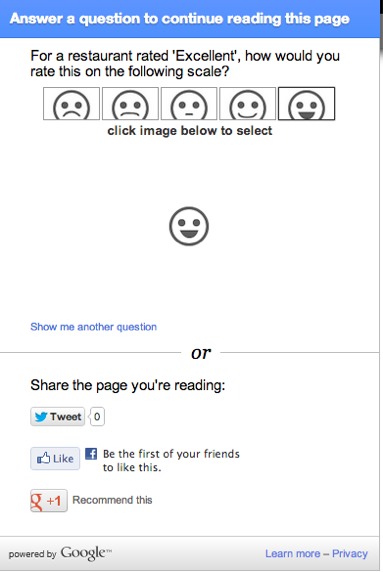
A field formatter for adding Google Consumer Surveys (http://www.google.com/insights/consumersurveys/home) to your site. This will "hide" field(s) of your choice in a content type behind a Google Survey. This makes it so the user has to answer the survey before they can see the content in that field. You set which fields get this treatment by selecting Google Surveys as a Formatter on the Manage Display tab of your content type.
Note: you must have an account on Google Consumer Surveys to use this module.
Installation Notes:
Be sure to flush your theme registry (or just all) caches after you save your configuration (admin/config/services/google_surveys) or you may not see the added markup on your pages.
Development of this module was initially sponsored by BCI Interactive http://www.bciinteractive.com/
Project information
- Project categories: Content display
- Created by carsonblack on , updated
 This project is not covered by the security advisory policy.
Use at your own risk! It may have publicly disclosed vulnerabilities.


