

 The 2026 Drupal Business Survey is open. Your response will help shape the future of the Drupal business ecosystem.


This project is not covered by Drupal’s security advisory policy.
Objective:
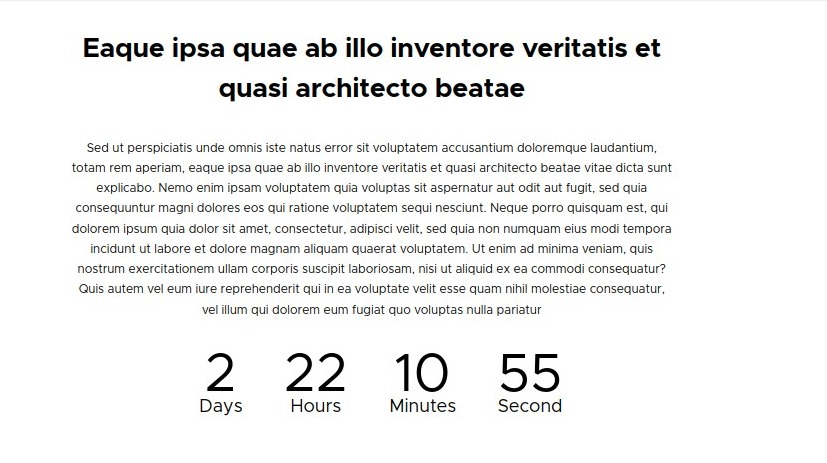
The Gravitas Countdown module is a powerful tool that allows you to easily add countdown timers to your Drupal website. Whether you want to create a sense of urgency for limited-time offers, promote upcoming events, or highlight important milestones, this module has got you covered.
Key Features:
- Flexible Countdown Configuration: Customize the countdown timer to suit your specific needs. Set the target date and time, choose from various display formats, and define the desired time zone.
- Multiple Countdown Instances: Create multiple countdown blocks with different settings and display them on different pages or sections of your website. Each instance can have its unique countdown duration and design.
- Eye-catching Designs: Choose from a selection of beautifully designed templates or customize the appearance of your countdown block to match your website’s branding. Add custom CSS styles or use predefined themes for quick and seamless integration.
- Responsive and Mobile-friendly: The countdown block is fully responsive, ensuring that it looks great on any device or screen size. Your visitors will enjoy a consistent countdown experience across desktop, tablet, and mobile platforms.
- Interactive and Dynamic: Engage your users with real-time countdown updates. The block automatically refreshes to show the updated time remaining without requiring a page reload.
- Multilingual Support: Reach a global audience by displaying countdown timers in multiple languages. The module integrates seamlessly with Drupal’s multilingual capabilities, allowing you to create countdown blocks in different languages.
- Easy Placement and Configuration: Effortlessly add the countdown block to any region of your website using Drupal’s block placement system. Configure settings such as block title, visibility, cache options, and more with just a few clicks.
- The Countdown Block module empowers Drupal site owners and developers to create compelling countdown experiences that drive engagement, increase conversions, and enhance user experience. Install this module today and start leveraging the power of countdown timers on your Drupal website.
Set Up:
- To Setup, Like any Drupal 9/10 module Just Place the Module Files in Module Directory
- Enable the module “Gravitas Countdown” through Extends Admin Tab
- Once Enabled a block Gravitas Countdown would be Available in the Block Layout.
- Place the Block on the areas you wish you display recently visited places (ex: sidebar, content)
- You can configure the block with available settings you wish to see.
Supporting organizations:
Project information
- Project categories: Content editing experience, Developer tools
 157 sites report using this module
- Created by sujan shrestha on , updated
 This project is not covered by the security advisory policy.
Use at your own risk! It may have publicly disclosed vulnerabilities.


