



Overview
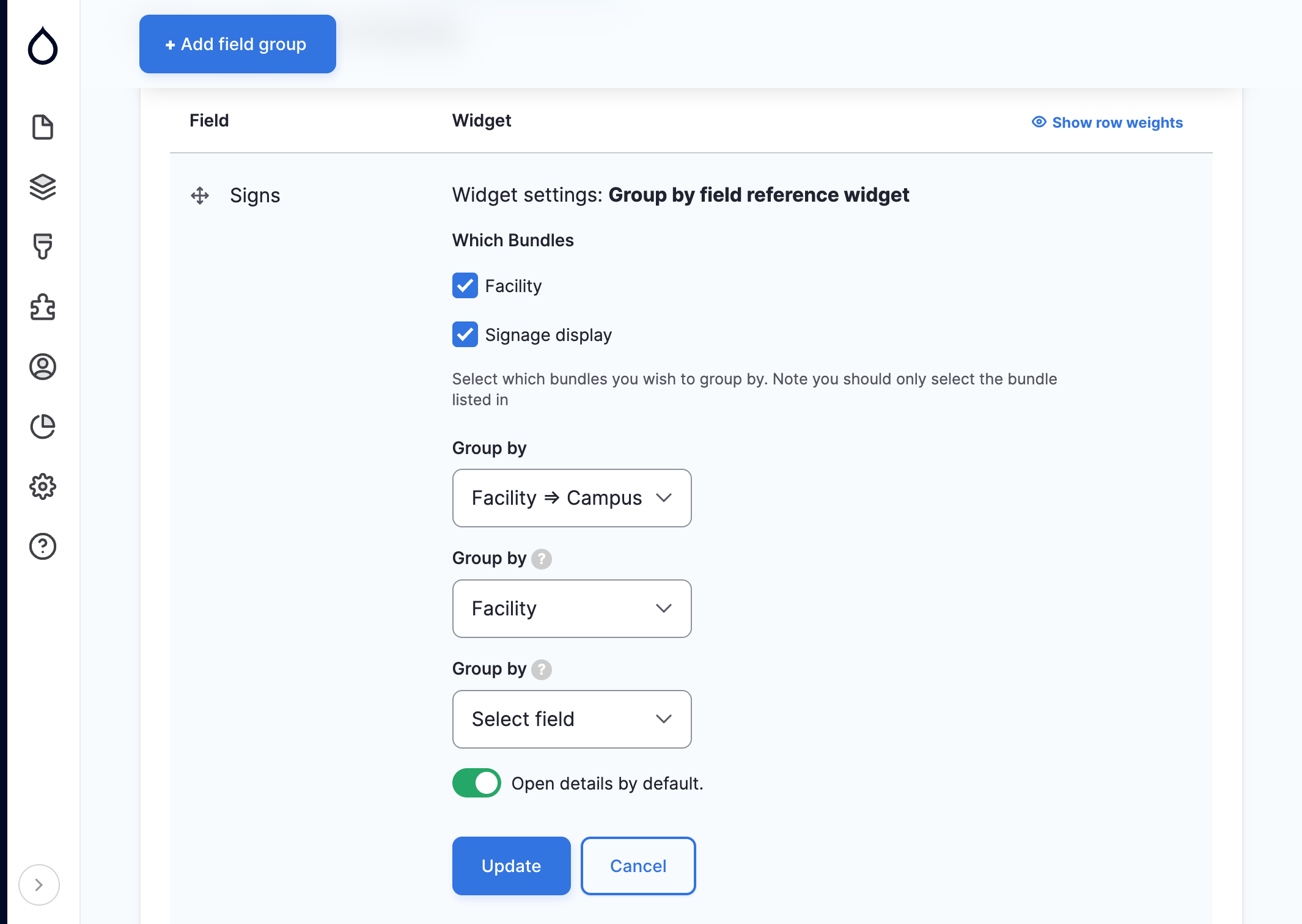
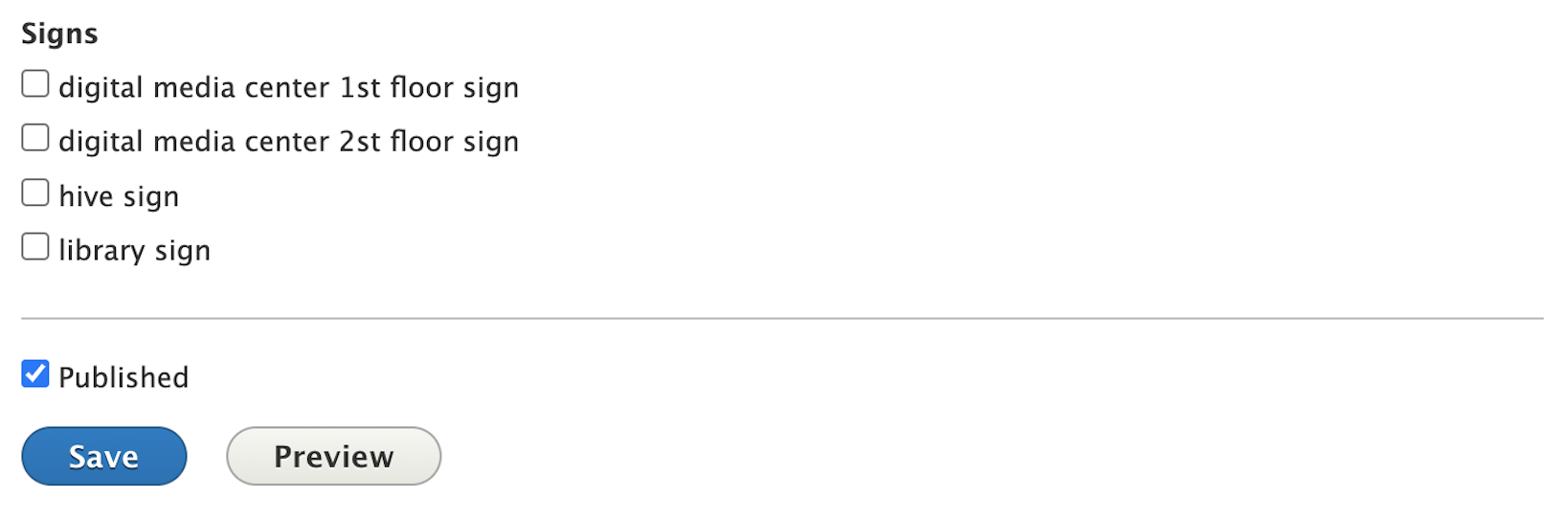
This module provides a field widget for entity references. When enabled you are able to group checkbox/radio options into collapsible details elements. Groupings are based on the selected entity references, fields.
Use case
Say you need to create a field that lists all the displays you have across all university campuses. So you create a 'Display' content type with a Field called facilities. A 'Facility' content type with field called campus. Lastly, a 'Campus' taxonomy vocabulary. With this module your displays field can be group by a number of nested fields. You can group by Facility or you can group by Campus which is an entity reference in your facility content type.
Installation/Configuration
- Add an entity reference field to node
- Head to manage form display, and change the widget to 'Group by field reference widget'
- If your field is multi-value, it will use checkboxes, otherwise it will use radios.
Related modules
- Grouped checkboxes: Allows you to group by taxonomy vocabularies.
- Entity Reference Tree Widget: Provides an entity relationship hierarchy tree widget for an entity reference field.
Troubleshooting
Empty "Group by" Selector.
This can happen for one of two reasons. First, only fields with a cardinality of 1 are allowed to be included in the list. Second, Fields using the "Views: Filter by an entity reference view" reference type must first select the bundles needed for field.
Features to come
Nested grouping- completed with 1.2.0 release
- Allow for nested fields with a cardinality of 1 to be included even if parent field isn't groupable
Allow user to toggle whether the details elements should be open by default.- completed with 1.2.0 release
- Allow users to select which hidden fields they would like to group by.
- Allow users to sort groupings.
Allow for "Views: Filter by an entity reference view" taxonomy- completed with 1.1.0 release
Supporting organizations:
Initial Development
Project information
- Project categories: Site structure
- Ecosystem: Radios Select, Multiple Checkbox select
 240 sites report using this module
- Created by jalite1991 on , updated
 Stable releases for this project are covered by the security advisory policy.
Look for the shield icon below.
Releases
1.2.5
released 27 March 2025
released 27 March 2025
Works with Drupal: ~9.0 || ^10.0 || ^11
Drupal 11 Compatibility and bug fixes.
Install:

