

Most people using Google Tag Manager are used to trigger Tags if something is true like a URL contains "store". Fewer people use the existence of a cookie to prevent a tag from triggering. This module makes it easier to create a cookie used for this type of exclusion.
This module is very simple doesn't really need to exist, but wrapping the creation of a cookie into a Drupal module makes it much easier for an SEO expert to request the Drupal part of the configuration. They simply request this module be enable instead of asking a developer to do the same thing with custom code.
This module creates a cookie called STYXKEY_gtm_exclude_cookie that can be added as a Variable in Google Tag Manager.
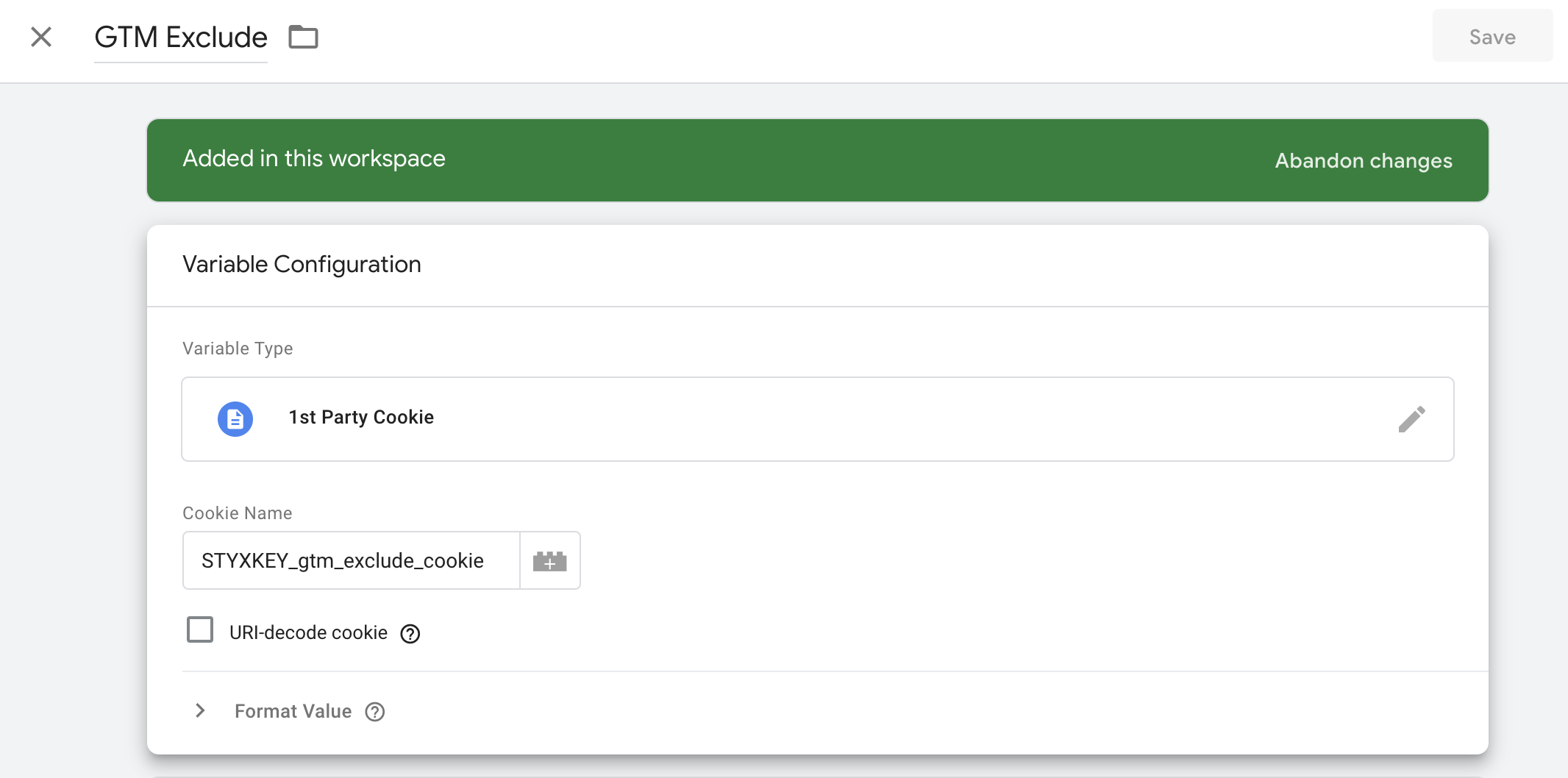
This cookie is created with the httponly option set to false which makes it possible for GTM's javascript to read the cookie value. We're also using the STYXKEY cookie naming prefix so the cookie can be read by PHP when a site is hosted on Pantheon.
Step 1 - Install this module
Step 2 - Get staff to visit the /gtm-exclude path
Step 3 - Update GTM Tags to use an Exclude Trigger when you don't want staff to load like analytics and retargeting pixels
Step 4 - Profit!?!
Once this module is enabled, visiting /gtm-exclude will create a cookie that can be used to avoid including specific GTM scripts like Google Analytics and retargeting pixels for staff by simply configuring a Does not Match RegEx of ^\d+$ for the GTM Exclude Variable.

This is much easier to maintain than trying to exclude staff by IP addresses in a modern Work from Home/Anywhere world. It also shifts most of the work to whoever is responsible for the GTM configuration.
There a few ways the cookie can be used. https://www.portent.com/blog/analytics/how-to-implement-cookie-exception... explains another method.
Project information
 Maintenance fixes only
Considered feature-complete by its maintainers.- Project categories: Search engine optimization (SEO)
- Created by kreynen on , updated
 Stable releases for this project are covered by the security advisory policy.
There are currently no supported stable releases.
Releases
Development version: 1.0.x-dev updated 12 Jul 2022 at 19:00 UTC


