

The Hospital Price Transparency module is intended to make it easier for site builders to meet the requirements outlined by the Centers for Medicare & Medicaid Services for providing a comprehensive machine-readable file (MRF) of all items and services. Additional resources are available on cms.gov as well.
However, the maintainers of this module do not claim implicitly or explicitly that using this module fulfills any legal obligations of any hospital. Please alert the maintainers (e.g. create an issue) if you find references to outdated documentation, etc.
This module would make it easier to build something like this page from BJC or this page from the City of New York or this page from University of Chicago. Please note that those examples do not actually use this module. But that's the kind of thing this module could help support.
Please see the Documentation for examples and details.
Upgrading from v1 to v2
The upgrade is easy, and there is no risk of data loss. That said, you should pay attention to a few things. See the docs!
Goals of this Module
This module is intended to make it very easy to meet the technical requirements laid forth on cms.gov. This project page references the file Updated March 15, 2024.
Here are the specific guidelines that this module addresses. The documentation also contains some musings on why Media may not be the best choice: Inside Info: Why not Media?
| Requirement | How this module helps | Docs |
|---|---|---|
| (Step 4) Gather and Encode your Standard Charge Information in the CMS [CSV of JSON] Template. | Each hpt entity has a required file field that allows only xml, csv, and json files. (The module configuration allows this list to be modified.) | Inside Info: Module Configuration
See #3476534: CMS has stricter requirements for HPT file than it used to |
| (Step 6) Your hospital must use the following naming convention for your comprehensive machine-readable file: [ein]_[hospitalname]_standardcharges.[json|csv] |
Each hpt entity has required fields for EIN and Hospital Name. These values are used when automatically creating an alias for the hpt entity that has the mandated convention. | Inside Info: Canonical Link, Alias, Redirect, and Pathauto |
| (Step 8) [Information must be accessible] free of charge | Viewing a published hpt requires the access content permission, which is typically granted to anonymous users. |
How To: Configure permissions for HPT entities |
| (Step 8) [Information must be accessible] without having to establish a user account or password; no registration or user account or password | See above | How To: Configure permissions for HPT entities |
| (Step 8) [Information must be accessible] without having to submit personally identifying information | See above | How To: Configure permissions for HPT entities |
| (Step 8) [Information must be contained in] single machine-readable file | The hpt field field allows only a single file. When the hpt is viewed the entire contents of the file are served. Further, there is zip upload support that allows otherwise prohibitively large files to be uploaded and served. | Inside Info: Canonical Link, Alias, Redirect, and Pathauto Inside Info: Huge Files and Zip Uploads |
| (Step 8) [Information must be accessible] to automated searches | The entities provided by this module are compatible with major contributed sitemap modules. | How To: Add HPT entities to your sitemap |
| (Step 8) [Information must be accessible via] direct file downloads through a link posted on a publicly available website. | Since the canonical route serves the contents of the file, it is extremely easy to create a link to the file because all you have to do is create a link to the hpt entity. Drupal provides many ways to create links to content entities. | How To: Link to an HPT entity |
| (Step 9) Maintain...a .txt file in the root folder that includes...hospital location... source page URL...direct link to the machine-readable file...hospital point of contact information | Beginning in v2, a txt file meeting these standards is autogenerated based on HPT entities and module settings. |
How To: Manage your cms-hpt.txt file See #3474683: Add support for "Step 9" related to the txt requirement |
| (Step 10) Please ensure your file reflects the most recent date your MRF was updated | Sitemap entries will show the last updated date and the default teaser configuration displays this info as well. | How To: Add HPT entities to your sitemap How To: Show a list of HPT entities (HPT Teasers) |
| (Step 10) Your hospital must update its standard charge information in its comprehensive machine-readable file at least once annually | You can update the file on an hpt entity and all of the links to that hpt entity will still work. They will direct the user to the new file. | |
| (Step 1) Each hospital location operating under a single hospital license (or approval) that has a different set of standard charges than the other location(s) operating under the same hospital license (or approval) must separately make public the standard charges applicable to that location. | You can create as many hpt entities as you need (likely one for each location that needs its own file). The hpt entities could then be listed by a View or otherwise displayed on the site. | How To: Show a list of HPT entities |
Supporting organizations:
Supported developer time to build and maintain the project
| Attachment | Size |
|---|---|
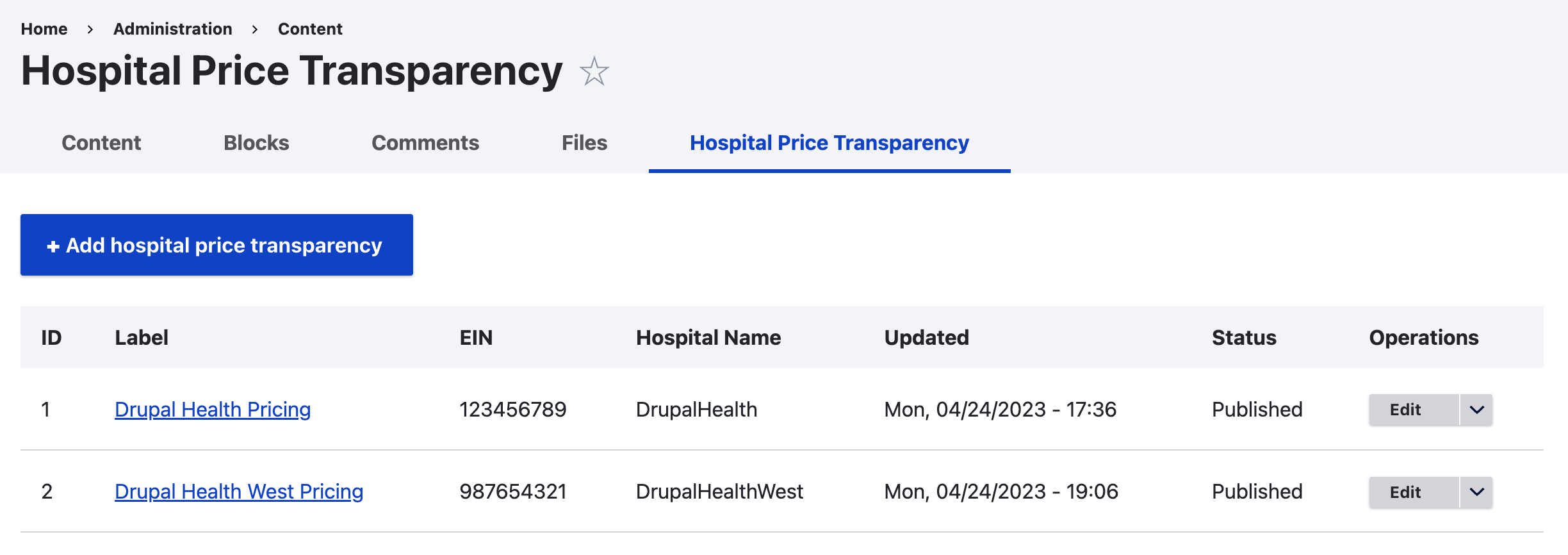
| A page showing two hpt entities | 172.69 KB |
Project information
- Project categories: Media, Search engine optimization (SEO)
 13 sites report using this module
- Created by danflanagan8 on , updated
 Stable releases for this project are covered by the security advisory policy.
There are currently no supported stable releases.
Releases
2.0.0-beta1
released 8 November 2024
Works with Drupal: ^10.1 || ^11
Install:
Development version: 2.0.x-dev updated 29 Dec 2025 at 00:47 UTC
1.0.0-beta2
released 30 April 2024
Works with Drupal: ^10.1 || ^11
Revisions UI and D11
Install:
Development version: 1.0.x-dev updated 29 Apr 2024 at 14:01 UTC


